
4G AIRHOME 200 Mini ruter s odvojivim 4G antenama
Nema pronađenih stavki.
Nema pronađenih stavki.
Sva pitanja
4G AIRHOME 200 Mini ruter s odvojivim 4G antenama
Nema pronađenih stavki.
Nema pronađenih stavki.
Kako mogu promijeniti SSID (naziv Wi-Fi mreže) i lozinku za Wi-Fi? (Postavke Wi-Fi mreže)
1. Povežite se s Wi-Fi mrežom vašeg rutera
Za promjenu SSID-a (naziva Wi-Fi mreže) i lozinke za Wi-Fi, morate se povezati s Wi-Fi mrežom svog uređaja.

2. Pregledajte IP adresu web sučelja
Zatim unesite sljedeću IP adresu: 192.168.188.1 u svoj preglednik.

3 Unesite podatke za turu
Morate unijeti Lozinku .

4 Wi-Fi postavke
Kliknite Wi-Fi postavke u odjeljku Mrežne postavke.
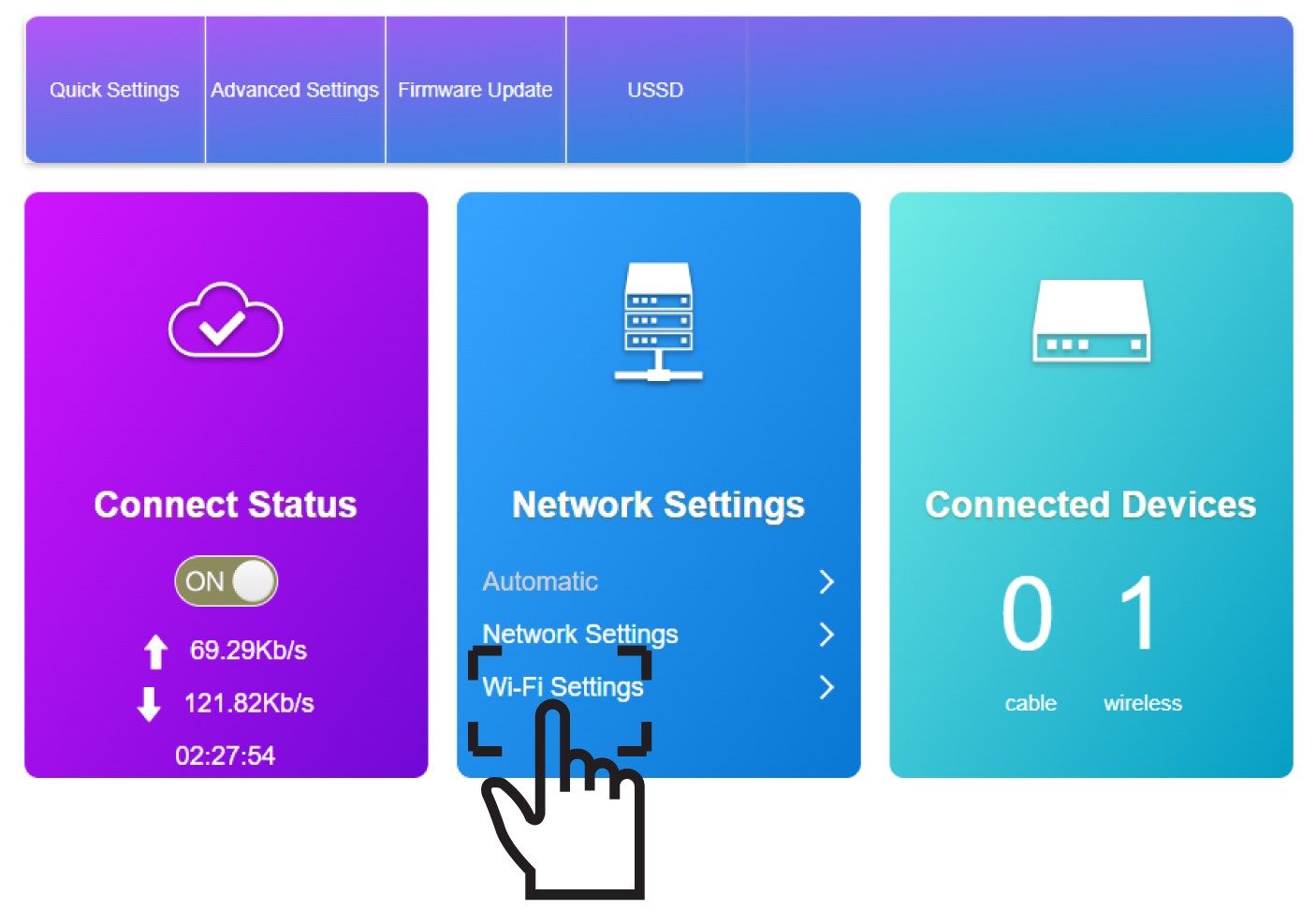
5 Unesite nove podatke o mreži
Kliknite prikaži lozinku i unesite sljedeće podatke prije nego što kliknete Primijeni:
a. Unesite novi naziv mreže.
b. Unesite novu lozinku za Wi-Fi.
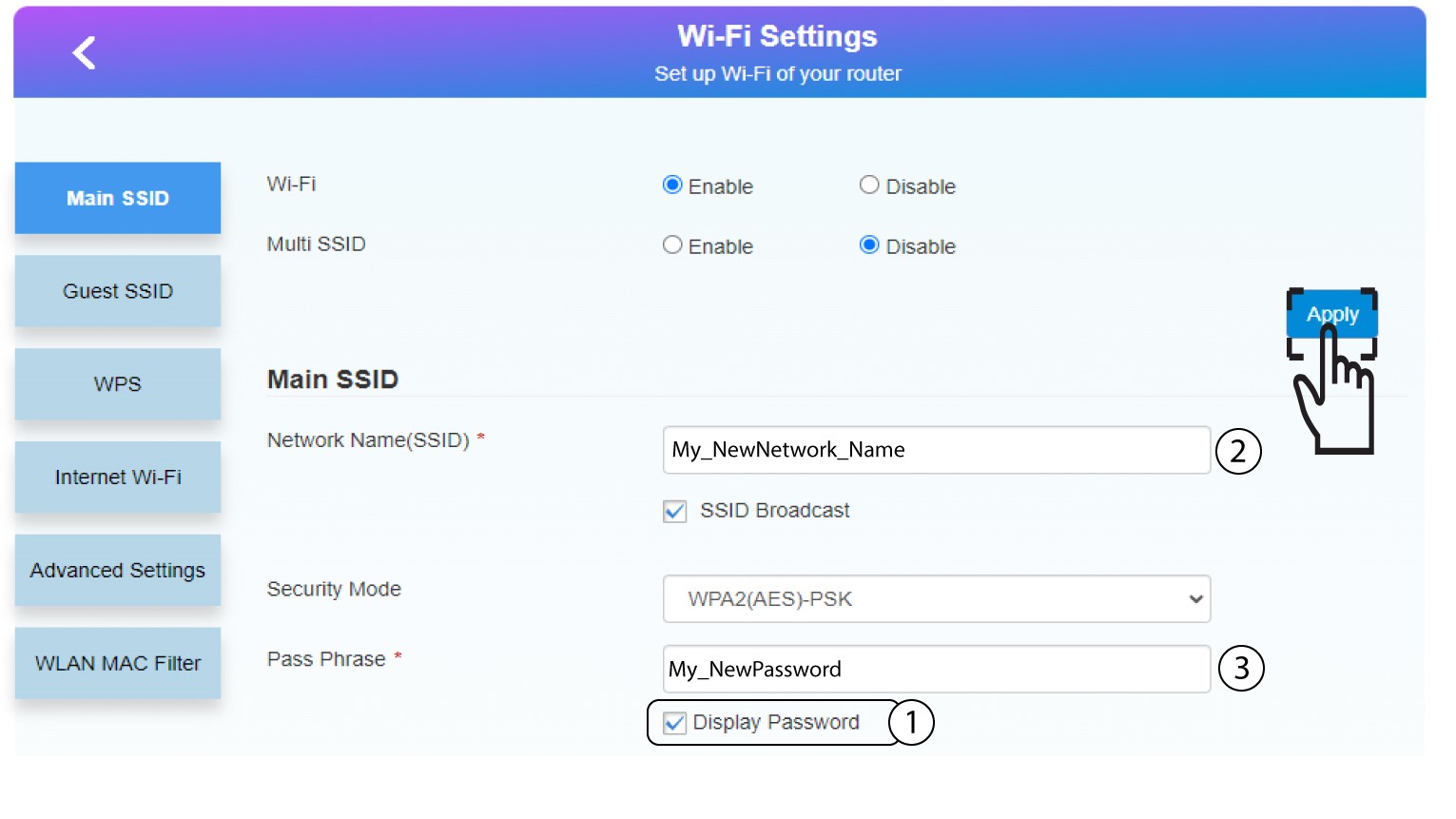
6 Spremite nove mrežne podatke
U skočnom prozoru kliknite Da kako biste primijenili promjene.
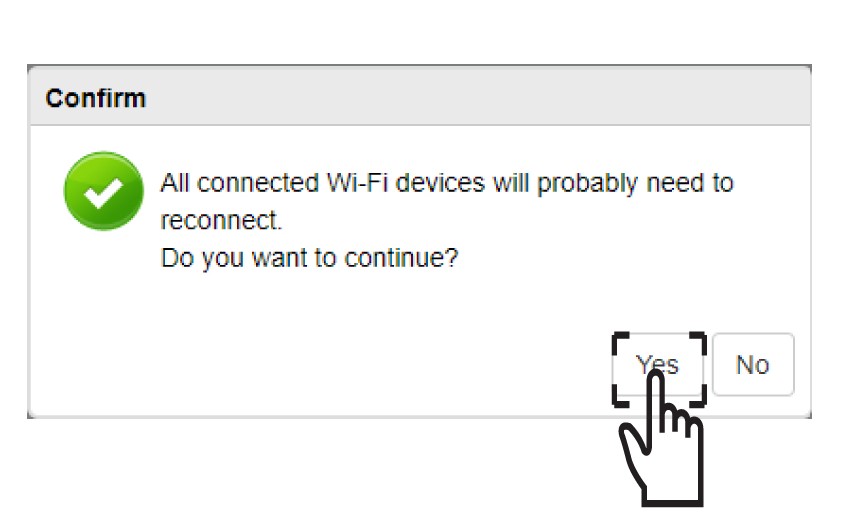
7 Zapišite nove podatke o mreži
Zapišite nove podatke o mreži na komad papira.
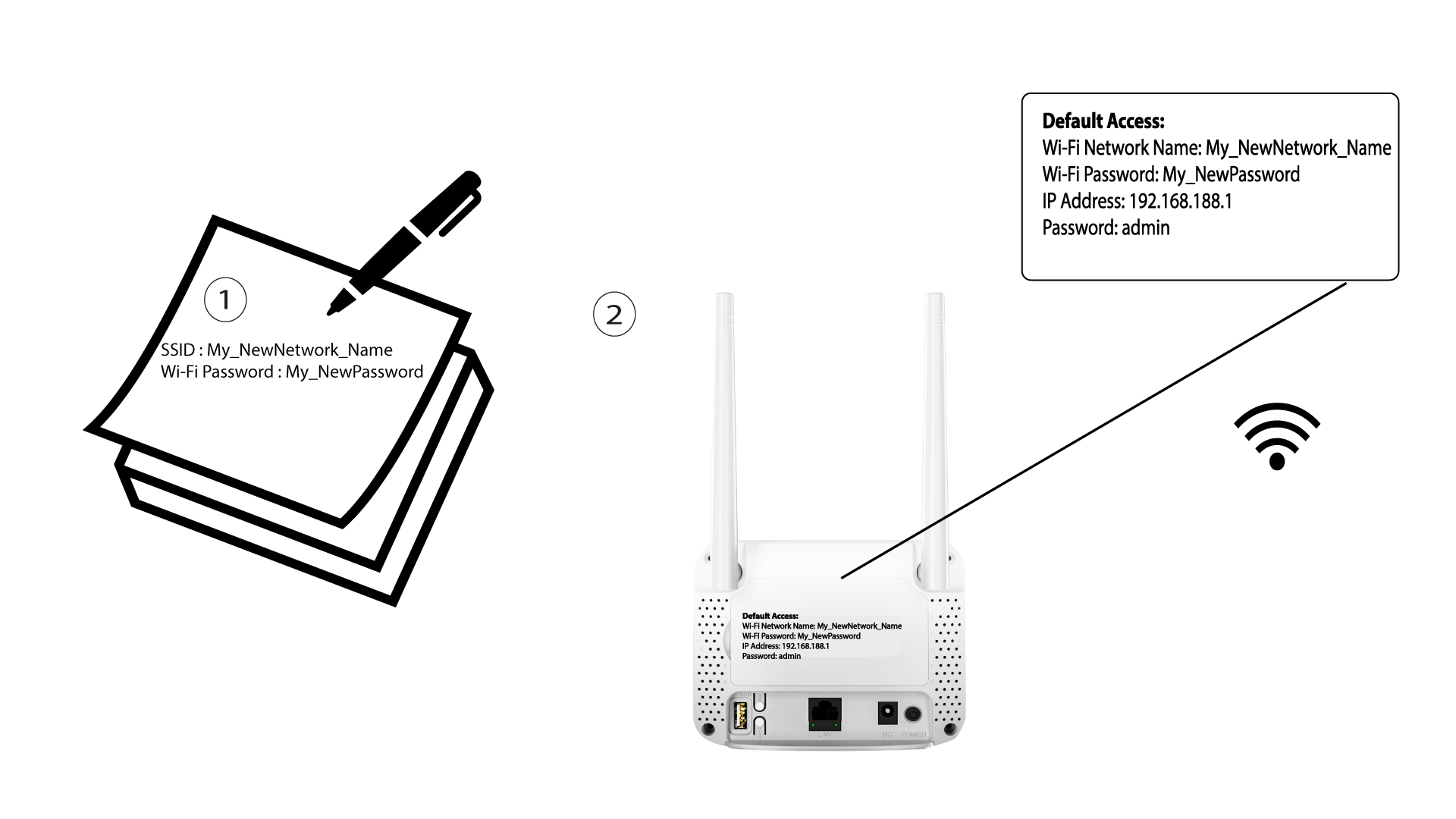

Nakon promjene podataka o Wi-Fi mreži, svi uređaji koji su bili spojeni na mrežu automatski će se isključiti.