4G AIRHOME 310 s odvojivim 4G antenama
Nema pronađenih stavki.
Nema pronađenih stavki.
Sva pitanja
4G AIRHOME 310 s odvojivim 4G antenama
Nema pronađenih stavki.
Nema pronađenih stavki.
Kako mogu promijeniti SSID (naziv Wi-Fi mreže) i lozinku? (Slučaj 1: Brze postavke)
U web sučelju imate dva načina za promjenu SSID-a i lozinke vašeg rutera:
• Korištenjem Brzih postavki
• Ili putem postavki Wi-Fi-ja
1 Brze postavke
U web sučelju, Brze postavke omogućuju vam promjenu podataka o vašoj mreži: SSID-a i lozinke.
Da biste to učinili, kliknite Brze postavke u gornjoj traci.

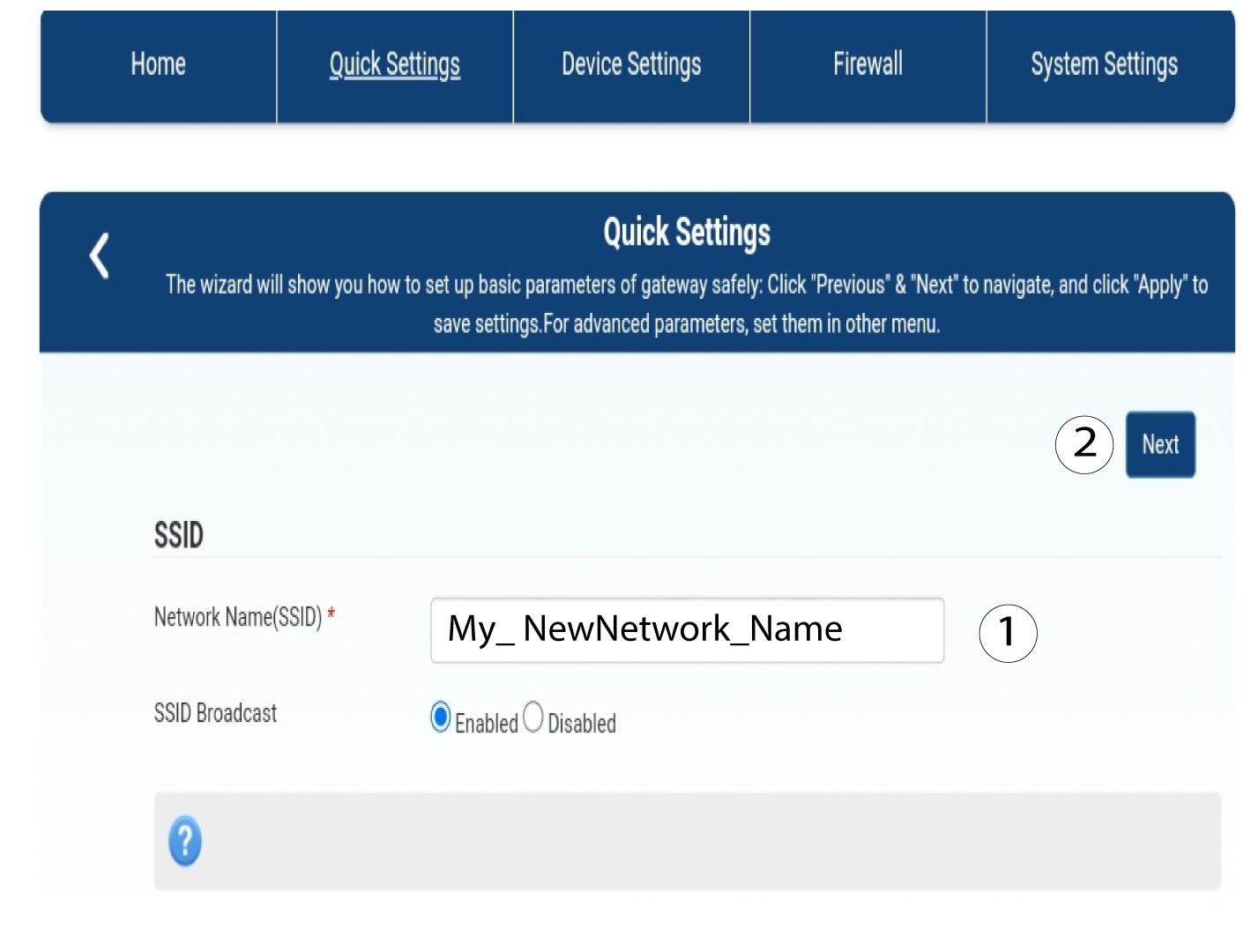
2 Unesite novi naziv mreže
Zatim unesite naziv nove mreže i kliknite Dalje .
3. Prikažite lozinku za Wi-Fi
Kliknite Prikaži lozinku .
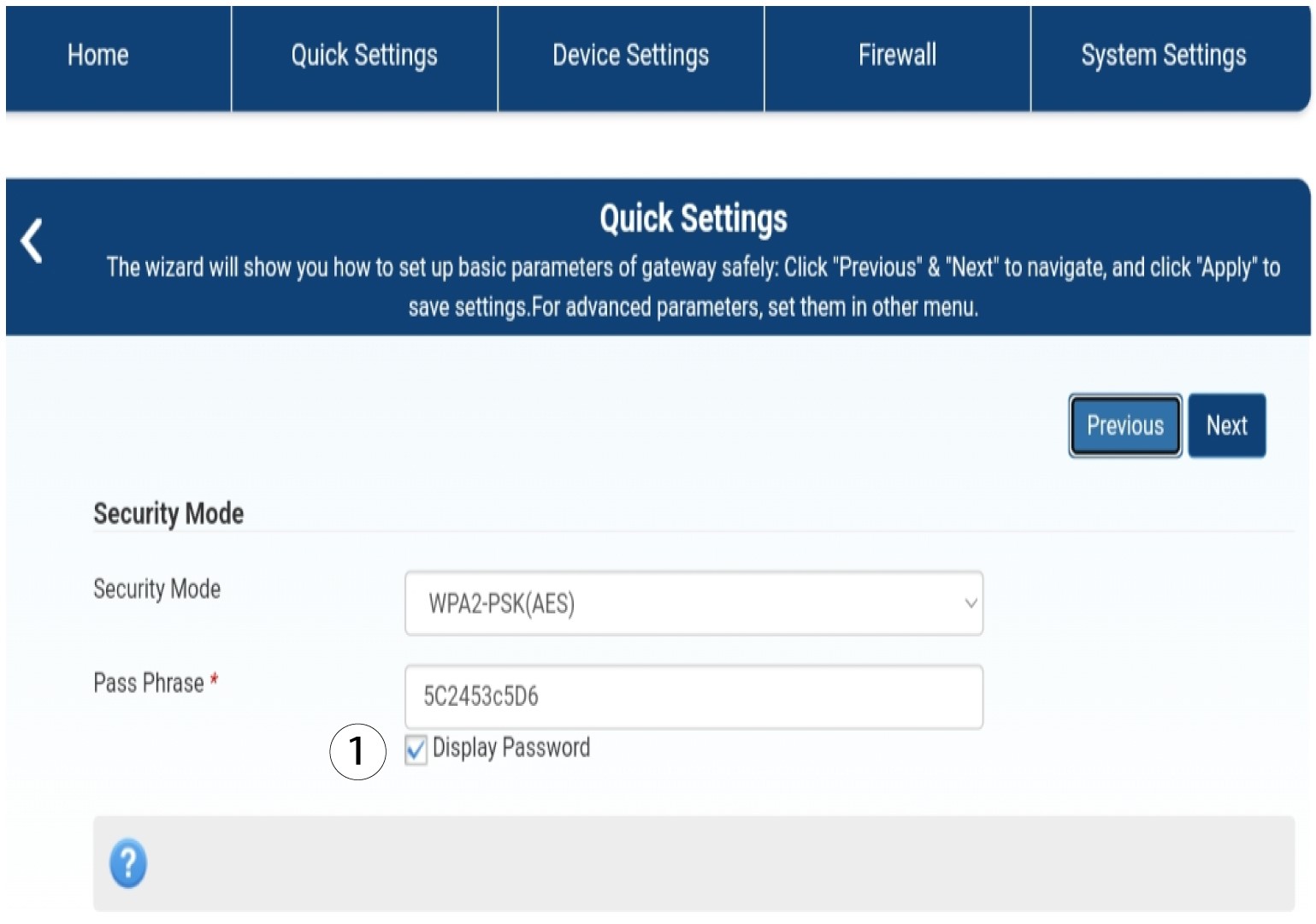
4 Unesite novu lozinku
Promijenite lozinku. Zatim kliknite Dalje.

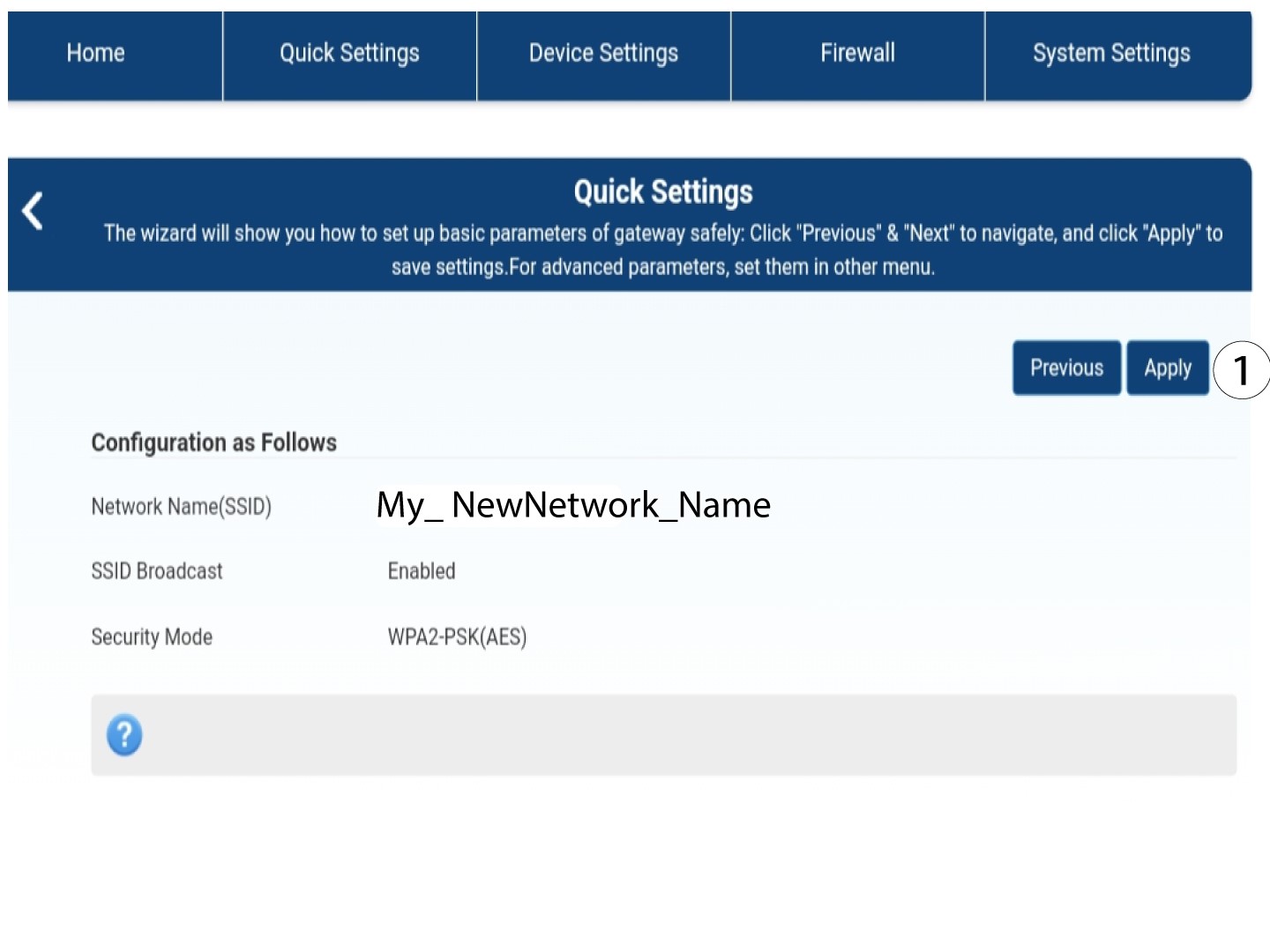
5 Spremite nove mrežne podatke
Za spremanje promjena kliknite Primijeni .
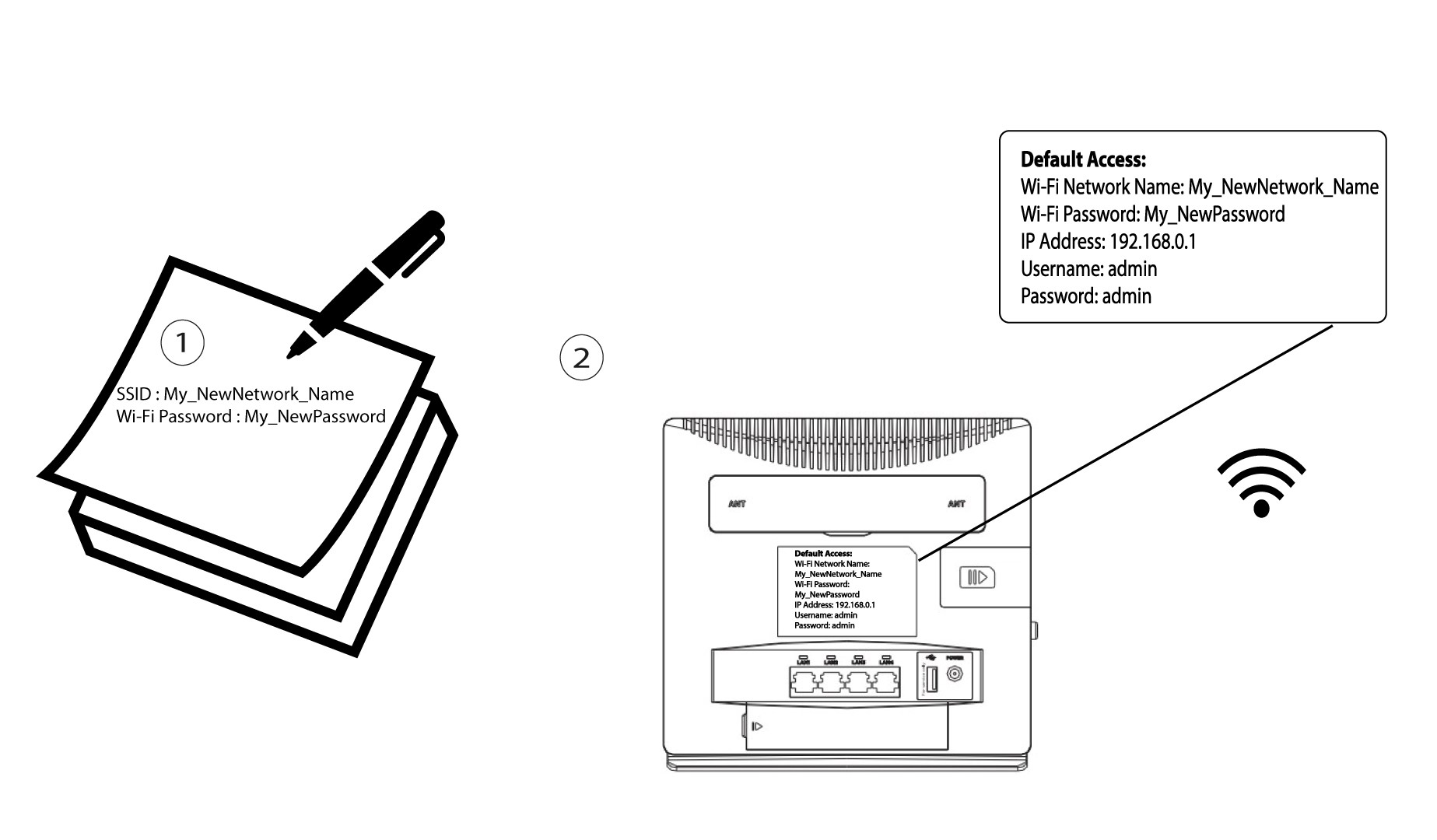
6 Zapišite nove podatke o mreži
Napišite svoj novi SSID i lozinku na papir i zalijepite ga na ruter.