4G AIRHOME 310 s odvojivim 4G antenama
Nema pronađenih stavki.
Nema pronađenih stavki.
Sva pitanja
4G AIRHOME 310 s odvojivim 4G antenama
Nema pronađenih stavki.
Nema pronađenih stavki.
Kako deaktivirati PIN kod SIM kartice?

Prije deaktivacije PIN koda morate se povezati s web sučeljem kako biste prvi put unijeli PIN kod i otključali SIM karticu.
1. Spojite se na Wi-Fi mrežu usmjerivača
Morate se spojiti na web sučelje. Da biste to učinili, unesite SSID i lozinku usmjerivača u svoj uređaj.

2. Pregledajte IP adresu web sučelja
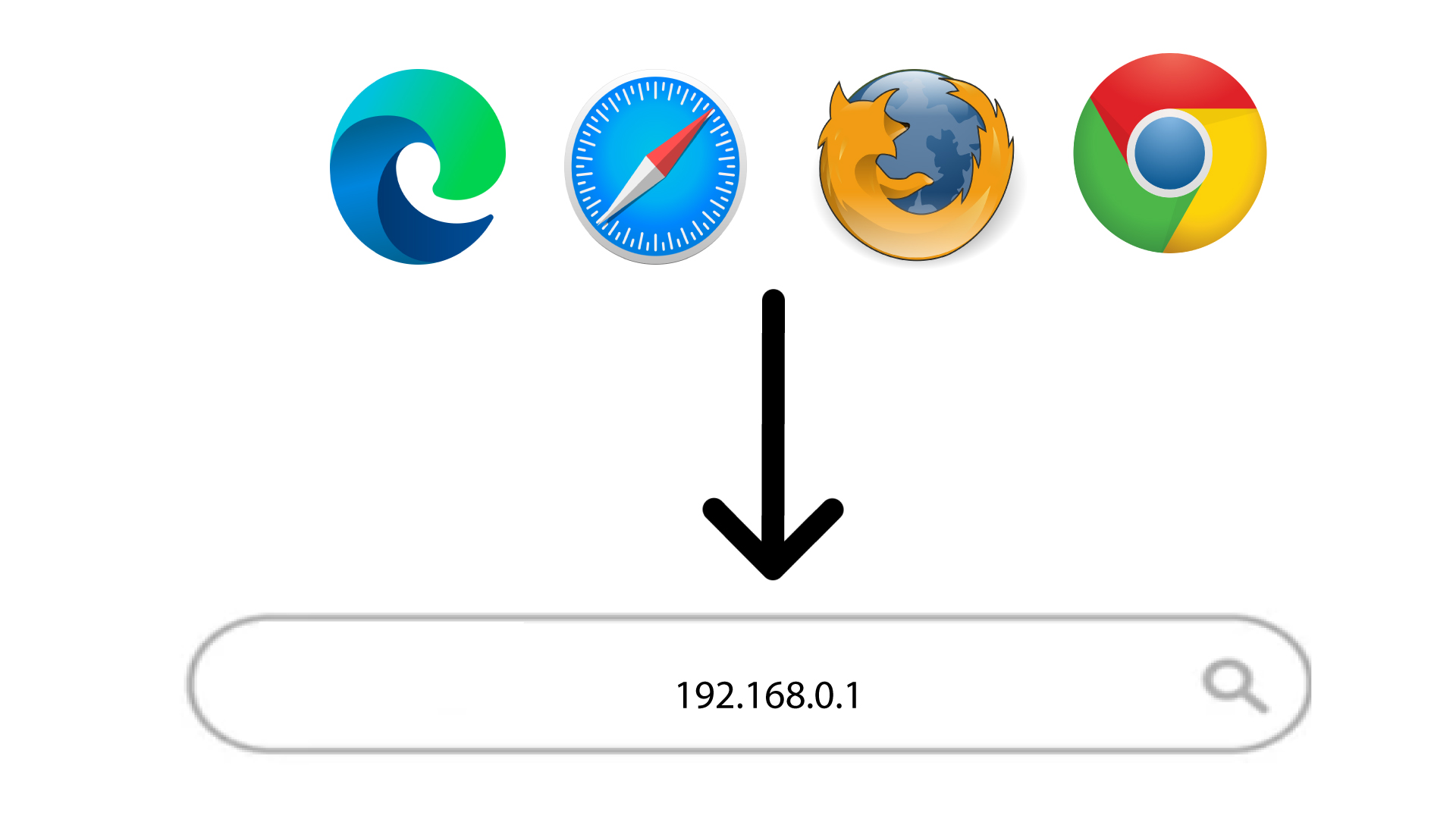
Zatim u preglednik unesite sljedeću IP adresu: 192.168.0.1
3 Prijava
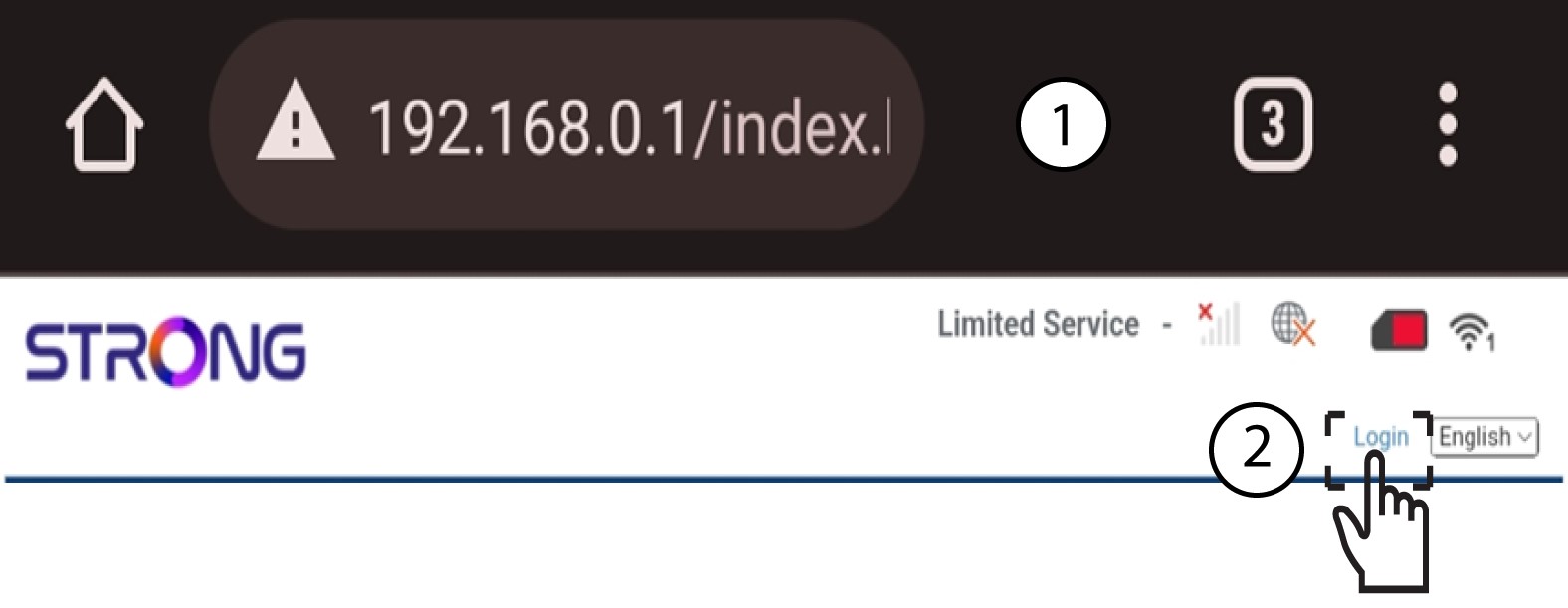
Nakon što ste pronašli IP adresu, kliknite Prijava .
4 Unesite svoje vjerodajnice
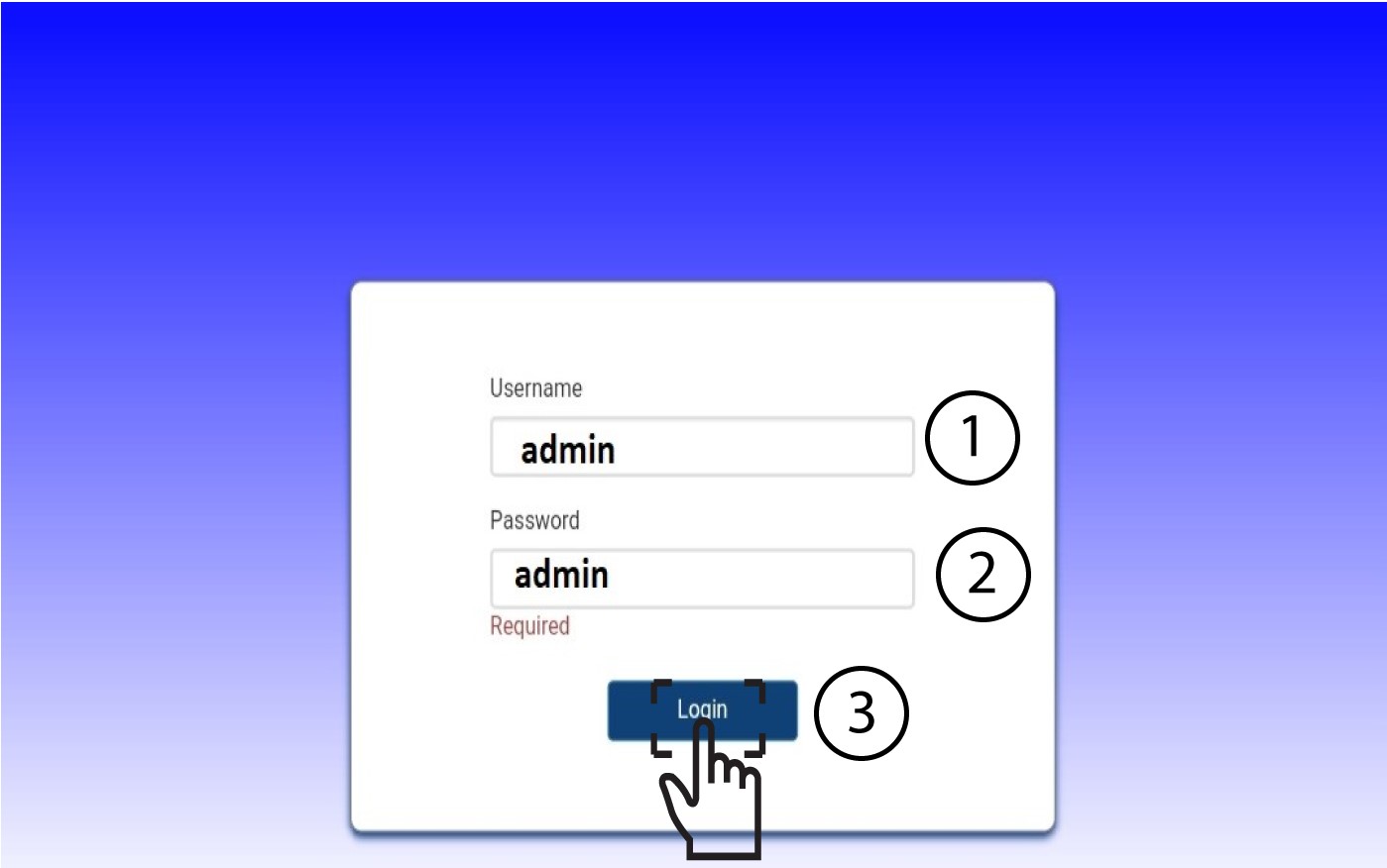
Morate unijeti korisničko ime i lozinku . Zatim kliknite Prijava .
5 Napredne postavke
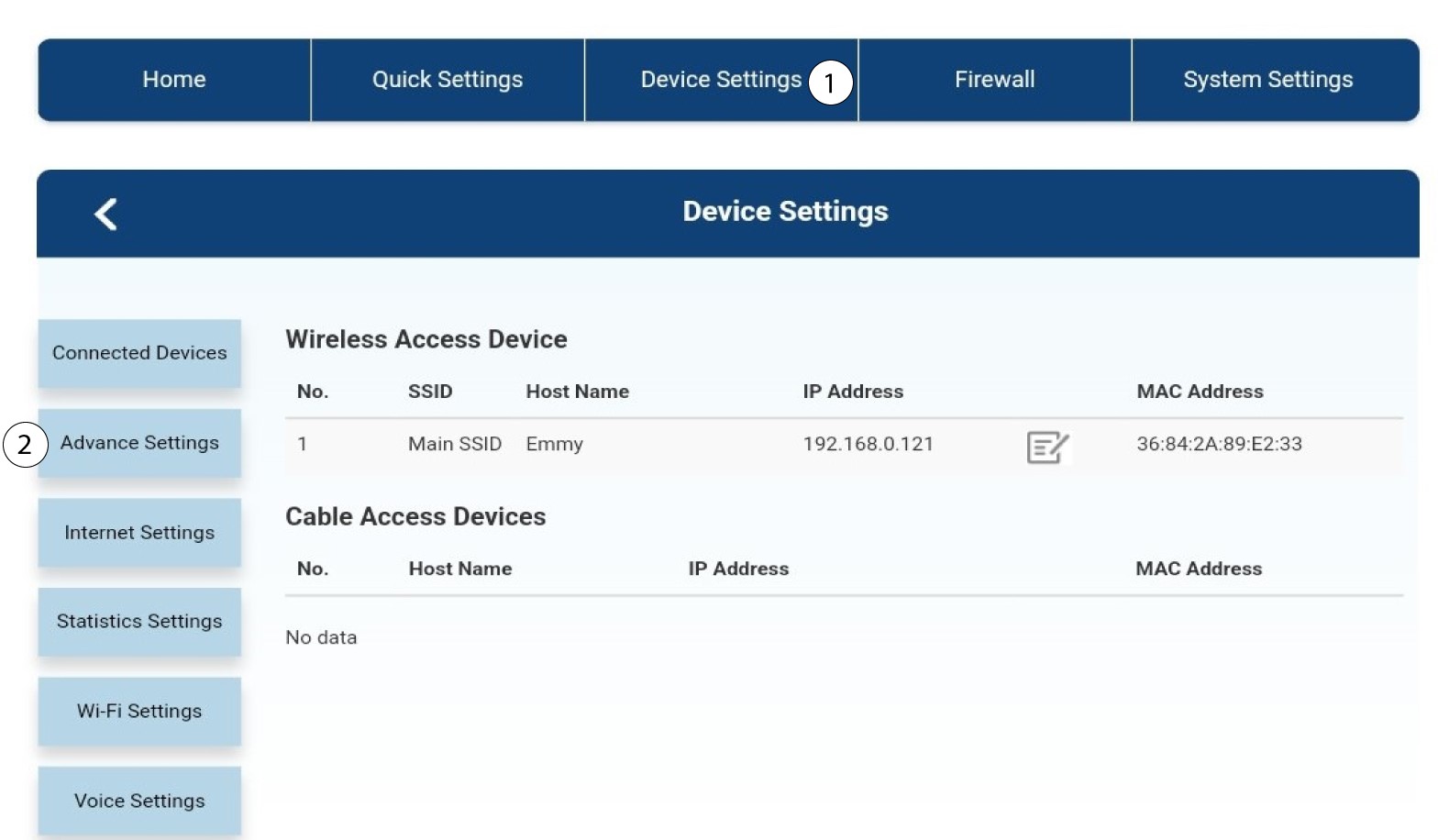
Zatim kliknite na Postavke uređaja i na karticu Napredne postavke .
Upravljanje 6 PIN-ova
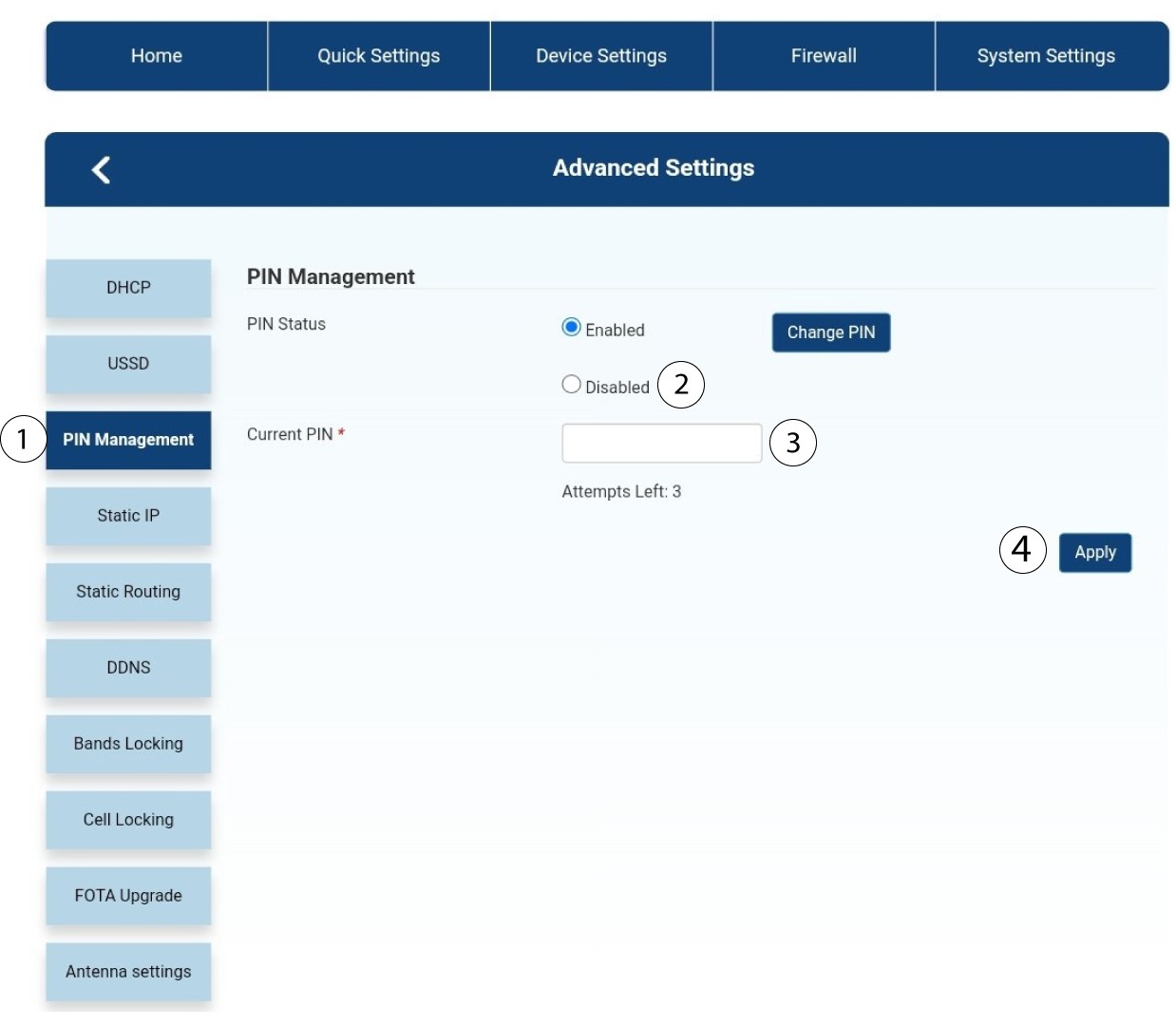
Kliknite Upravljanje PIN-om i odaberite Onemogućeno . Zatim unesite trenutni PIN kod i kliknite Primijeni.