
4G AIRHOME 310 s odvojivim 4G antenama
Sva pitanja
4G AIRHOME 310 s odvojivim 4G antenama
Kako ažuriram firmware uređaja?
Kada ste spojeni na web-sučelje, morate provjeriti verziju firmvera koju koristi vaš uređaj pomoću opcije online nadogradnje na web-sučelju. Na taj će se način instalirati najnovija verzija firmvera.
Ako imate drugu verziju, pogledajte dolje navedeni postupak za ažuriranje firmvera.
1 Povezivanje s web-sučeljem
Za povezivanje s web sučeljem slijedite sljedeći postupak:
2 Napredne postavke
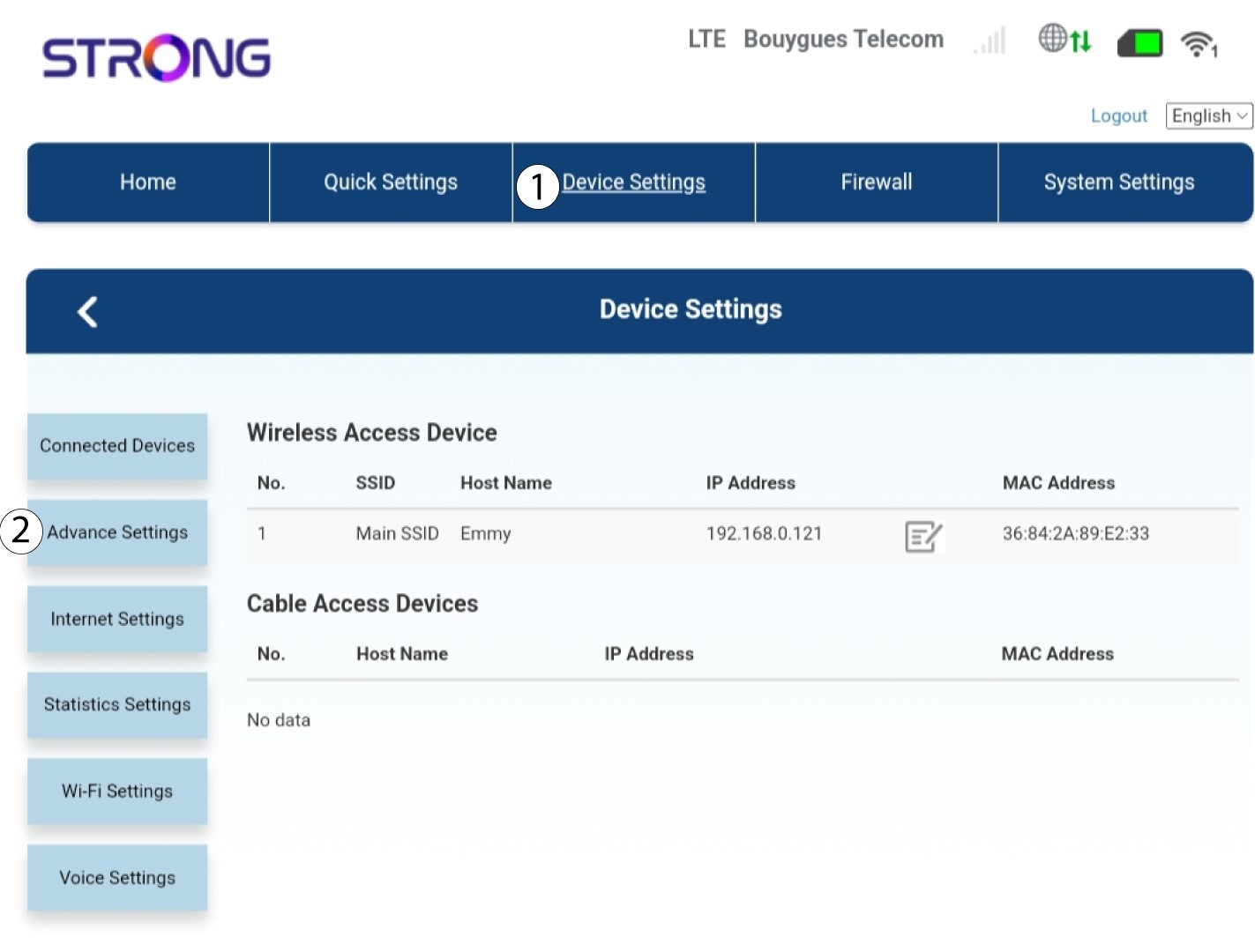
Kliknite Postavke uređaja i odaberite Napredne postavke .
3 Nadogradnja FOTA-e
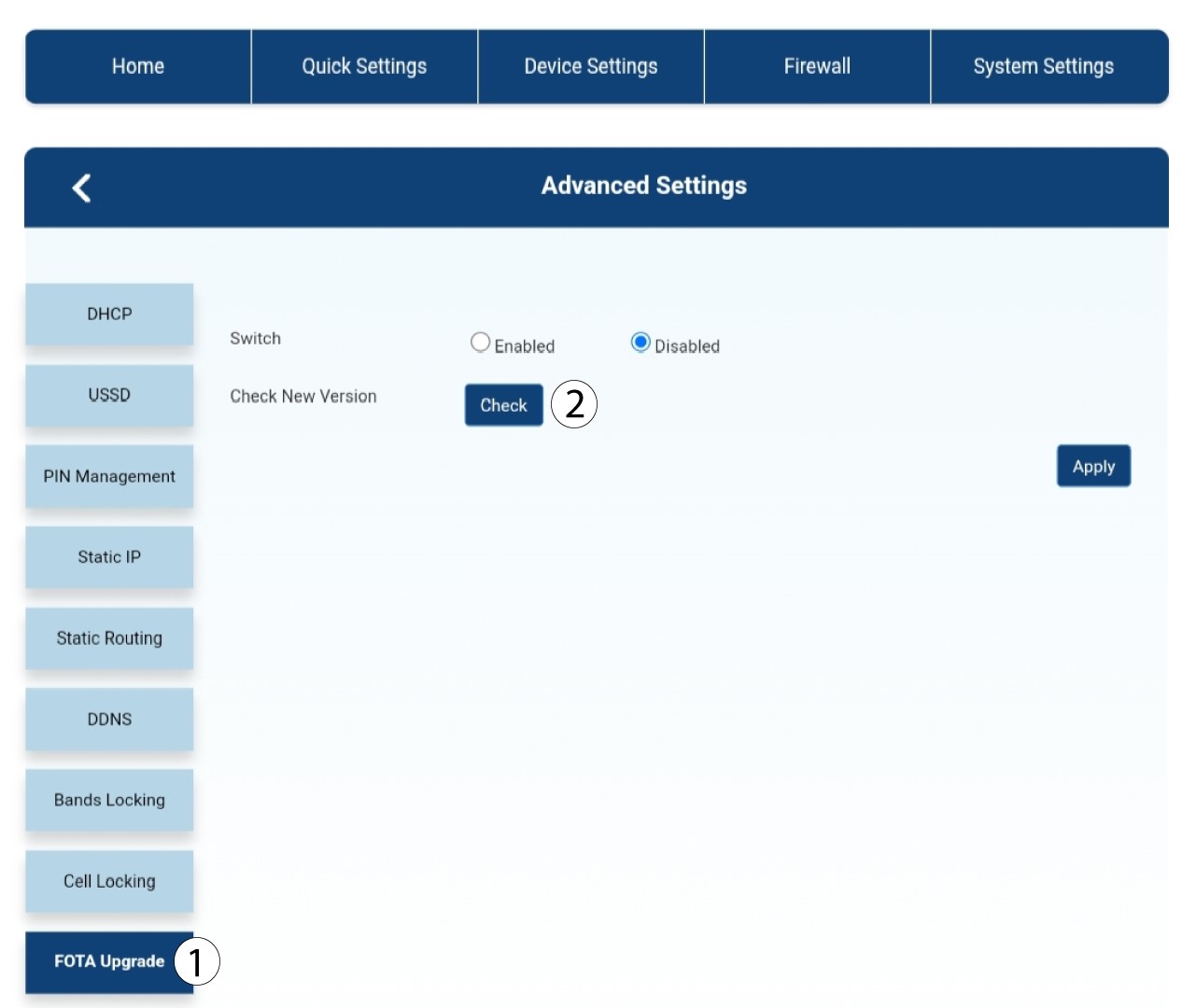
U Naprednim postavkama kliknite FOTA nadogradnja i provjera .
4 Obavijest o ažuriranju
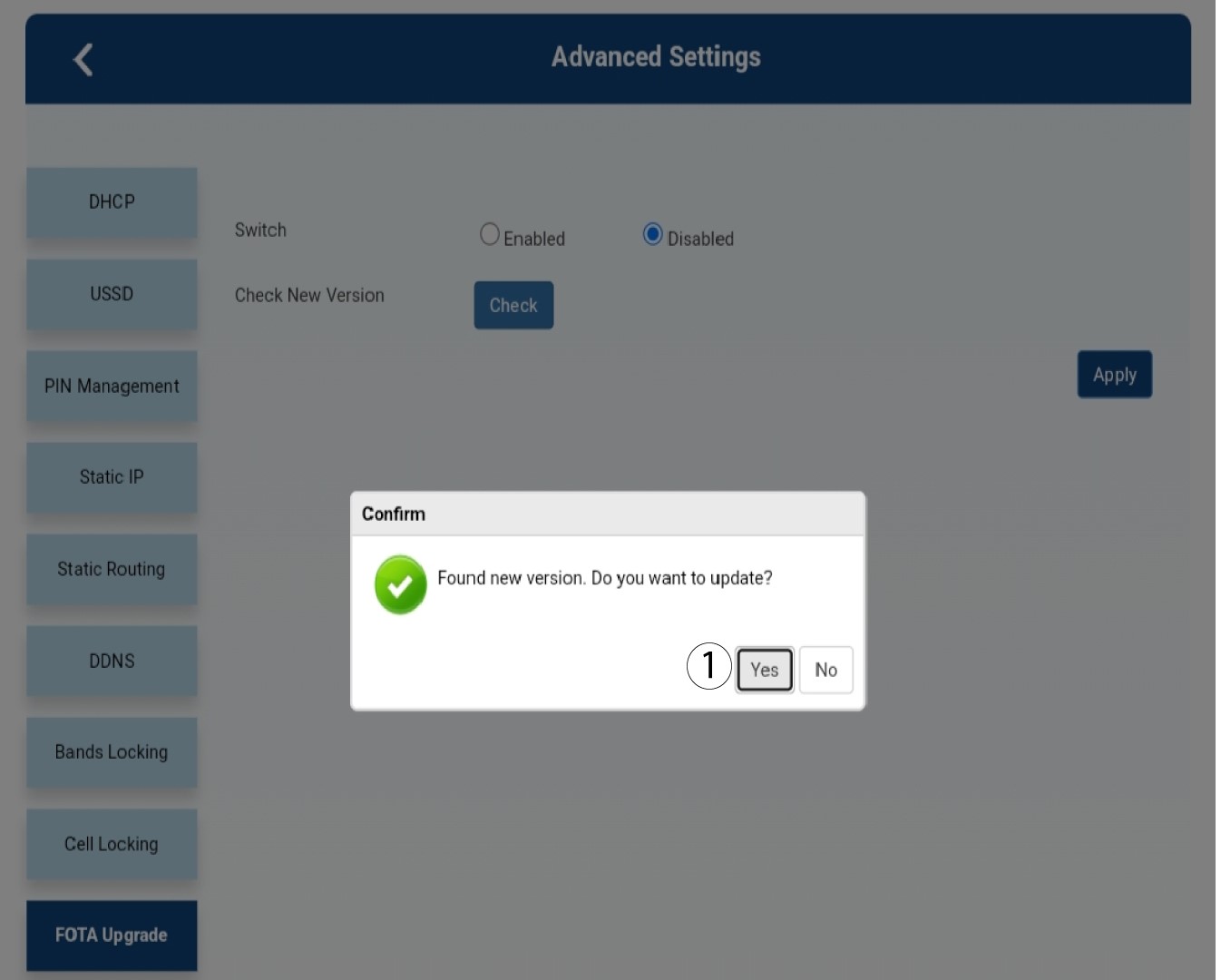
U skočnom prozoru pojavljuje se poruka, kliknite Da .

Morate pričekati dok se ažuriranje ne dovrši. Prilikom nadogradnje LED diode uređaja postaju plave, a plavo svjetlo prelazi s lijeva na desno od jedne ikone do druge. Nakon što je ažuriranje završeno, ikone se vraćaju u prethodnu boju. Ažuriranje može trajati do 5 minuta.