
4G AIRHOME 310 s odvojivim 4G antenama
Nema pronađenih stavki.
Nema pronađenih stavki.
Sva pitanja
4G AIRHOME 310 s odvojivim 4G antenama
Nema pronađenih stavki.
Nema pronađenih stavki.
Kako deaktivirati Wi-Fi?
Ako radije koristite usmjerivač izravno s uređajem putem Ethernet kabela, moguće je deaktivirati Wi-Fi.
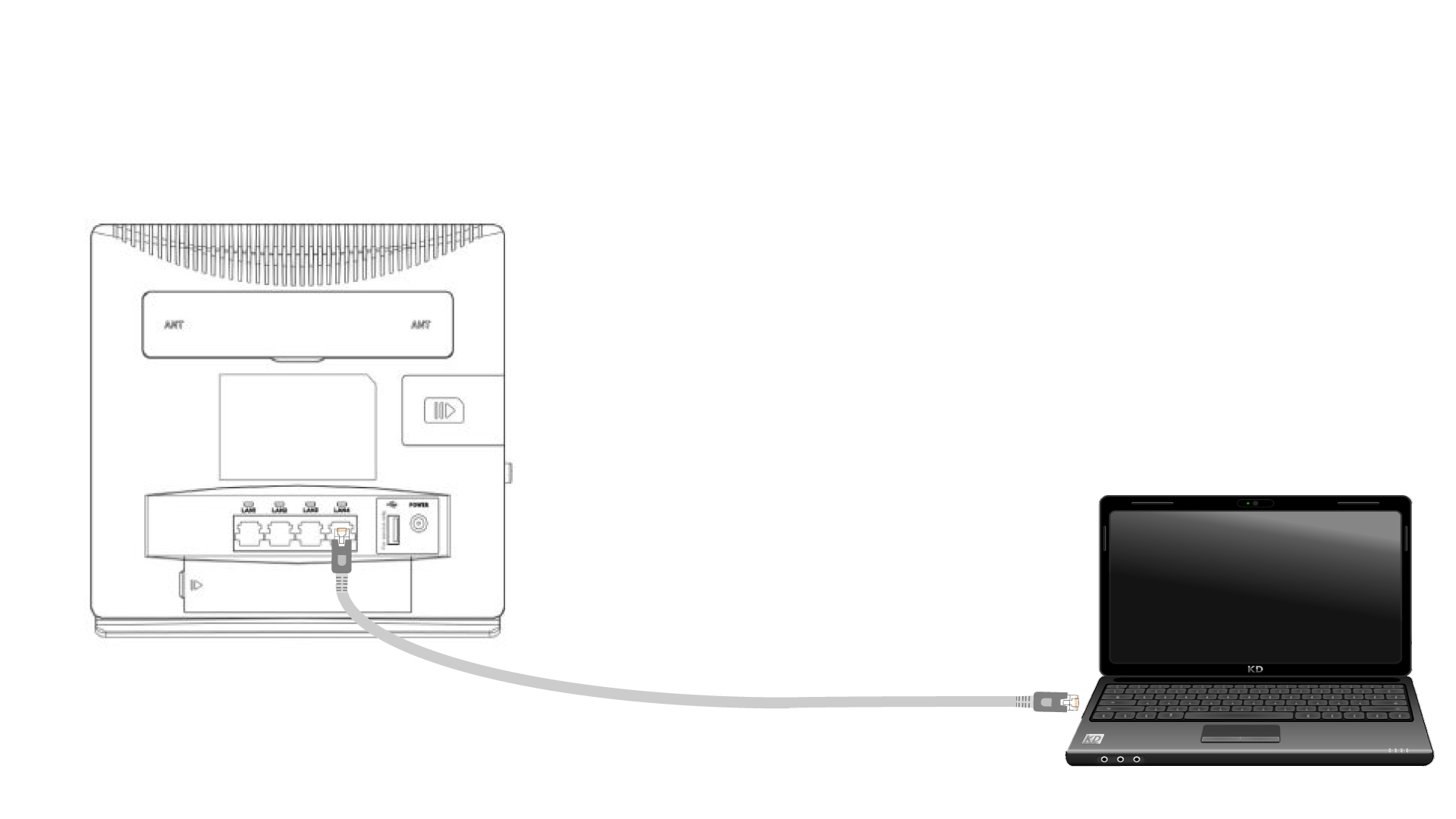
1. Spojite se na ruter pomoću Ethernet kabela
Uključite RJ45 kabel na usmjerivač za pristup web sučelju, slijedite donji postupak za spajanje na web sučelje (nakon koraka 2):
2 Wi-Fi postavke
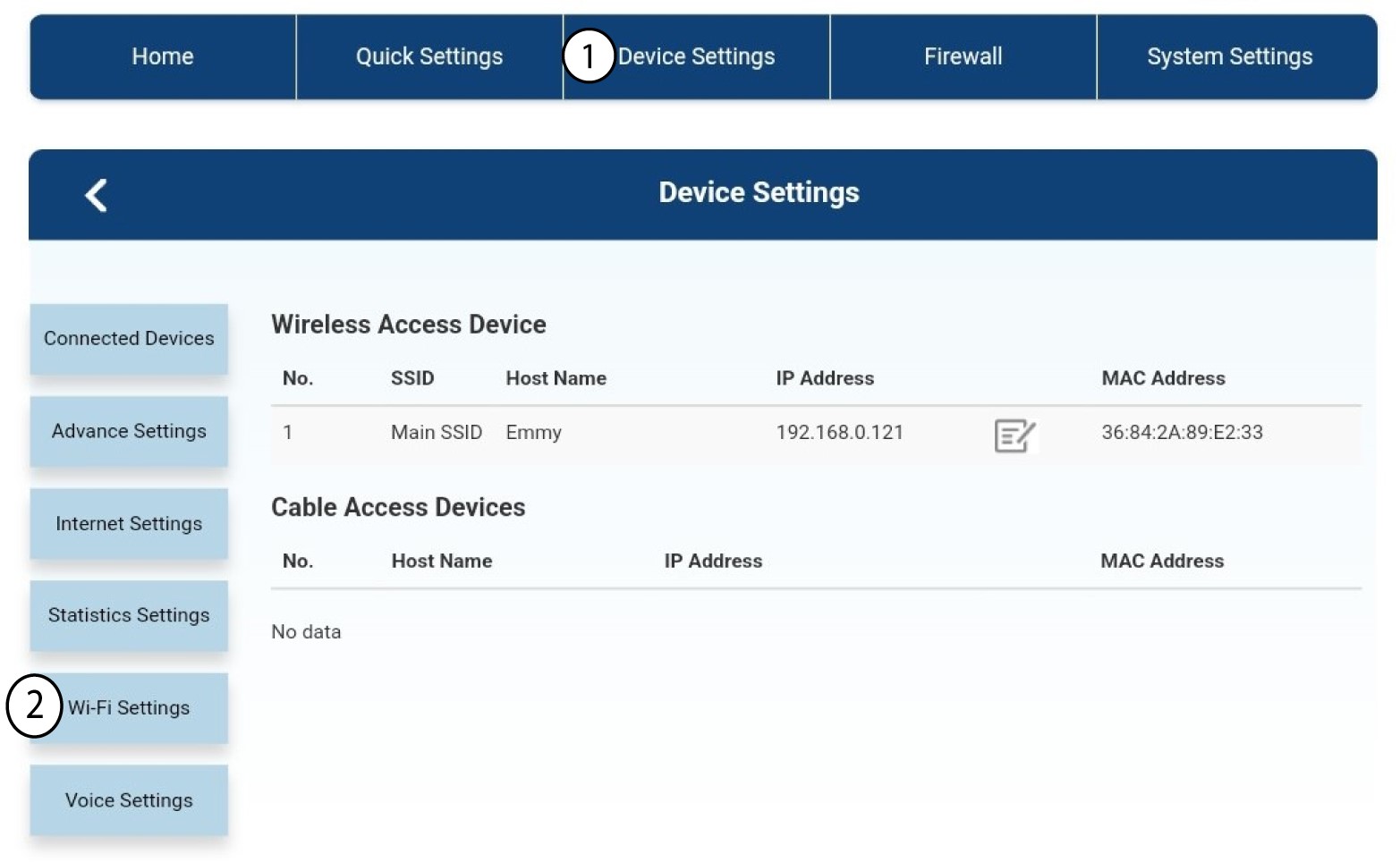
Zatim kliknite Postavke uređaja , a nakon toga odaberite Postavke Wi-Fi-ja .
3 Deaktivirajte Wi-Fi
U postavkama Wi-Fi-ja odaberite Wi-Fi Switch Zatim kliknite okvir Onemogućeno i gumb Primijeni .
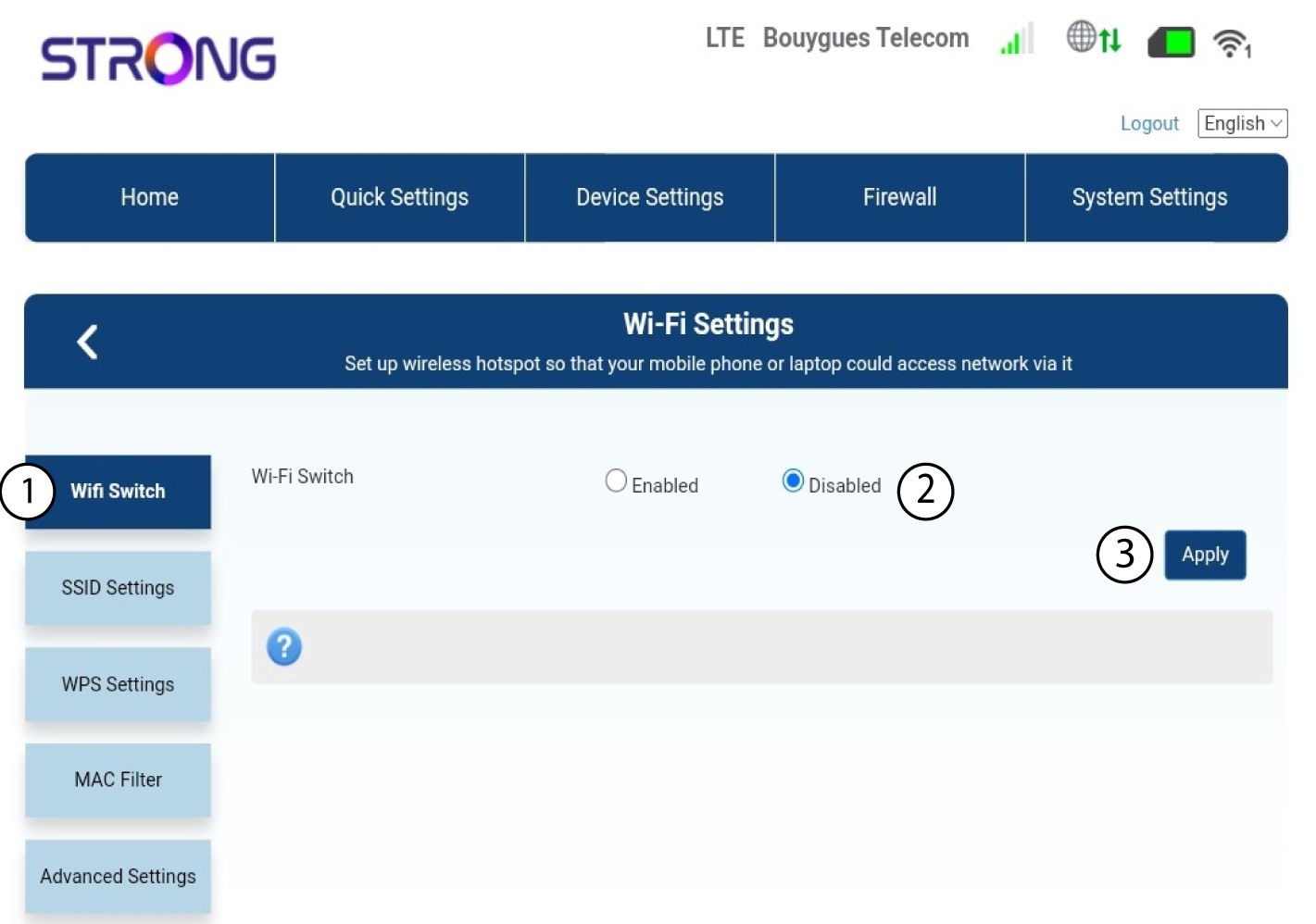

Wi-Fi mreža usmjerivača je deaktivirana. Svi uređaji koji su prethodno bili spojeni na mrežu bit će automatski isključeni. Za ponovnu aktivaciju Wi-Fi-ja morate otići u web sučelje ili možete vratiti usmjerivač na tvorničke postavke.