4G AIRSPOT 220 Wi-Fi kijelzővel
Nem találtunk tárgyakat.
Nem találtunk tárgyakat.
Minden kérdés
4G AIRSPOT 220 Wi-Fi kijelzővel
Nem találtunk tárgyakat.
Nem találtunk tárgyakat.
Hogyan frissíthetem az eszköz firmware-jét?
Amikor csatlakozik a webes felhasználói felülethez, a webes felhasználói felületen található online frissítési opció segítségével ellenőriznie kell az eszközén futó firmware-verziót. Ezzel a legújabb firmware-verzió kerül telepítésre.
Ha az útválasztója nem a legfrissebb verzió, kérjük, kövesse az alábbi útmutatást a firmware frissítéséhez.
1. Csatlakozzaz útválasztó Wi-Fi-hálózatához
- Az eszköz firmware-jének frissítéséhez csatlakoznia kell az útválasztó Wi-Fi-hálózatához.
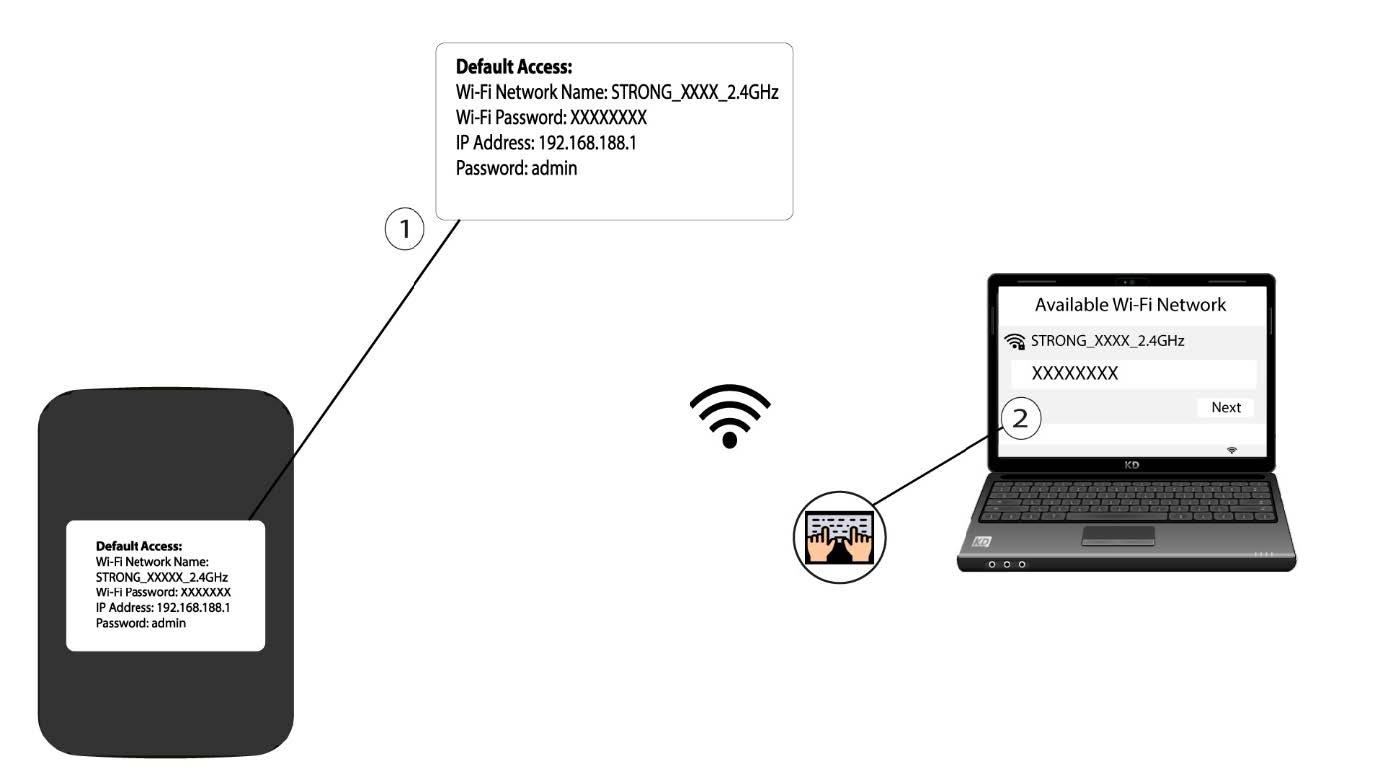
2Keressemeg a webes felhasználói felület IP-címét
Ezután írja be a böngészőjébe a következő IP-címet: 192.168.188.1.

3. Nyissa mega bejelentkezési oldalt
Be kell írnia a jelszót.

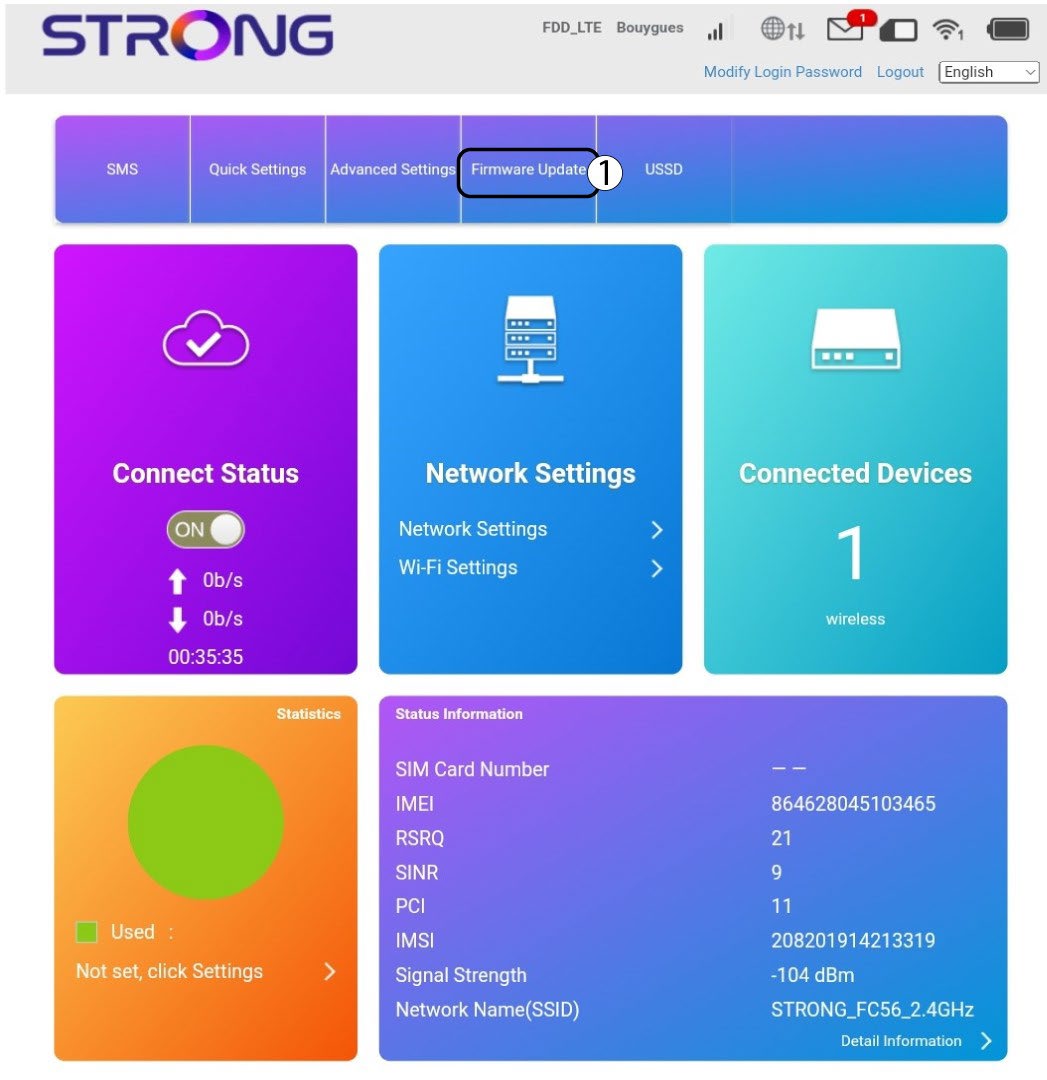
4. Frissítés
Kattintson a „Firmware-frissítés” gombra.
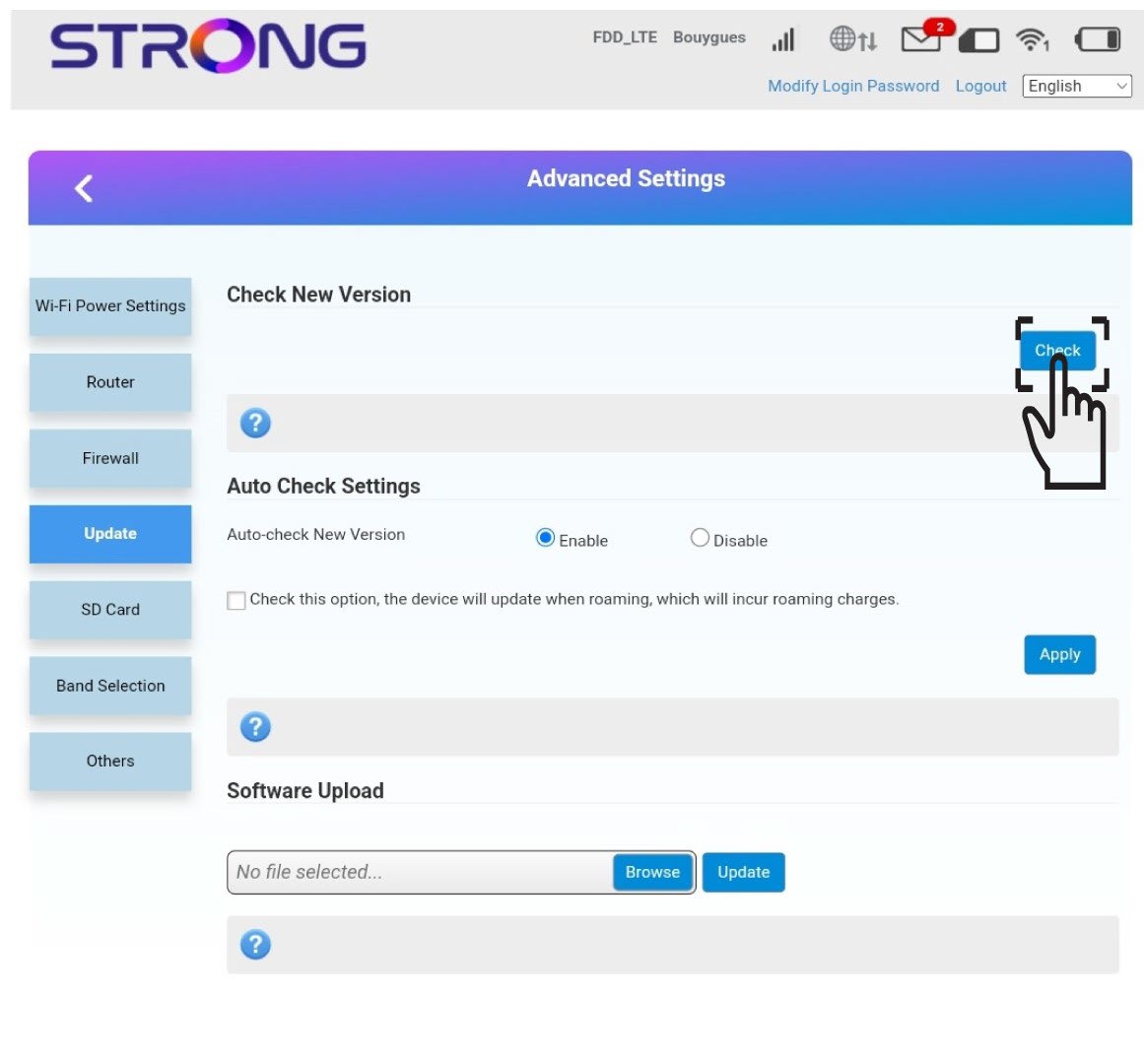
5. Ellenőrizze, hogy van-e új verzió
Kattintson az „Új verzió ellenőrzése” szakaszban az „Ellenőrzés” gombra . A szoftver legújabb verziója automatikusan letöltődik, és újra csatlakoznia kell a Wi-Fi-hálózathoz a PIN-kód megadásához.