
4G AIRSPOT 220 Wi-Fi kijelzővel
Minden kérdés
4G AIRSPOT 220 Wi-Fi kijelzővel
Milyen típusú SIM-kártyát helyezhetek be az útválasztómba?
A 4G PORTABLE HOTSPOT 150/4G PORTABLE HOTSPOT 150 WITH A DISPLAY készülék SIM-kártyahelyébe mikro-SIM-kártyát kell helyezni. A SIM-kártya mérete miatt nem kell aggódnia, mivel a router csomagjában megtalálhatók a megfelelő méretű adapterek. A készülék bekapcsolása előtt be kell helyeznie a SIM-kártyát.
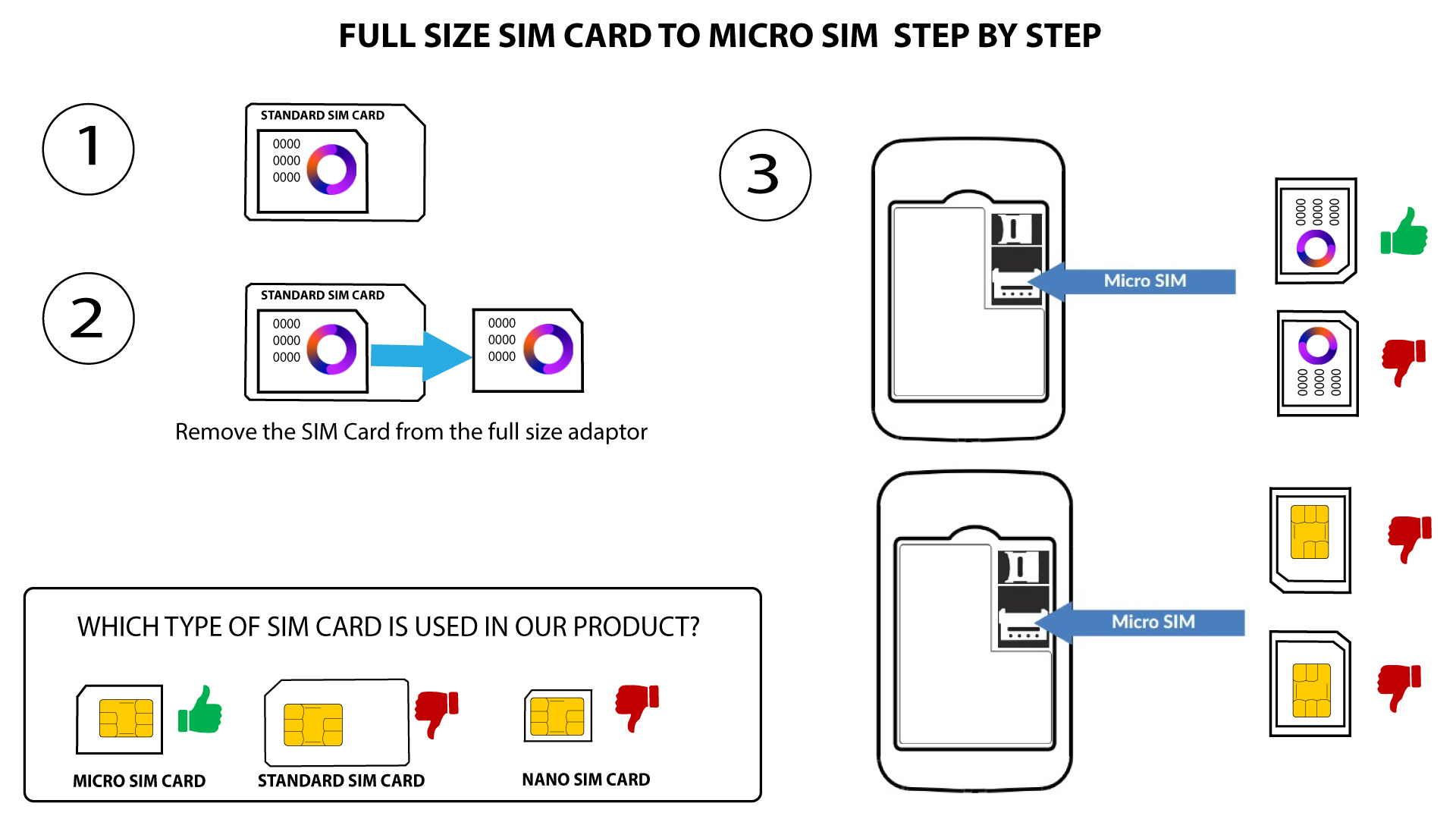
1. eset: Teljes méretű SIM-kártya mikro-SIM-kártyává alakítása
Miután behelyezte a SIM-kártyát az adapterbe, nyomja meg és tartsa lenyomva a SIM-kártyát az adapterben, hogy a helyén maradjon. Vegye kézbe a készüléket, és helyezze be a SIM-kártyát a nyílásba az alábbi ábra szerinti helyzetben.
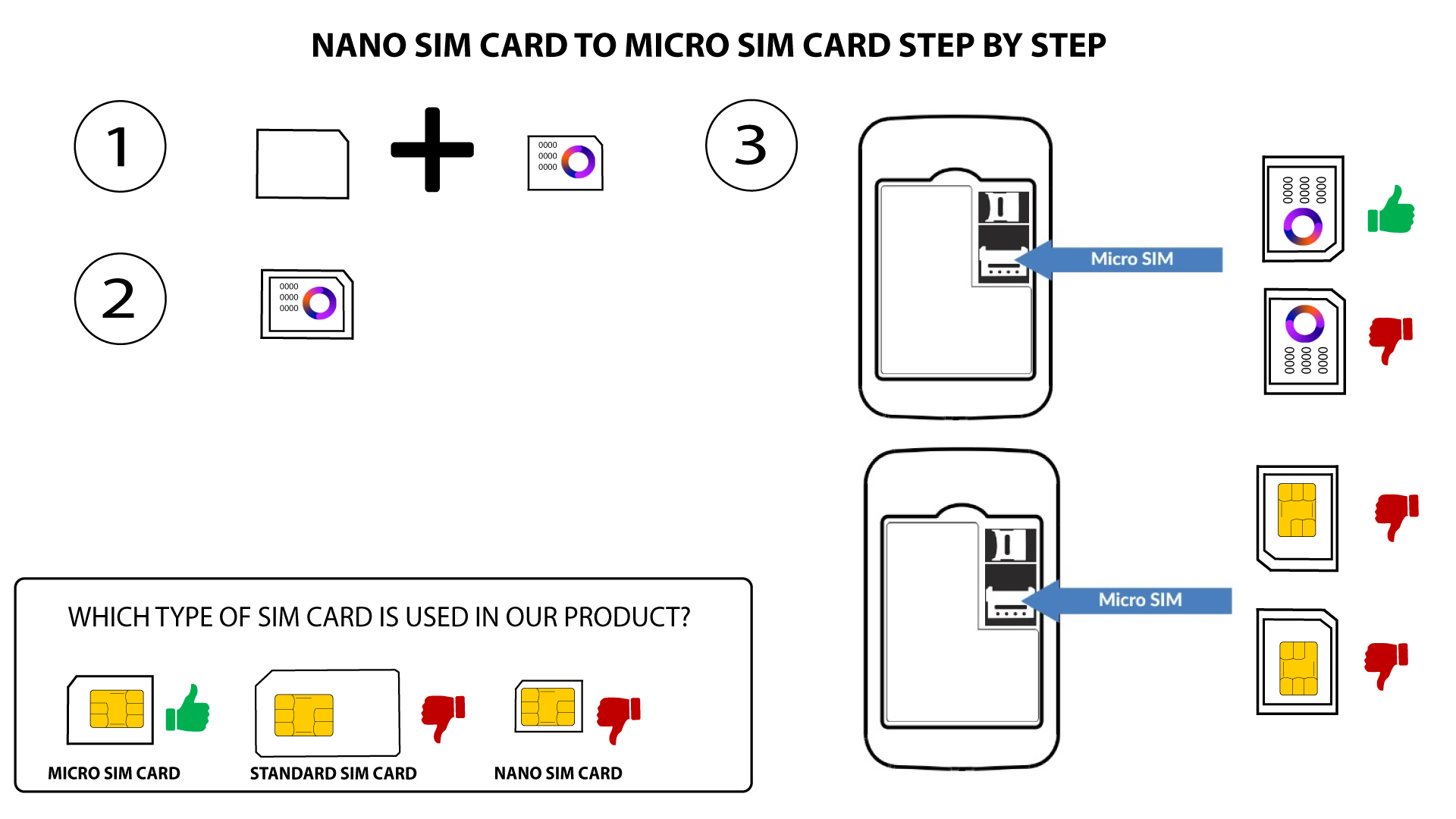
2. eset: Nano SIM-kártyáról mikro SIM-kártyára
Miután behelyezte a SIM-kártyát az adapterbe, nyomja meg a SIM-kártyát az adapterben, hogy a helyén maradjon. Vegye kézbe a készüléket, és helyezze be a SIM-kártyát a nyílásba az alábbi ábra szerinti helyzetben.

Figyelem: Mielőtt a SIM-kártyát a nyílásba helyezné, győződjön meg arról, hogy az megfelelően van-e behelyezve az adapterbe.
- Ha a készülék nem ismeri fel a SIM-kártyát, kérjük, ellenőrizze annak helyzetét, és hogy az adaptert helyesen helyezte-e be.