4G AIRSPOT 220 Wi-Fi kijelzővel
Nem találtunk tárgyakat.
Nem találtunk tárgyakat.
Minden kérdés
4G AIRSPOT 220 Wi-Fi kijelzővel
Nem találtunk tárgyakat.
Nem találtunk tárgyakat.
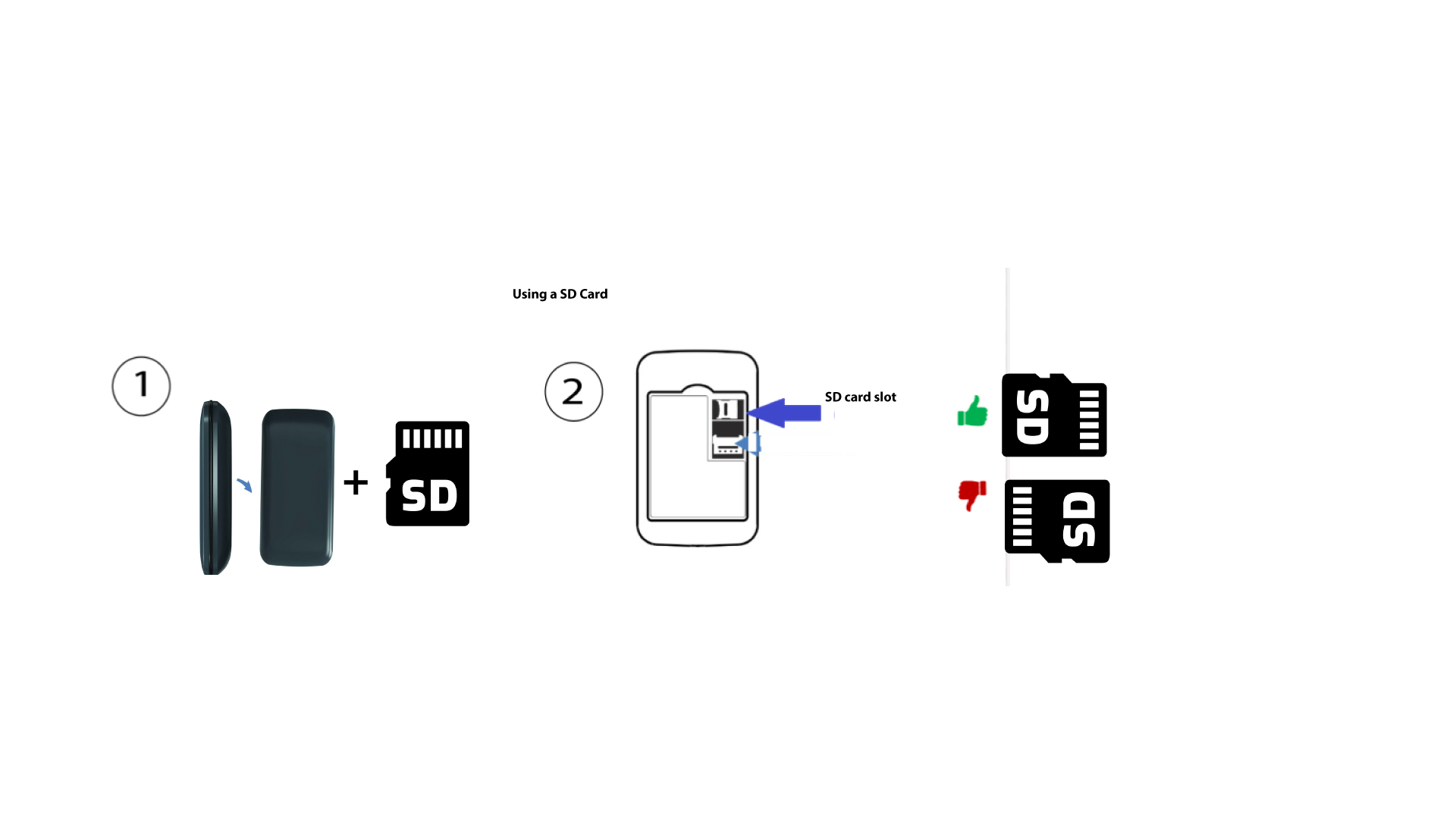
Hogyan kell behelyezni az SD-kártyát a Hotspot 150 készülékbe?
Hogyan kell behelyezni az SD-kártyát a Hotspot 150 készülékbe?
Ahhoz, hogy az SD-kártyát behelyezze az útválasztóba, először ki kell kapcsolnia a készüléket úgy, hogy öt másodpercig lenyomva tartja a bekapcsológombot.
1
Helyezze be az SD-kártyát
Ezután vegye le a fedelet, és helyezze be az SD-kártyát a készülék hátulján, a jobb felső sarokban található nyílásba.