4G AIRHOME 310 con antenne 4G rimovibili
Nessun articolo trovato.
Nessun articolo trovato.
Tutte le domande
4G AIRHOME 310 con antenne 4G rimovibili
Nessun articolo trovato.
Nessun articolo trovato.
Come faccio a modificare la password e il nome utente dell'amministratore?
1. Accedereall'interfaccia utente web
Per connettersi all'interfaccia utente web, si prega di seguire le istruzioni riportate in:
2 Impostazioni di sistema
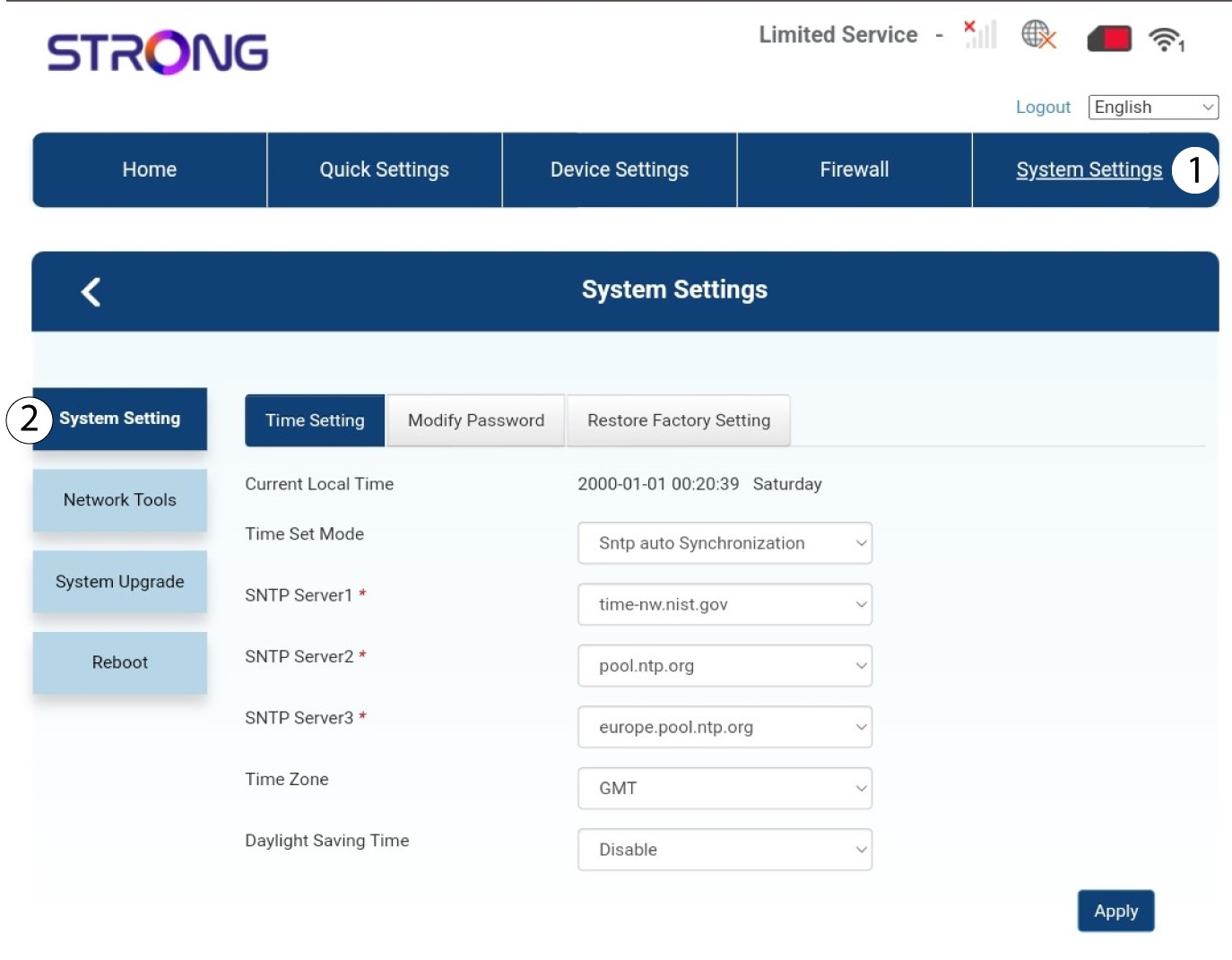
Una volta fatto ciò, fare clic sulla scheda “Impostazioni di sistema ” e selezionare “Impostazioni di sistema”.
3. Inseriscile nuove informazioni
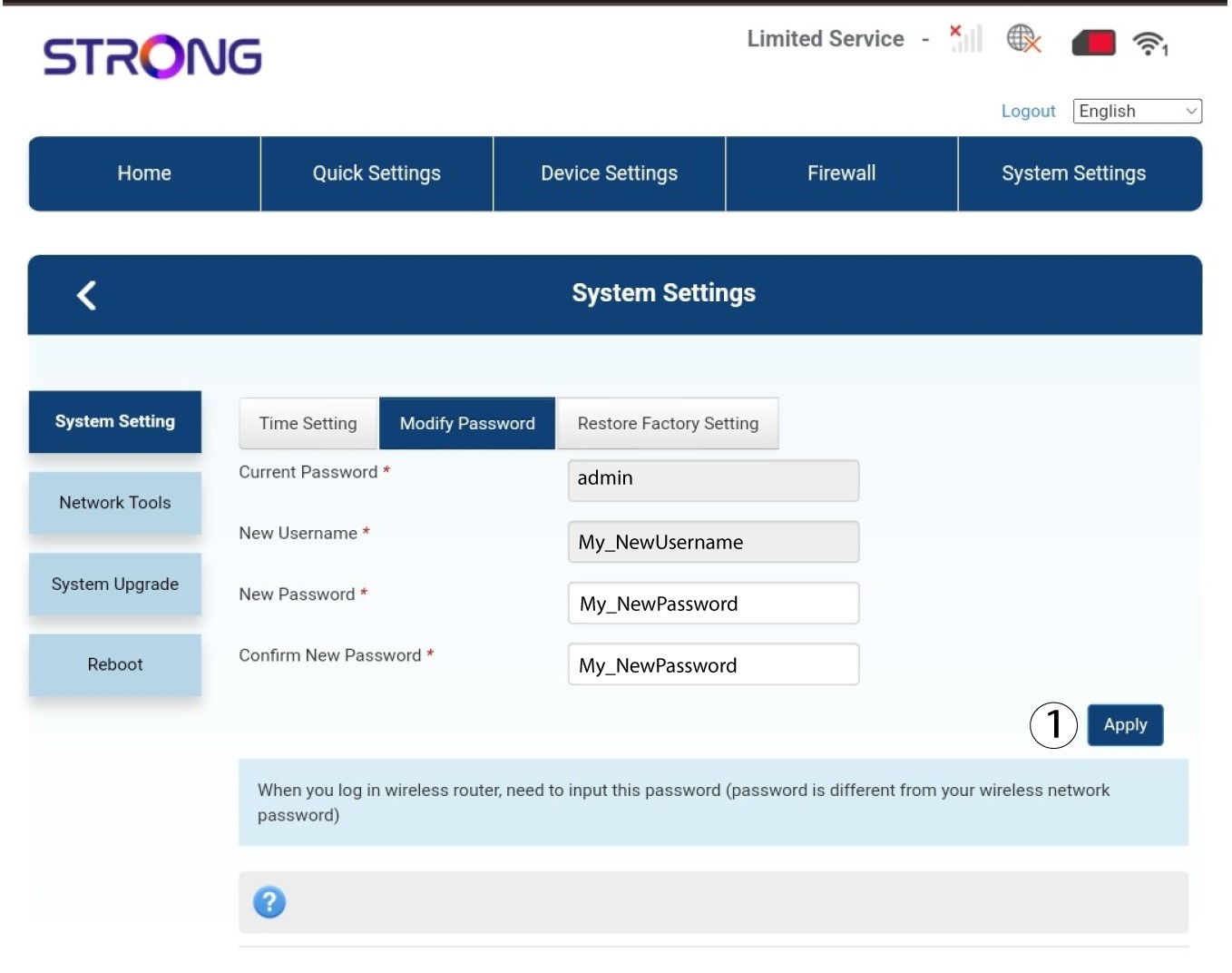
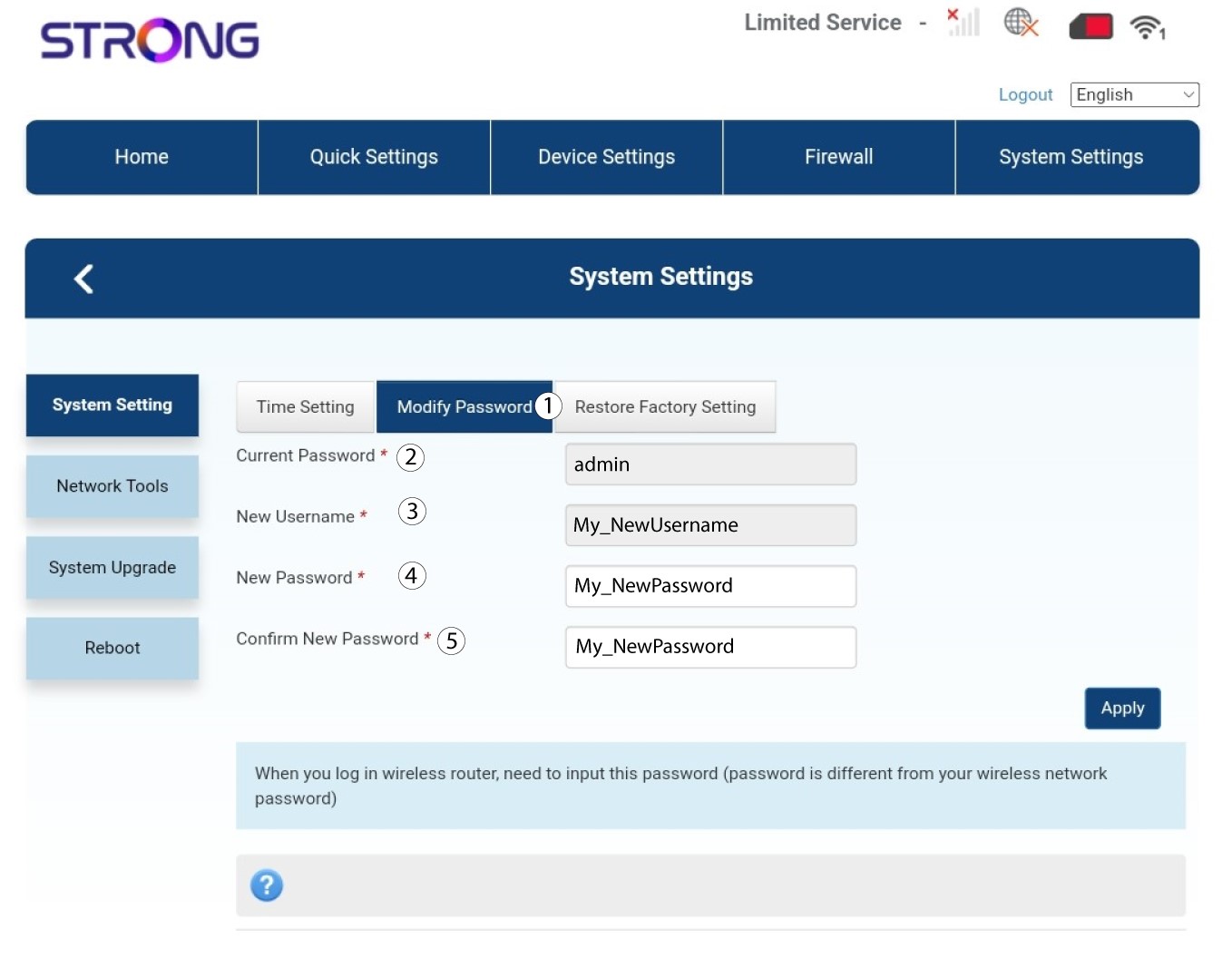
Fare clic su "Modifica password " e inserire le seguenti informazioni:
• Password attuale: inserire la password attuale.
• Nuovo nome utente: inserire il nuovo nome utente.
• Nuova password: inserire la nuova password.
• Conferma nuova password: inserire la stessa password inserita nel campo precedente.
4. Salvale informazioni
Fai clic su " Applica".