4G AIRHOME 310 con antenne 4G rimovibili
Tutte le domande
4G AIRHOME 310 con antenne 4G rimovibili
Come si modificano l'SSID (nome della rete Wi-Fi) e la password? (Caso 2: Impostazioni Wi-Fi)
Come si modificano l’SSID (nome della rete Wi-Fi) e la password? (Caso 1: Impostazioni rapide)
Nell'interfaccia utente web, sono disponibili due modi per modificare l'SSID e la password del router:
• Utilizzando le Impostazioni rapide
• Oppure utilizzando le Impostazioni Wi-Fi.
1. Connettitialla rete Wi-Fi del router
Per modificare l'SSID e la password, è necessario connettersi alla rete Wi-Fi del proprio dispositivo. Quindi, accedere all'interfaccia utente web seguendo questa procedura:

2 Impostazioni Wi-Fi
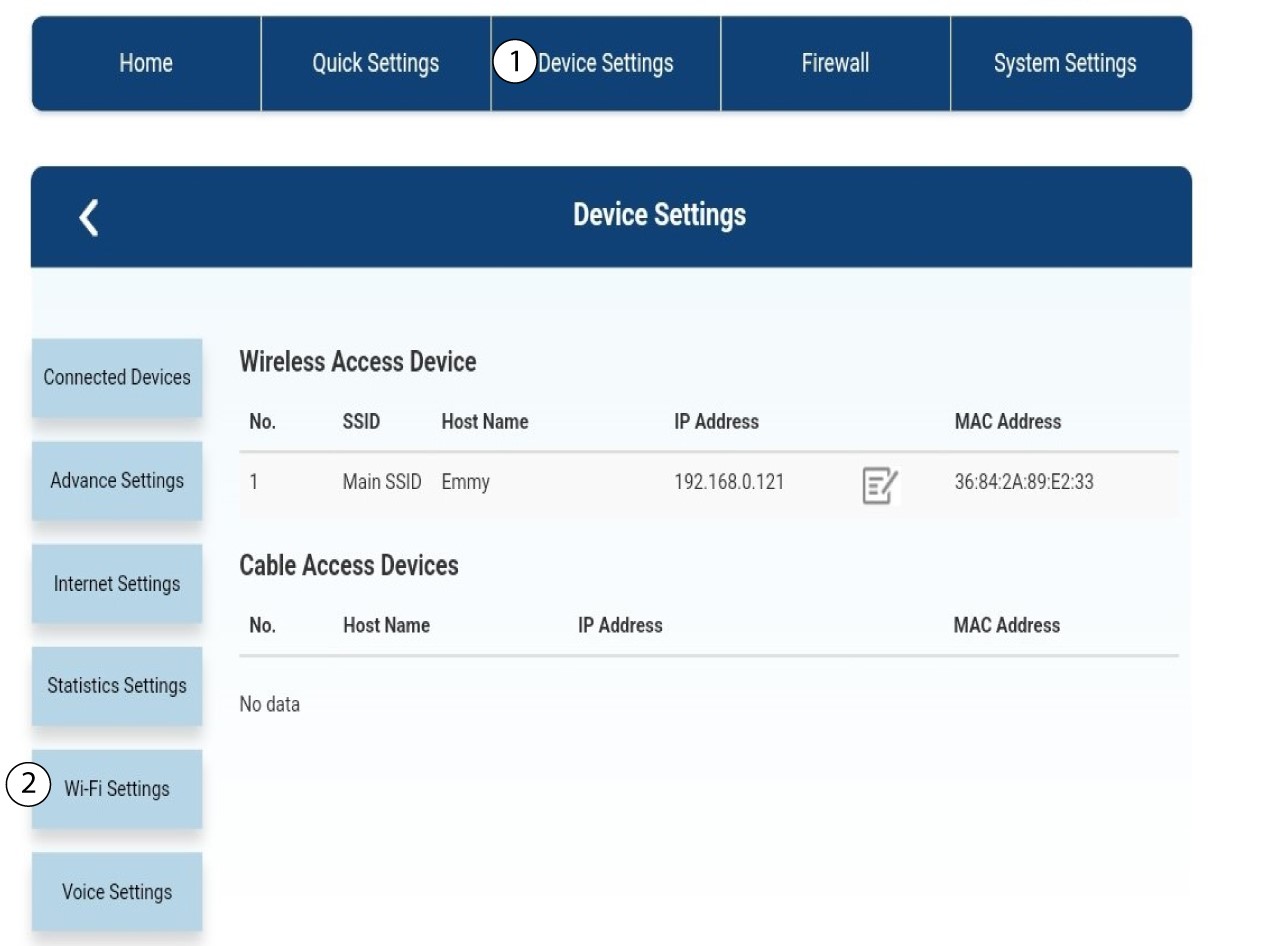
Fai clic su “Impostazioni dispositivo ” e seleziona “Impostazioni Wi-Fi”.
Impostazioni 3SSID
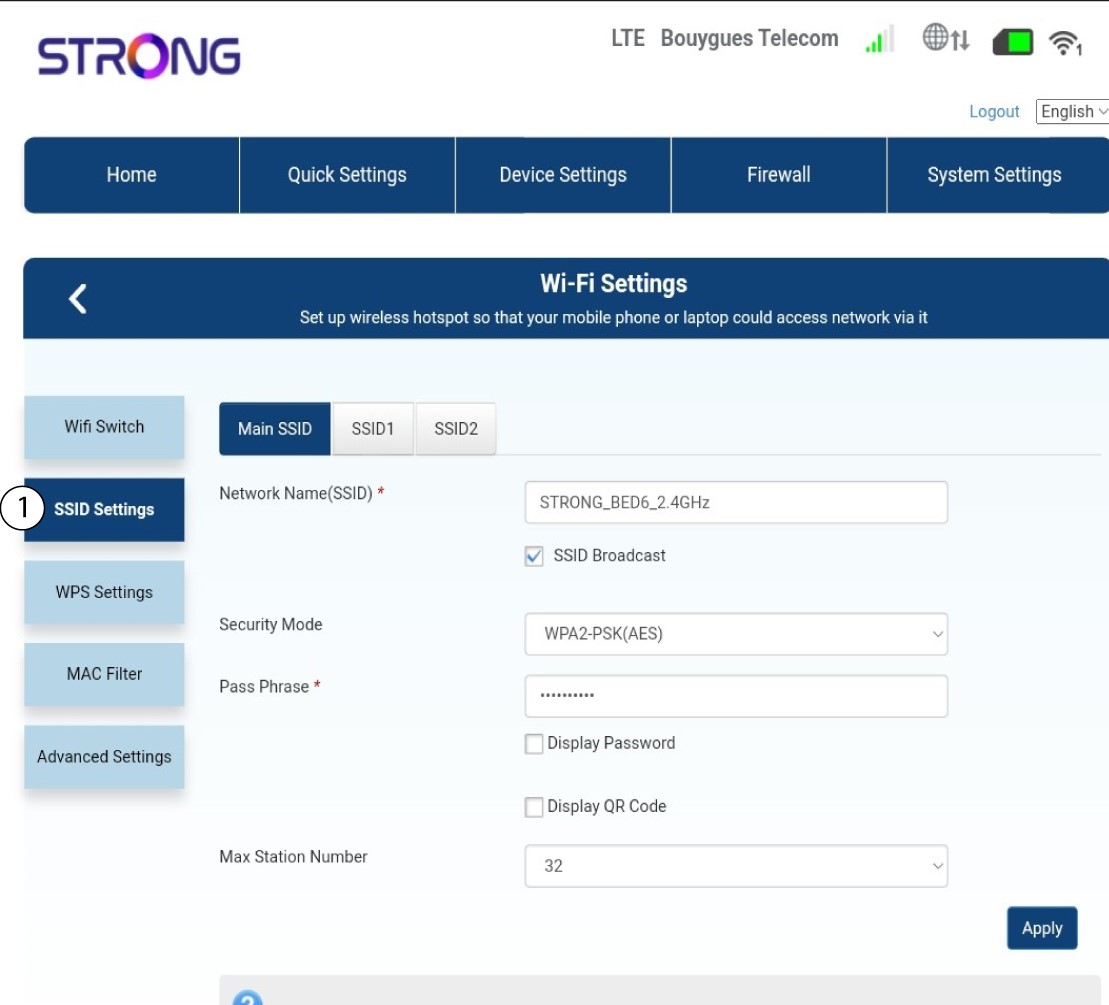
Quindi selezionare " Impostazioni SSID".
4. Inseriscile nuove informazioni di rete
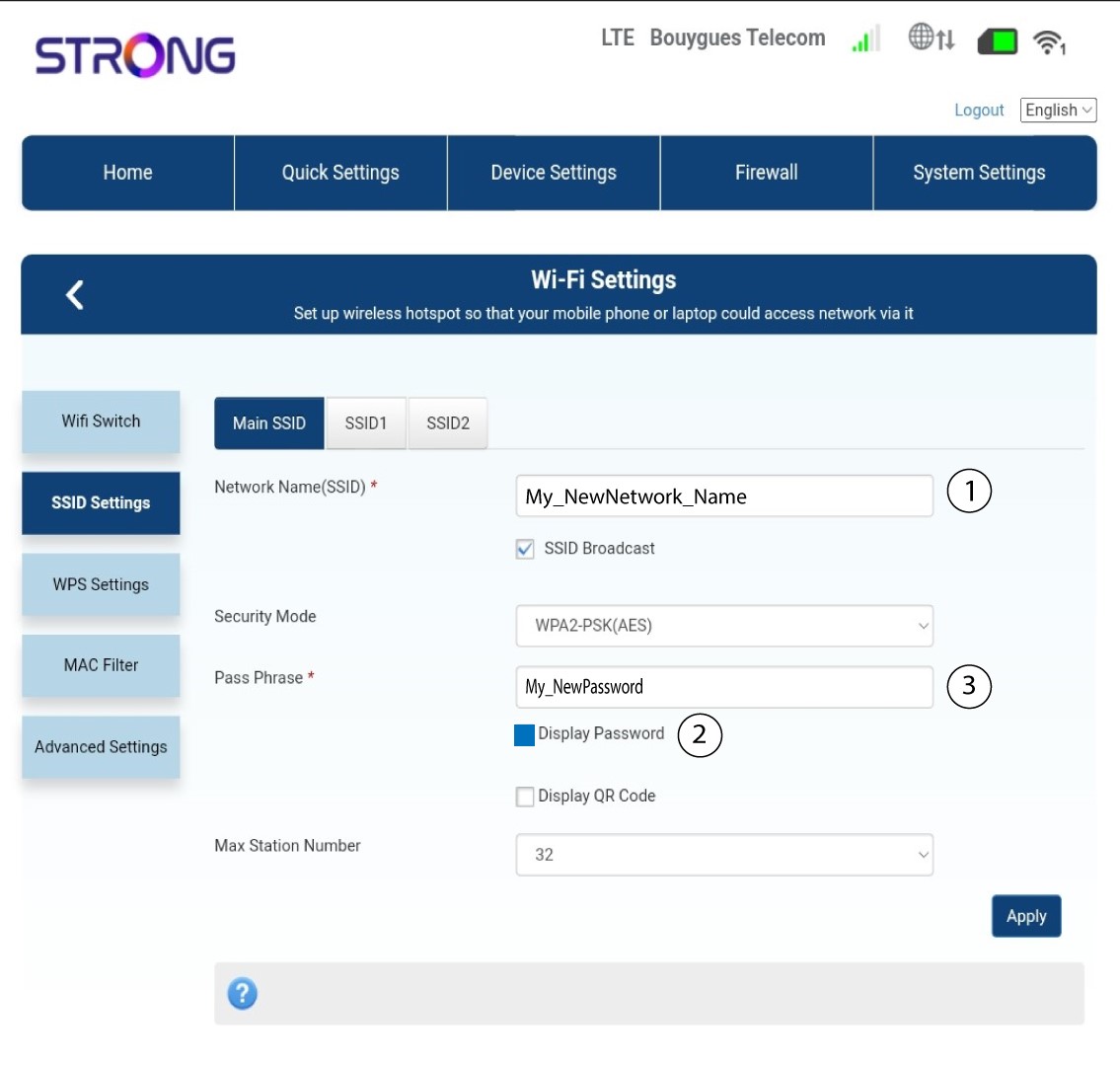
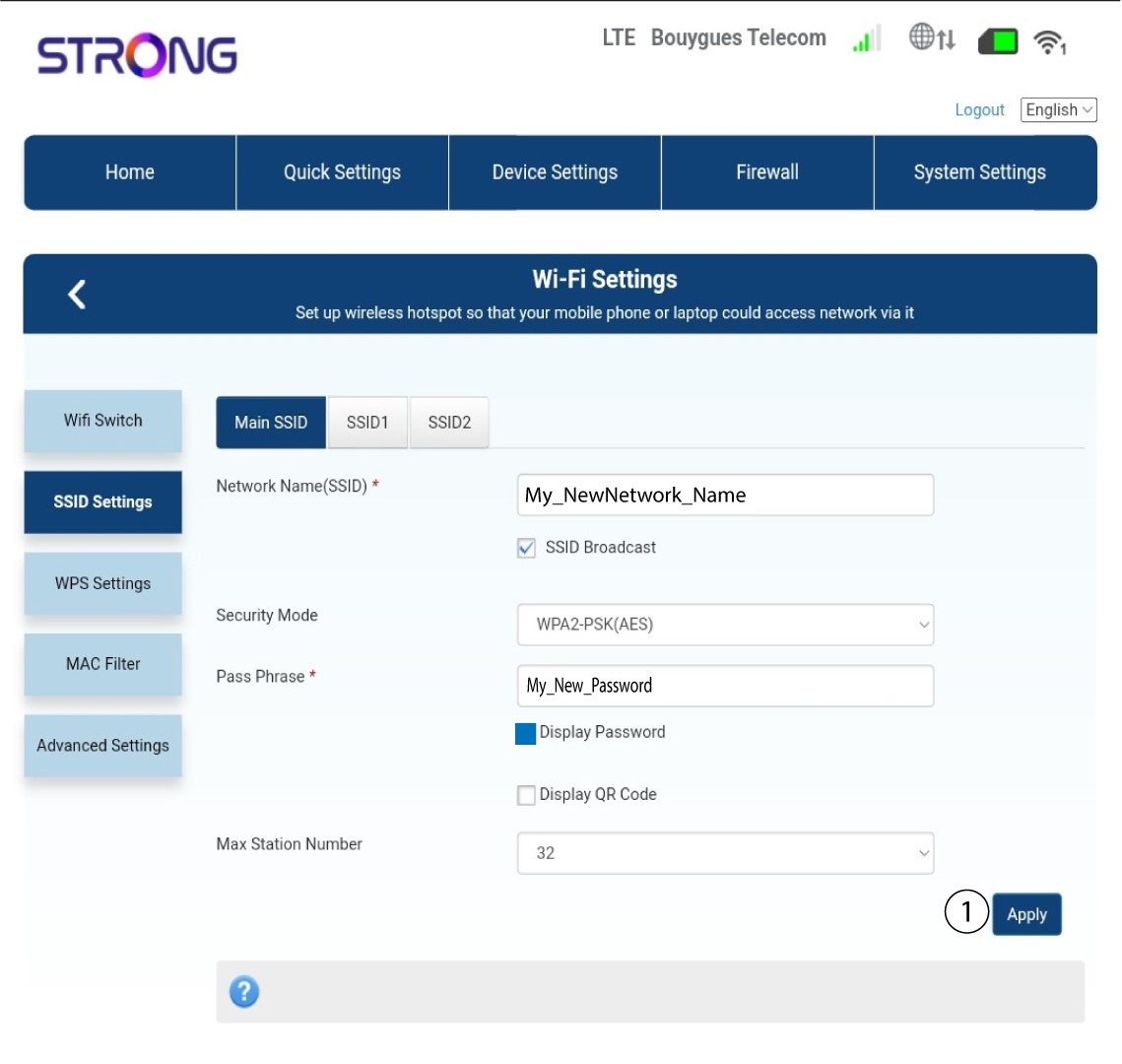
Modificare il nome inserito nel campo " Nome rete (SSID)" e selezionare l'opzione " Visualizza password " box. Quindi modificare la password inserita nel campo " Passphrase ".
5. Salvale nuove informazioni di rete
Fai clic su " Applica " per salvare le modifiche.
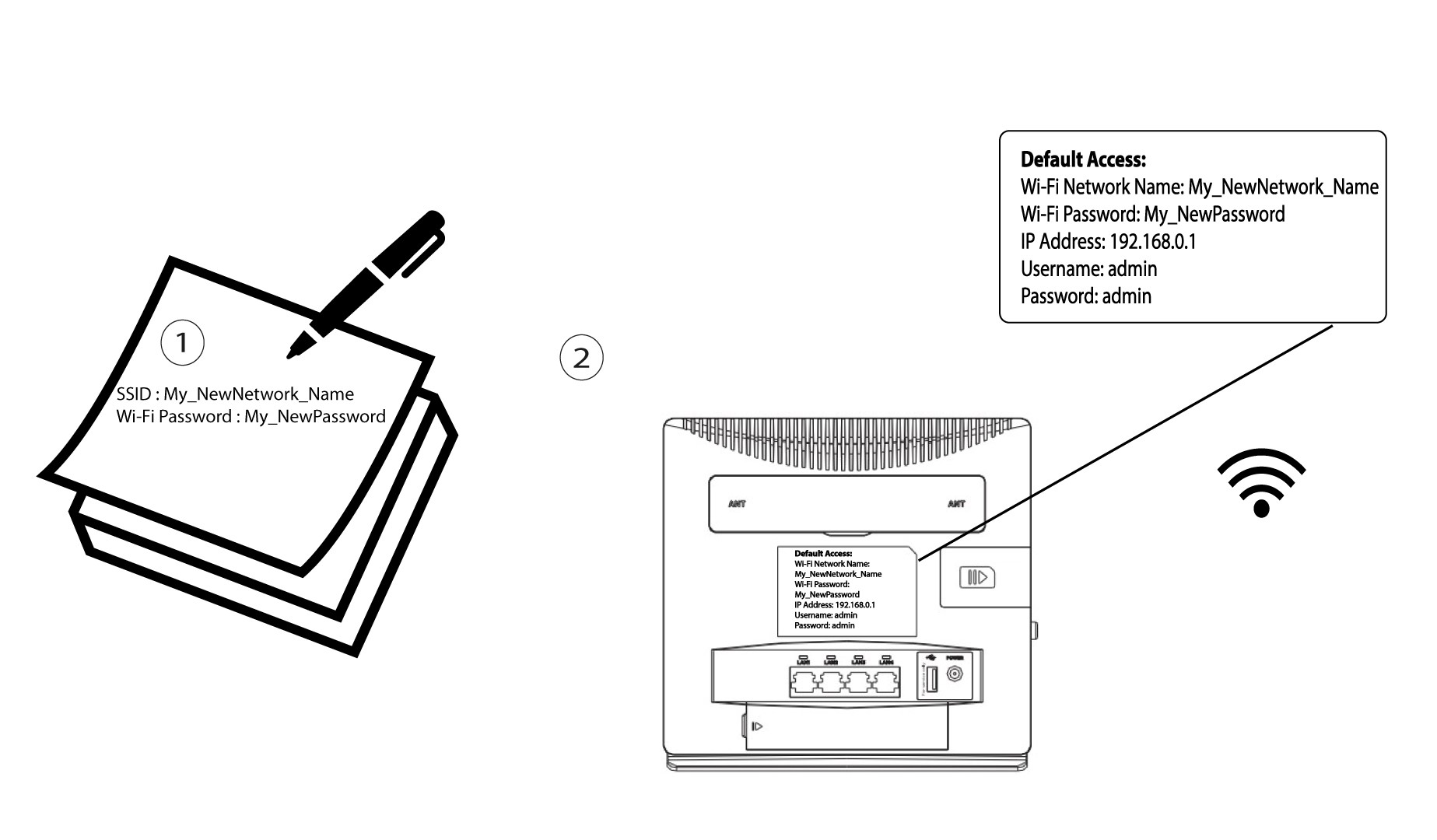
6. Annotarele nuove informazioni di rete
Scrivi il nuovo SSID e la nuova password su un foglio di carta e attaccalo al router con del nastro adesivo.