
4G AIRHOME 310 con antenne 4G rimovibili
Tutte le domande
4G AIRHOME 310 con antenne 4G rimovibili
Che tipo di scheda SIM posso inserire nel mio router?
È necessario inserire una scheda SIM di dimensioni standard nell'alloggiamento della scheda SIM del Router 300 4G LTE. Non devi preoccuparti delle dimensioni della tua scheda SIM, poiché nella confezione del router sono inclusi degli adattatori per ottenere le dimensioni corrette. È necessario inserire la scheda SIM prima di accendere il dispositivo.
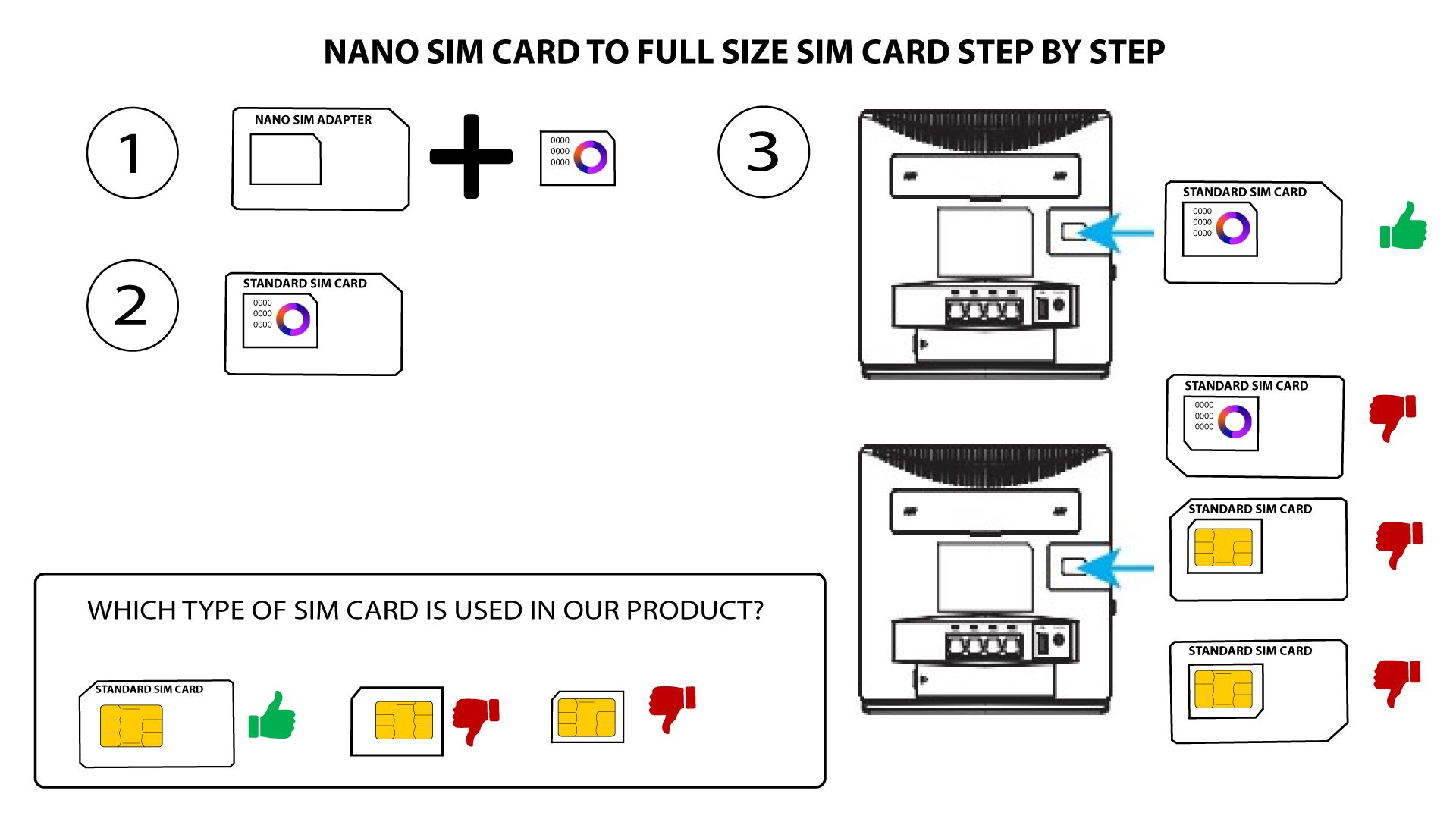
1Caso1: Scheda Nano SIM
Una volta inserita la scheda SIM nell'adattatore, premila con decisione per fissarla bene. Prendi il dispositivo in mano e inserisci la scheda SIM nell'apposito alloggiamento, seguendo la posizione indicata nello schema qui sotto.
2Caso2: Scheda Micro SIM
Una volta inserita la scheda SIM nell'adattatore, premila con decisione per fissarla bene. Prendi il dispositivo in mano e inserisci la scheda SIM nell'apposito alloggiamento, seguendo la posizione indicata nello schema qui sotto.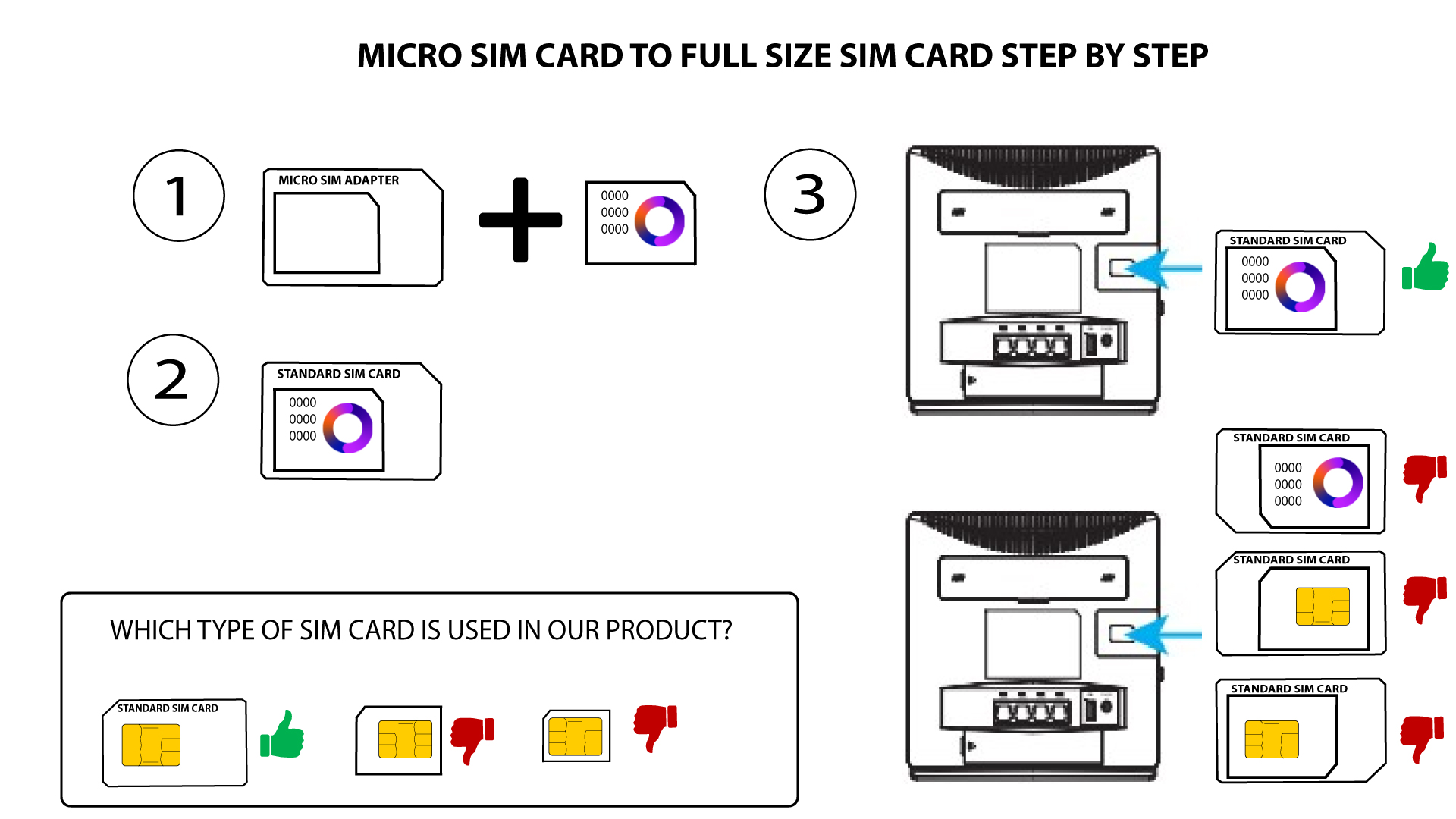

Assicurati che la scheda SIM sia posizionata correttamente nell'adattatore prima di inserirla nell'alloggiamento.
• Se il dispositivo non rileva la scheda SIM, verifica la sua posizione e assicurati di aver inserito l'adattatore nel modo corretto.