ATRIA Wi-Fi 6 Mesh 3000 (2-pack)
Alle vragen
ATRIA Wi-Fi 6 Mesh 3000 (2-pack)
Kan ik een gastnetwerk instellen voor mijn Mesh -netwerk? (Geval 2: Atria-app)
Om toegang te krijgen tot de webinterface moet u verbonden zijn met het wifi-netwerk van uw apparaat, nadat u de RJ45-kabel in de WLAN-poort van uw apparaat en van de internetbox hebt aangesloten.
1Zaak2: Atria-app
Download de smartphone-app„ATRIA MESH “ in de App Store of de Google Play Store.

2. Voeruw inloggegevens in
Vervolgens moet je met je smartphone verbinding maken met het wifi-netwerk van de Mesh en je vervolgens aanmelden bij de app met je inloggegevens, die "admin" en "admin" zouden moeten zijn als je deze niet hebt gewijzigd.

3. Wi-Fi voor gasten
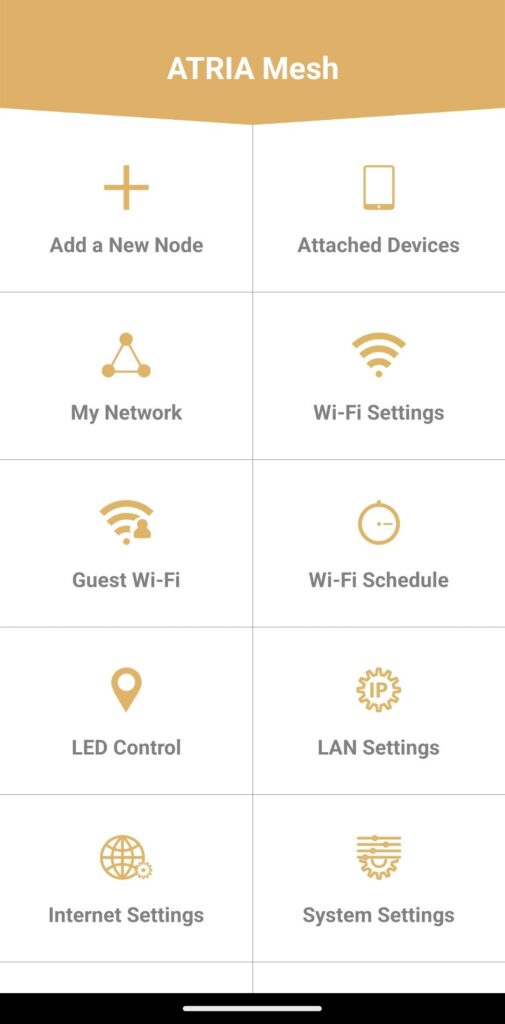
Je bevindt je nu op de hoofdpagina; klik op ‘Gast-wifi’.
4. Een gast-wifi-netwerk instellen
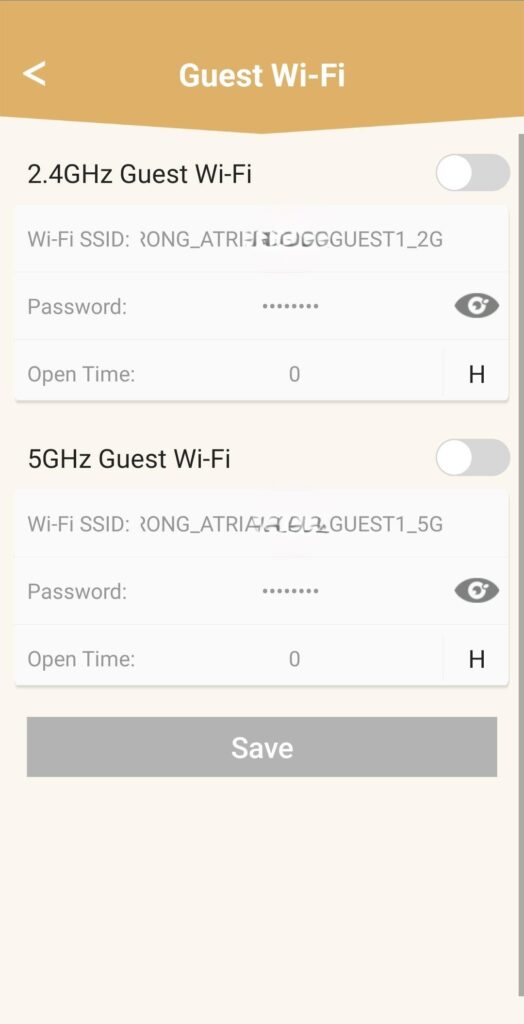
Vervolgens kunt u hier een 2,4 GHz- of 5 GHz -gast-wifi-netwerk toevoegen.
• Druk op de schakelknop van het gewenste netwerk.
• Stel een unieke SSID (wifi-netwerknaam) en een uniek wachtwoord in .
• Vervolgens kunt u in ‘Open Time’ een tijdschema instellen voor wanneer u wilt dat het gast-wifi-netwerk wel of niet actief is .
• Klik op ‘Opslaan’.
5. Controleerhet nieuwe wifi-netwerk
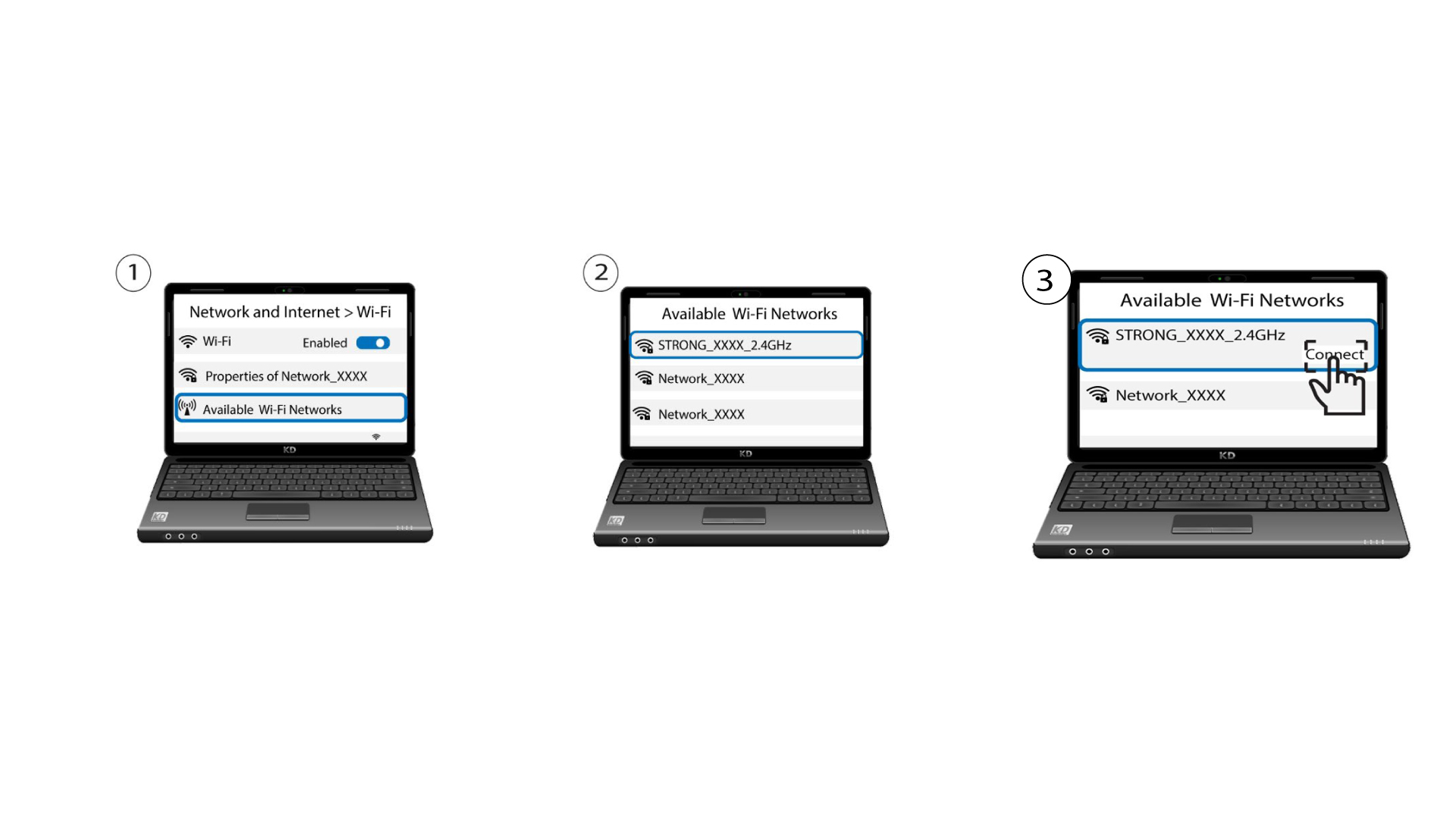
Het nieuwe gastnetwerk is nu zichtbaar in de lijst met wifi-netwerken op uw apparaten.