ATRIA Wi-Fi 6 Mesh 3000 (2-pack)
Alle vragen
ATRIA Wi-Fi 6 Mesh 3000 (2-pack)
Ik ben het wifi-wachtwoord van mijn Mesh -netwerk vergeten. Hoe kan ik dat achterhalen?
Hoe kan ik het wifi-wachtwoord van mijn Mesh -netwerk instellen of wijzigen?
1. Standaardlocatie van het wachtwoord
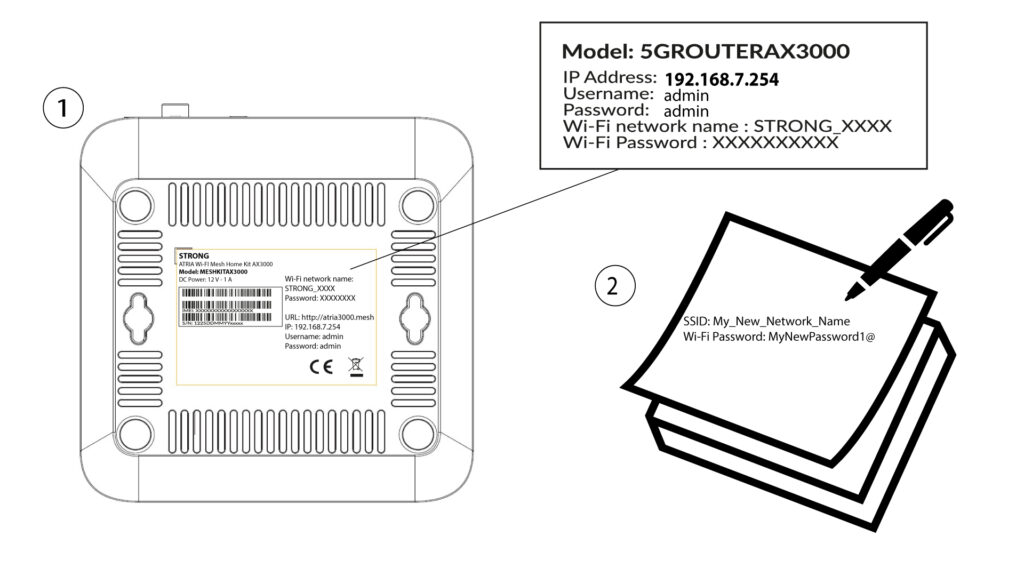
Het standaard wifi-wachtwoord staat aan de onderkant van je apparaat. Als je het echter al hebt gewijzigd, moet je de Mesh AX 3000 mogelijk terugzetten naar de fabrieksinstellingen.
Raadpleeg hiervoor het volgende gedeelte: Hoe zet ik mijn Mesh -toestellen terug naar de fabrieksinstellingen?
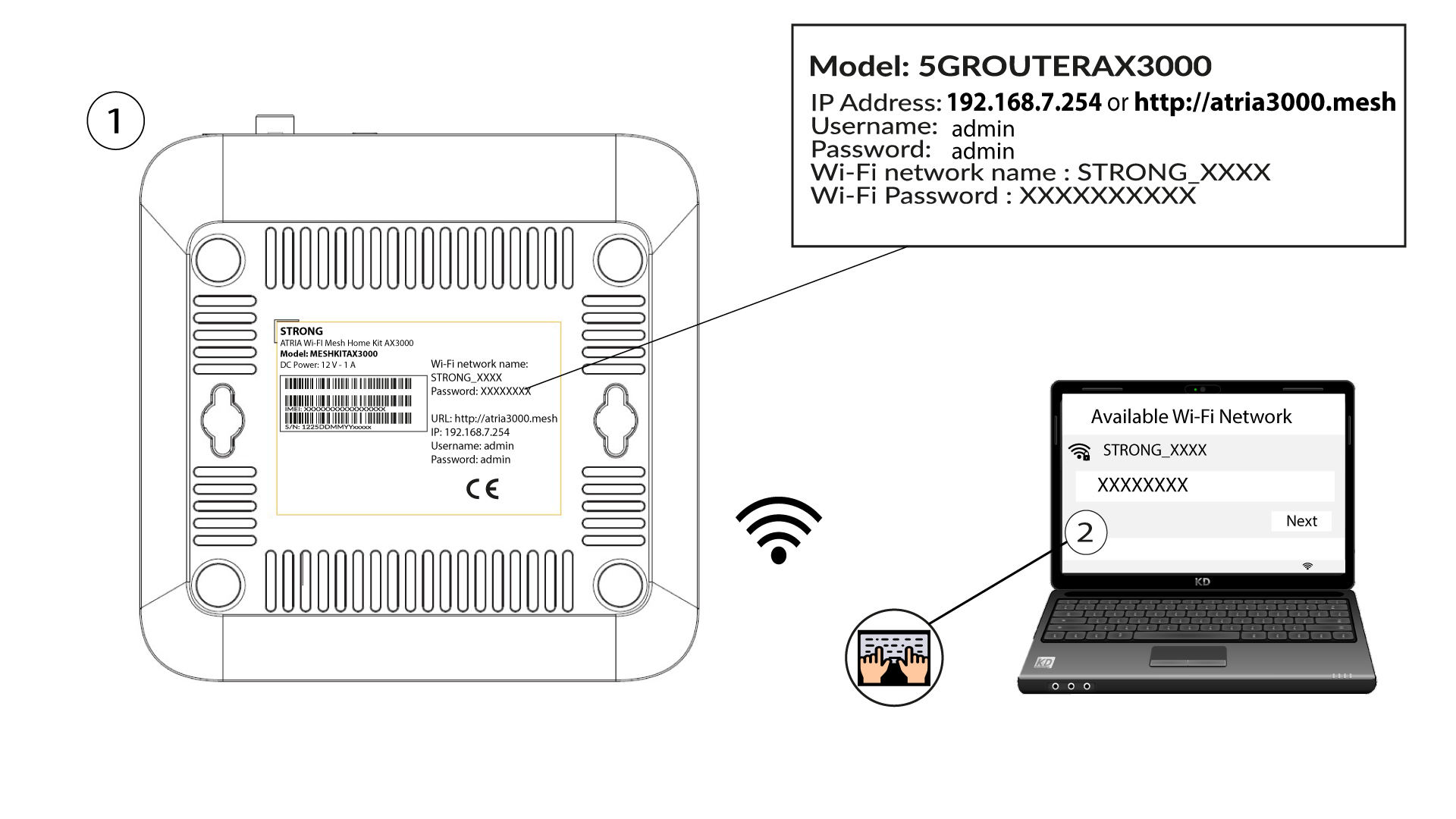
Zodra dit is gebeurd, kun je het standaardwachtwoord voor wifi wijzigen in je eigen persoonlijke wachtwoord
1Maak verbindingmet het wifi-netwerk van het apparaat
Voer hiervoor de SSID (naam van het wifi-netwerk) en het wifi-wachtwoord van de router in op je apparaat:
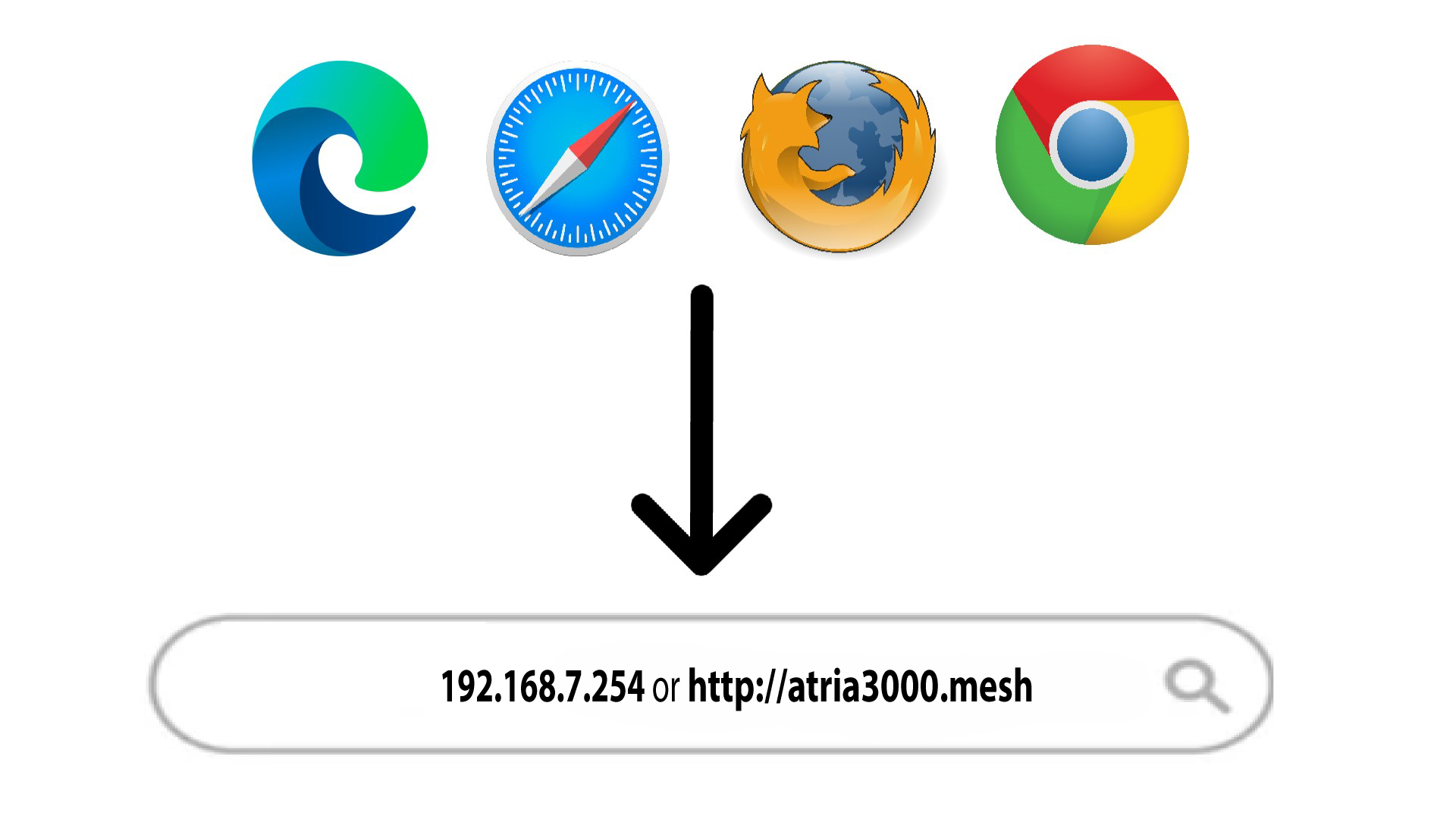
2. Ganaar het IP-adres van de webinterface
Voer vervolgens het volgende IP-adres in je browser in: 192.168.7.254 of typ het volgende adres in: http://atria3000.mesh
3Voeruw inloggegevens in
U moet de gebruikersnaam (admin) en het wachtwoord (admin) invoeren (let op: na de eerste keer inloggen stelt u uw eigen beheerderswachtwoord in, wat betekent dat het wachtwoord dat op het productlabel staat niet meer werkt). Klik vervolgens op ‘Inloggen’.

4WLAN2,4 GHz en 5 GHz
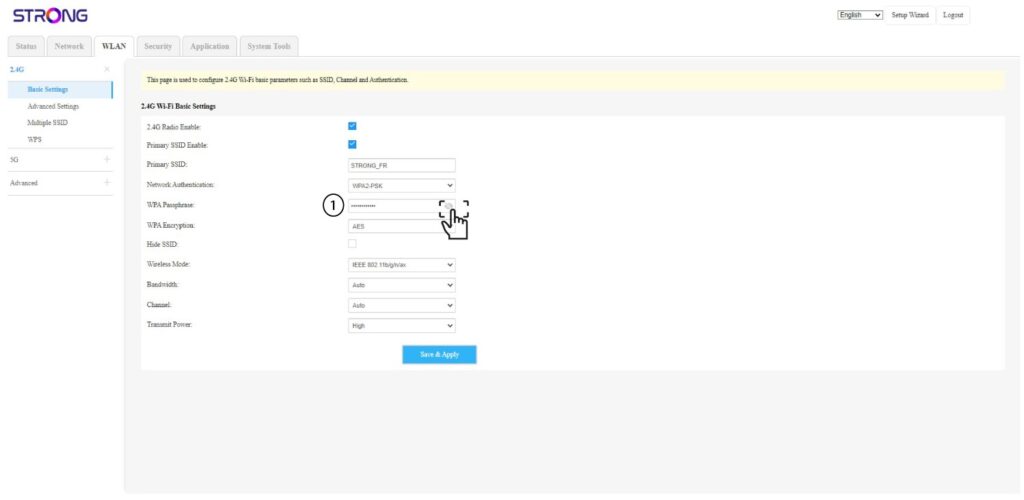
Klik vervolgens in de bovenste balk op WLAN en ga naar 2,4 GHz of 5 GHz, afhankelijk van het type netwerk waarmee je verbonden bent. Ga daarna naar Basisinstellingen.
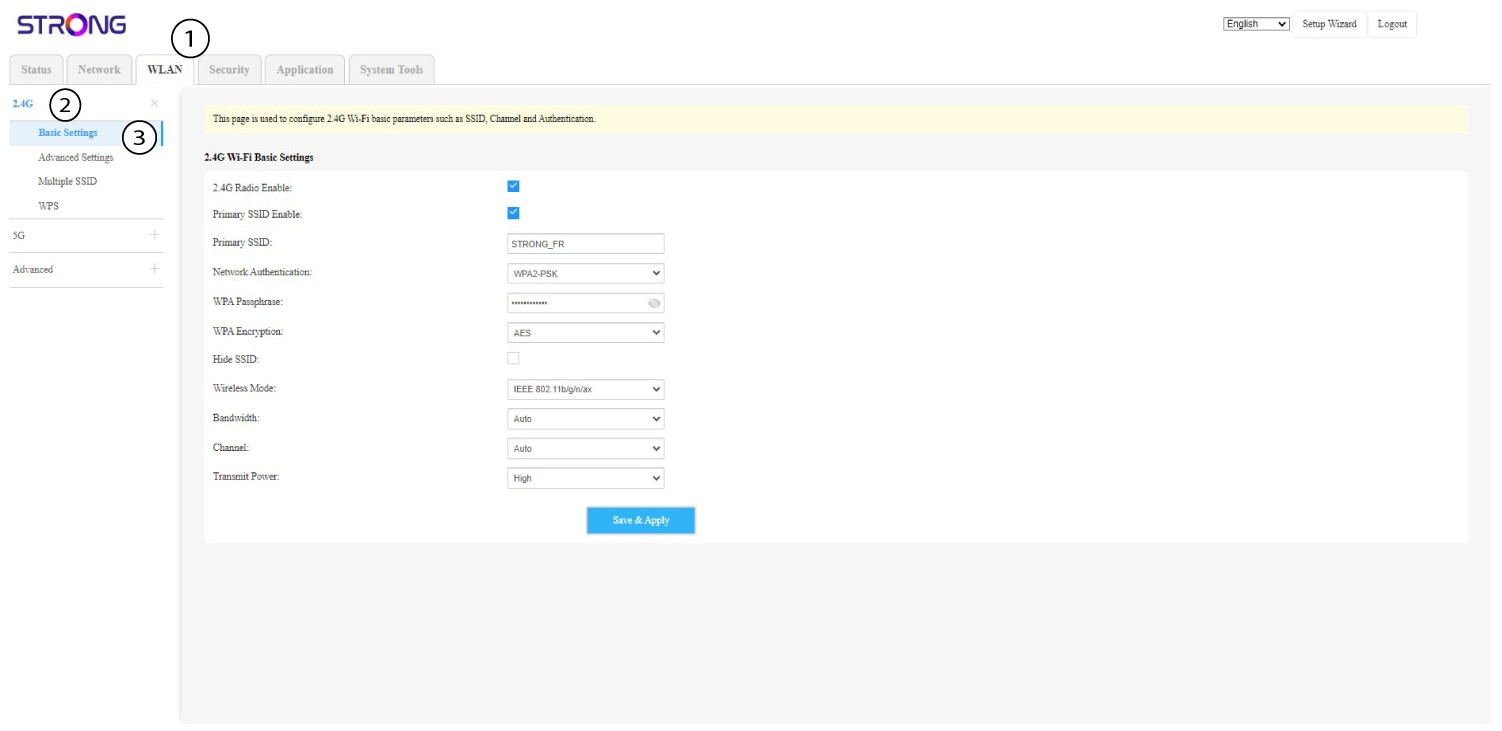
5Wachtwoord wijzigen
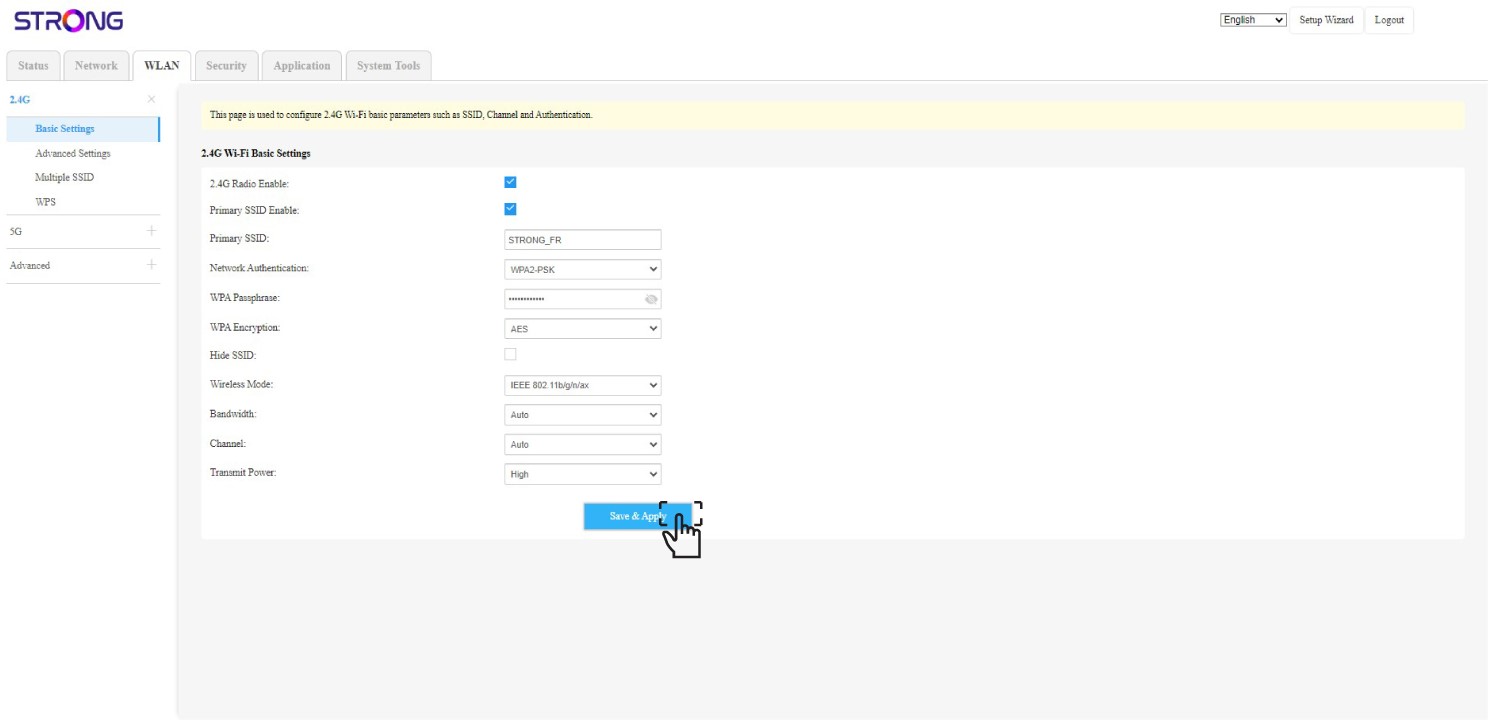
Je kunt het wachtwoord nu wijzigen in het gedeelte ‘WPA-wachtwoord’. Met behulp van het oogje kun je controleren of je het juiste wachtwoord hebt ingevoerd.
6. Schrijfhet op
Schrijf het nieuwe wachtwoord op een stukje papier en plak dat met plakband op je apparaat.
7. Slade wijzigingen op
Klik op ‘Opslaan en toepassen’.