
4G+ AIRSPOT 510 Mobiele wifi
Geen items gevonden.
Geen items gevonden.
Alle vragen
4G+ AIRSPOT 510 Mobiele wifi
Geen items gevonden.
Geen items gevonden.
Hoe wijzig ik het beheerderswachtwoord?
1. Opende webinterface
Raadpleeg het artikel ‘Hoe krijg ik toegang tot de web-UI ?’ om toegang te krijgen tot de web-UI.
2Ganaar de wachtwoordinstellingen
Klik in het gedeelte ‘Beheer ’ op ‘Systeeminstellingen ’ en vervolgens op ‘Wachtwoord wijzigen’.
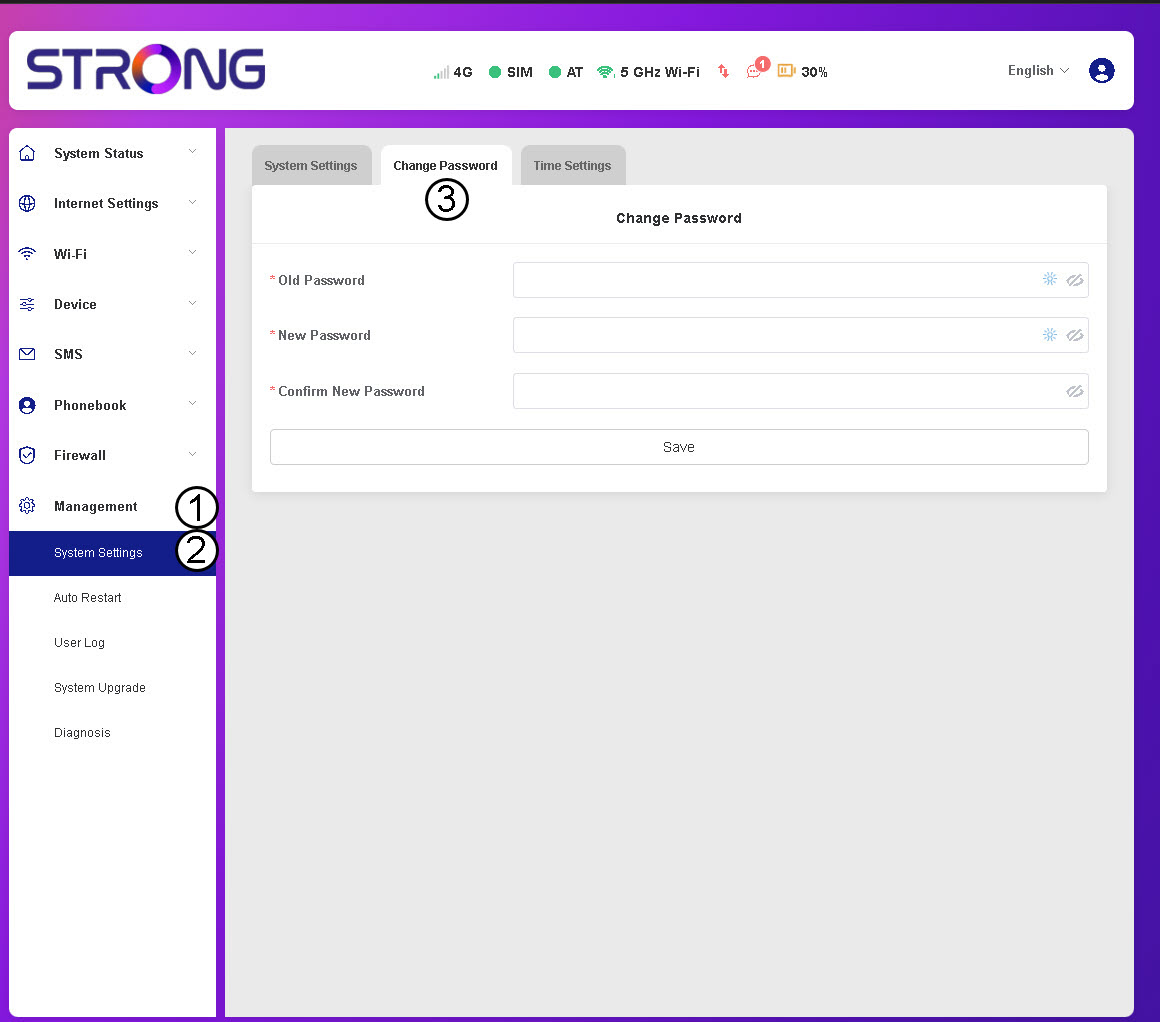
3. Voerde wachtwoordgegevens in
Voer vervolgens de volgende gegevens in voordat je op ‘Opslaan’ klikt:
- Oud wachtwoord: Voer uw huidige wachtwoord in.
- Nieuw wachtwoord: Voer een wachtwoord in dat uit minimaal 8 tekens bestaat en een combinatie bevat van hoofdletters, kleine letters, cijfers en speciale tekens. Alleen de volgende speciale tekens zijn toegestaan: @$%*&.
- Nieuw wachtwoord bevestigen: Voer hetzelfde wachtwoord in als in het vorige veld.


WAARSCHUWING: Als u uw huidige wachtwoord bent vergeten, moet u het apparaat terugzetten naar de fabrieksinstellingen.