
4G+ AIRSPOT 510 Mobiele wifi
Geen items gevonden.
Geen items gevonden.
Alle vragen
4G+ AIRSPOT 510 Mobiele wifi
Geen items gevonden.
Geen items gevonden.
Ik heb geen internet nadat ik mijn simkaart in de router heb geplaatst. Hoe komt dat?
Er zijn tal van redenen waarom je internetverbinding niet werkt nadat je de simkaart hebt geplaatst.
- Een mogelijke oorzaak is dat de simkaart niet goed is geplaatst. Controleer de positie van de simkaart aan de hand van de afbeelding waarop de plaatsingsprocedure wordt weergegeven.
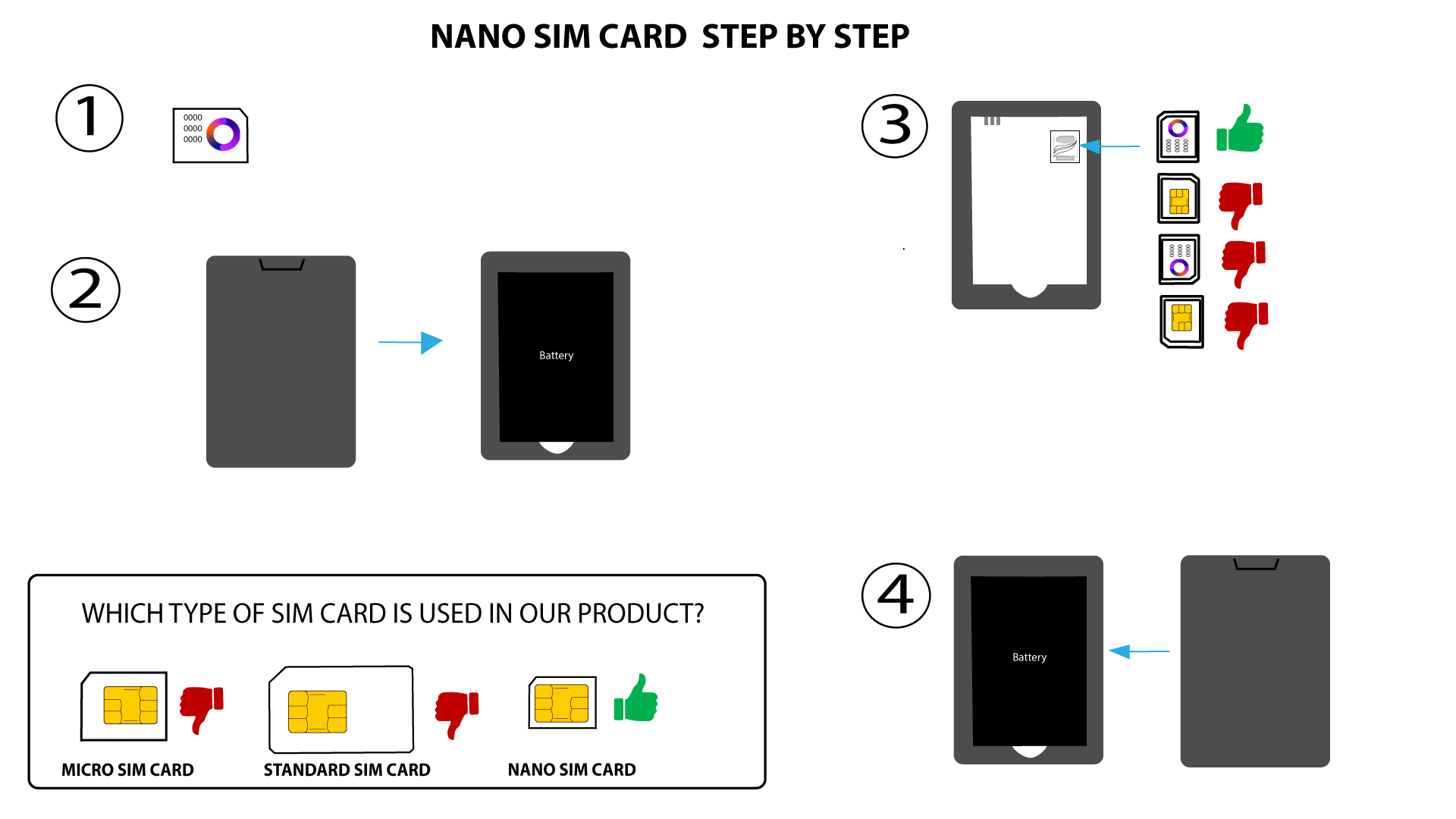
- Een andere mogelijke oorzaak is dat je simkaart met een pincode is vergrendeld. Om dit op te lossen, moet je de kaart ontgrendelen voordat je je Mi-Fi-apparaat gebruikt. Volg een van de onderstaande methoden, afhankelijk van je model:
Hoe voer ik mijn pincode in? (Mi-Fi-scherm) alleen voor de MiFi 900 met display