4G AIRSPOT 220 Mobiele wifi met display
Geen items gevonden.
Geen items gevonden.
Alle vragen
4G AIRSPOT 220 Mobiele wifi met display
Geen items gevonden.
Geen items gevonden.
Hoe schakel ik het apparaat in en uit?
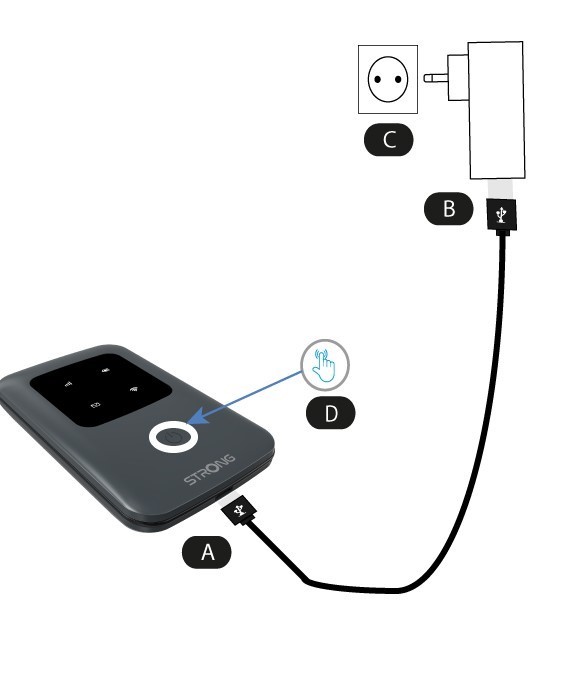
Om het apparaat in te schakelen, moet u het eerst opladen voordat u het gaat gebruiken. Sluit hiervoor de USB-kabel aan op het apparaat (A) en de stekker (B).
1Aan/uit-knop
Sluit de USB-kabel aan van het apparaat (A) op de voeding (B). Steek vervolgens de stekker in het stopcontact (C) en houd de aan/uit-knop vijf seconden ingedrukt (D).
Na enkele seconden gaan de LED's op het apparaat branden.
Om het apparaat uit te schakelen, hoef je alleen maar de aan/uit-knop 5 seconden ingedrukt te houden.