4G AIRSPOT 220 Mobiele wifi met display
Geen items gevonden.
Geen items gevonden.
Alle vragen
4G AIRSPOT 220 Mobiele wifi met display
Geen items gevonden.
Geen items gevonden.
Hoe werk ik de firmware van het apparaat bij?
Zodra u bent ingelogd op de webinterface, moet u de firmwareversie van uw apparaat controleren via de online upgrade-optie in de webinterface. Hierdoor wordt de nieuwste firmwareversie geïnstalleerd.
Als uw router niet up-to-date is, volg dan de onderstaande procedure om de firmware bij te werken.
1. Maak verbindingmet het wifi-netwerk van de router
- Om de firmware van het apparaat bij te werken, moet u verbinding maken met het wifi-netwerk van uw router.
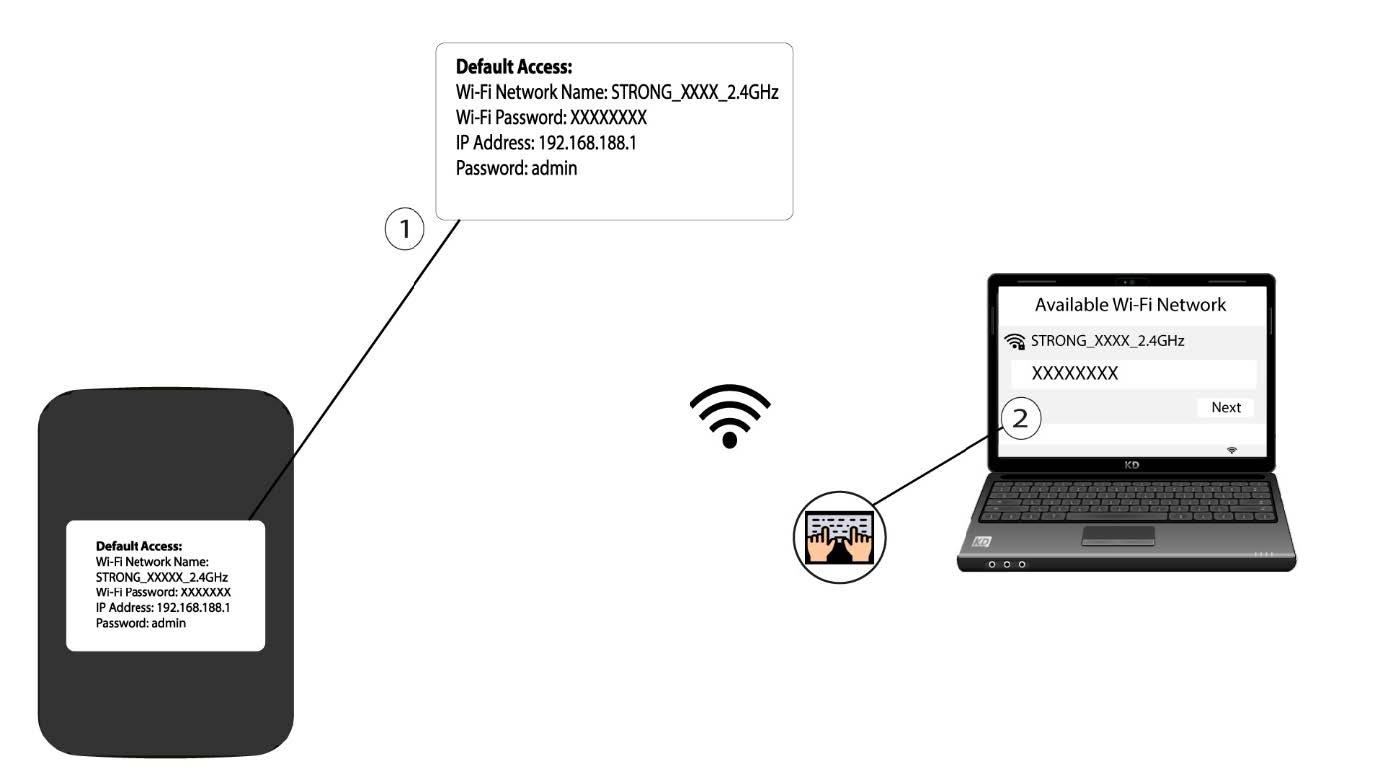
2. Ganaar het IP-adres van de webinterface
Voer vervolgens het volgende IP-adres in: 192.168.188.1 in uw browser.

3Ga naarde inlogpagina
U moet het wachtwoord invoeren .

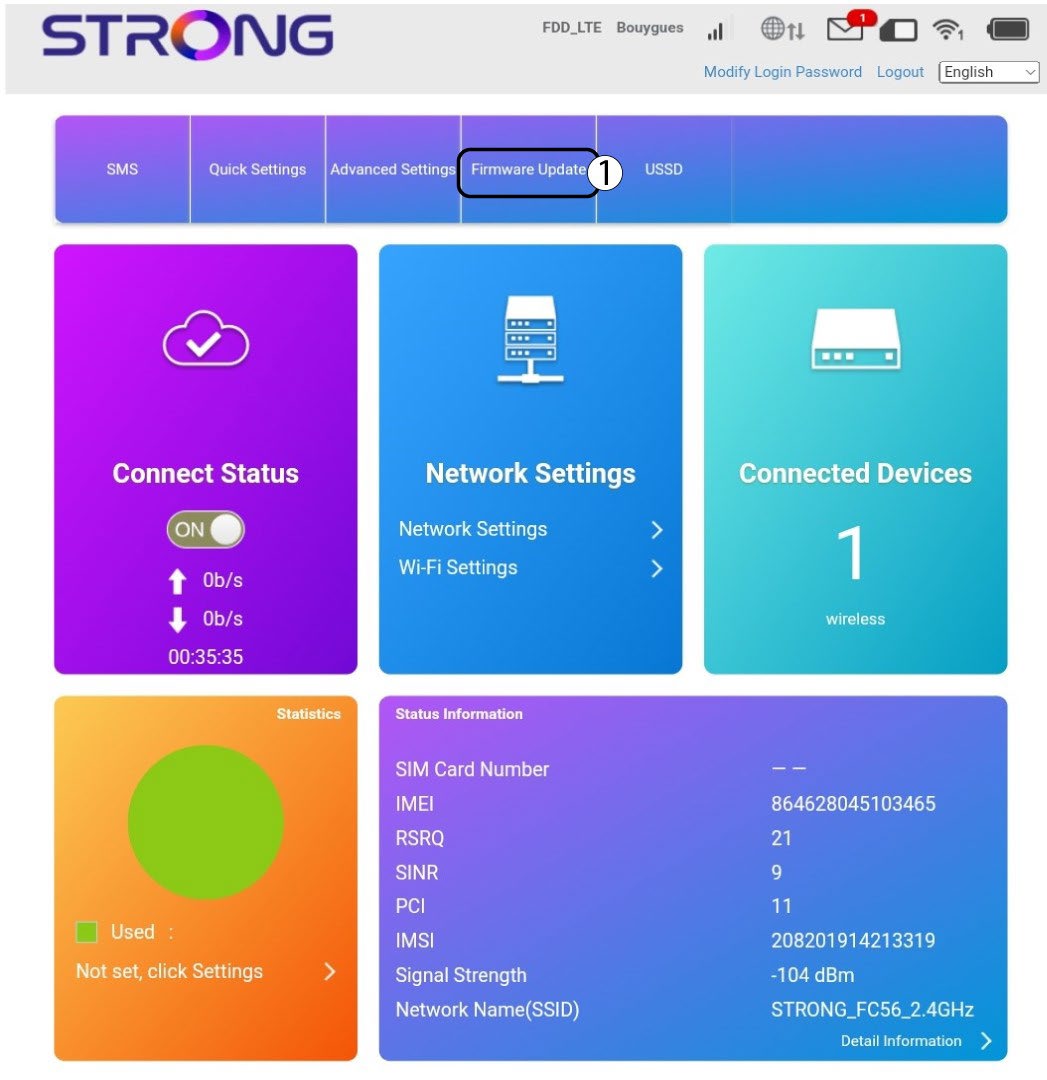
4Update
Klik op ‘Firmware-update’.
5Controleerof er nieuwe versies beschikbaar zijn
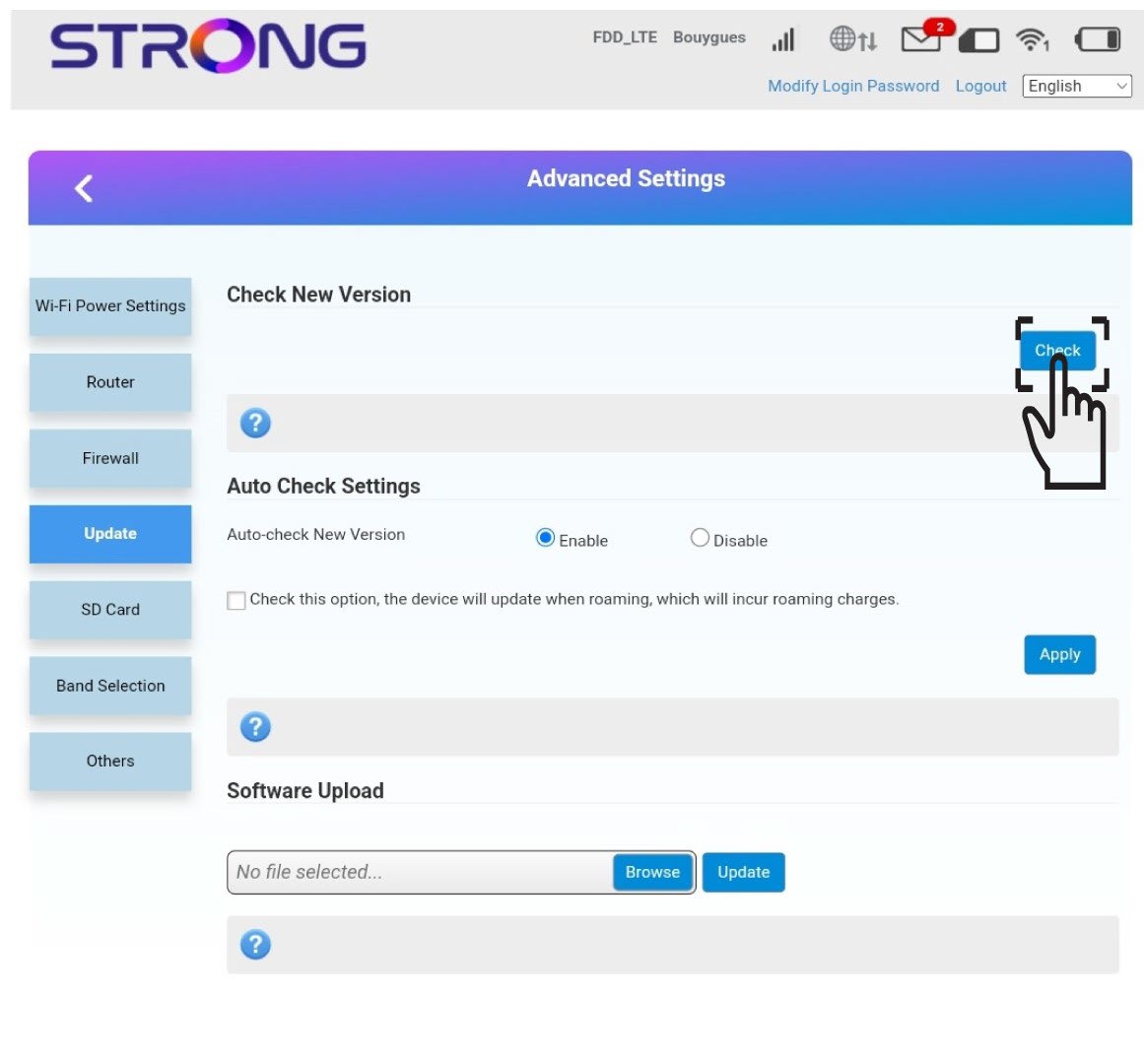
Klik op ‘Check’ in het gedeelte ‘Check New Version’. De nieuwste versie van de software wordt automatisch gedownload en je moet opnieuw verbinding maken met het wifi-netwerk om je pincode in te voeren.