
Mini router 4G AIRHOME 200 s odnímateľnými 4G anténami
Nenašli sa žiadne položky.
Nenašli sa žiadne položky.
Všetky otázky
Mini router 4G AIRHOME 200 s odnímateľnými 4G anténami
Nenašli sa žiadne položky.
Nenašli sa žiadne položky.
Ako môžem zmeniť heslo správcu?
1. Pripojte sak webovému používateľskému rozhraniu
Ak sa chcete pripojiť k webovému používateľskému rozhraniu, postupujte podľa pokynov uvedených v:
2Zmeniťprihlasovacie heslo
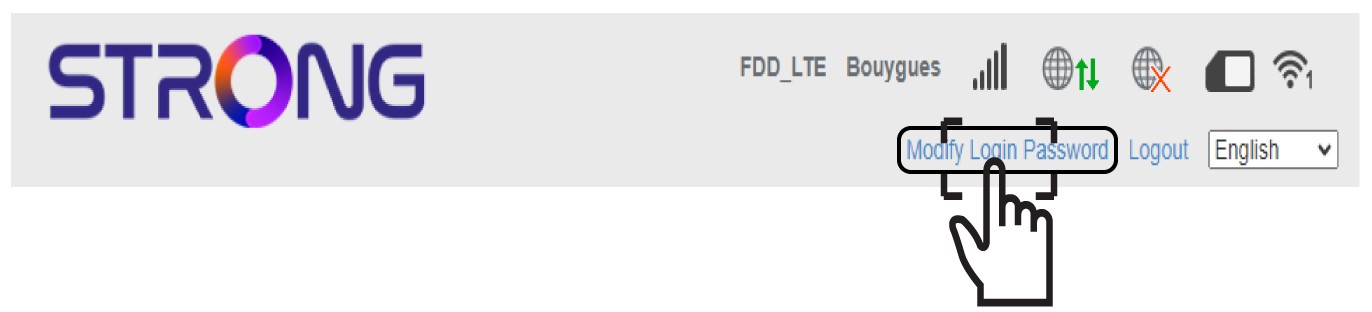
Akonáhle to urobíte, kliknite na odkaz „Zmeniť prihlasovacie heslo“ v hornom paneli.
3. Vytvortenové heslo
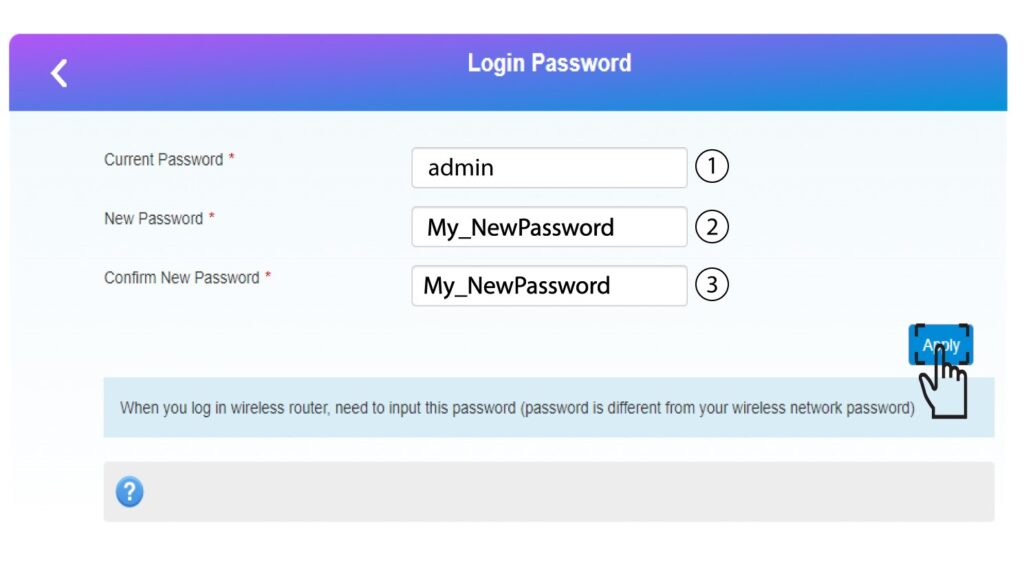
Pred kliknutím na tlačidlo „Použiť“ zadajte nasledujúce informácie:
• Aktuálne heslo: Zadajte aktuálne heslo.
• Nové heslo: Zadajte nové heslo.
• Potvrdenie nového hesla: Zadajte rovnaké heslo ako v predchádzajúcom poli.
4. Zapíštesi nové heslo
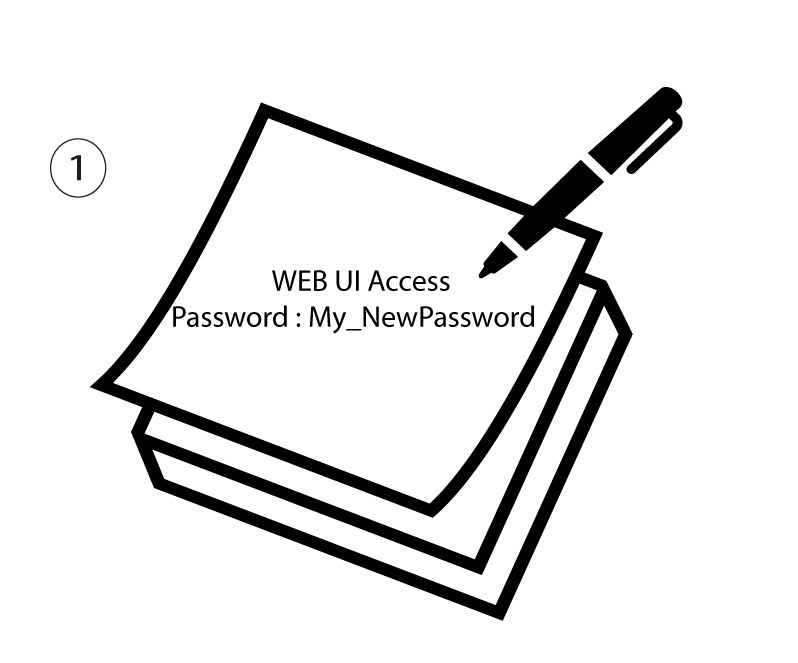
Zapíšte si nové heslo pre prístup do webového používateľského rozhrania.
The new password can contain up to 32 characters including numbers, lower case, upper case, and special characters (! # $ * + , - . % : = ? @ [ ] ^ _ { | } ~).