
Mini router 4G AIRHOME 200 s odnímateľnými 4G anténami
Nenašli sa žiadne položky.
Nenašli sa žiadne položky.
Všetky otázky
Mini router 4G AIRHOME 200 s odnímateľnými 4G anténami
Nenašli sa žiadne položky.
Nenašli sa žiadne položky.
Ako môžem zmeniť SSID (názov siete Wi-Fi) a heslo k Wi-Fi? (Nastavenia Wi-Fi)
1. Pripojte sak Wi-Fi sieti vášho routera
Ak chcete zmeniť SSID (názov siete Wi-Fi) a heslo k Wi-Fi, musíte sa pripojiť k Wi-Fi na vašom zariadení.

2. Prejditena IP adresu webového používateľského rozhrania
Potom do prehliadača zadajte túto IP adresu: 192.168.188.1.

3Zadajteprihlasovacie údaje k prehliadke
Musíte zadať heslo.

4. Nastavenia Wi-Fi
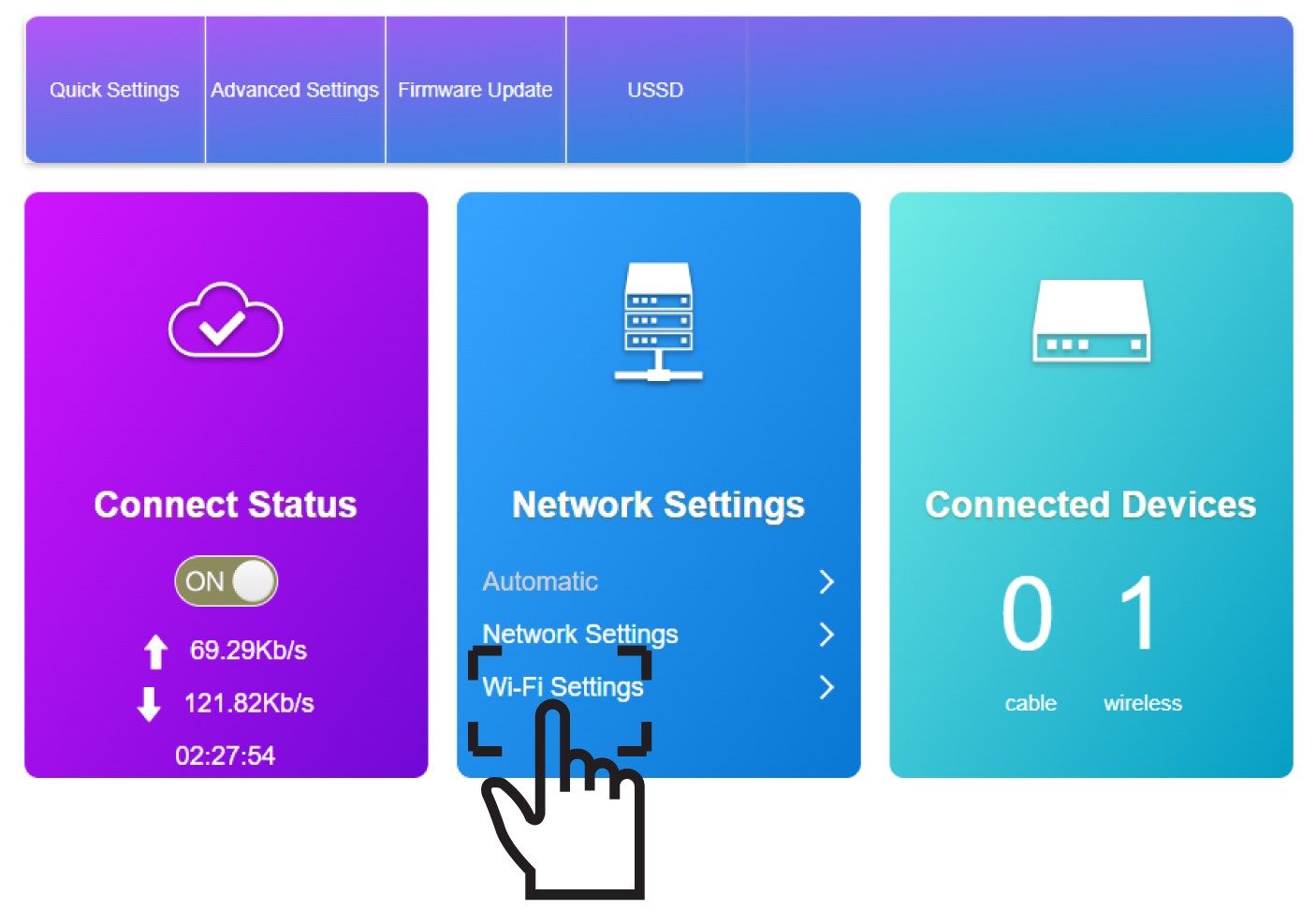
V časti „Nastavenia siete“ kliknite na položku „Nastavenia Wi-Fi “.
5Zadajtenové informácie o sieti
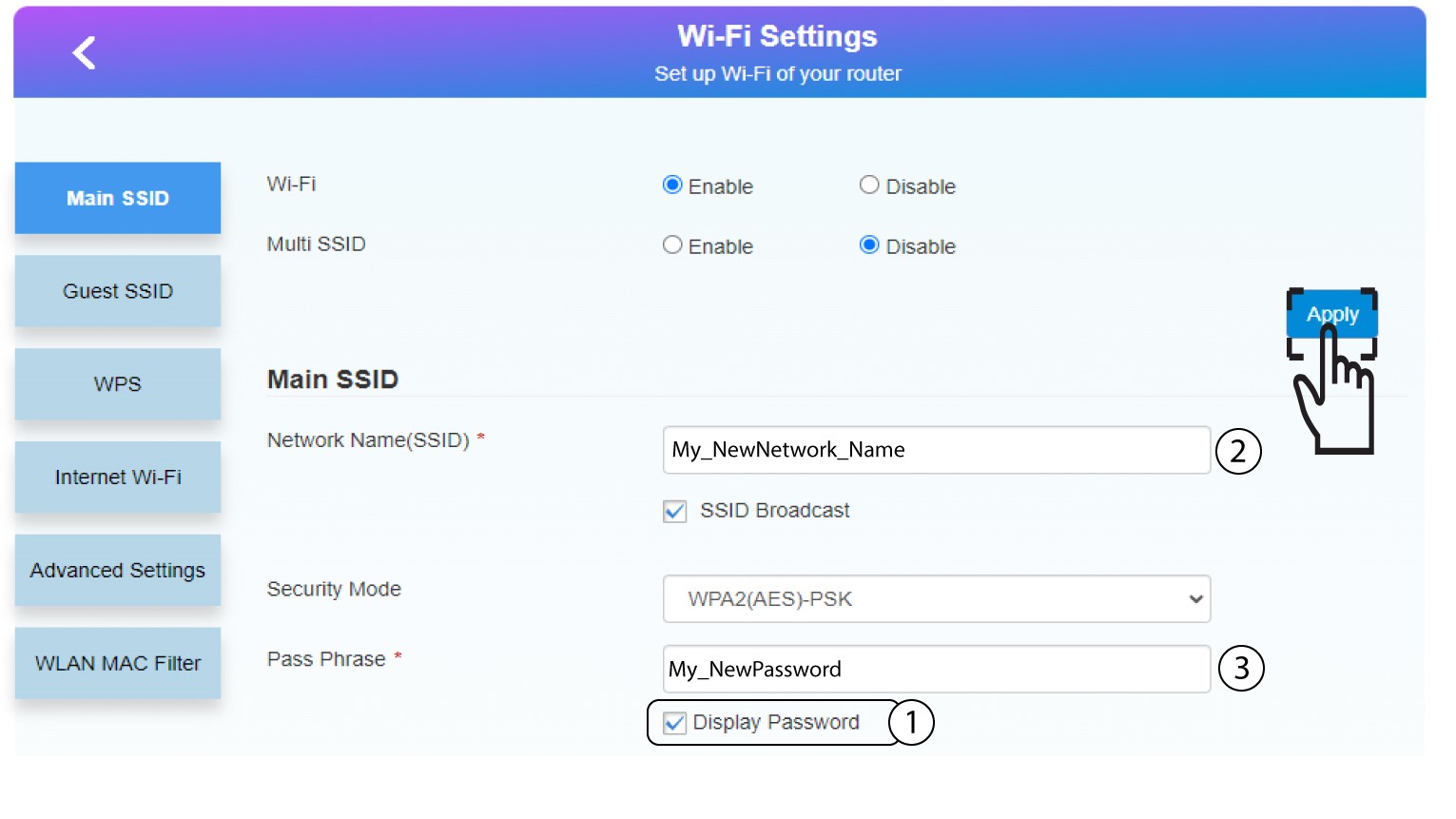
Kliknite na možnosť „Zobraziť heslo“ a pred kliknutím na tlačidlo „Použiť“ zadajte nasledujúce informácie:
a. Zadajte nový názov siete.
b. Zadajte nové heslo Wi-Fi.
6. Uložtenové informácie o sieti
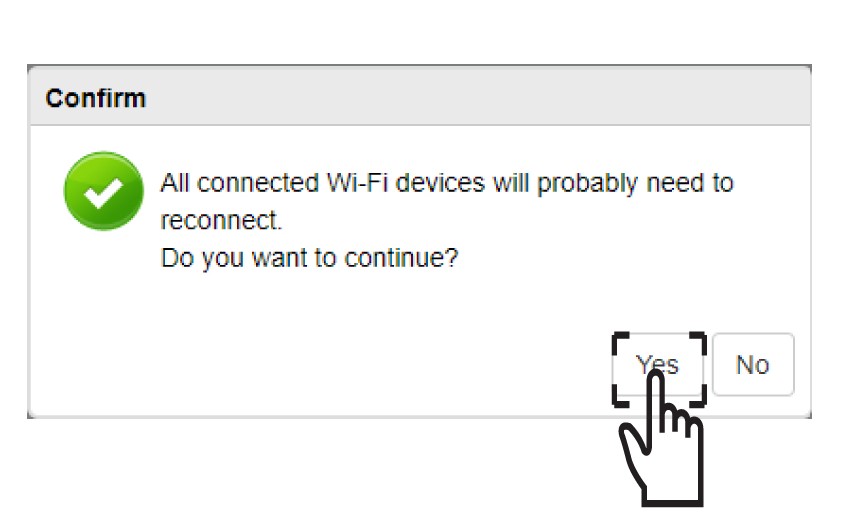
V zobrazenom okne kliknite na Áno, aby sa zmeny uložili.
7. Zapíštesi nové sieťové údaje
Zapíšte si nové sieťové údaje na papier.
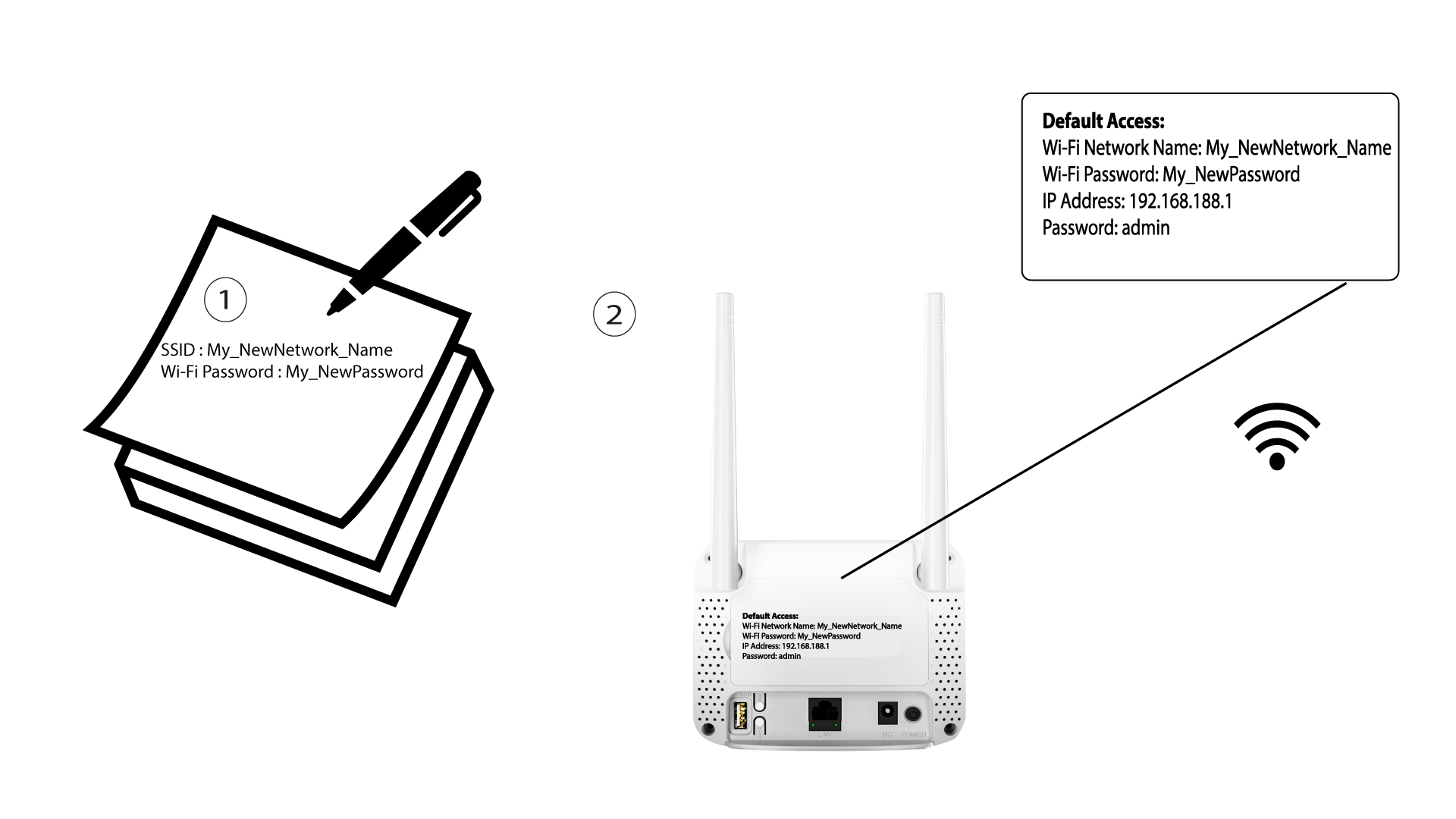

Po zmene údajov o sieti Wi-Fi sa všetky zariadenia, ktoré boli pripojené k tejto sieti, automaticky odpoja.