Mini router 4G AIRHOME 200 s odnímateľnými 4G anténami
Nenašli sa žiadne položky.
Nenašli sa žiadne položky.
Všetky otázky
Mini router 4G AIRHOME 200 s odnímateľnými 4G anténami
Nenašli sa žiadne položky.
Nenašli sa žiadne položky.
Ako môžem aktualizovať firmvér zariadenia?
Keď ste prihlásení do webového rozhrania, musíte skontrolovať verziu firmvéru vášho zariadenia pomocou možnosti online aktualizácie v tomto rozhraní. Týmto spôsobom sa nainštaluje najnovšia verzia firmvéru. Ak váš router nie je aktualizovaný, postupujte podľa nižšie uvedeného návodu na aktualizáciu firmvéru.
1. Pripojte sak Wi-Fi sieti vášho routera
Ak chcete aktualizovať firmvér zariadenia, musíte sa pripojiť k sieti Wi-Fi vášho routera.

2Prejditena IP adresu webového rozhrania
Potom do prehliadača zadajte nasledujúcu IP adresu: 192.168.188.1.

3Zadajtesvoje prihlasovacie údaje
Musíte zadať heslo.

4Aktualizácia firmvéru
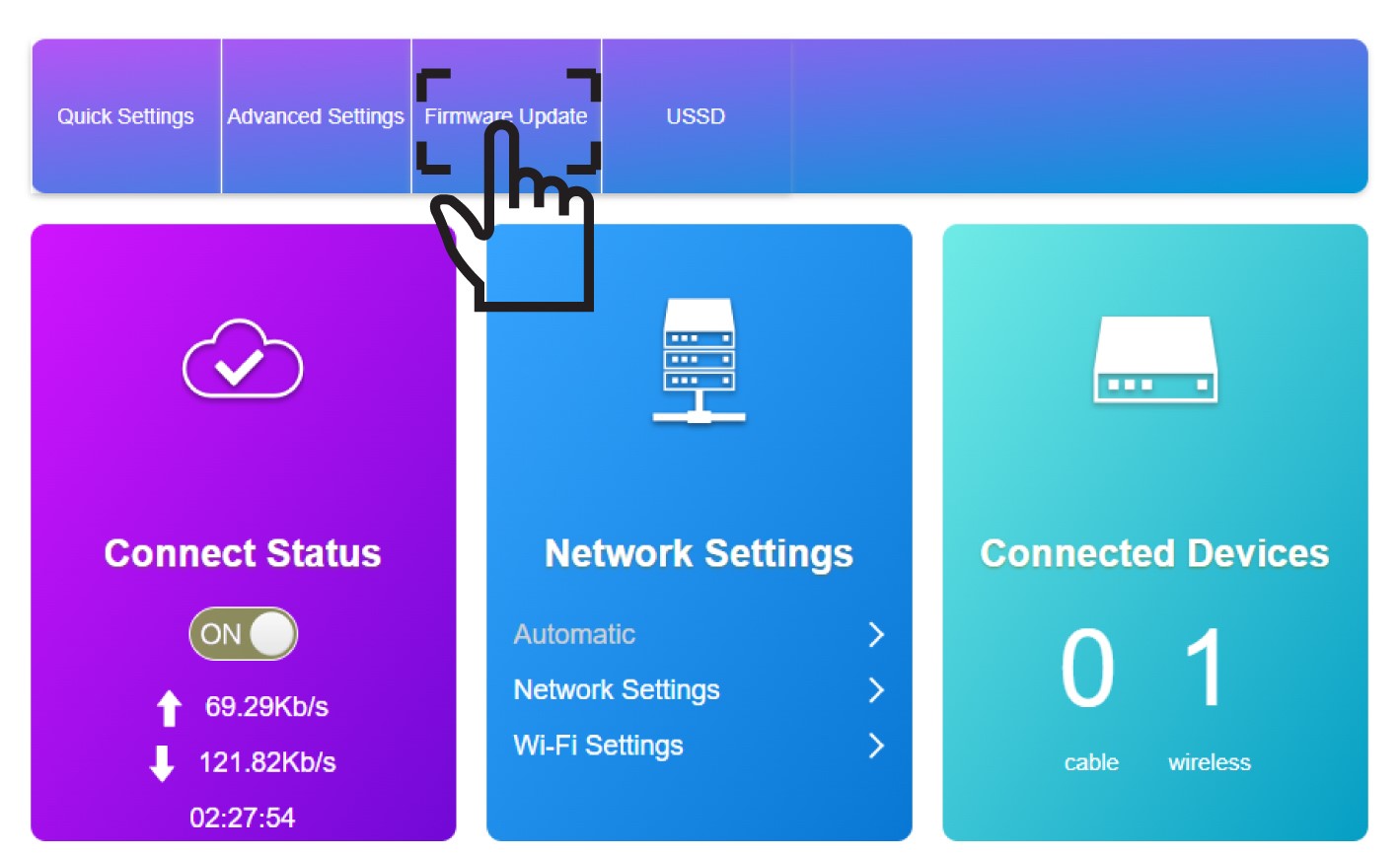
Kliknite na položku „Aktualizácia firmvéru“.
5Spustiťaktualizáciu
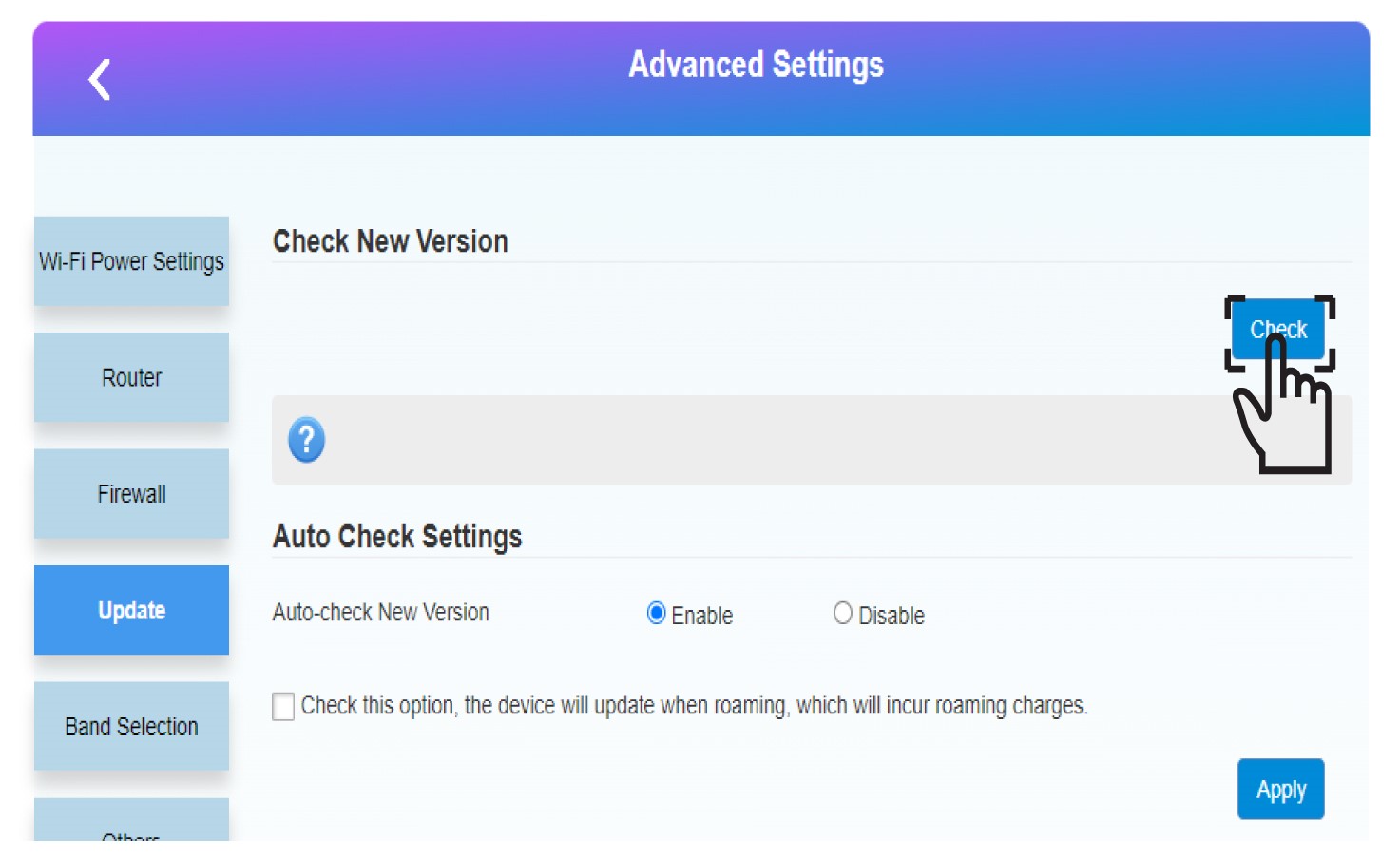
V časti „Skontrolovať novú verziu“ kliknite na tlačidlo „Skontrolovať “. Najnovšia verzia softvéru sa automaticky stiahne a budete sa musieť znovu pripojiť k sieti Wi-Fi, aby ste mohli zadať svoj PIN kód.