Mini router 4G AIRHOME 200 s odnímateľnými 4G anténami
Nenašli sa žiadne položky.
Nenašli sa žiadne položky.
Všetky otázky
Mini router 4G AIRHOME 200 s odnímateľnými 4G anténami
Nenašli sa žiadne položky.
Nenašli sa žiadne položky.
Ako môžem deaktivovať PIN kód SIM karty?
PIN kód vašej SIM karty je možné deaktivovať v webovom rozhraní. Postupujte podľa nižšie uvedených pokynov.
1. Pripojte sak Wi-Fi sieti vášho routera
Musíte sa pripojiť k webovému používateľskému rozhraniu. Na to zadajte do svojho zariadenia SSID (názov siete Wi-Fi) a heslo k Wi-Fi routera.

2Prejditena nasledujúcu IP adresu
Potom zadajte do prehliadača nasledujúcu IP adresu: 192.168.188.1

3Zadajtesvoje prihlasovacie údaje
Musíte zadať heslo. Potom kliknite na „Prihlásiť sa“.

4. Pokročilénastavenia
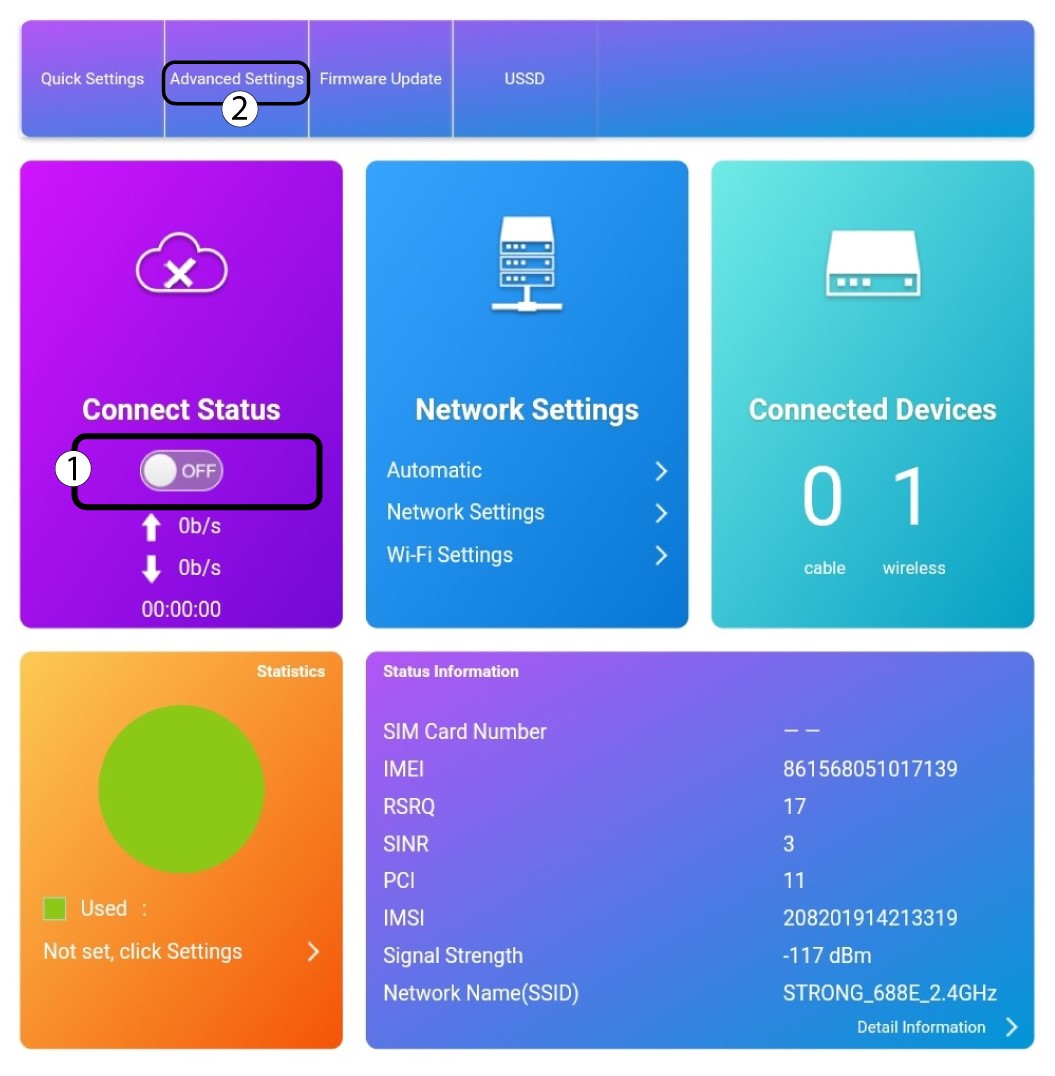
Kliknite na prepínač v časti „Stav pripojenia“ a potom kliknite na „Pokročilé nastavenia“.
Správa 5PIN
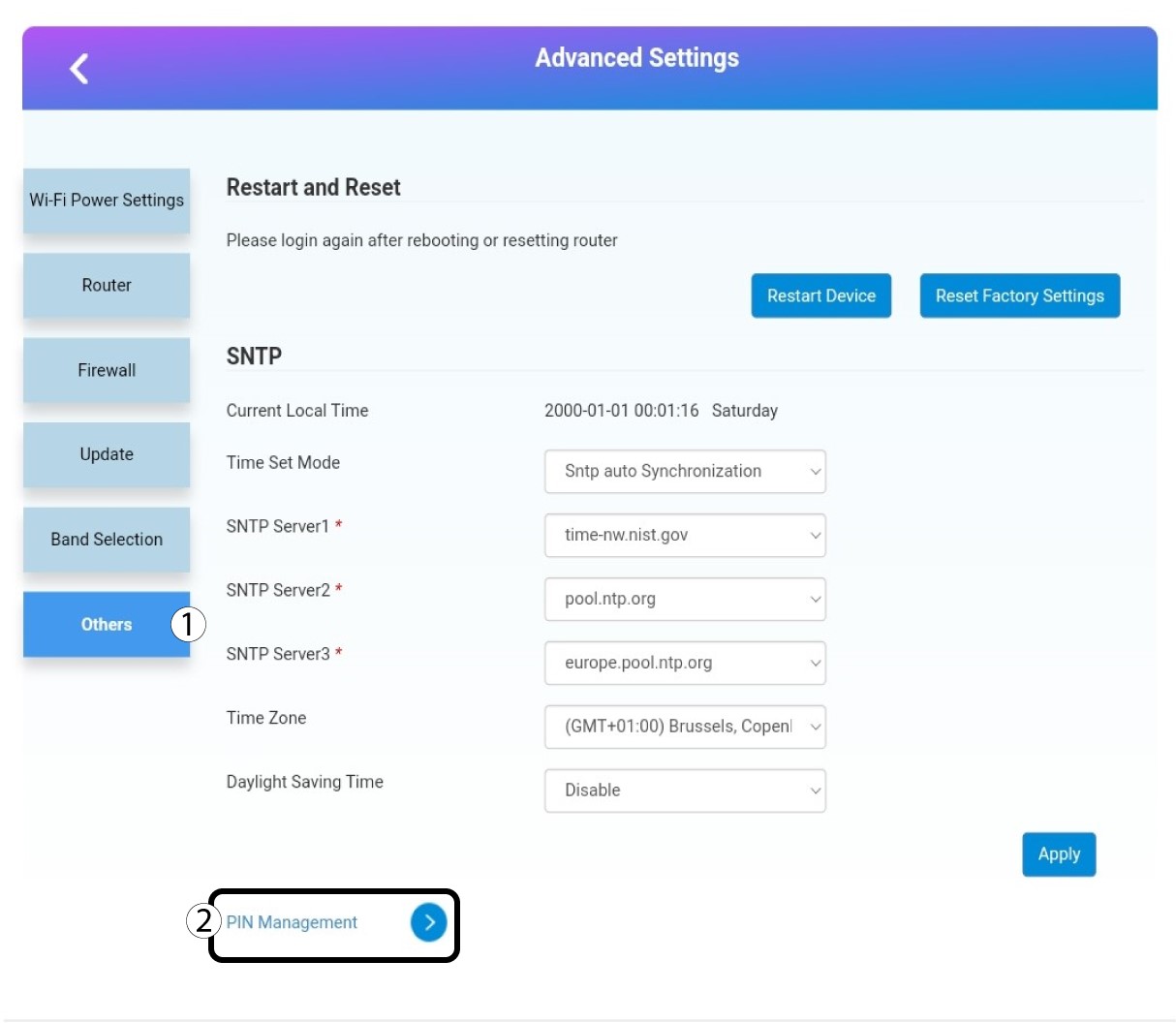
Kliknite na položku „Ostatné“ a „Správa PIN kódov “.
6. VypnúťPIN kód
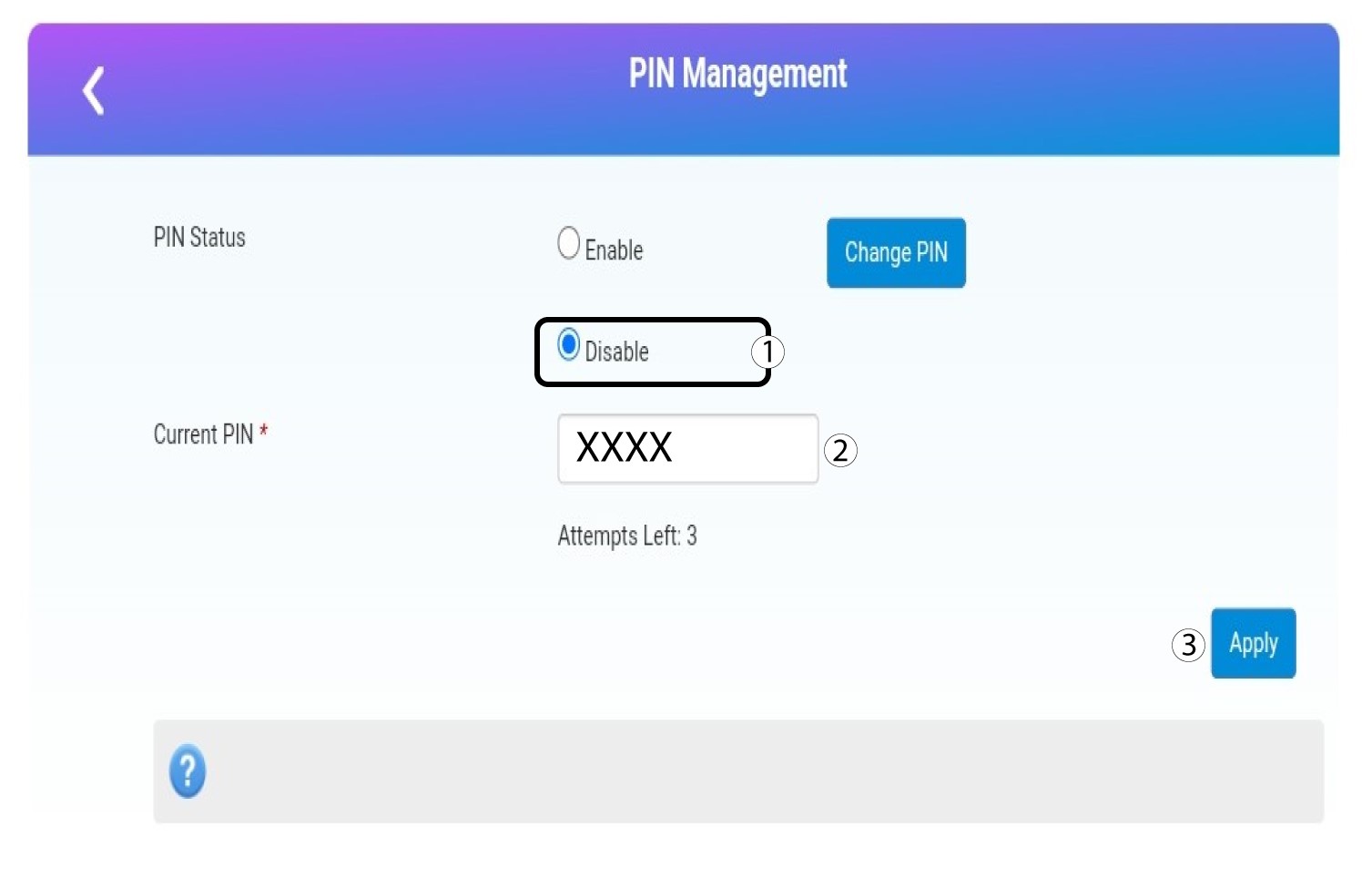
Kliknite na „Zakázať“, zadajte PIN kód a potom kliknite na „Použiť“.