5G AIRHOME 1050 | Wi-Fi 6
Inga föremål hittades.
Inga föremål hittades.
Alla frågor
5G AIRHOME 1050 | Wi-Fi 6
Inga föremål hittades.
Inga föremål hittades.
Hur ändrar jag administratörslösenordet?

Varning: Observera att det inte går att ändra administratörens användarnamn. Du kan endast ändra lösenordet.
1. Ansluttill enheten
För att uppdatera administratörslösenordet måste du ansluta till enhetens Wi-Fi-nätverk.

2Öppnawebbgränssnittet
Ange sedan följande IP-adress: 168.0.1 i din webbläsare.

3Inloggning
Du måste ange användarnamn och lösenord. Klicka sedan på Logga in.

4Användarhantering
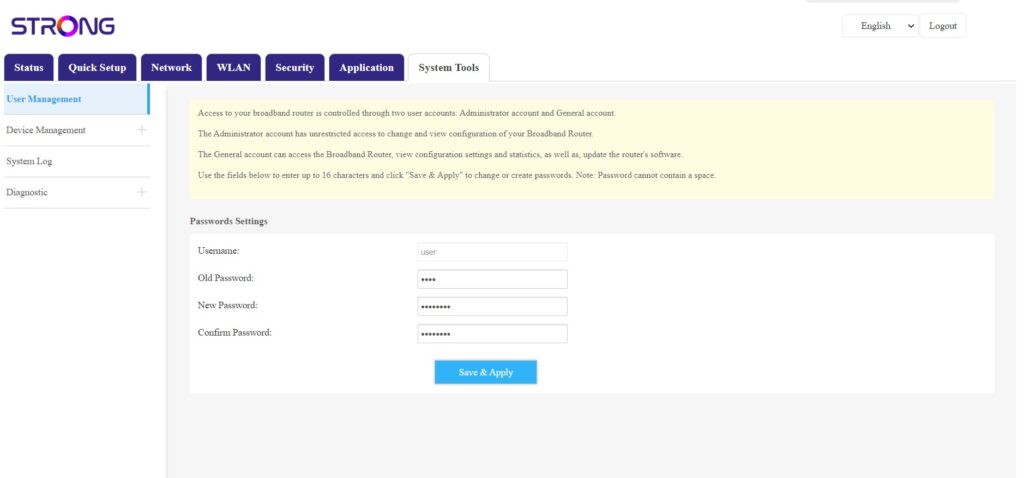
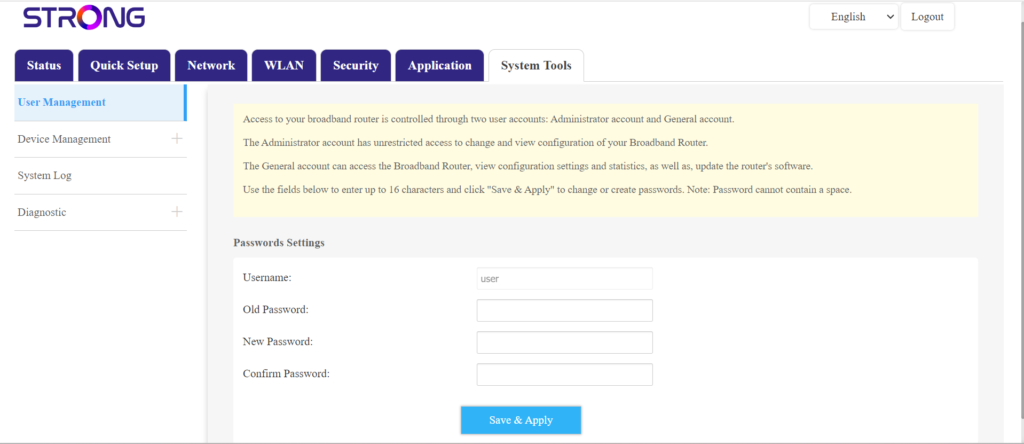
När detta är klart klickar du på ”Systemverktyg” och ”Användarhantering”
5Ändralösenord
Fyll i följande uppgifter i fälten innan du klickar på Spara och tillämpa:
- Gammal lösenord: Ange det nuvarande lösenordet som du använde för att logga in på webbgränssnittet.
- Nytt lösenord: Ange ett nytt lösenord för att logga in på webbgränssnittet.
- Bekräfta lösenord: Ange samma lösenord som i fältet ”Nytt lösenord”.