5G AIRHOME 1050 | Wi-Fi 6
Alla frågor
5G AIRHOME 1050 | Wi-Fi 6
Hur ändrar jag SSID (Wi-Fi-nätverksnamnet) och Wi-Fi-lösenordet?
Hur ändrar jag SSID och lösenord?
5G-routern AX 3000 är en dubbelbandsrouter, där du kan redigera inställningarna för dina Wi-Fi- Mesh -nätverk på 2,4 GHz och 5 GHz.
1. Ansluttill enheten
För att ändra SSID (Wi-Fi-nätverksnamn) och Wi-Fi-lösenord måste du vara ansluten till enhetens Wi-Fi-nätverk.

2Öppnawebbgränssnittet
Ange sedan följande IP-adress: 192.168.0.1 i din webbläsare.

3Inloggning
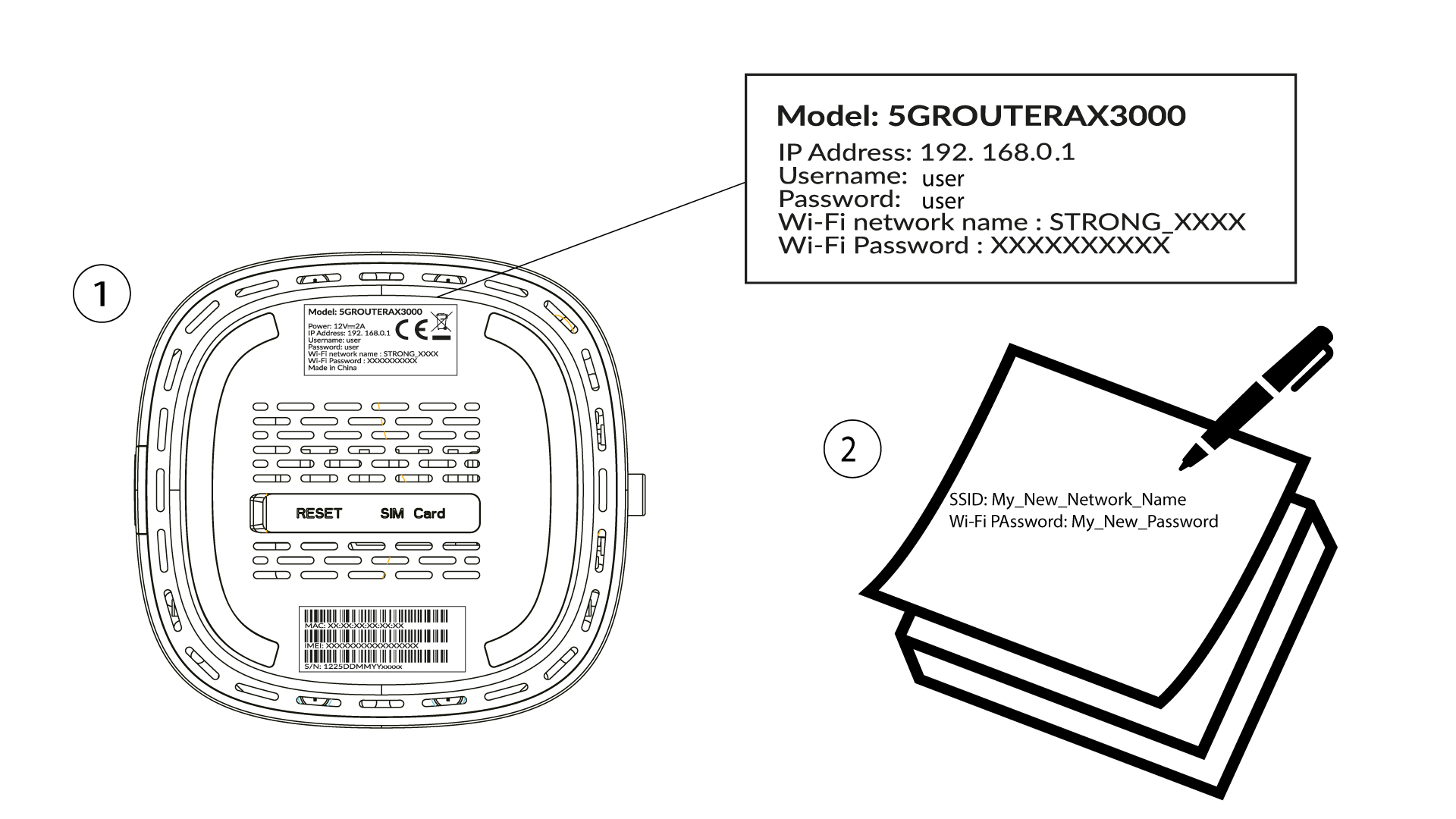
Du måste ange användarnamn och lösenord ( observera att du efter den första inloggningen kommer att skapa ditt eget administratörslösenord, vilket innebär att lösenordet som står på produktetiketten inte längre fungerar). Klicka sedan på ”Logga in”.

4. Wi-Fi-konfiguration
Klicka på ”Snabbinställning” i den övre menyraden och gå till Wi-Fi-konfigurationen.
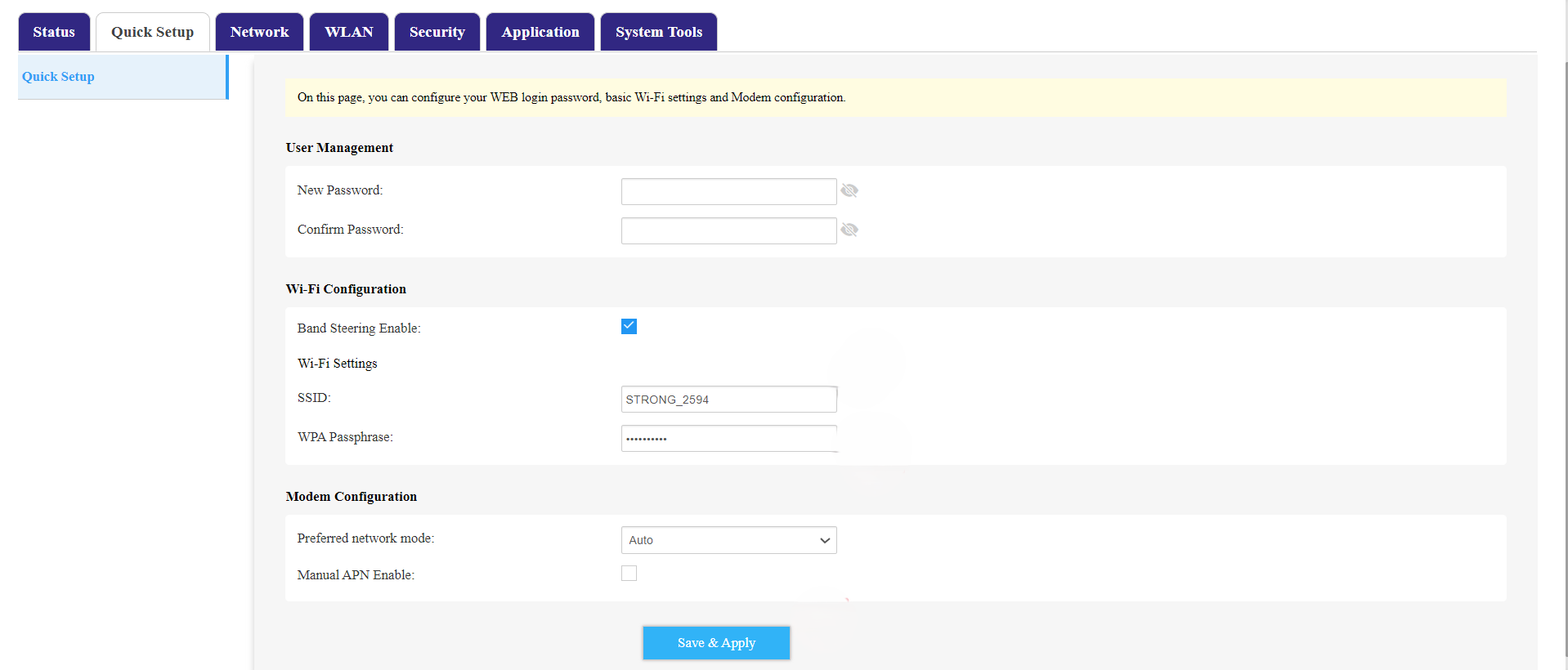
5. ÄndraSSID och lösenord
Ändra namnet som anges i fältet SSID . Klicka sedan på ögonikonen för att visa lösenordet och ändra det lösenord som anges i fältet WPA-lösenord . Klicka sedan på Spara och tillämpa för att spara ändringarna.
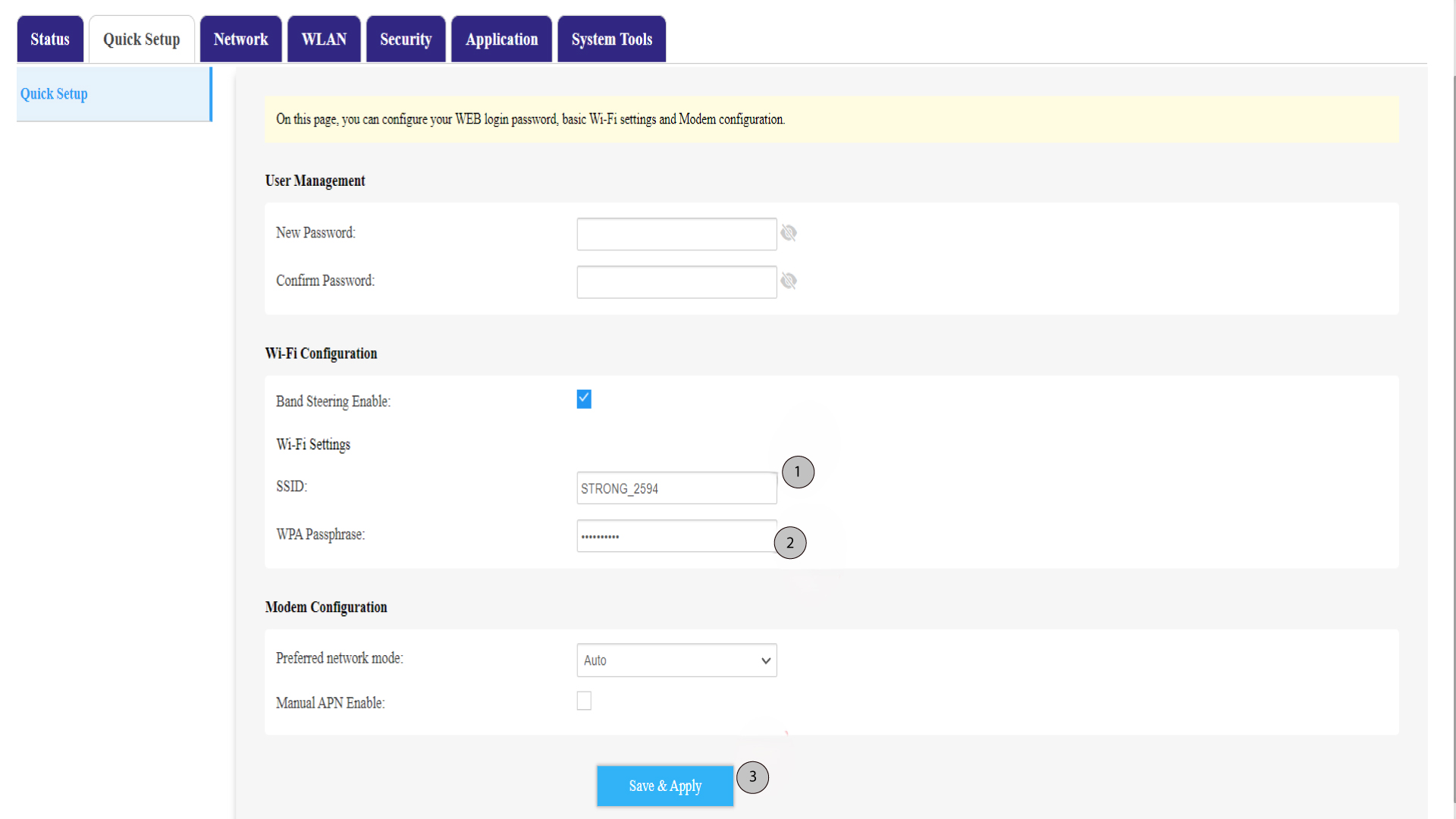
6. Skrivner det nya nätverksnamnet och lösenordet
Skriv ner ditt nya SSID (Wi-Fi-nätverksnamn) och Wi-Fi-lösenordet på en lapp och tejpa fast den på routern.