5G AIRHOME 1050 | Wi-Fi 6
Alla frågor
5G AIRHOME 1050 | Wi-Fi 6
Hur uppdaterar jag enhetens firmware (uppgradering via internet)?
När du är ansluten till webbgränssnittet måste du kontrollera vilken firmwareversion som används av din enhet genom att använda alternativet för onlineuppgradering i webbgränssnittet. På så sätt installeras den senaste firmwareversionen.
Om du har en annan version, följ anvisningarna nedan för att uppdatera din firmware.
1. Ansluttill Wi-Fi
För att uppdatera enhetens firmware måste du ansluta till enhetens Wi-Fi-nätverk.

2. Gåtill webbgränssnittets IP-adress
Ange sedan följande IP-adress: 192.168.0.1 i din webbläsare.

3Inloggningssida
Klicka sedan på ”Logga in”.

4Uppgradering av firmware
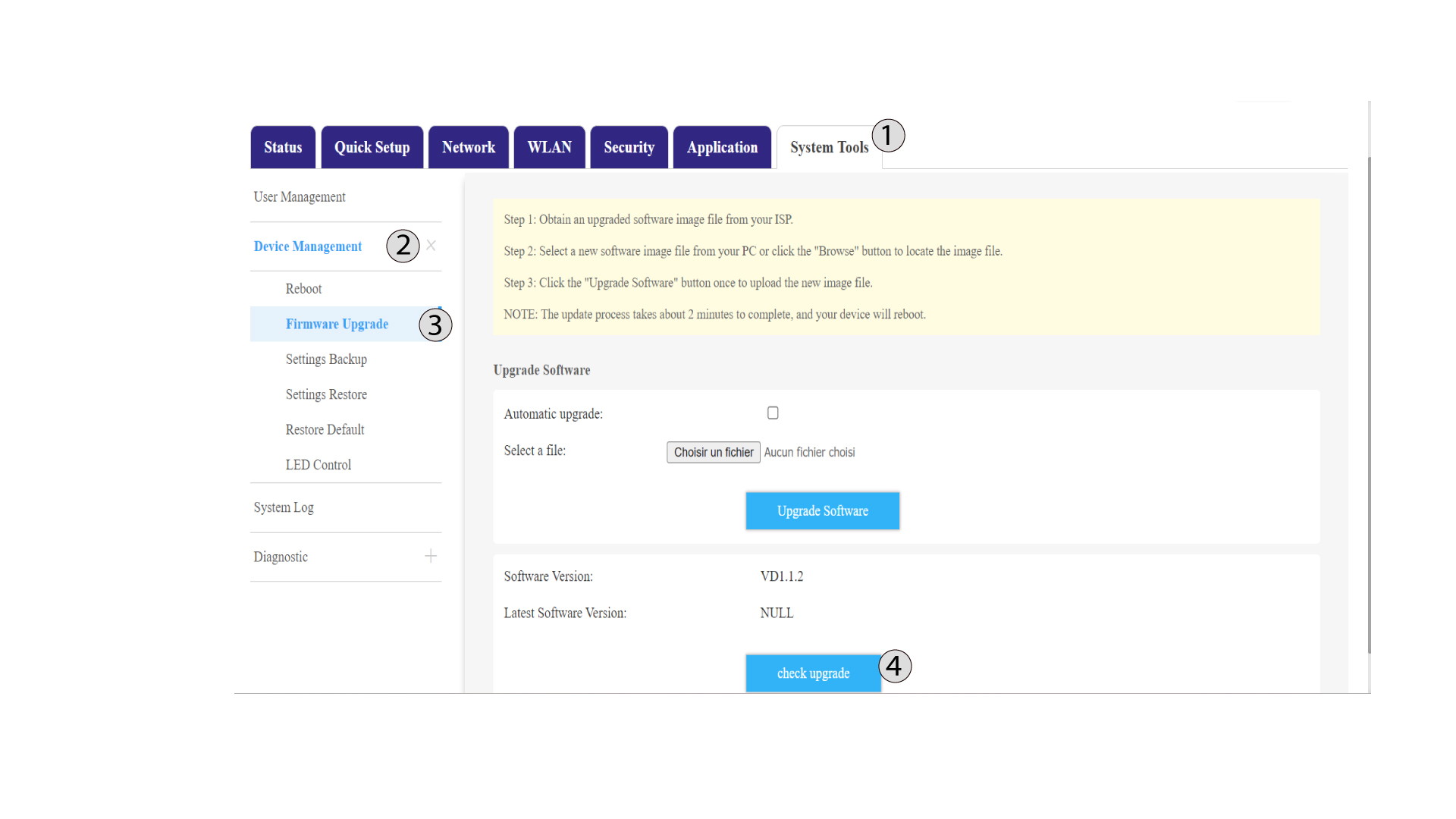
Klicka på Systemverktyg, välj Enhetshantering och gå till Firmwareuppdatering.
5check-uppgradering
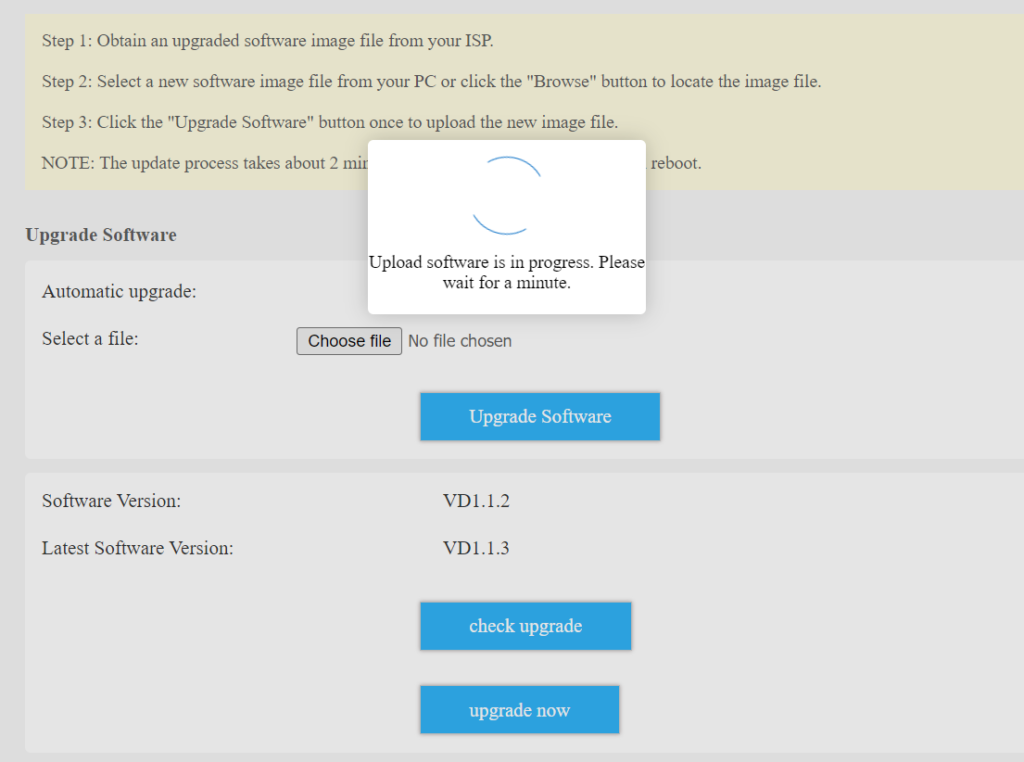
Markera kryssrutan bredvid ”Automatisk uppgradering ” och klicka sedan på knappen ”Kontrollera uppgradering”. Om det finns en ny version visas knappen ”Uppgradera nu”.
Klicka på knappen ”Uppgradera nu” och vänta tills uppgraderingsprocessen är klar.