
4G AIRSPOT 220 Wi-Fi рутер с дисплей
Всички въпроси
4G AIRSPOT 220 Wi-Fi рутер с дисплей
Как да променя SSID (името на Wi-Fi мрежата) и паролата за Wi-Fi?
В уеб интерфейса имате два начина да промените SSID (името на Wi-Fi мрежата) и паролата за Wi-Fi на рутера си:
• Чрез „Бързи настройки“
• Или чрез настройките за Wi-Fi
1СЛУЧАЙ1: Бързи настройки
В уеб интерфейса функцията „Бързи настройки“ ви позволява да промените данните за мрежата си: нейния SSID (име на Wi-Fi мрежата) и паролата за Wi-Fi.
За да направите това, кликнете върху „Бързи настройки“ в горната лента.
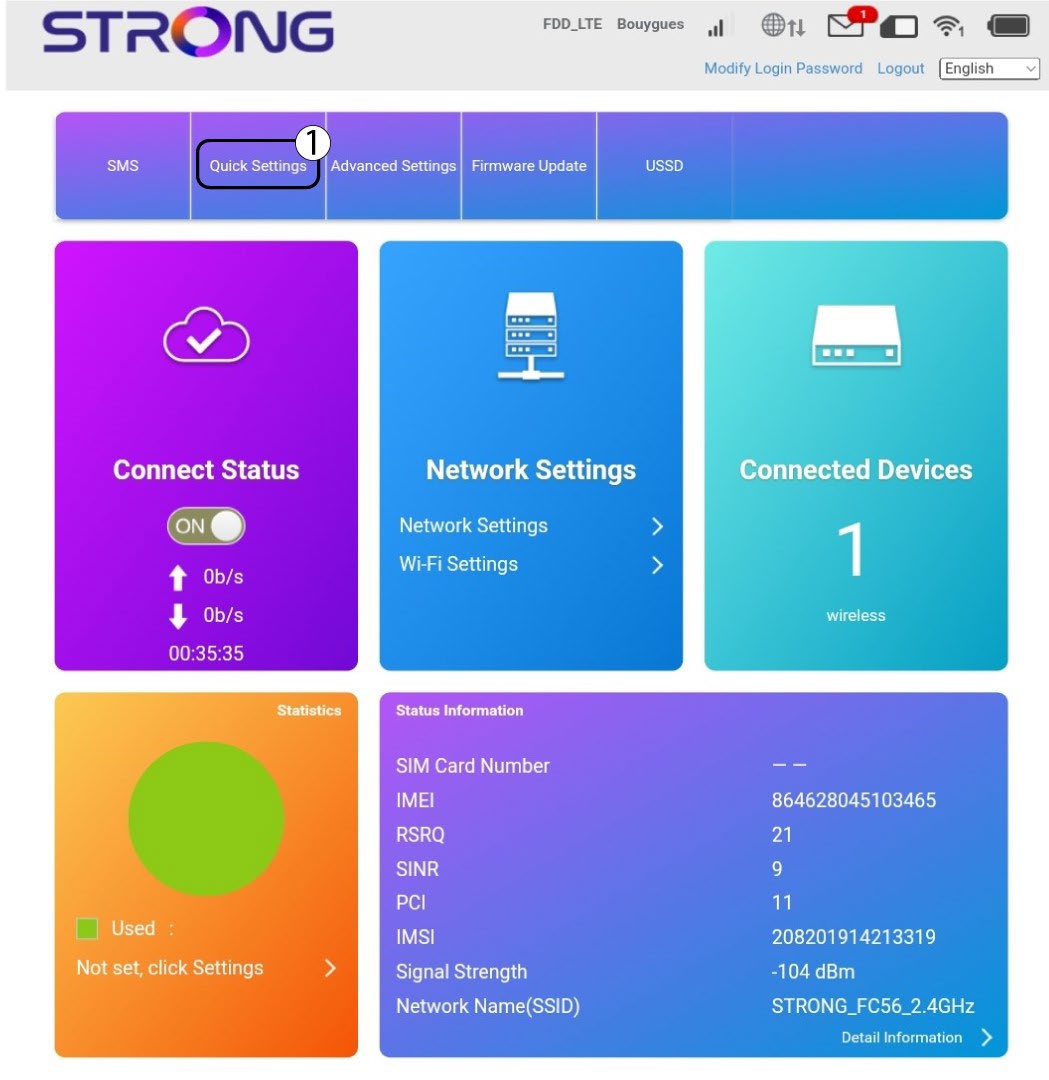
Настройка на 2APN
Кликнете върху „Напред“.

3SSID
Въведете новото име на мрежата и кликнете върху „Напред“.

4Въведетеновата парола
Кликнете върху „Покажи
парола “ и въведете новата парола за Wi-Fi мрежата, след което кликнете върху „Напред“.
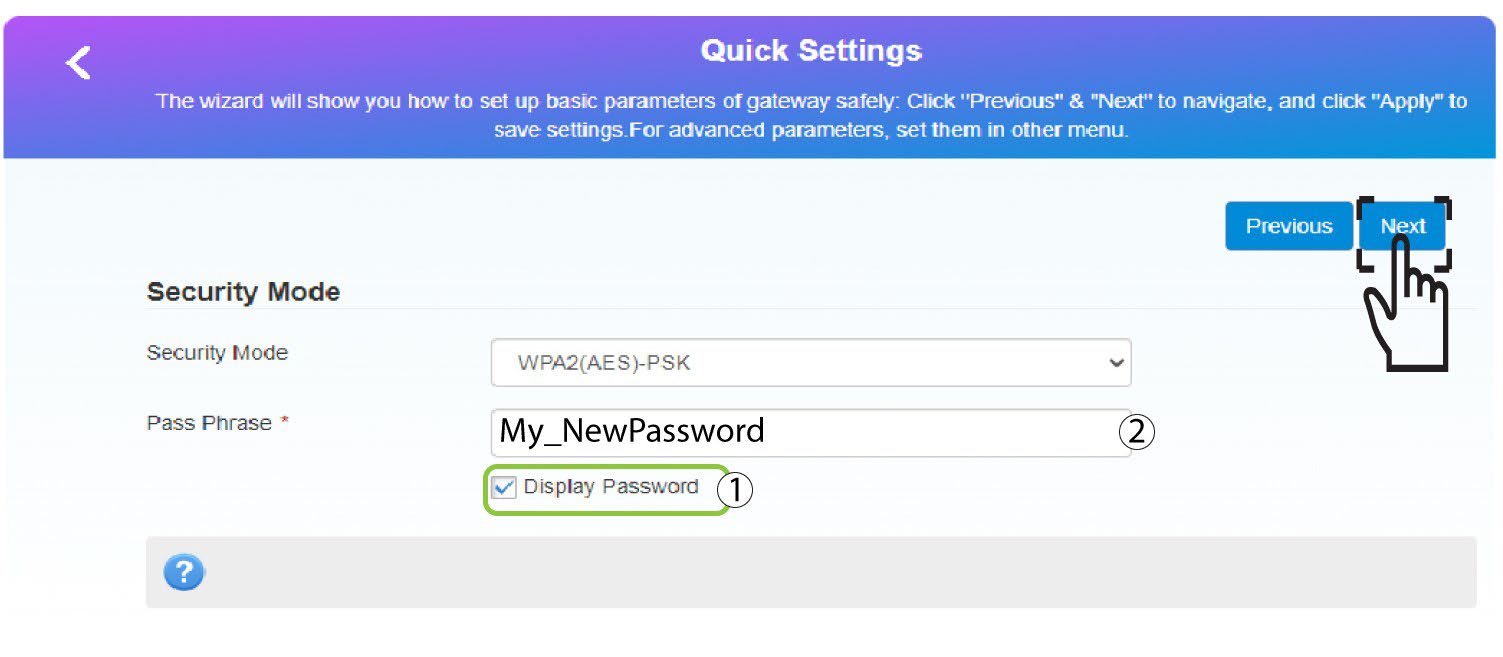
5. Запазетеновата мрежова информация
Кликнете върху „Приложи“, за да запазите промените.
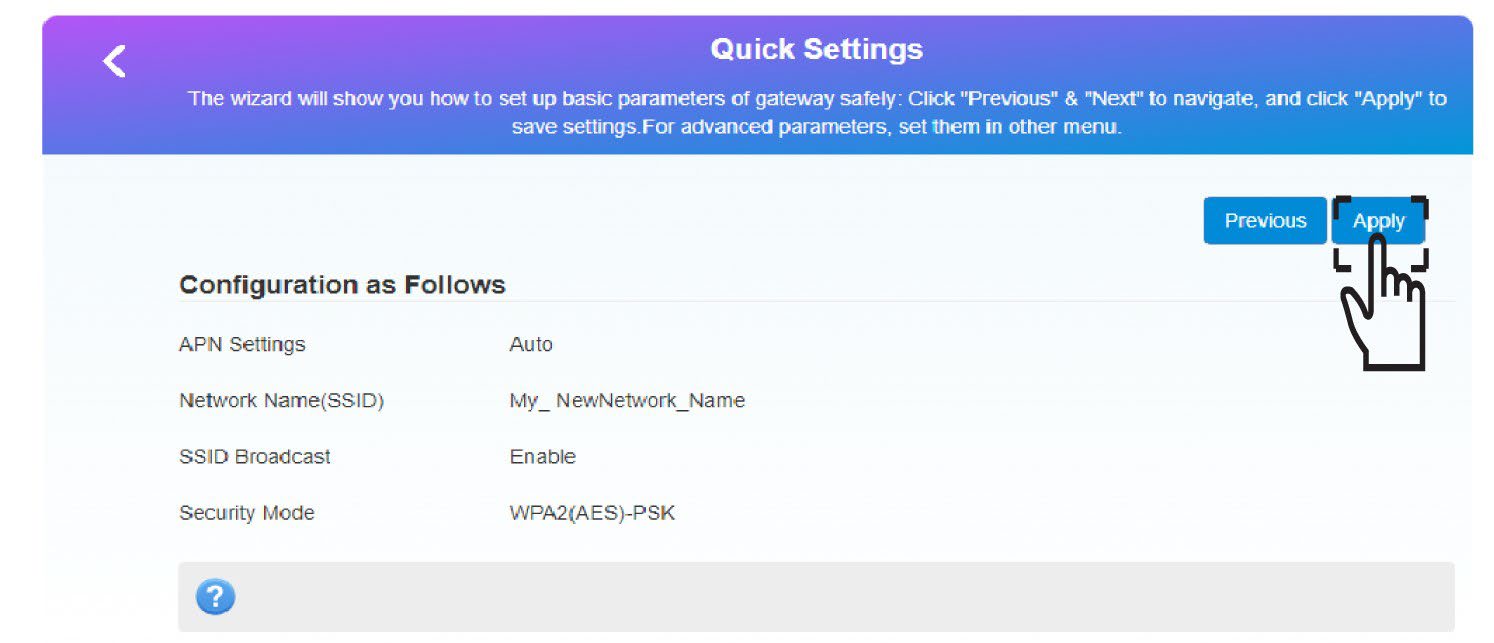
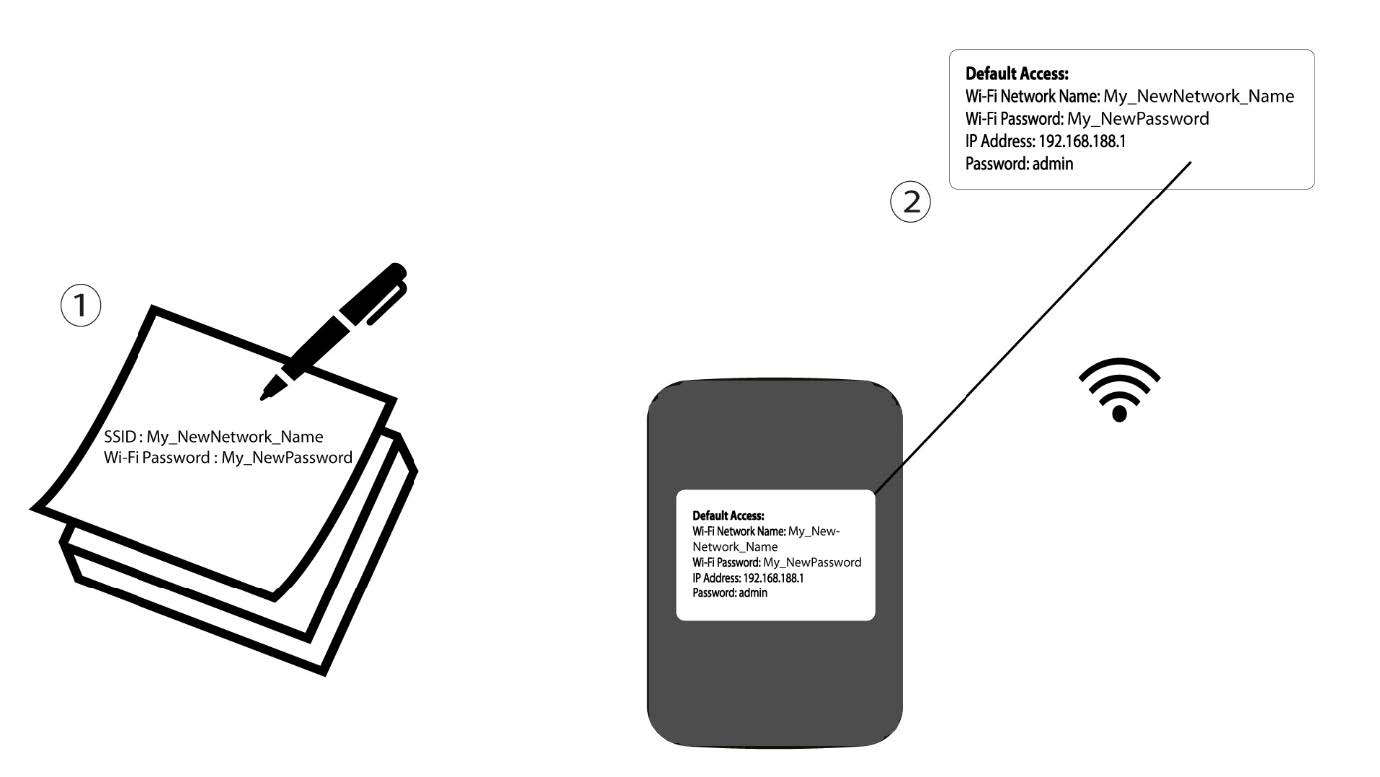
6. Запишетеновата информация за мрежата
Запишете новата информация за мрежата на лист хартия.
1СЛУЧАЙ2: Настройки на Wi-Fi
Свържете се с Wi-Fi мрежата на рутера си.

2. ОтворетеIP адреса на уеб интерфейса
След това въведете следния IP адрес: 192.168.188.1 в браузъра си.

3Вход
Трябва да въведете паролата.

4. Настройки на Wi-Fi
Кликнете върху „Настройки на Wi-Fi“ в раздела „Настройки на мрежата“.
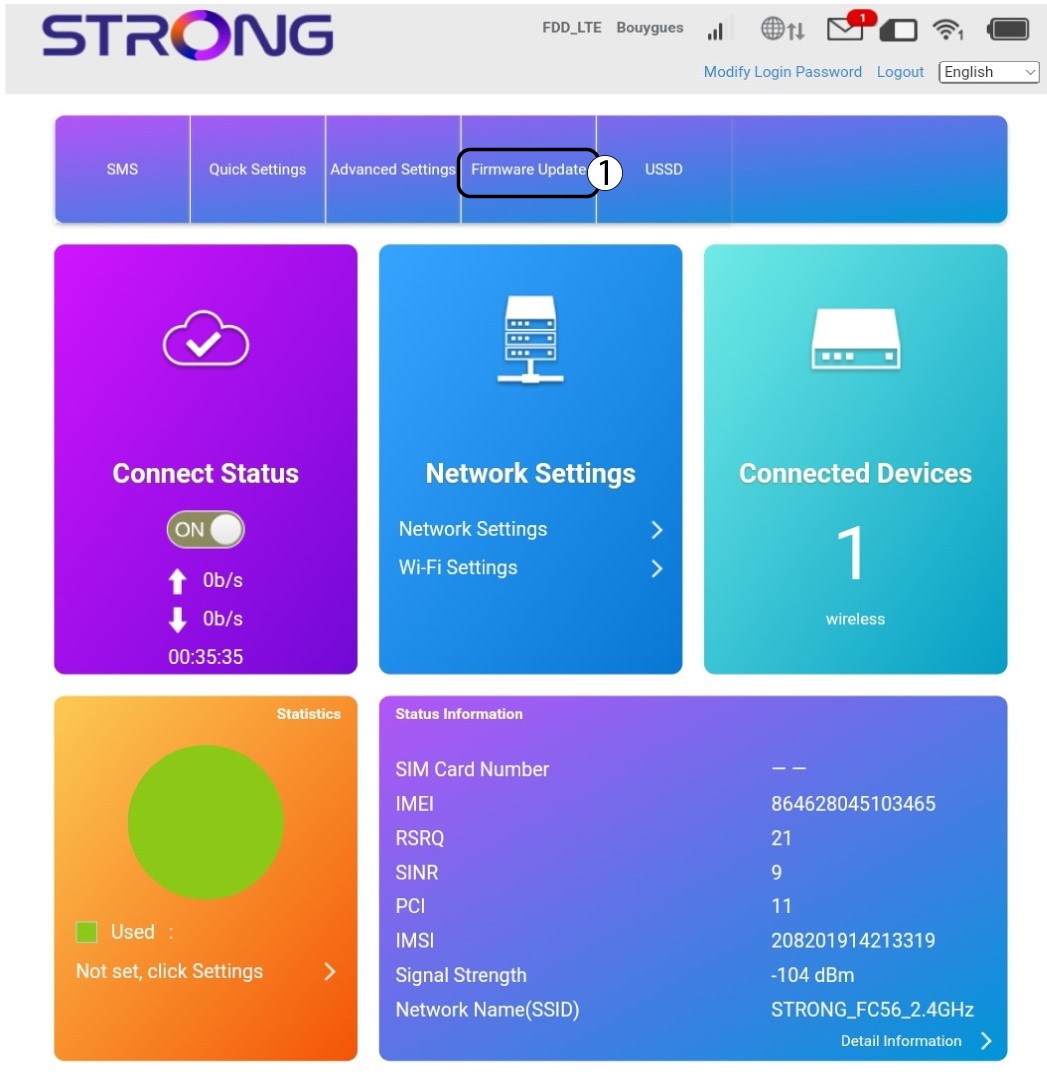
5. Промянана паролата
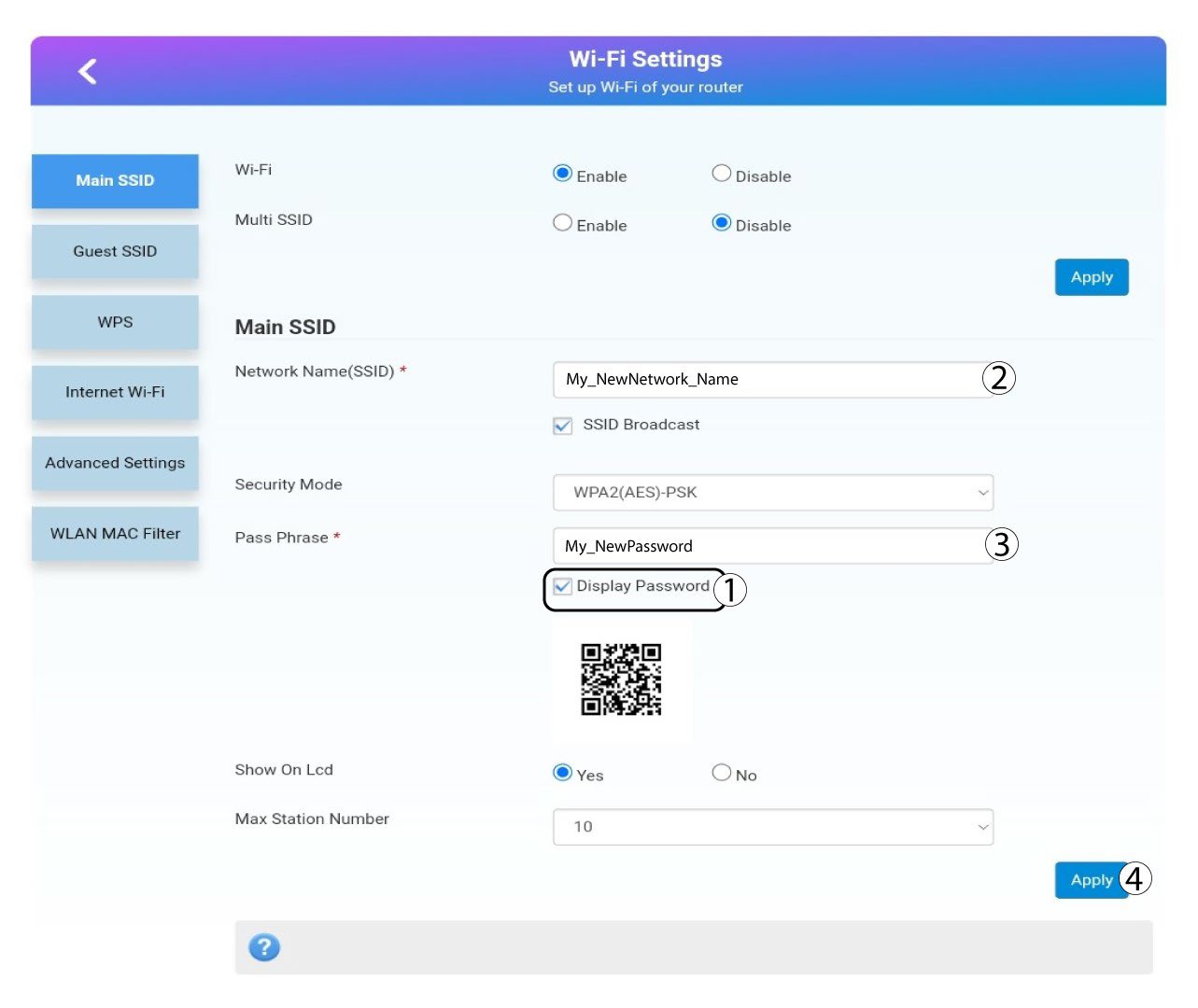
Кликнете показване на паролата и въведете следната информация, преди да кликнете Направете заявка на:а. Въведете новото име на мрежата.б. Въведете новата парола за Wi-Fi.
6Потвърждение
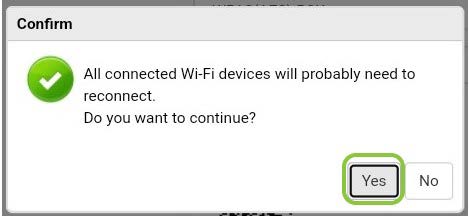
В изскачащото съобщение кликнете върху „Да“, за да приложите промените.
7. Запишетеновата информация за мрежата
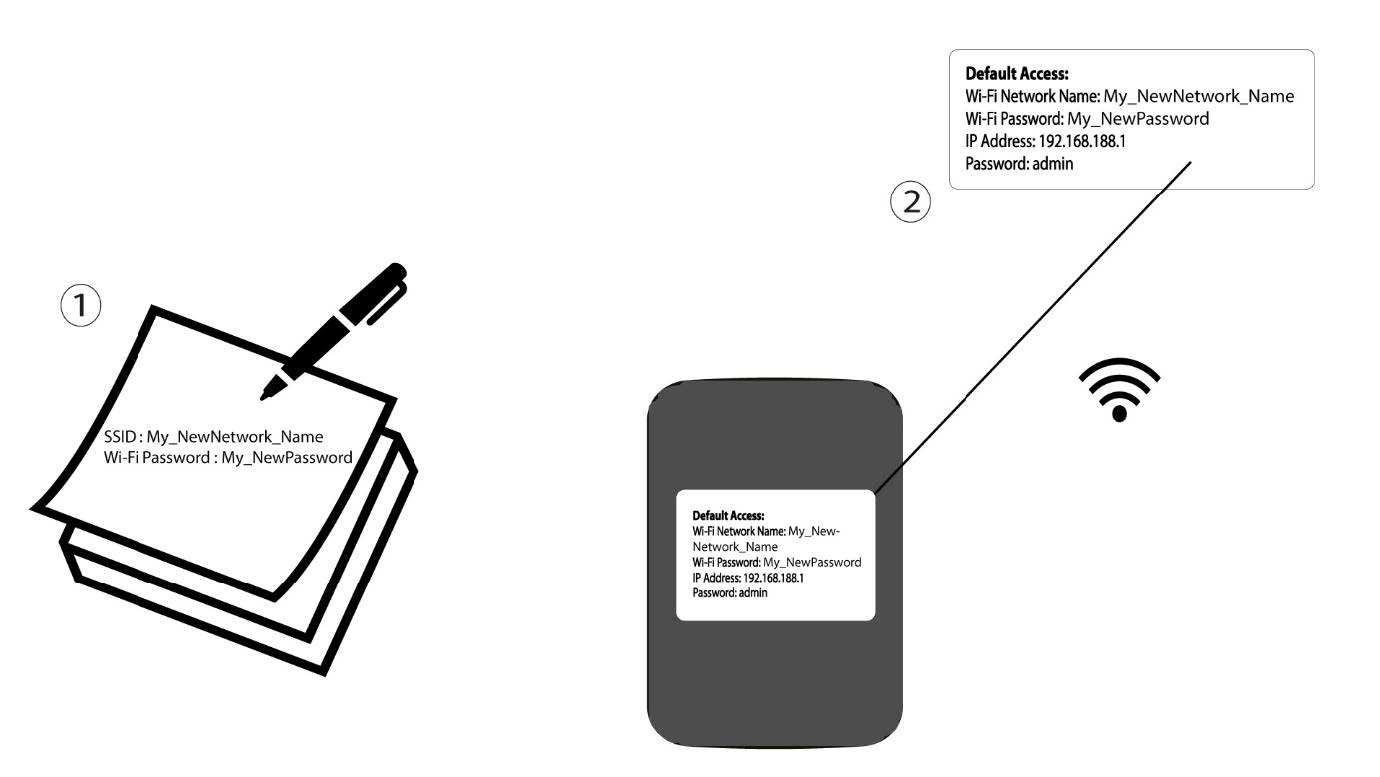
Запишете новата информация за мрежата на лист хартия.

Предупреждение: След промяна на данните за Wi-Fi мрежата всички устройства, които са били свързани с мрежата, ще бъдат автоматично отключени.