
4G AIRSPOT 220 Wi-Fi рутер с дисплей
Всички въпроси
4G AIRSPOT 220 Wi-Fi рутер с дисплей
Какъв тип SIM карта мога да поставя в рутера си?
В слота за SIM-карта на 4G PORTABLE HOTSPOT 150/4G PORTABLE HOTSPOT 150 С ДИСПЛЕЙ трябва да се постави микро-SIM-карта. Не е нужно да се притеснявате за размера на SIM-картата си, тъй като в комплекта на рутера са включени адаптери за подходящия размер. Трябва да поставите SIM-картата си, преди да включите устройството.
1Случай1: Преходник от SIM карта с пълен размер към Micro SIM карта
След като поставите SIM-картата в адаптера, натиснете я леко, за да я закрепите. Вземете устройството в ръка и поставете SIM-картата в слота в същата позиция, както е показано на схемата по-долу.
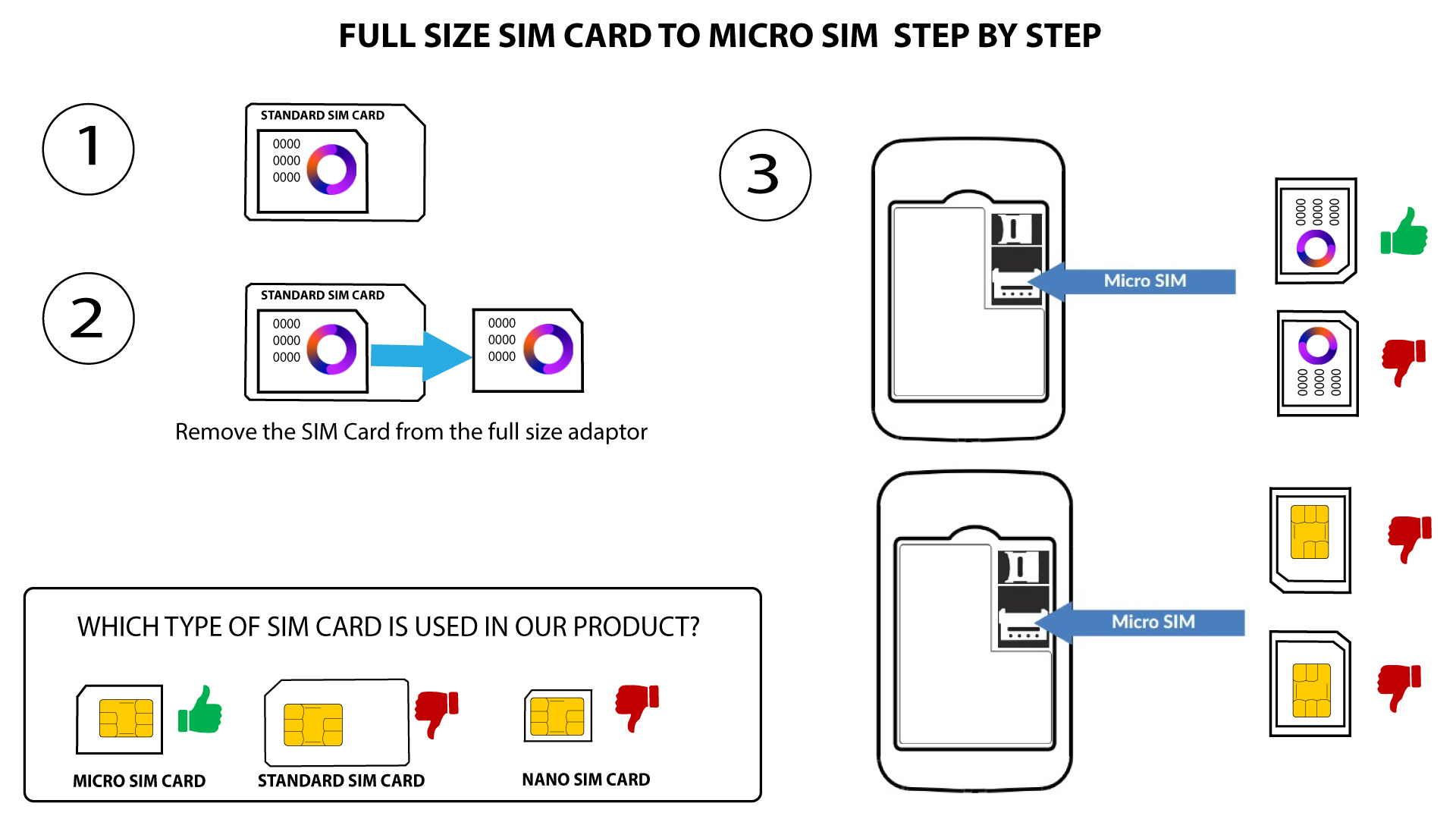
2Случай2: Преобразуване на Nano SIM карта в Micro SIM карта
След като поставите SIM-картата в адаптера, натиснете я леко, за да я закрепите. Вземете устройството в ръка и поставете SIM-картата в слота в същото положение, както е показано на схемата по-долу.
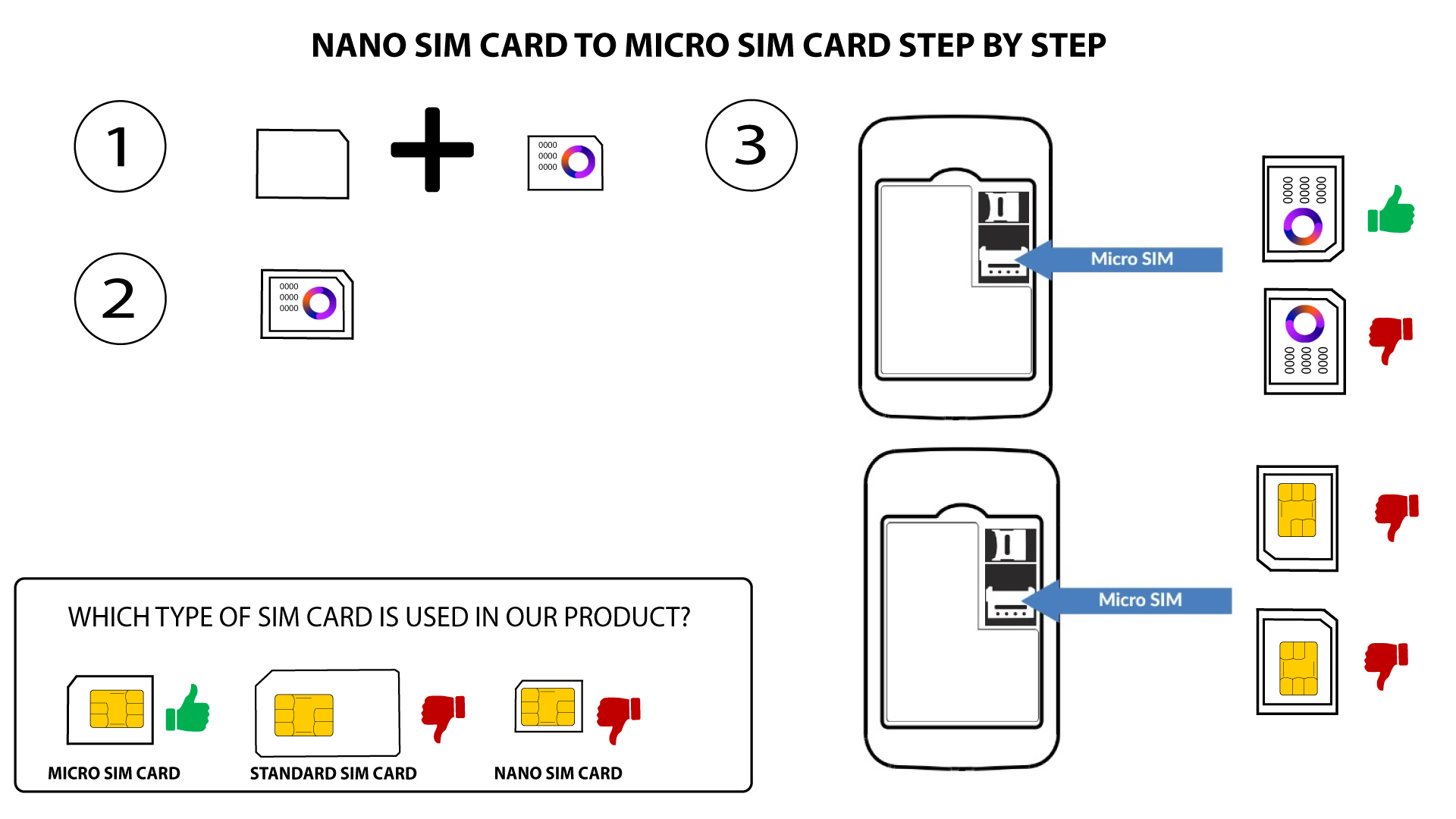

Предупреждение: Уверете се, че SIM-картата ви е поставена правилно в адаптера, преди да я поставите в слота.
- Ако устройството не разпознава SIM-картата ви, моля, проверете дали е поставена правилно и дали сте поставили адаптера по правилния начин