4G AIRSPOT 220 Wi-Fi рутер с дисплей
Не са намерени никакви елементи.
Не са намерени никакви елементи.
Всички въпроси
4G AIRSPOT 220 Wi-Fi рутер с дисплей
Не са намерени никакви елементи.
Не са намерени никакви елементи.
Как да актуализирам фърмуера на устройството?
Когато сте свързани с уеб интерфейса, трябва да проверите версията на фърмуера, която се използва от вашето устройство, като използвате опцията за онлайн актуализация в уеб интерфейса. По този начин ще бъде инсталирана най-новата версия на фърмуера.
Ако рутерът ви не е актуализиран, моля, следвайте процедурата по-долу, за да актуализирате фърмуера му.
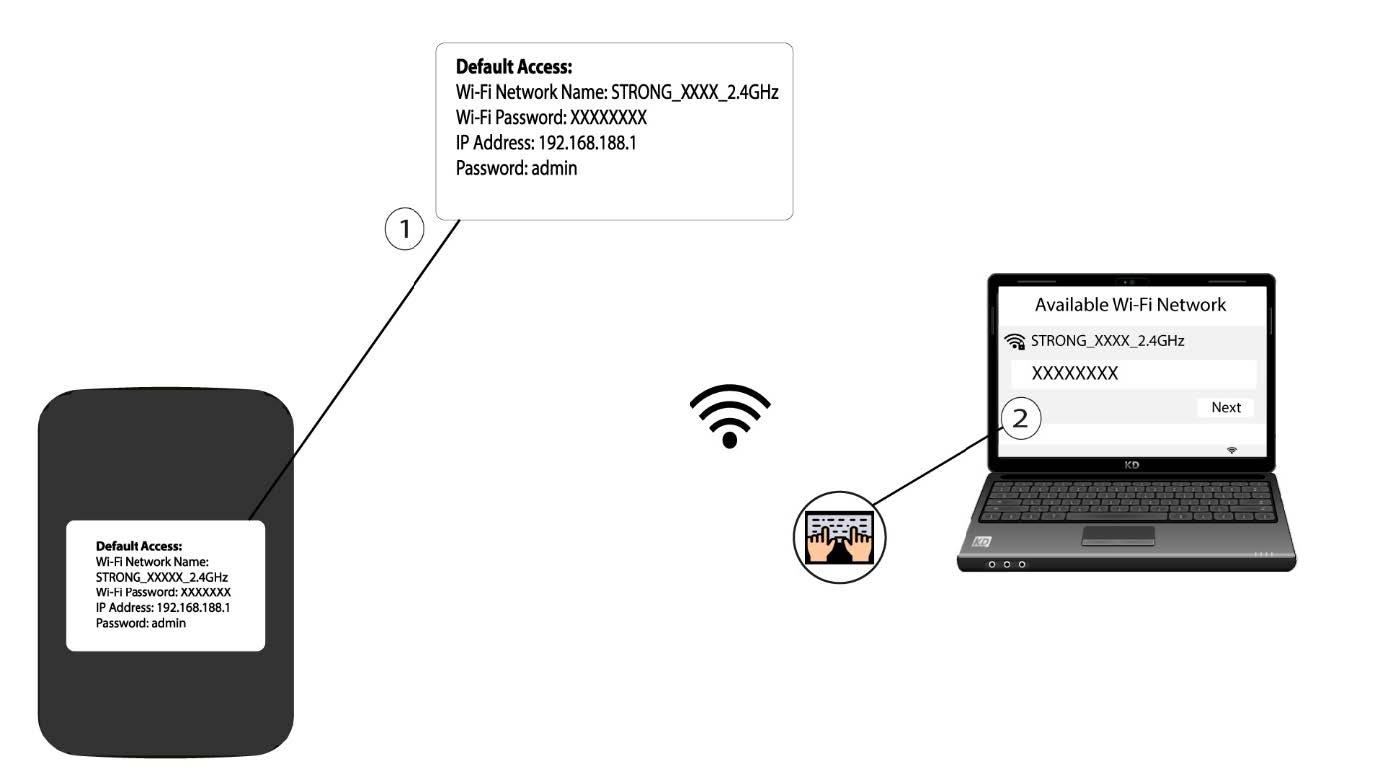
1. Свържете сес Wi-Fi мрежата на рутера
- За да актуализирате фърмуера на устройството, трябва да се свържете с Wi-Fi мрежата на рутера си.
2. ОтворетеIP адреса на уеб интерфейса
След това въведете следния IP адрес: 192.168.188.1 в браузъра си.

3. Отворетестраницата за вход
Трябва да въведете парола.

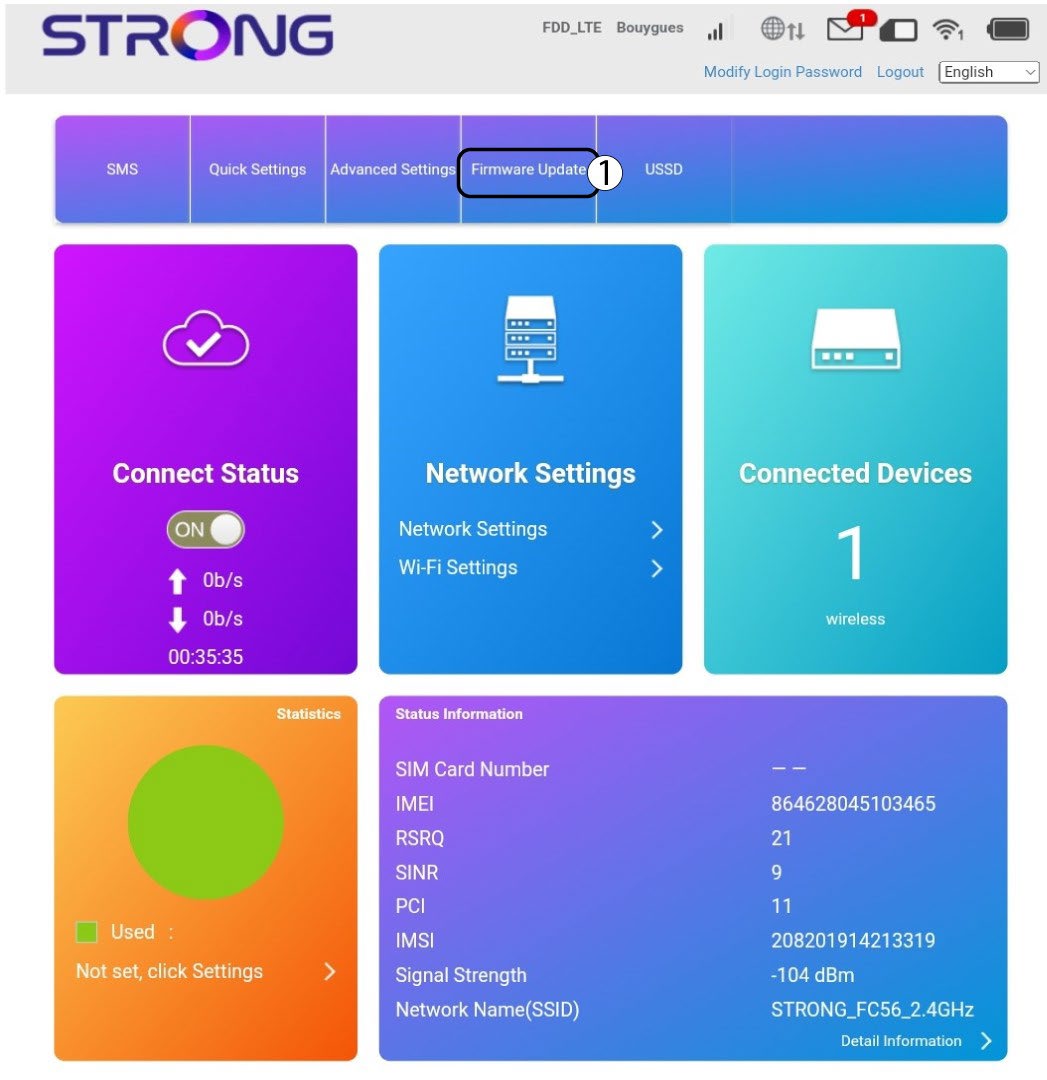
4Актуализация
Кликнете върху „Актуализация на фърмуера“.
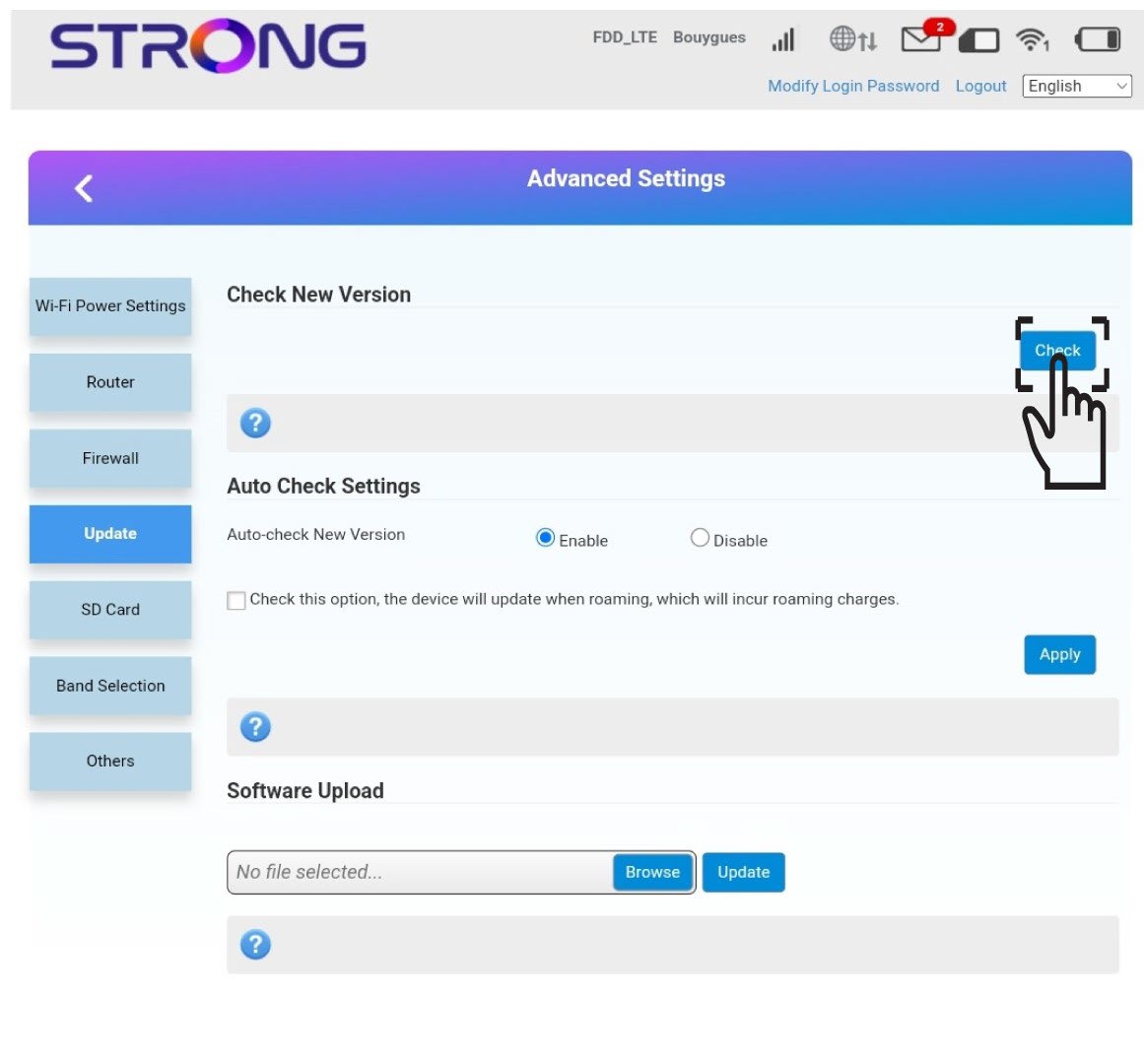
5Проверетеза нови версии
Кликнете върху „Провери“ в раздела „Провери за нова версия“. Най -новата версия на софтуера ще се изтегли автоматично и ще трябва да се свържете отново с Wi-Fi мрежата, за да въведете PIN кода си.