
4G AIRSPOT 220 Wi-Fi рутер с дисплей
Всички въпроси
4G AIRSPOT 220 Wi-Fi рутер с дисплей
След като поставих SIM-картата в рутера, нямам интернет – защо?
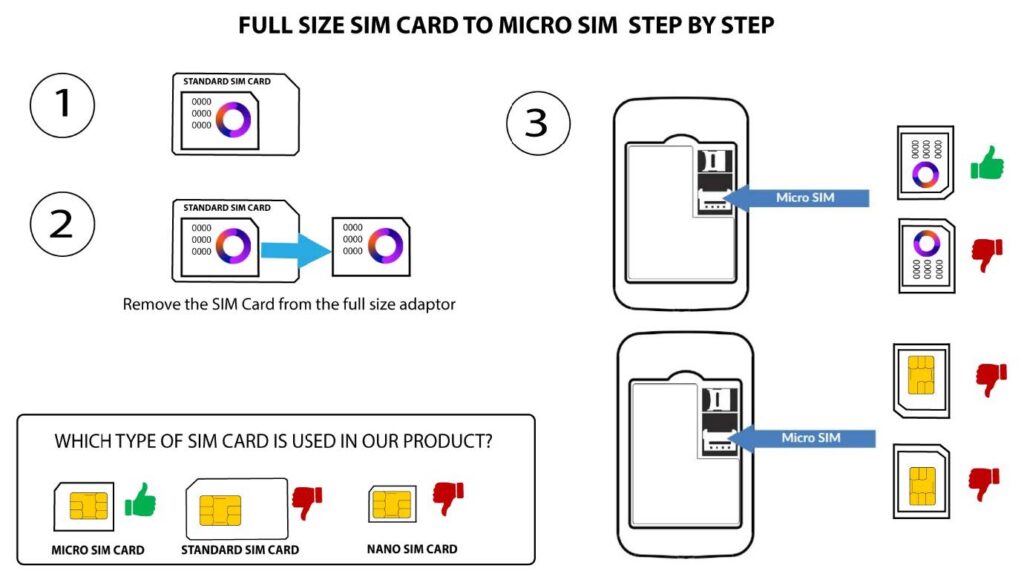
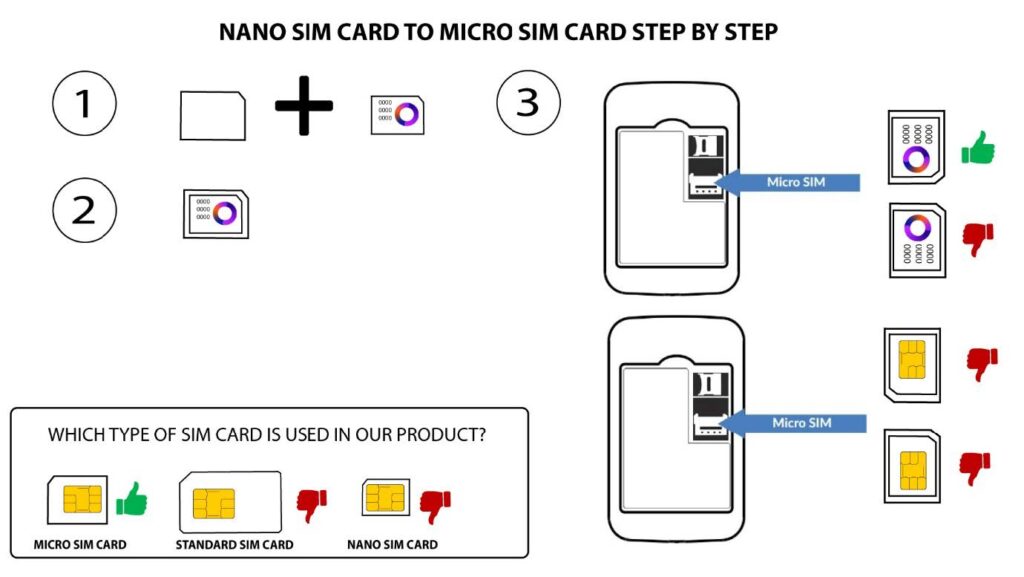
Има много причини, които могат да обяснят защо интернет връзката Ви не работи след поставянето на SIM-картата. Първата от тях може да е, че SIM-картата не е поставена правилно. Моля, проверете положението на SIM-картата, като се ориентирате по схемата, която показва процедурата за поставяне.
ПРИМЕР 1: Преходник от SIM карта с пълен размер към Micro
ПРИМЕР 2: От Nano SIM карта към Micro SIM карта
Друга причина може да е, че SIM-картата ви е заключена с PIN-код. За да я отключите
, трябва да се свържете с уеб интерфейса и да въведете PIN-кода. Моля, следвайте процедурата
, описана в следващия раздел: Как да въведа PIN-кода на SIM-картата си?
Накрая, възможно е също така SIM-картата ви да бъде засечена, но устройството да не я разпознае автоматично (
). В този случай трябва да влезете в уеб интерфейса на
и да проверите настройките за APN на вашия доставчик на услуги. Тази процедура е описана в следния раздел: Как да проверя и редактирам настройките за APN на моят доставчик на услуги (
)? (
)