5G AIRHOME 1050 | Wi-Fi 6
Všechny otázky
5G AIRHOME 1050 | Wi-Fi 6
Jak mohu zkontrolovat a upravit nastavení APN u svého poskytovatele služeb?
Pokud zařízení vaši SIM kartu automaticky nerozpozná, musíte se přihlásit do webového rozhraní, zkontrolovat nastavení APN a v případě potřeby je upravit. Nastavení APN od vašeho poskytovatele služeb najdete přímo na jeho webových stránkách, případně si je můžete vyžádat u jeho zákaznické podpory.
1. Připojte sek Wi-Fi sítě svého routeru
Musíte se připojit k webovému uživatelskému rozhraní. Chcete-li to provést, zadejte do svého zařízení SSID (název sítě Wi-Fi) a heslo k Wi-Fi routeru:

2. Přejdětena IP adresu webového uživatelského rozhraní
Poté zadejte do prohlížeče následující IP adresu: 192.168.0.1

3. Přihlašovacístránka
Je nutné zadat uživatelské jméno a heslo. Poté klikněte na tlačítko „Přihlásit se“. Další informace o přihlašování najdete v návodu k přihlášení.

Konfigurace 4APN
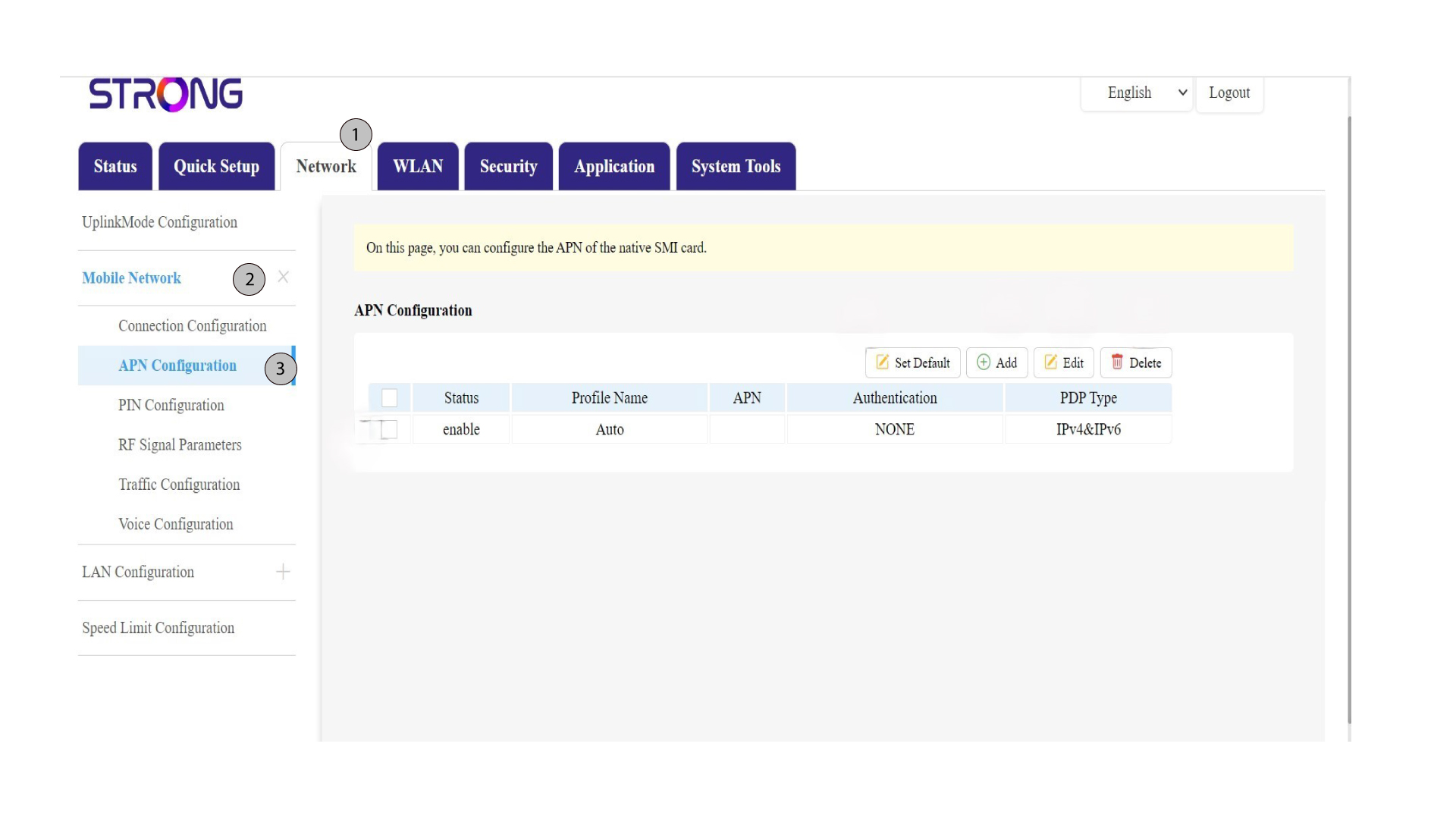
Klikněte na položku „Síť“ v horní liště, poté na sekci „Mobilní síť “ a vyberte sekci „Konfigurace APN “.
5. Ověřteúdaje
Zkontrolujte následující informace:
Stav |
Název profilu |
APN |
Ověření |
Typ PDP |
6. Zkontrolujtenastavení APN u svého operátora
Na webových stránkách svého poskytovatele služeb vyhledejte nastavení APN. Je třeba si zapsat následující údaje:
- Jméno
- APN
- Uživatelské jméno
- Heslo
- Typ ověření
7. Přidatnový APN
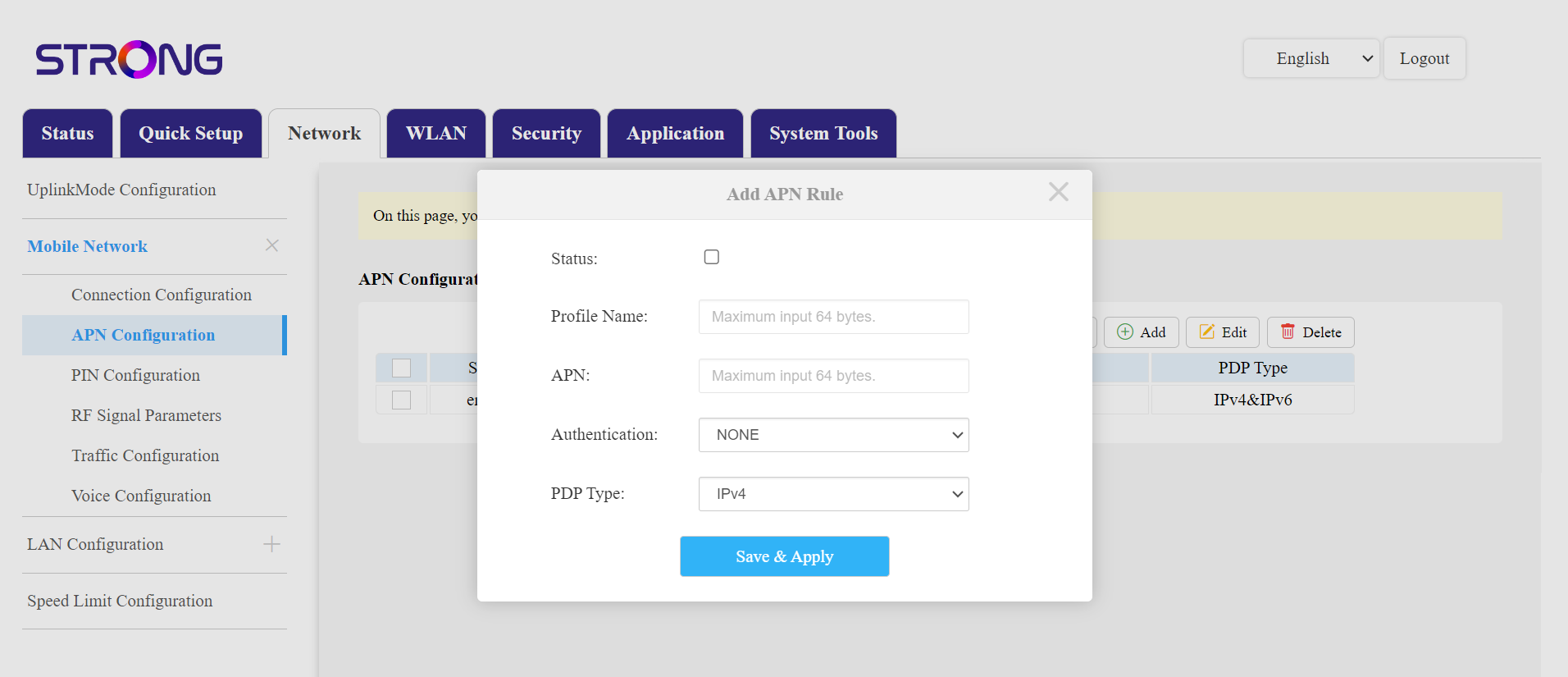
Pokud jsou údaje nesprávné, klikněte na přepínač „Přidat“ a před kliknutím na „Uložit a použít“ zadejte následující údaje:
- Typ ověřování: Vyberte možnost ŽÁDNÉ, CHAP, PAP nebo PAP&CHAP
- Název profilu: Zadejte název svého poskytovatele služeb (maximálně 14 znaků včetně mezer).
- APN: Zadejte adresu APN.
- Typ PDP – vyberte typ APN: IPv4, IPv6 nebo IPv4&IPv6.
- Podívejte se na zákon „ box “.
Pomocí možnosti „Nastavit výchozí “ můžete obnovit nastavení APN , pomocí příslušných možností můžete upravit stávající nastavení nebo smazat konfiguraci.