
5G AIRHOME 1050 | Wi-Fi 6
Všechny otázky
5G AIRHOME 1050 | Wi-Fi 6
Jak mohu aktualizovat firmware svého zařízení (aktualizaceManuál )?
Jakmile se přihlásíte do webového rozhraní, zkontrolujte verzi firmwaru, kterou vaše zařízení používá, pomocí možnosti online aktualizace v tomto rozhraní. Tímto způsobem se nainstaluje nejnovější verze firmwaru.
Pokud máte jinou verzi, postupujte podle níže uvedeného návodu k aktualizaci firmwaru.
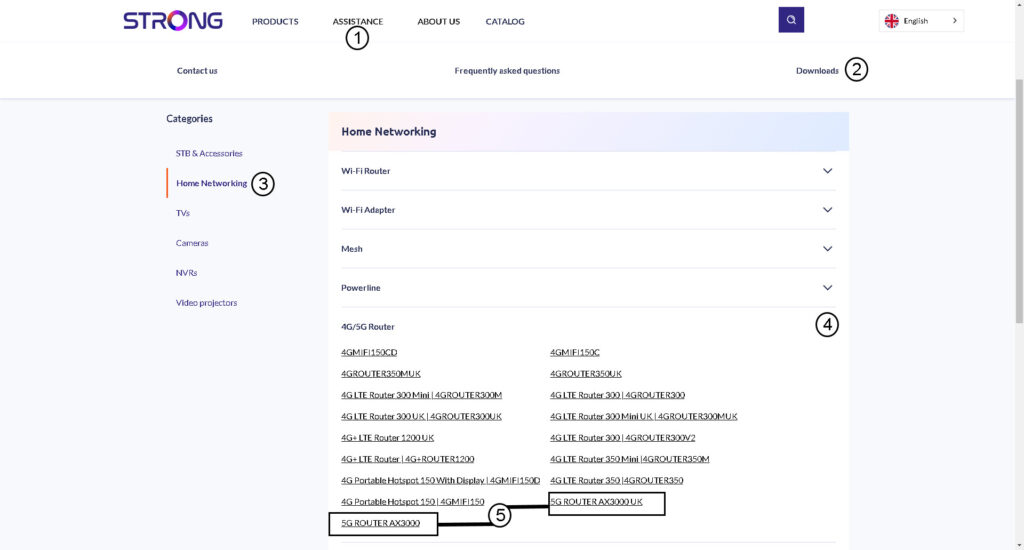
1. Přejdětena stránku ke stažení na našem webu.
Přejděte prosím na naši stránku ke stažení.
- Klikněte na „Podpora a soubory ke stažení“.
- Vyberte možnost „Síť“ a „4G/5G router“.
- Kliknutím na název produktu se dostanete na stránku pro stažení.
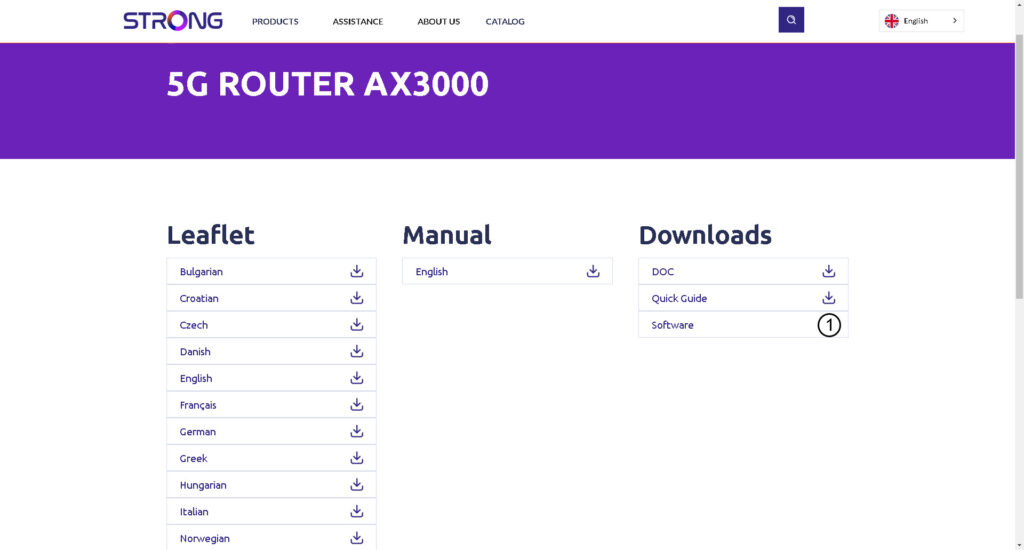
2Stáhněte sikonfigurační soubor
Klikněte na ikonu pro stažení vedle softwaru.
3. Připojte sek síti Wi-Fi
Chcete-li aktualizovat firmware zařízení, musíte se připojit k Wi-Fi sítě zařízení.

4. Přejdětena IP adresu webového uživatelského rozhraní
Poté do prohlížeče zadejte následující IP adresu: 192.168.0.1.

5. Přihlašovacístránka
Poté klikněte na „Přihlásit se“.

6. Aktualizace firmwaru
Klikněte na položku „Systémové nástroje“, vyberte možnost „Správa zařízení “ a přejděte na položku „Aktualizace firmwaru“.
- Poté klikněte na „Vybrat soubor“ a vyberte soubor s firmwarem, než kliknete na „Aktualizovat software“.
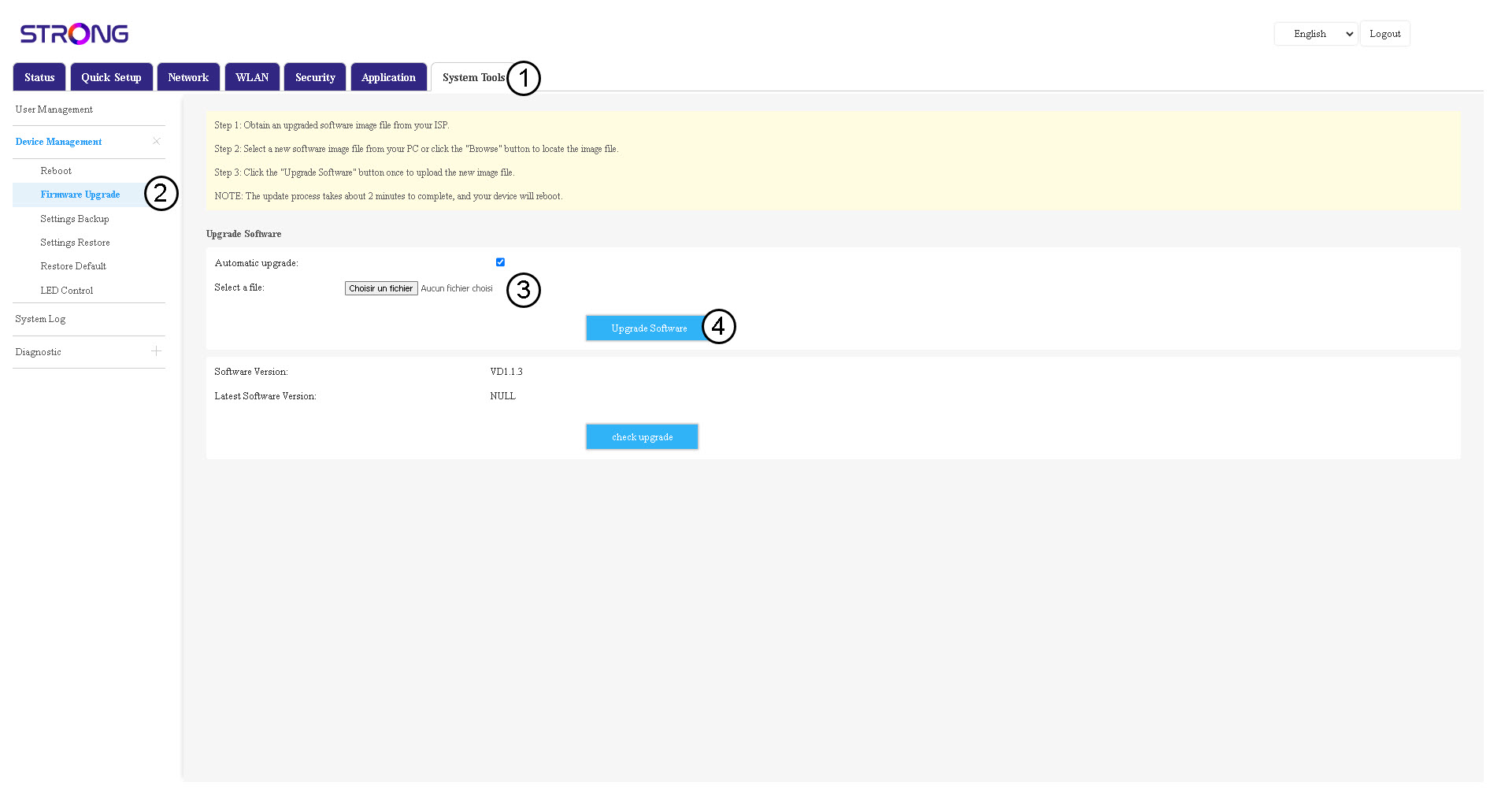

Upozorňujeme, že po aktualizaci se router automaticky restartuje. Budete se muset znovu připojit k síti Wi-Fi a k webovému uživatelskému rozhraní.