4G AIRSPOT 220 WLAN-Hotspot mit Display
Alle Fragen
4G AIRSPOT 220 WLAN-Hotspot mit Display
Wie kann ich die APN-Einstellungen meines Mobilfunkanbieters überprüfen und bearbeiten?
Wenn Ihre SIM-Karte vom Gerät nicht automatisch erkannt wird,
müssen Sie sich bei der Web-Benutzeroberfläche anmelden, um die APN-Einstellungen zu überprüfen und gegebenenfalls anzupassen.
Die APN-Einstellungen Ihres Mobilfunkanbieters finden Sie direkt auf dessen Website,
oder Sie können diese beim Kundendienst Ihres Mobilfunkanbieters anfordern.
1. Stellen Sie eine Verbindungzum WLAN-Netzwerk des Routers her
Sie
müssen eine Verbindung zur Web-Benutzeroberfläche herstellen. Geben Sie dazu die SSID (WLAN-Netzwerkname) und
das WLAN-Passwort des Routers in Ihr Gerät ein.

2. Rufen Siedie IP-Adresse der Web-Benutzeroberfläche auf
Geben Sie anschließend die folgende IP-Adresse in Ihren Browser ein: 192.168.188.1

3Geben SieIhre Anmeldedaten ein
Du muss das Passwort. Klicken Sie anschließend auf Anmelden.
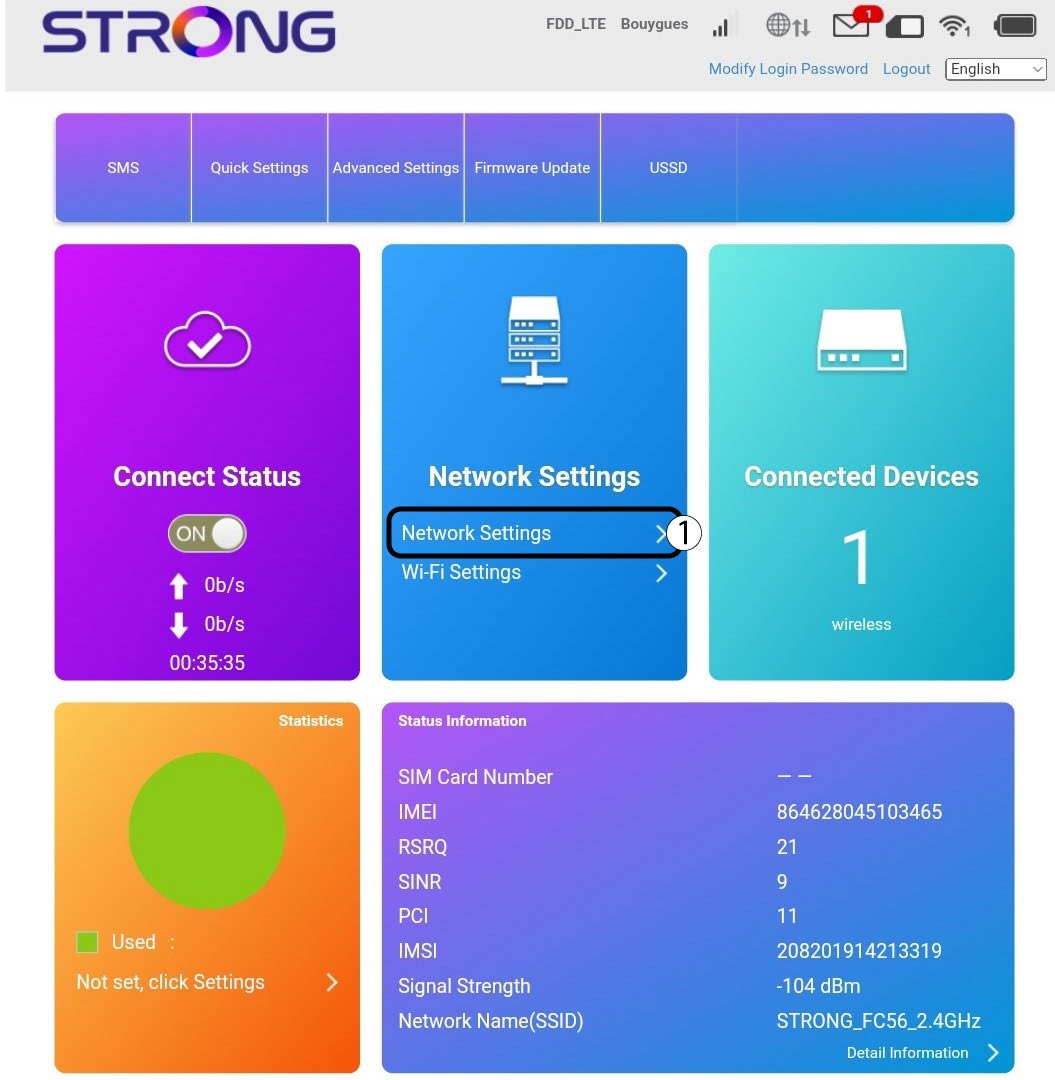
4. Internet-Einstellungen
Klicken Sie auf „Netzwerkeinstellungen“.
5SuchenSie die APN-Einstellungen Ihres Mobilfunkanbieters
- Suchen Sie auf der Website Ihres Mobilfunkanbieters nach den APN-Einstellungen. Notieren Sie sich die folgenden Informationen:
- Name
- APN
- Benutzername
- Passwort
- Authentifizierungstyp
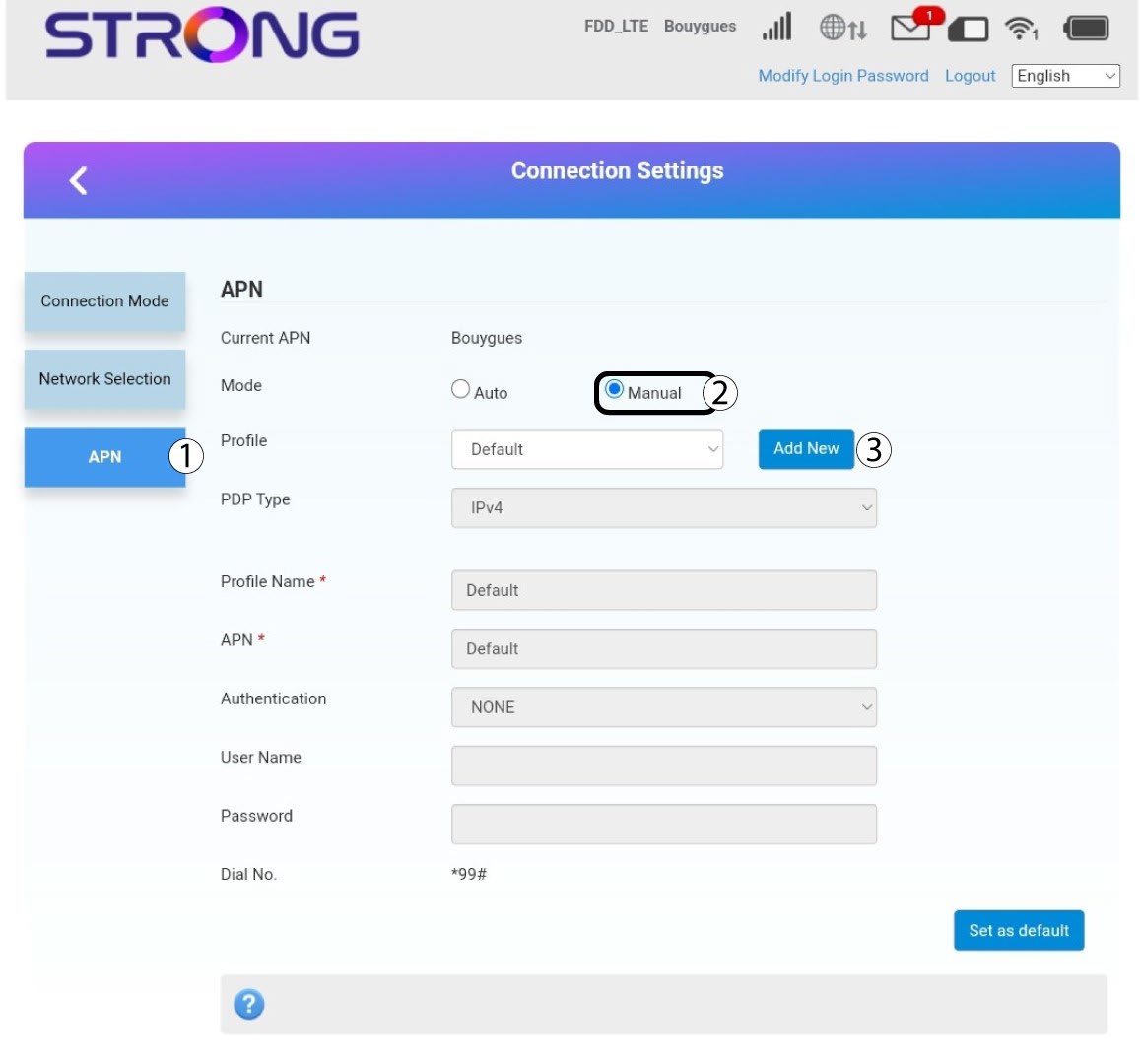
6. Passen Siedie Angaben an, falls die Konfiguration nicht korrekt ist.
Sollten die Angaben falsch sein, klicken Sie auf „APN“ und anschließend Handbuch auf „Neu hinzufügen“.
Typ 7PDP
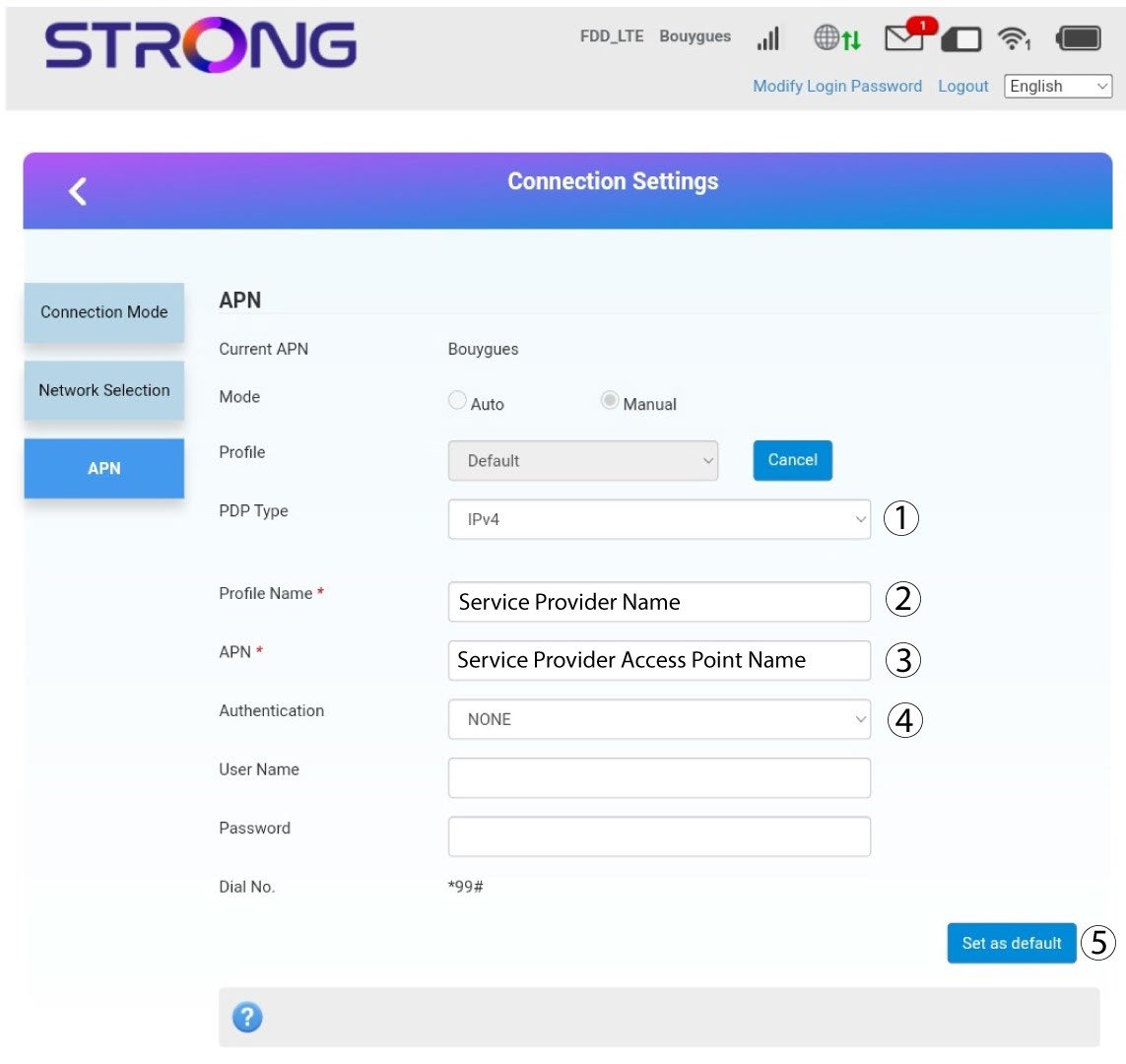
Geben Sie die folgenden Informationen ein, bevor Sie auf „Als Standard festlegen“ klicken:
· PDP-Typ: Wählen Sie „IPv4“ als Wert für den PDP-Typ aus.
· Profilname: Geben Sie den Namen Ihres Dienstanbieters ein.
· APN: Geben Sie die APN-Adresse ein.
· Authentifizierungstyp: Wählen Sie aus den folgenden Werten (NONE, CHAP, PAP) den von Ihrem Anbieter für Ihren APN festgelegten Authentifizierungstyp aus.