4G AIRSPOT 220 WLAN-Hotspot mit Display
Alle Fragen
4G AIRSPOT 220 WLAN-Hotspot mit Display
Wie aktualisiere ich die Firmware des Geräts?
Wenn Sie mit der Web-Benutzeroberfläche verbunden sind, müssen Sie die von Ihrem Gerät verwendete Firmware-Version mithilfe der Option „Online-Upgrade“ in der Web-Benutzeroberfläche überprüfen. Auf diese Weise wird die neueste Firmware-Version installiert.
Falls Ihr Router nicht auf dem neuesten Stand ist, befolgen Sie bitte die nachstehende Anleitung, um die Firmware zu aktualisieren.
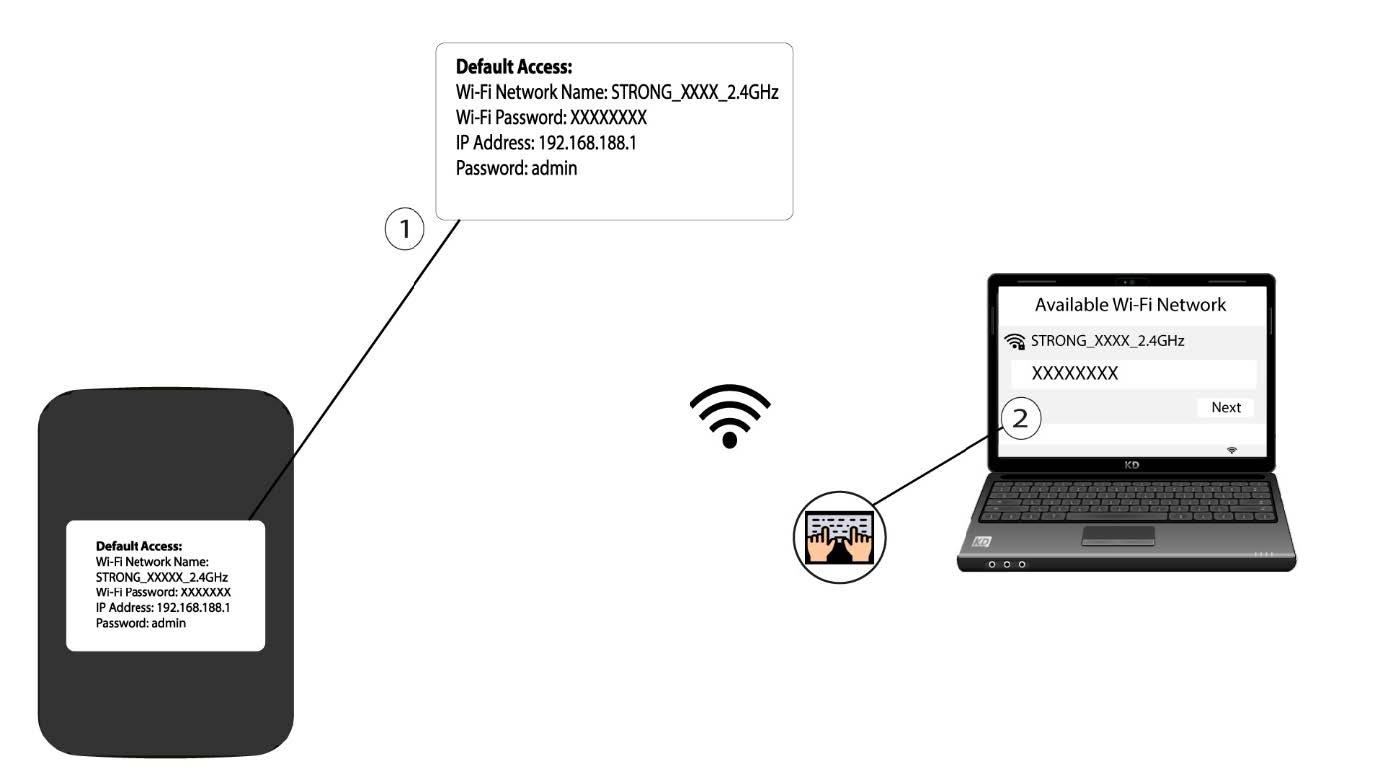
1. Stellen Sie eine Verbindungzum WLAN-Netzwerk des Routers her
- Um die Firmware des Geräts zu aktualisieren, müssen Sie eine Verbindung zum WLAN Ihres Routers herstellen.
2. Rufen Siedie IP-Adresse der Web-Benutzeroberfläche auf
Geben Sie dann die folgende IP- Adresse ein: 192.168.188.1 in Ihren Browser.

3Rufen Siedie Anmeldeseite auf
Sie müssen das Passwort eingeben .

4. Aktualisierung
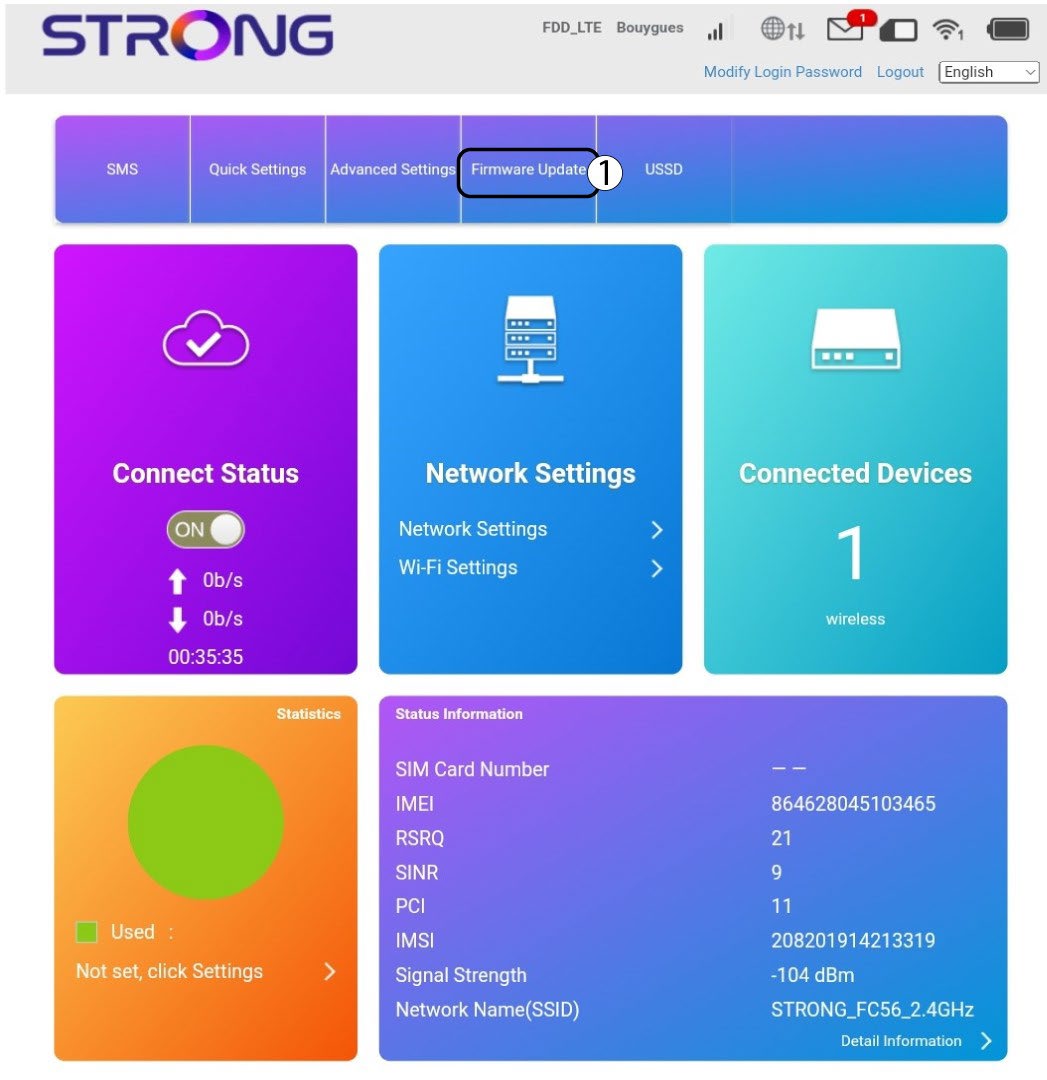
Klicken Sie auf „Firmware-Update“.
5. Auf neue Versionen prüfen
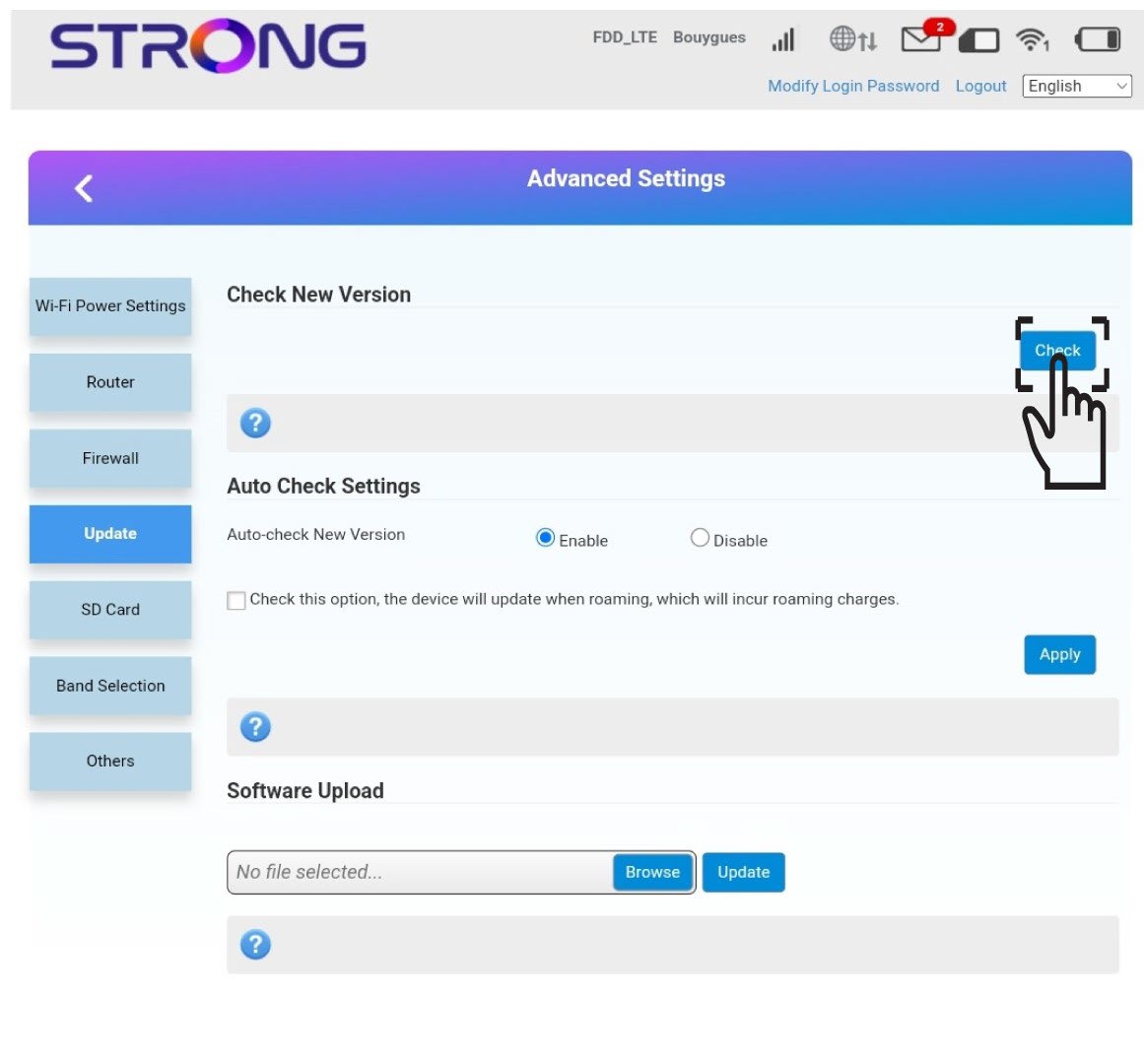
Klicken Sie im Abschnitt „Nach neuer Version suchen“ auf „Prüfen “. Die neueste Version der Software wird automatisch heruntergeladen, und Sie müssen sich erneut mit dem WLAN-Netzwerk verbinden, um Ihren PIN-Code einzugeben.