
4G AIRSPOT 220 WLAN-Hotspot mit Display
Alle Fragen
4G AIRSPOT 220 WLAN-Hotspot mit Display
Welche Art von SIM-Karte kann ich in meinen Router einlegen?
In den SIM-Kartensteckplatz des 4G PORTABLE HOTSPOT 150/4G PORTABLE HOTSPOT 150 MIT DISPLAY muss eine Micro-SIM-Karte eingelegt werden. Sie müssen sich keine Gedanken über die Größe Ihrer SIM-Karte machen, da im Lieferumfang des Routers Adapter enthalten sind, mit denen Sie die richtige Größe erhalten. Sie müssen Ihre SIM-Karte einlegen, bevor Sie das Gerät einschalten.
1Fall1: Von einer Standard-SIM-Karte zu einer Micro-SIM-Karte
Sobald Sie die SIM-Karte in den Adapter eingelegt haben, drücken Sie sie fest in den Adapter hinein, damit sie sicher sitzt. Nehmen Sie das Gerät in die Hand und legen Sie die SIM-Karte in derselben Position wie in der folgenden Abbildung in den Steckplatz ein.
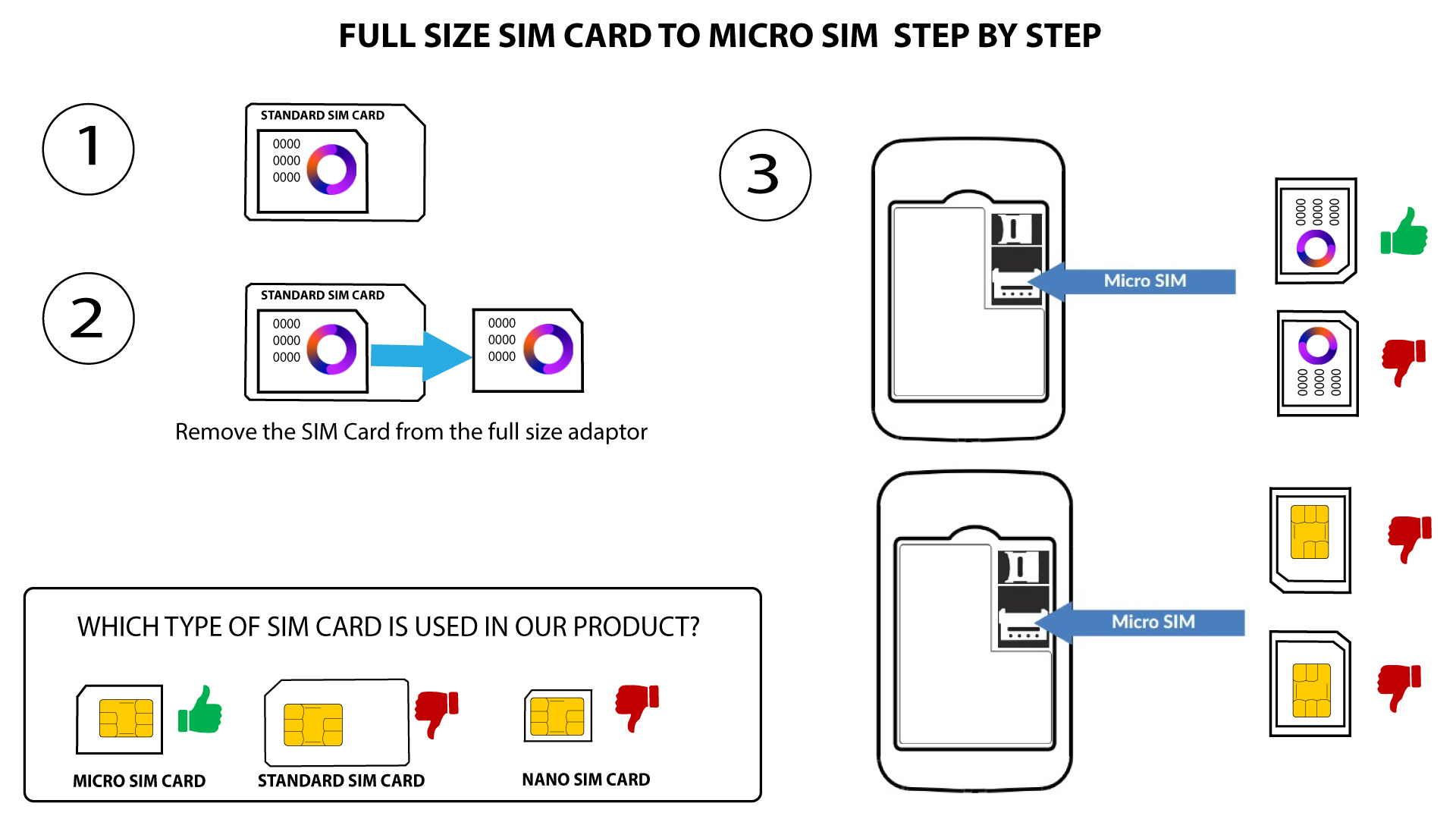
2Fall2: Von einer Nano-SIM-Karte zu einer Micro-SIM-Karte
Sobald Sie die SIM-Karte in den Adapter eingelegt haben, drücken Sie sie fest in den Adapter hinein, damit sie nicht verrutscht. Nehmen Sie das Gerät in die Hand und legen Sie die SIM-Karte in derselben Position wie in der folgenden Abbildung in den Steckplatz ein.
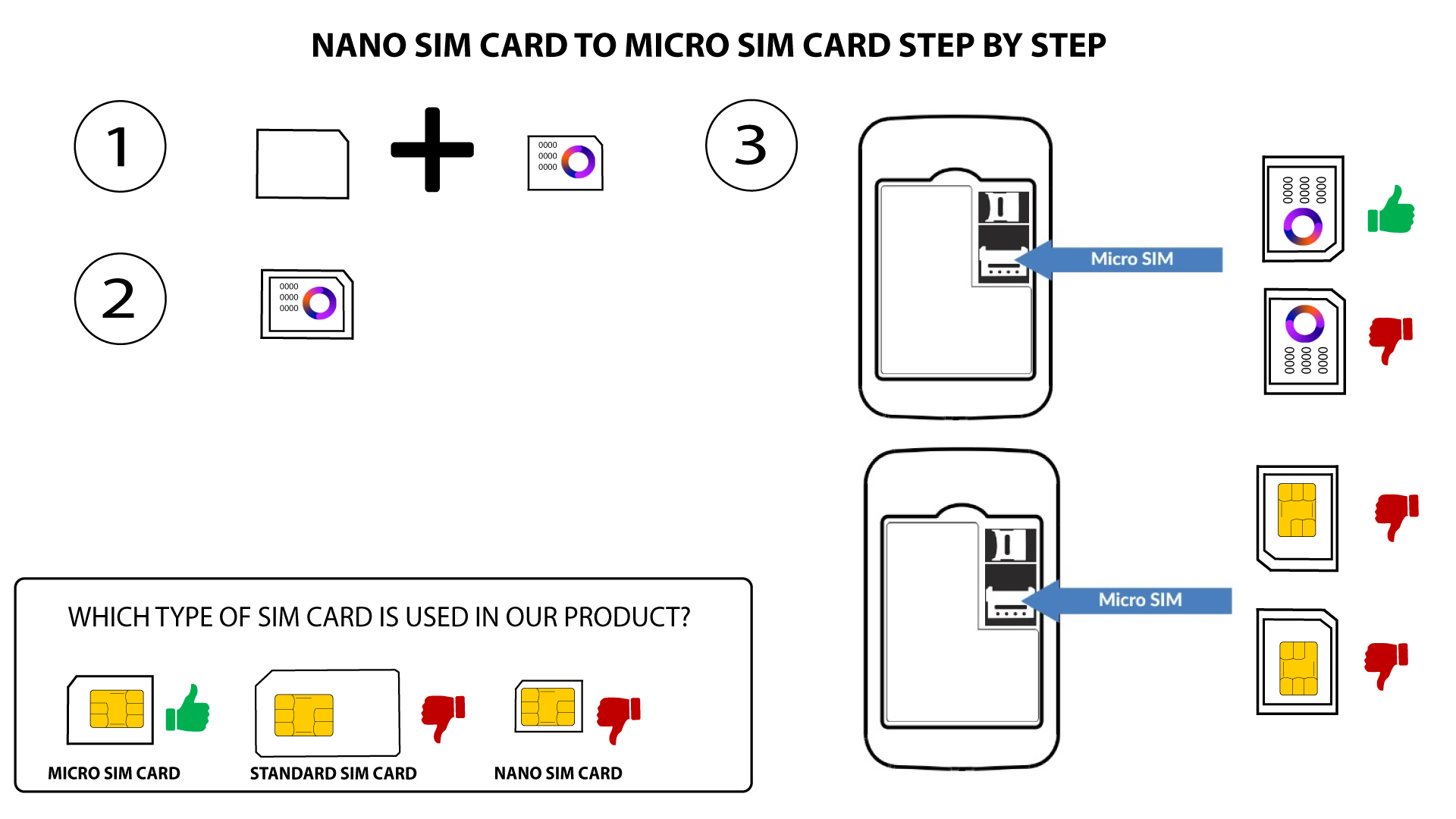

Warnung: Vergewissern Sie sich, dass Ihre SIM-Karte richtig im Adapter sitzt, bevor Sie diese in den Steckplatz einsetzen.
- Falls Ihre SIM-Karte vom Gerät nicht erkannt wird, überprüfen Sie bitte deren Position und ob Sie den Adapter richtig eingelegt haben.