Mesh Wi-Fi 6 ATRIA 3000 UK paquete de 2)
Todas las preguntas
Mesh Wi-Fi 6 ATRIA 3000 UK paquete de 2)
¿Puedo configurar una red de invitados para mi red « Mesh »? (Caso 2: aplicación Atria)
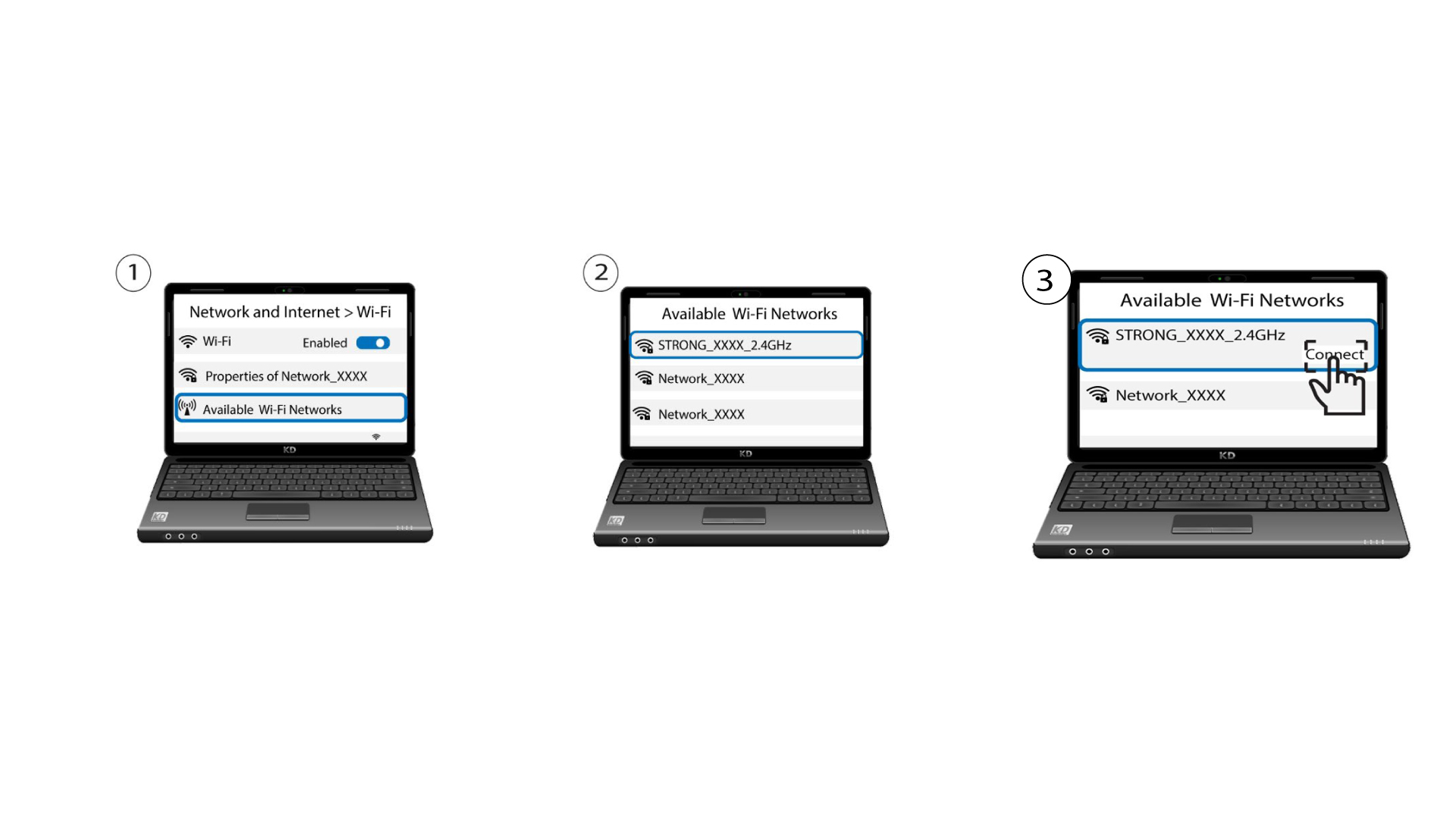
Para acceder a la interfaz de usuario web, debes estar conectado a la red Wi-Fi de tu dispositivo tras haber conectado el cable RJ45 al puerto WLAN de tu dispositivo y a Internet box.
1. Caso2: la aplicación Atria
Descarga la aplicación para smartphone«ATRIA MESH » en la App Store o en Google Play Store.

2Introducetus credenciales
A continuación, debes conectarte con tu smartphone a la red Wi-Fi del Mesh y, después, iniciar sesión en la aplicación con tus credenciales, que deberían ser«admin» y«admin» si no las has cambiado.

3. Wi-Fi para invitados
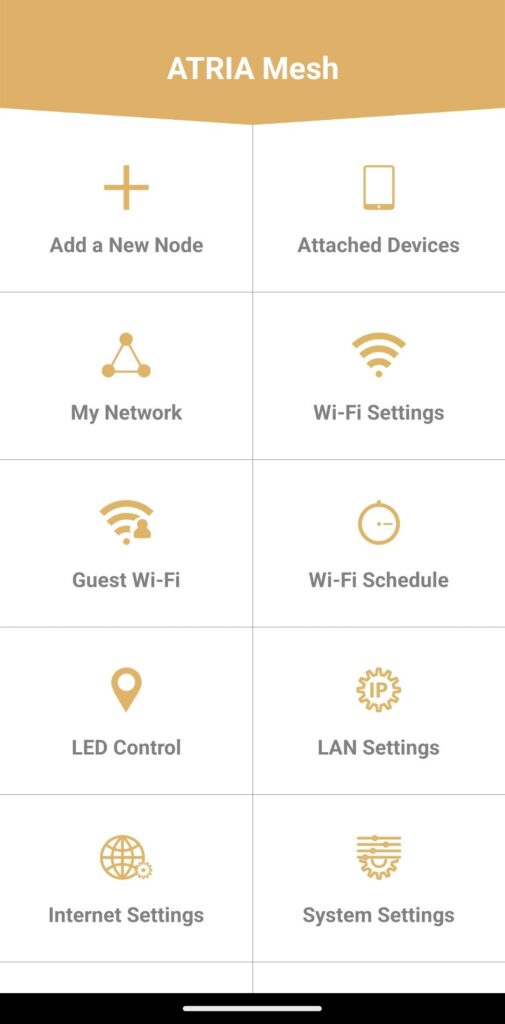
Ahora que estás en la página principal, haz clic en «Wi-Fi para invitados».
4. Configuraruna red Wi-Fi para invitados
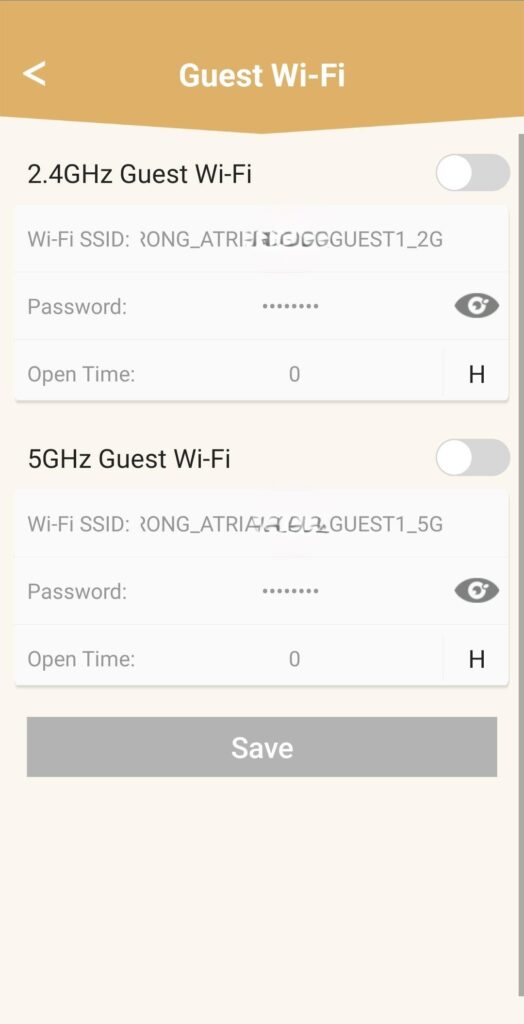
A continuación, aquí puedes añadir una red Wi-Fi para invitados de 2,4 GHz o 5 GHz.
• Pulsa el botón de activación/desactivación de la red que desees.
• Configura un SSID (nombre de la red Wi-Fi) y una contraseña únicos .
• A continuación, puedes elegir un horario en el que desees que la red Wi-Fi para invitados esté activa o no en «Horario de apertura».
• Haz clic en «Guardar».
5. Compruebala nueva red Wi-Fi
La nueva red para invitados ya aparece en la lista de redes Wi-Fi de tus dispositivos.