Mesh Wi-Fi 6 ATRIA 3000 UK paquete de 2)
Todas las preguntas
Mesh Wi-Fi 6 ATRIA 3000 UK paquete de 2)
¿Qué puedo hacer en la interfaz de usuario web?
1. Conéctatea la red Wi-Fi del dispositivo
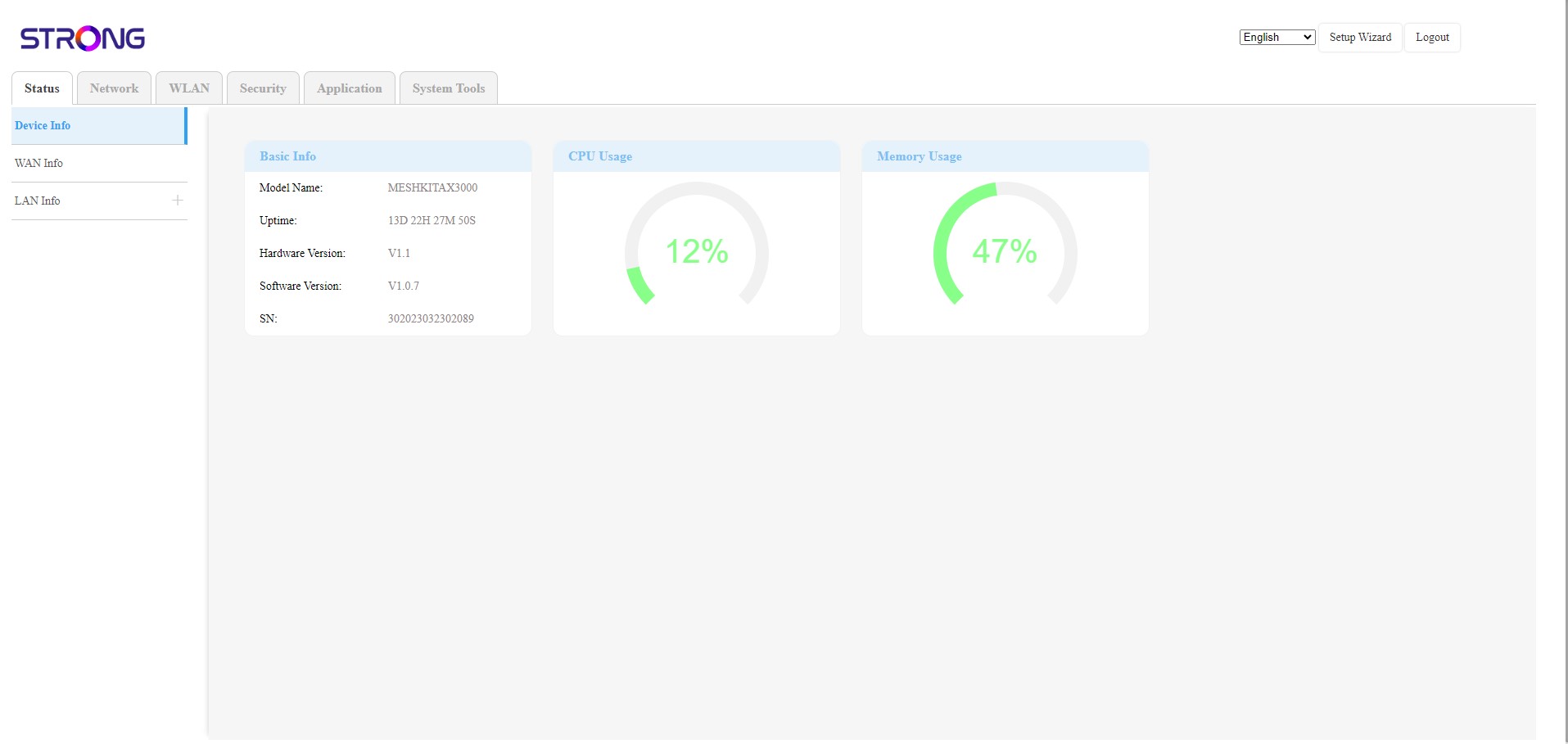
La interfaz de usuario web se divide en seis secciones:
• Estado: aquí encontrarás toda la información sobre el dispositivo Mesh y la red.
• Red: aquí puedes configurar la WAN, los ajustes de la LAN (IPv4 / IPv6) y establecer un límite de velocidad.
• WLAN: aquí puedes elegir entre la red de 2,4 GHz y la de 5 GHz, configurar varios SSID, el WPS, gestionar el acceso a Internet de las diferentes direcciones MAC, modificar el SSID y las contraseñas Wi-Fi, y configurar un « Mesh ».
• Seguridad: aquí puedes configurar un cortafuegos, los ajustes de DoS, filtros de URL/MAC, filtros de IP, el control parental y de servicios, y programar la activación de la red « Mesh ».
• Aplicaciones: aquí puedes configurar los ajustes NAT (ALG, DMZ, reenvío de puertos), una VPN, el SNTP (zona horaria), un DNS dinámico, el UPnP y acceder a la configuración de IPTV.
• Herramientas del sistema: aquí puedes cambiar las credenciales de inicio de sesión, reiniciar el dispositivo, actualizar el firmware, guardar y restaurar una copia de seguridad, restablecer los ajustes de fábrica, gestionar los LED, acceder a los registros e iniciar diagnósticos.