Mesh Wi-Fi 6 ATRIA 3000 UK paquete de 2)
Todas las preguntas
Mesh Wi-Fi 6 ATRIA 3000 UK paquete de 2)
¿Cómo configuro mi red Wi-Fi « mesh »?

Advertencia: Para configurar la red « Mesh », consulta la guía de instalación rápida (QIG) que se incluye en la sección « box » de tu producto.
Ten en cuenta que debes repetir esta operación para cada unidad Mesh que desees añadir a tu red Mesh .
1. Caso1: Botón WPS
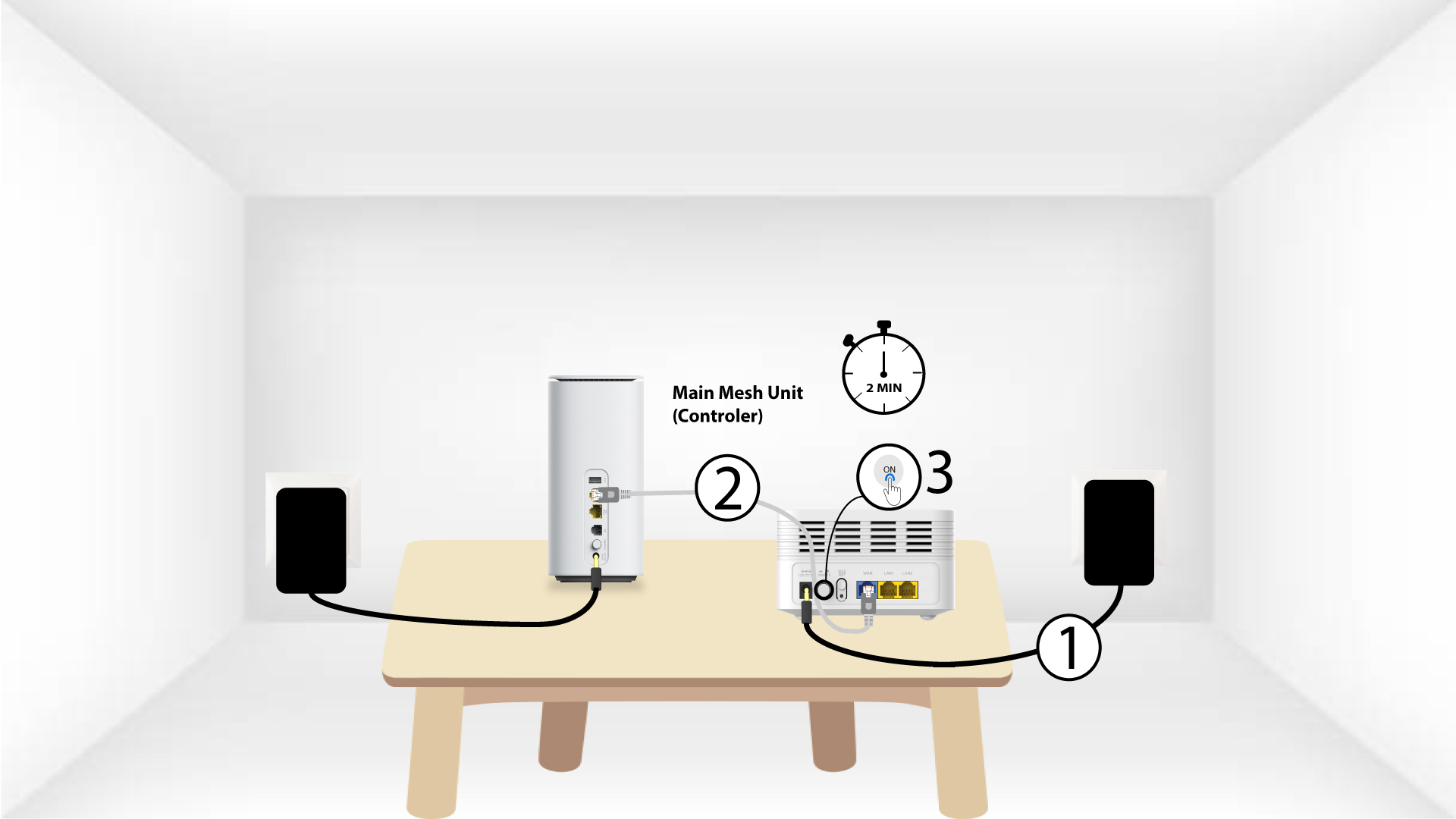
Debes enchufar la unidad «Mesh » y conectarla al módem mediante un cable RJ45 antes de pulsar el botón de encendido.
2Main Mesh WPS
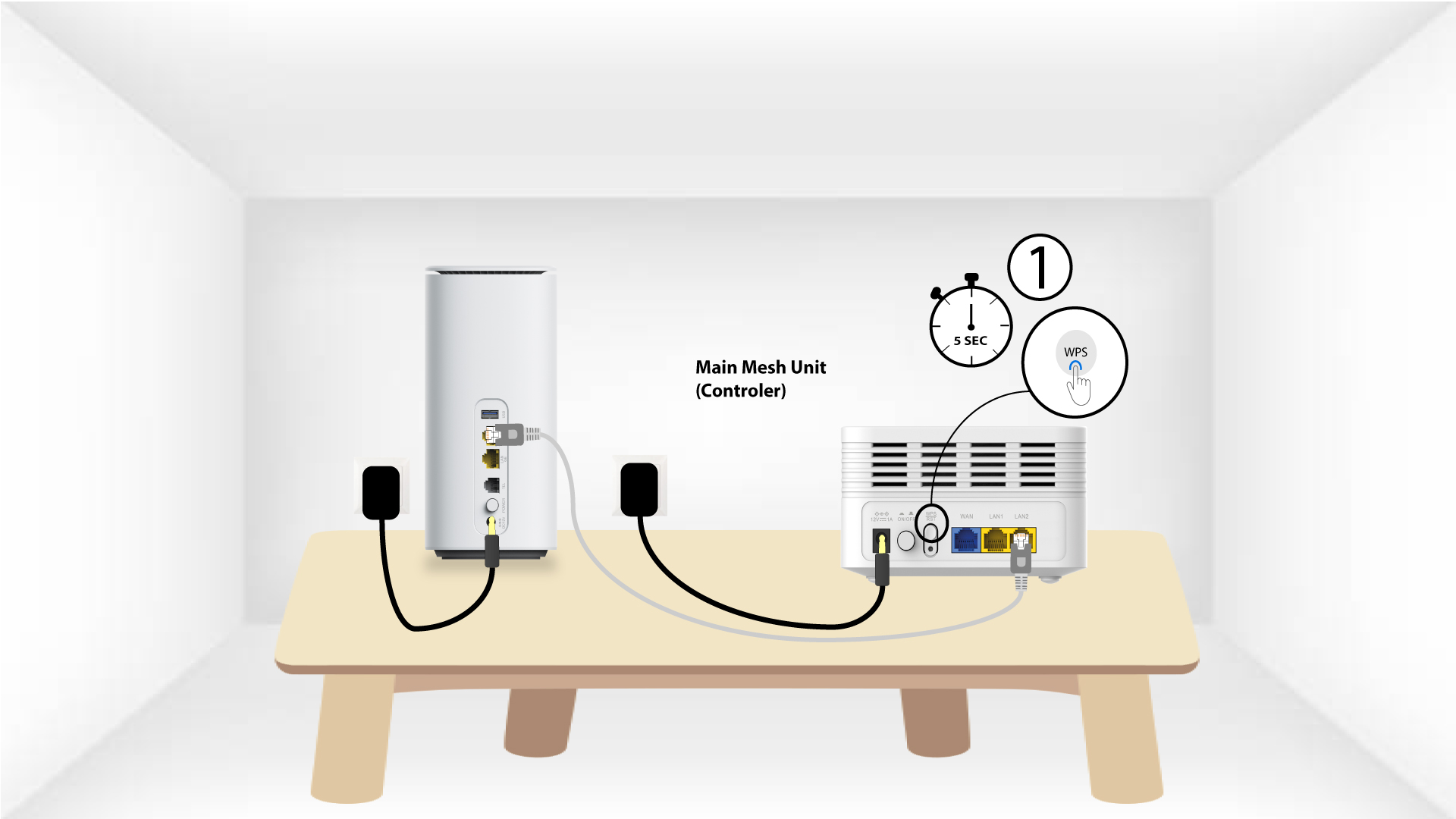
Pulsa el botón WPS del « mesh » conectado a tu módem durante 5 segundos.
Unidad WPS de 3Second Mesh
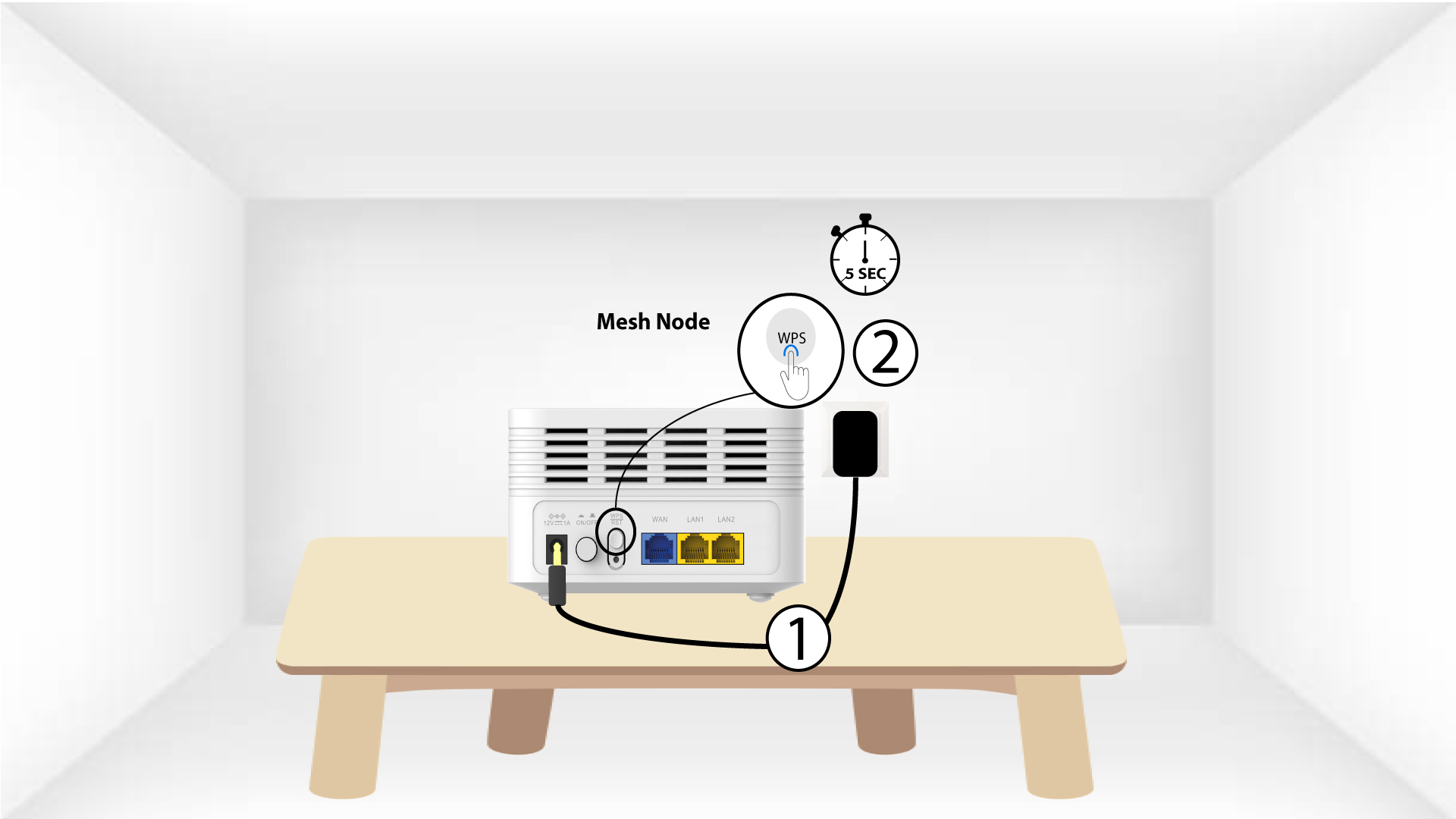
Enchufa la segunda unidad « Mesh » a una toma de corriente y mantén pulsado el botón WPS durante 5 segundos.
1. Caso2: Cable Ethernet (RJ45)
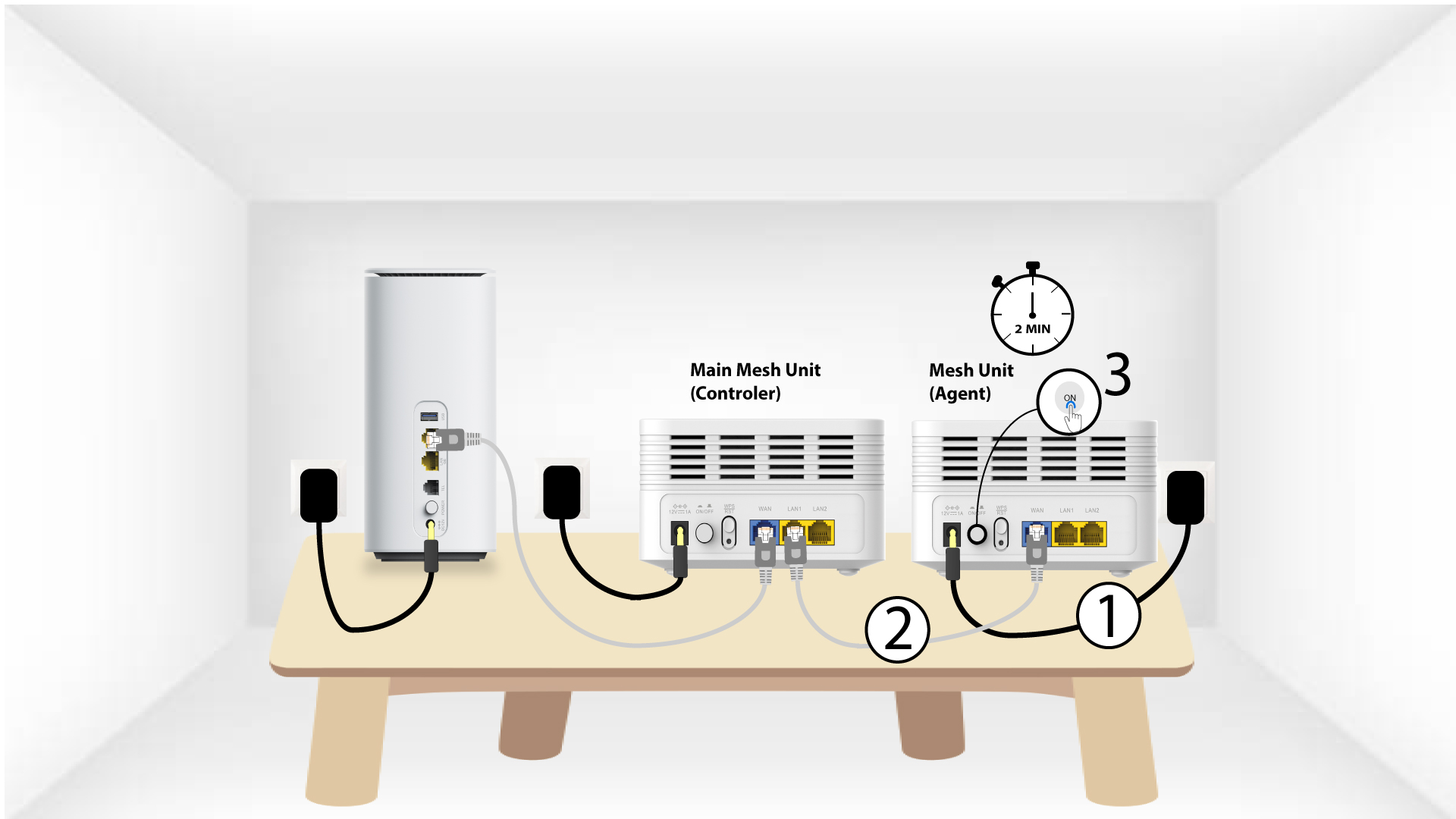
Debes enchufar el dispositivo «Mesh » y conectarlo al módem mediante un cable RJ45 en el puerto WLAN antes de pulsar el botón de encendido.
2. Cable Etherneten los puertos LAN de ambos Mesh
Conecta la unidad principal « Mesh » (controlador) a la unidad « Mesh » (agente) mediante un conector RJ45 en los puertos LAN de ambos dispositivos « Mesh ».