Mesh Wi-Fi 6 ATRIA 3000 UK paquete de 2)
No se han encontrado artículos.
No se han encontrado artículos.
Todas las preguntas
Mesh Wi-Fi 6 ATRIA 3000 UK paquete de 2)
No se han encontrado artículos.
No se han encontrado artículos.
¿Cómo puedo identificar las direcciones IP de los distintos dispositivos Mesh de mi red?
Para averiguar las direcciones IP de las diferentes unidades de Mesh de tu red, primero tienes que conectarte a la interfaz de usuario web o a la aplicación mientras estás conectado a la red Mesh .
1. Caso1: Interfaz de usuario web
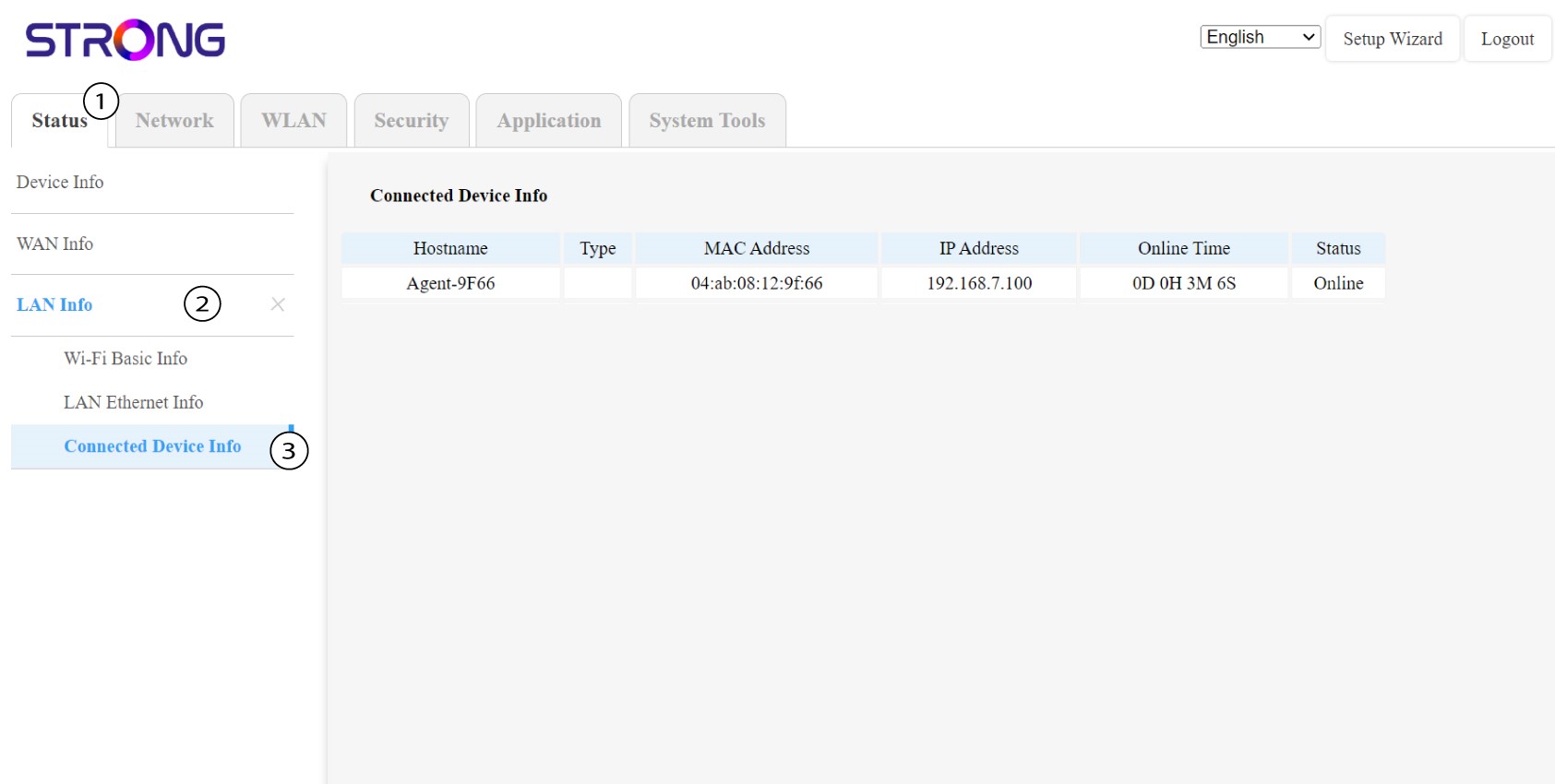
En la interfaz de usuario web, en las secciones «Estado», «Información de LAN» e «Información de conexión», puedes ver la dirección IP de un dispositivo « Mesh » denominado«agent» y anotarla.
1. Caso2: Aplicación
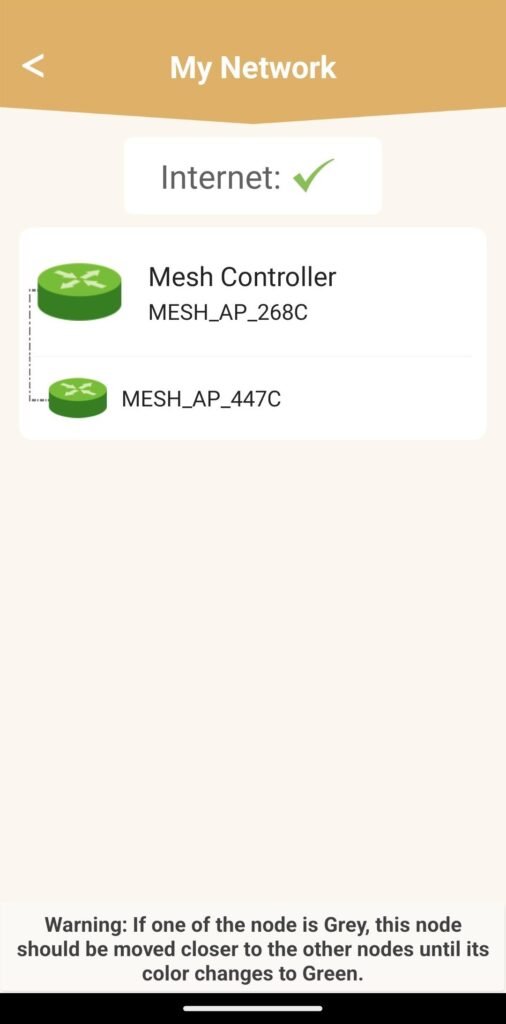
En la aplicación Atria, ve a «Mi red», haz clic en el nombre del dispositivo que buscas y anota su dirección IP.