Wi-Fi 4G AIRSPOT 220 con display
Tutte le domande
Wi-Fi 4G AIRSPOT 220 con display
Come si modifica il codice PIN della scheda SIM?
È possibile modificare il codice PIN della propria scheda SIM nell'interfaccia utente web. A tal fine, seguire la procedura riportata di seguito. È necessario connettersi all'interfaccia utente web.
1. Connettitialla rete Wi-Fi del router
1.
Per farlo, inserisci l'SSID (nome della rete Wi-Fi
) e la password Wi-Fi del router sul tuo dispositivo.

2. Accedereall'indirizzo IP dell'interfaccia utente web
A questo punto, inserisci nel browser il seguente indirizzo IP: 192.168.188.1

3Accedi
È necessario inserire la password. Quindi, fare clic su " Accedi".

4. Stato della connessione
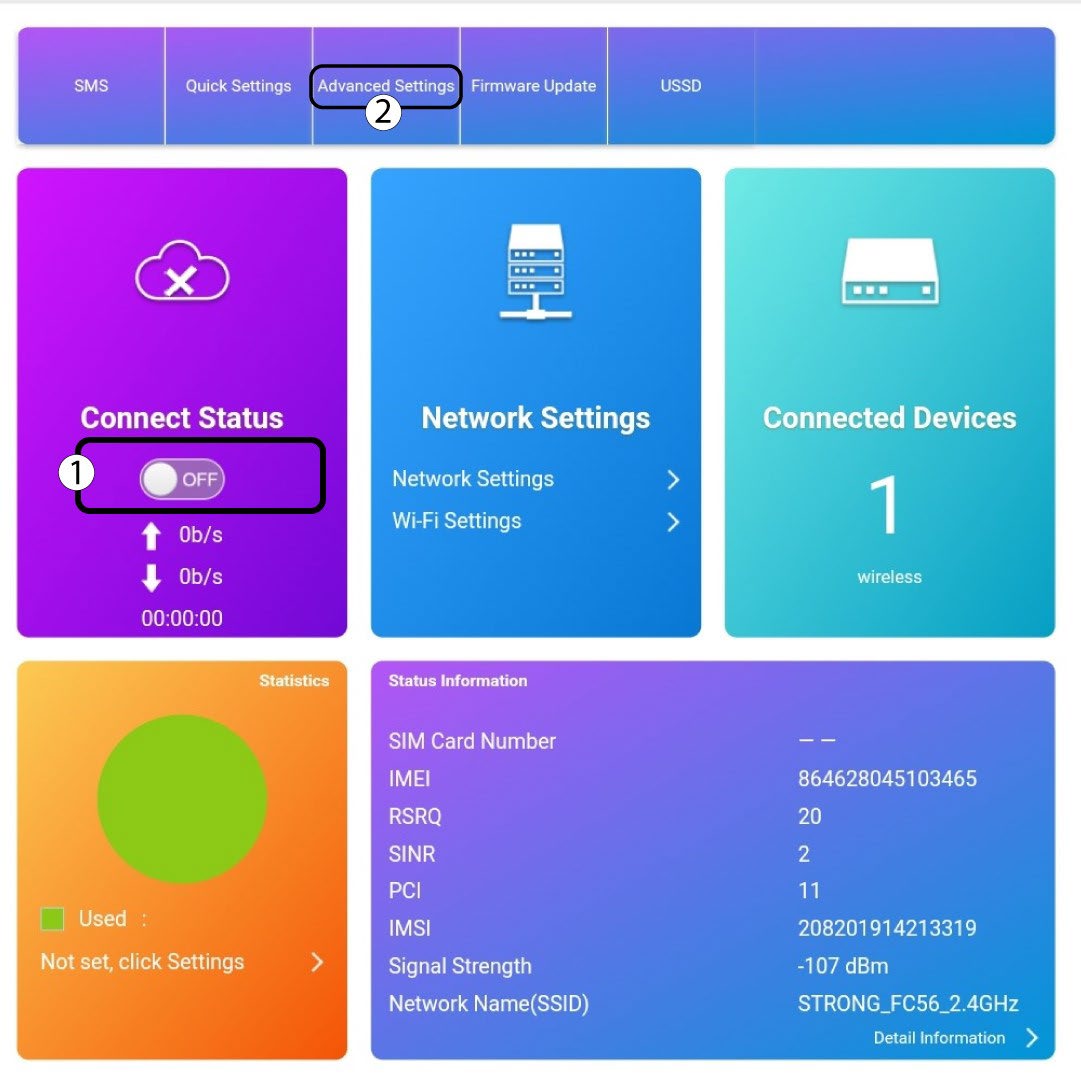
Fai clic sul pulsante di attivazione/disattivazione nella sezione “Stato della connessione” e poi su “Impostazioni avanzate”
5. Impostazioni avanzate
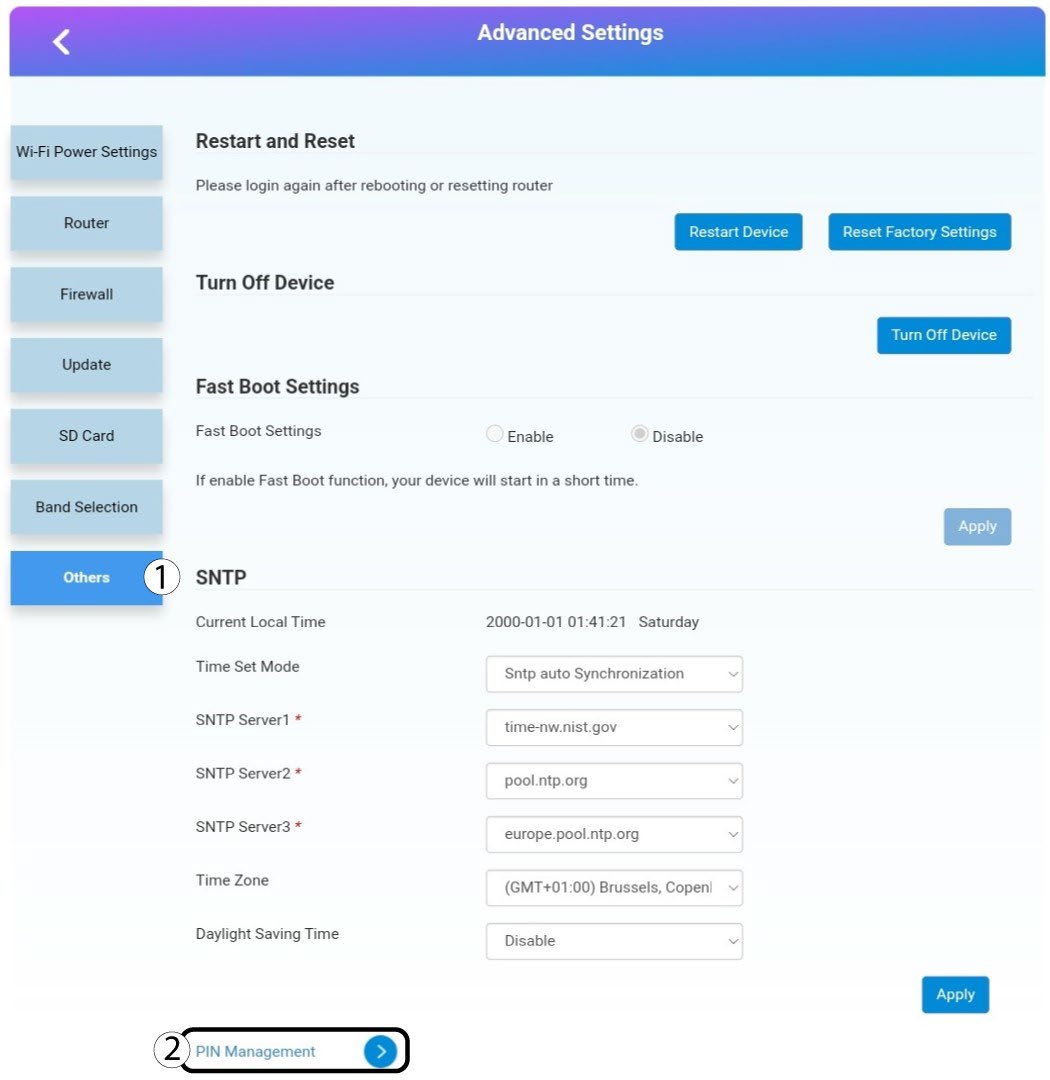
Fai clic su "Altro". Quindi , fai clic su " Gestione PIN ".
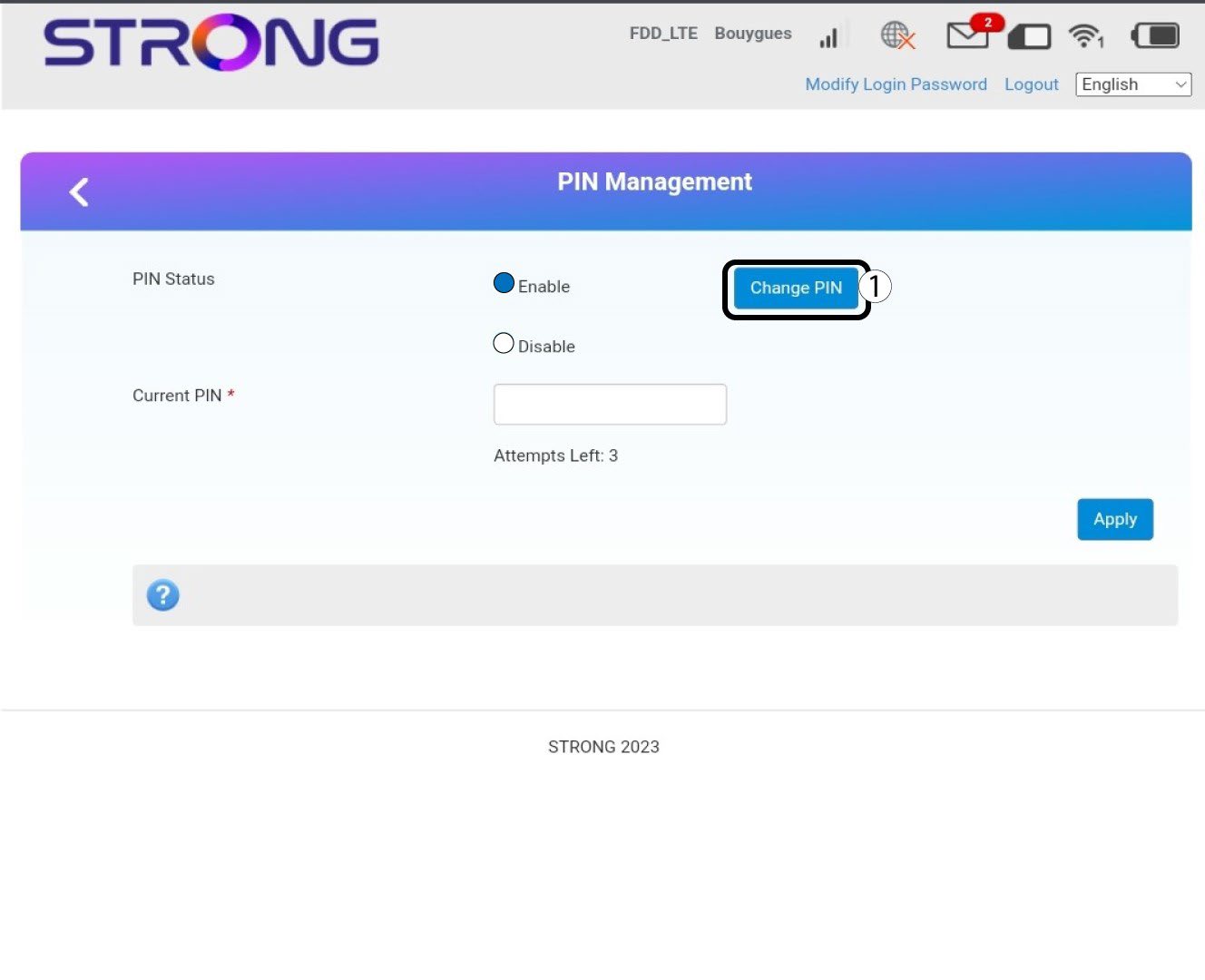
Gestione dei connettori a 6 pin
Fai clic su " Modifica PIN".
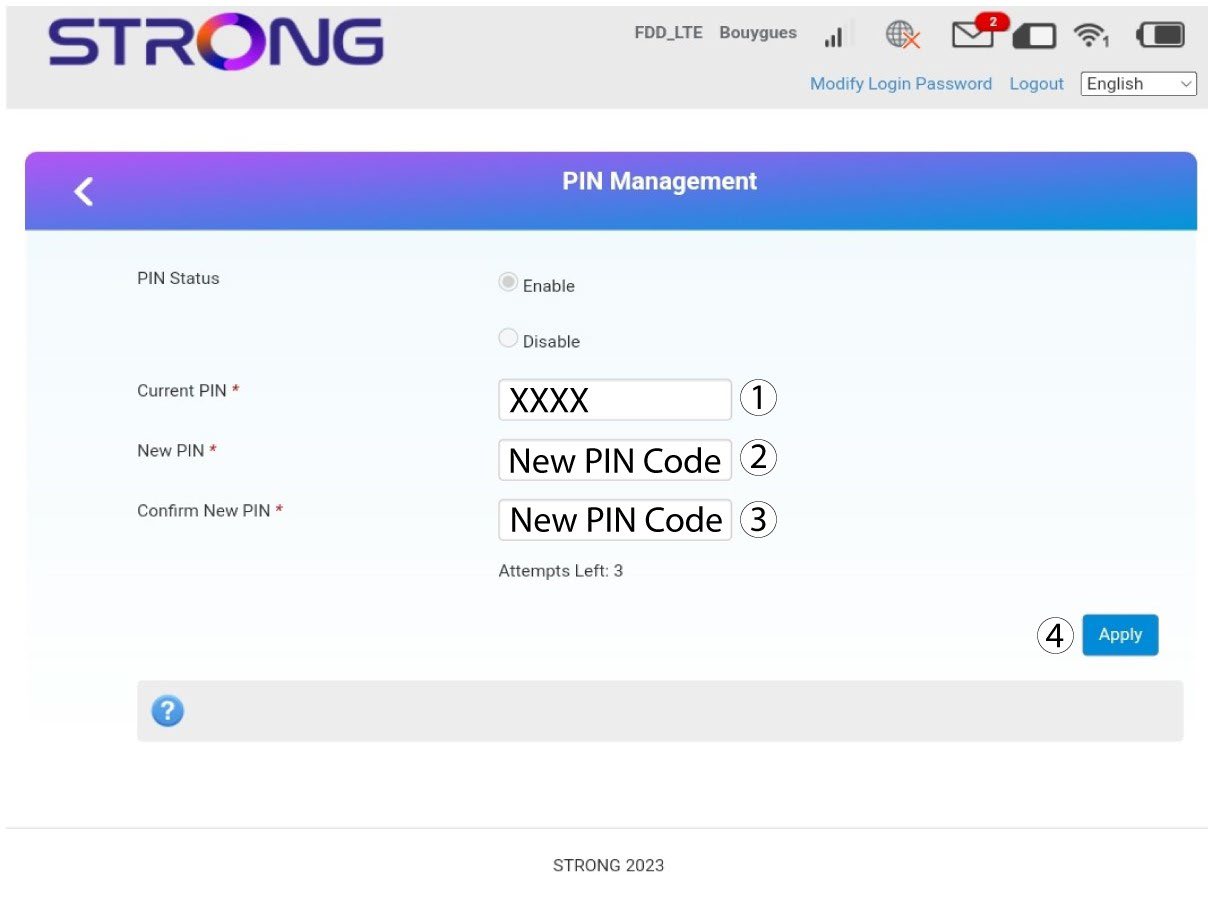
7. Inserisciil nuovo codice PIN
Inserisci le seguenti informazioni prima di fare clic su "Applica":
· PIN attuale: inserisci il tuo codice PIN attuale.
· Nuovo PIN: inserisci il tuo nuovo codice PIN.
· Conferma del nuovo PIN: inserisci il nuovo codice PIN.