
Wi-Fi 4G AIRSPOT 220 con display
Tutte le domande
Wi-Fi 4G AIRSPOT 220 con display
Che tipo di scheda SIM posso inserire nel mio router?
È necessario inserire una scheda micro-SIM nell'alloggiamento per schede SIM del 4G PORTABLE HOTSPOT 150/4G PORTABLE HOTSPOT 150 WITH A DISPLAY. Non devi preoccuparti delle dimensioni della tua scheda SIM, poiché nella confezione del router sono inclusi degli adattatori per ottenere le dimensioni corrette. È necessario inserire la scheda SIM prima di accendere il dispositivo.
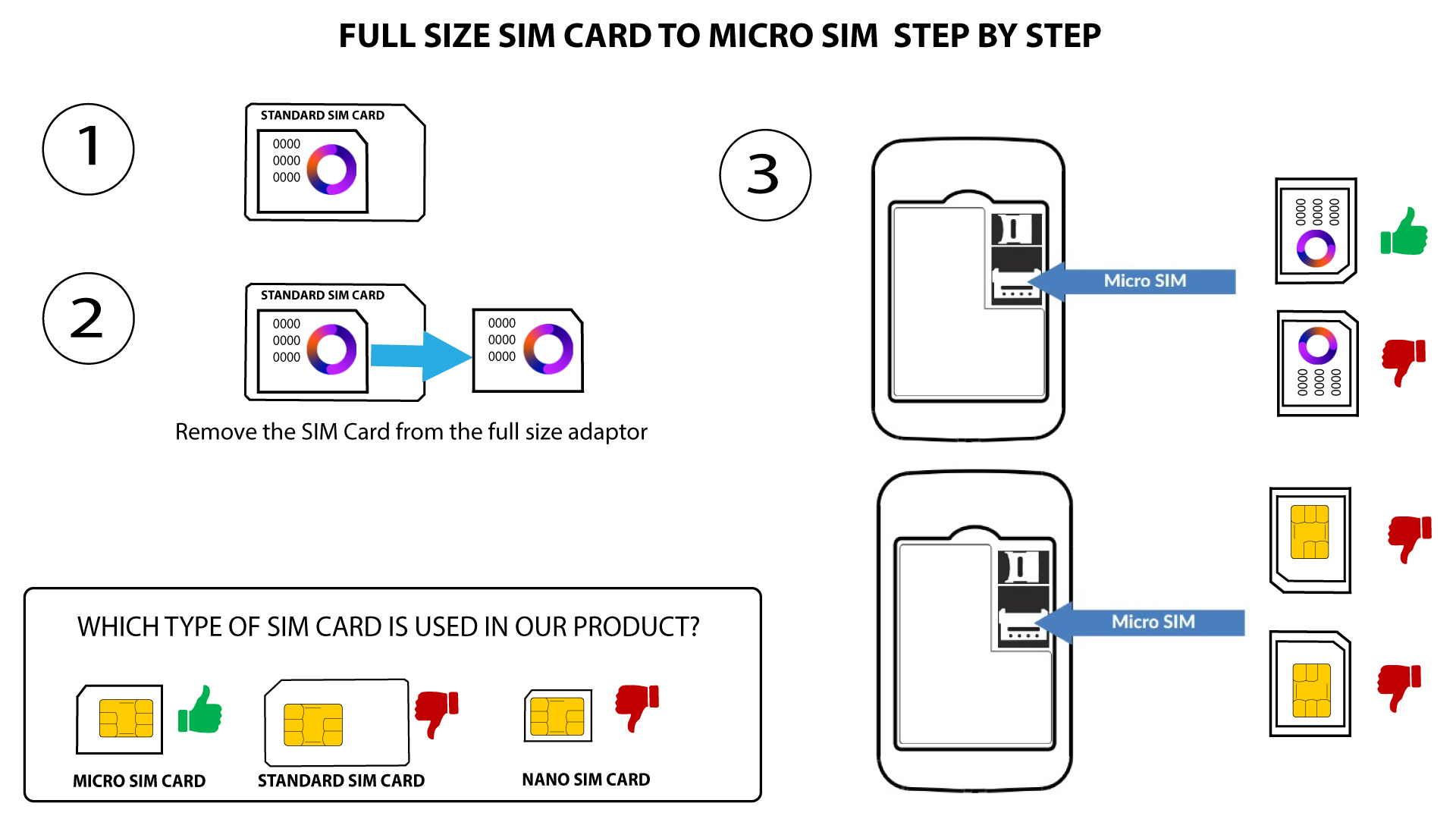
1. Caso1: Da scheda SIM standard a scheda Micro SIM
Una volta inserita la scheda SIM nell'adattatore, premila con decisione per fissarla bene. Prendi il dispositivo in mano e inserisci la scheda SIM nell'apposito alloggiamento, seguendo la posizione indicata nello schema qui sotto.
2Caso2: Da scheda Nano SIM a scheda Micro SIM
Una volta inserita la scheda SIM nell'adattatore, premila con decisione per fissarla. Prendi il dispositivo in mano e inserisci la scheda SIM nell'apposito alloggiamento nella stessa posizione indicata nello schema qui sotto.
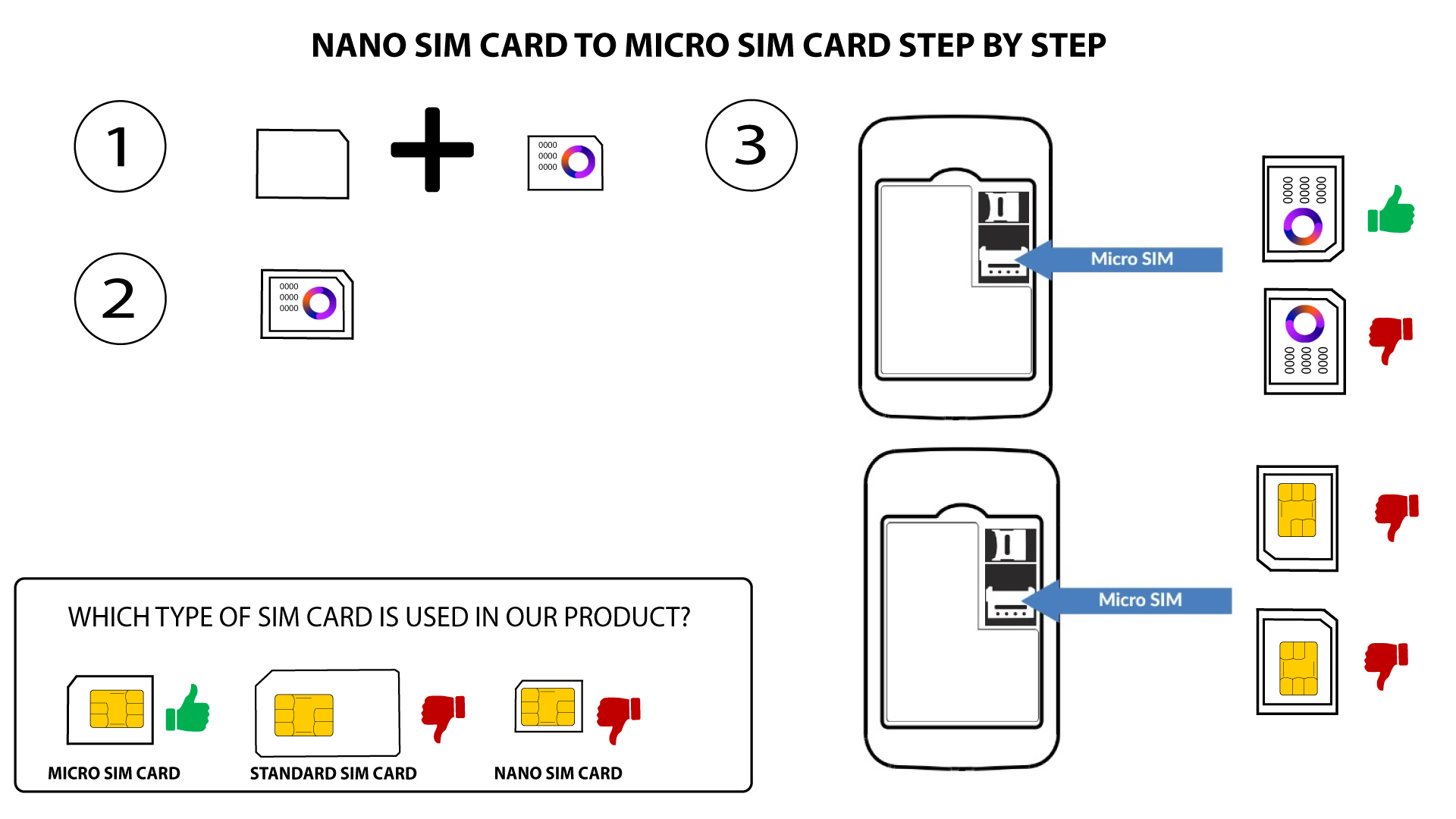

Avviso: assicurarsi che la scheda SIM sia posizionata correttamente nell'adattatore prima di inserirla nell'alloggiamento.
- Se il dispositivo non rileva la scheda SIM, controlla che sia inserita correttamente e verifica che l'adattatore sia inserito nel modo giusto