Wi-Fi 4G AIRSPOT 220 con display
Nessun articolo trovato.
Nessun articolo trovato.
Tutte le domande
Wi-Fi 4G AIRSPOT 220 con display
Nessun articolo trovato.
Nessun articolo trovato.
Come si aggiorna il firmware del dispositivo?
Una volta effettuato l'accesso all'interfaccia utente web, è necessario verificare la versione del firmware in uso sul dispositivo utilizzando l'opzione di aggiornamento online disponibile nell'interfaccia utente web. In questo modo verrà installata la versione più recente del firmware.
Se il router non è aggiornato, segui la procedura riportata di seguito per aggiornare il firmware.
1. Connettitialla rete Wi-Fi del router
- Per aggiornare il firmware del dispositivo, è necessario connettersi alla rete Wi-Fi del router.
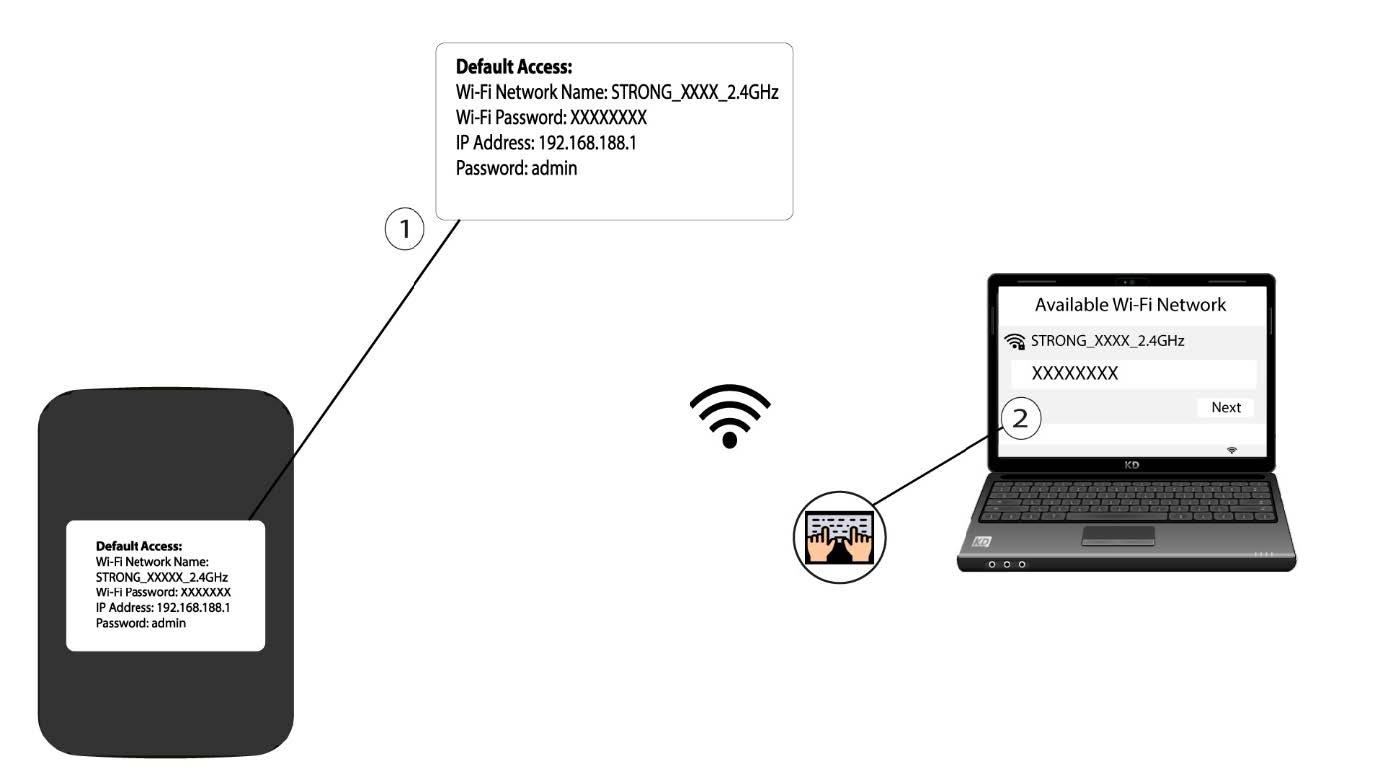
2. Accedereall'indirizzo IP dell'interfaccia utente web
Quindi inserisci il seguente indirizzo IP nel browser: 192.168.188.1.

3. Accedialla pagina di accesso
È necessario inserire la password.

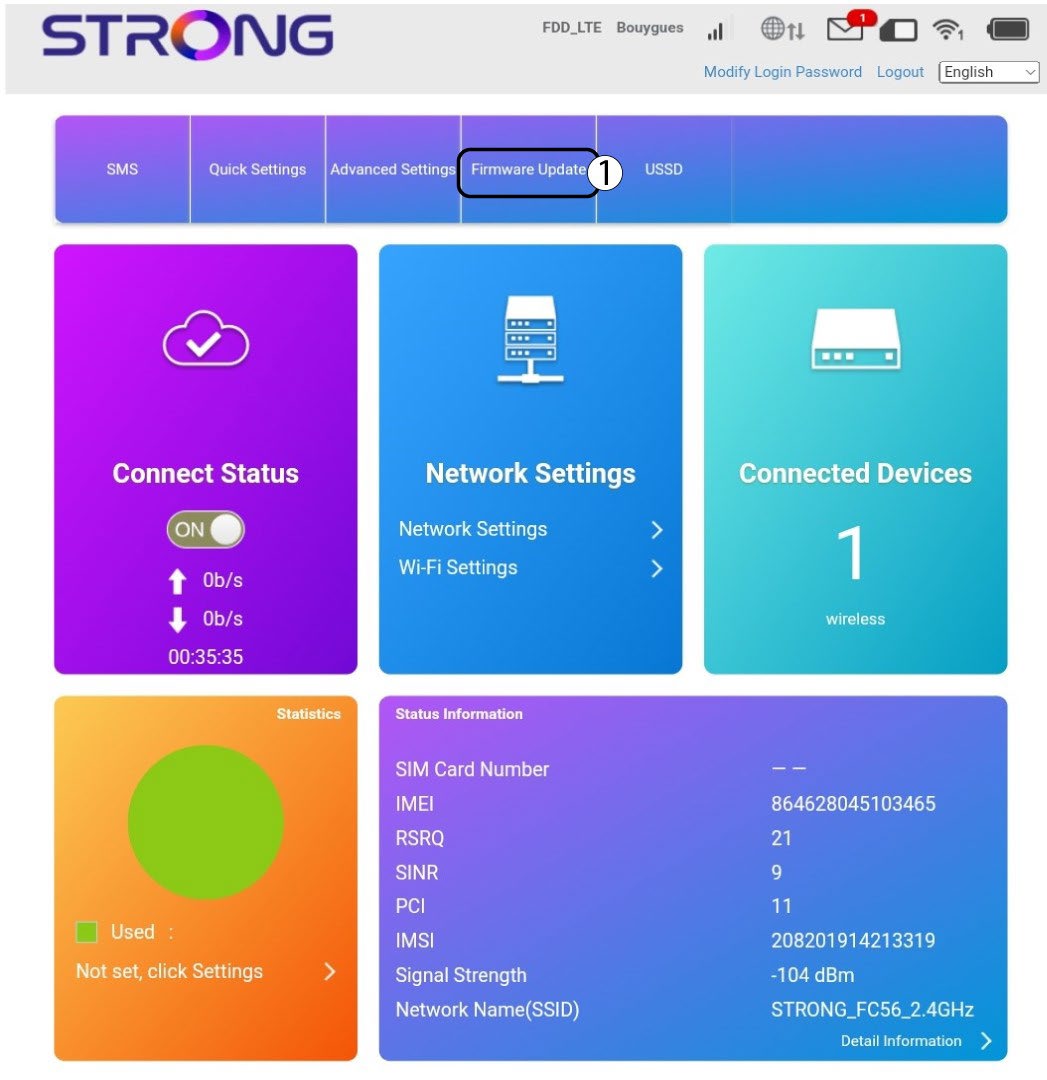
4Aggiornamento
Fare clic su " Aggiornamento firmware".
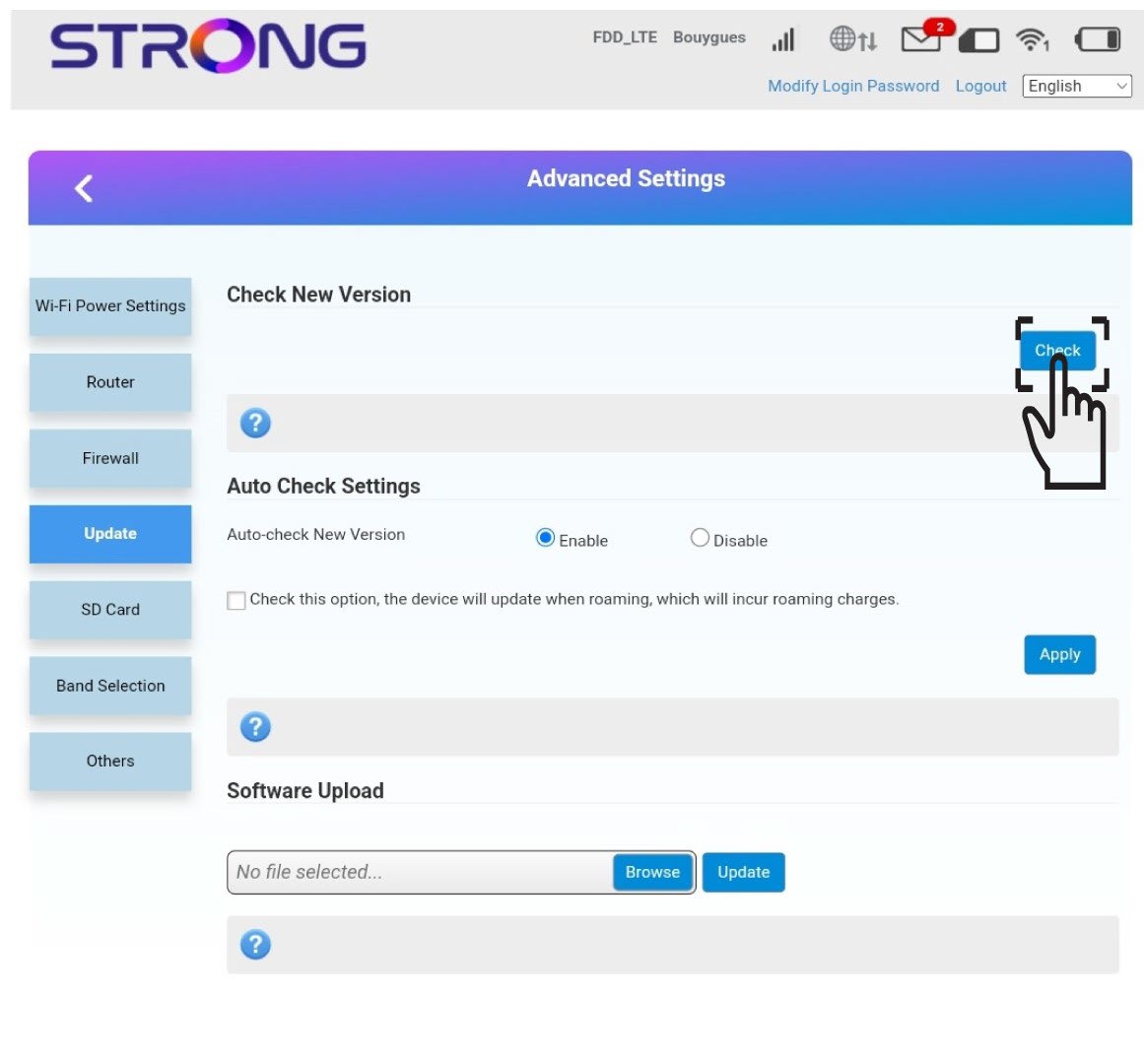
5. Verificala disponibilità di nuove versioni
Fai clic su "Verifica" nella sezione " Verifica nuova versione". La versione più recente del software verrà scaricata automaticamente e dovrai ricollegarti alla rete Wi-Fi per inserire il tuo codice PIN.