
Wi-Fi 4G AIRSPOT 220 con display
Tutte le domande
Wi-Fi 4G AIRSPOT 220 con display
Come si modificano l'SSID (nome della rete Wi-Fi) e la password Wi-Fi?
Nell'interfaccia utente web, ci sono due modi per modificare l'SSID (nome della rete Wi-Fi) e la password Wi-Fi del router:
• Tramite le Impostazioni rapide
• Oppure tramite le Impostazioni Wi-Fi
1 CASO1: Impostazioni rapide
Nell'interfaccia utente web, le Impostazioni rapide ti consentono di modificare le informazioni relative alla tua rete: il suo SSID (nome della rete Wi-Fi) e la password Wi-Fi.
Per farlo, clicca su “Impostazioni rapide ” nella barra in alto.
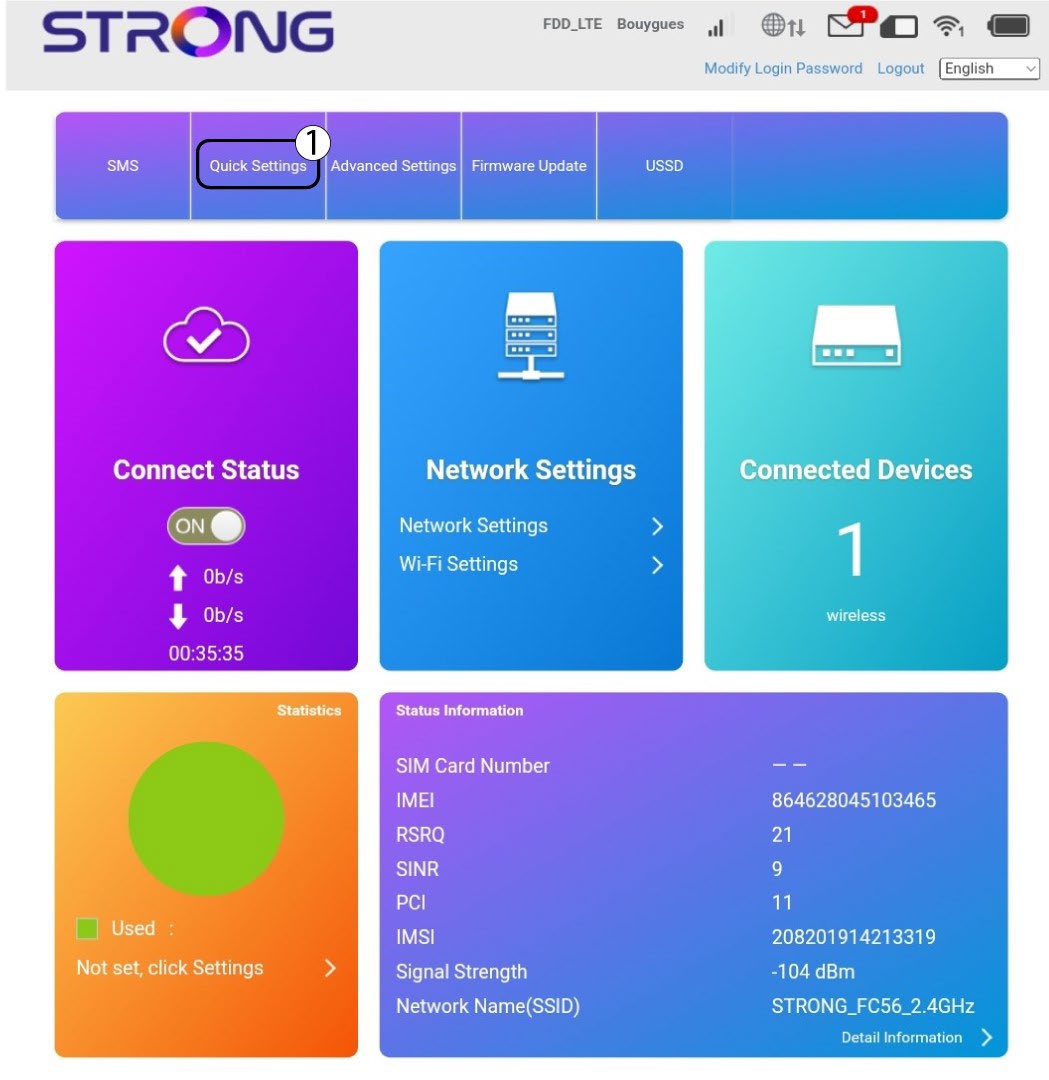
Impostazione 2APN
Fare clic su Avanti.

3SSID
Inserisci il nome della nuova rete e fai clic su Avanti.

4. Inseriscila nuova password
Fare clic su "Mostra
password " e inserire la nuova password per la rete Wi-Fi, quindi fare clic su " Avanti".
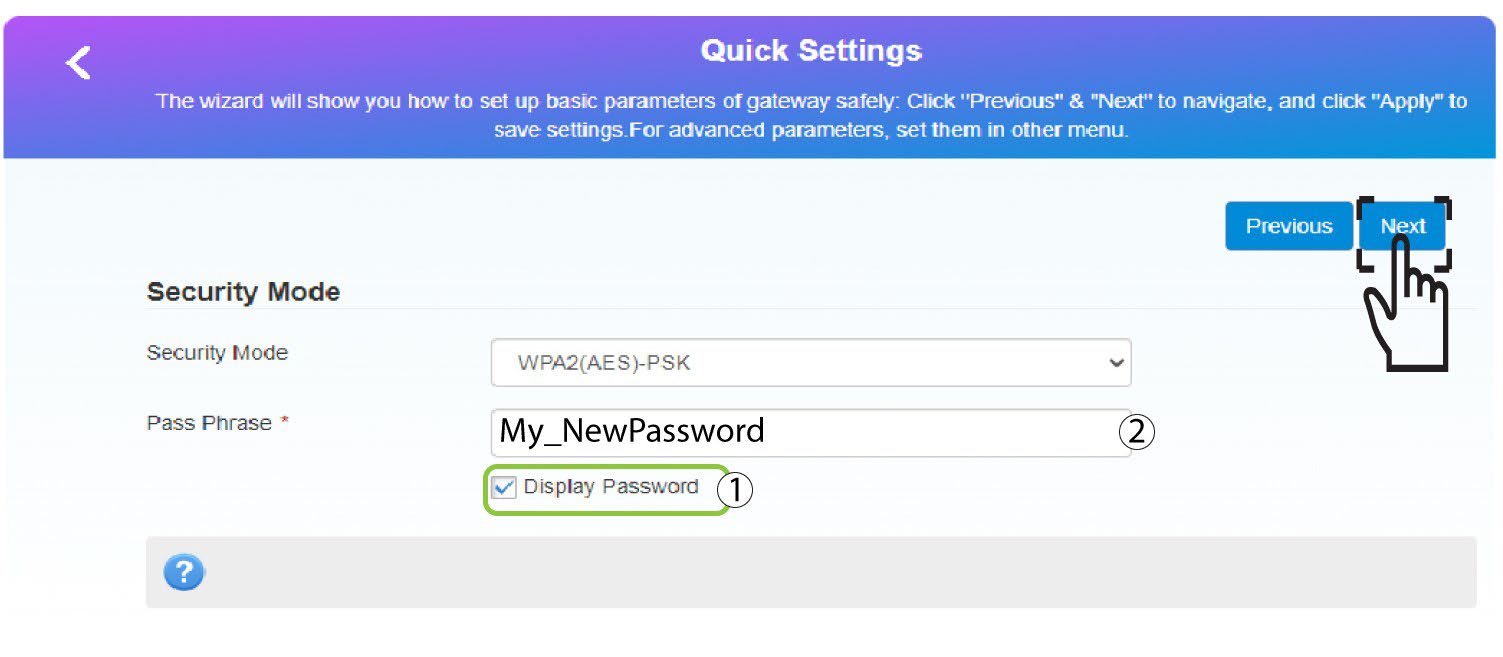
5. Salvale nuove informazioni di rete
Fai clic su " Applica " per salvare le modifiche.
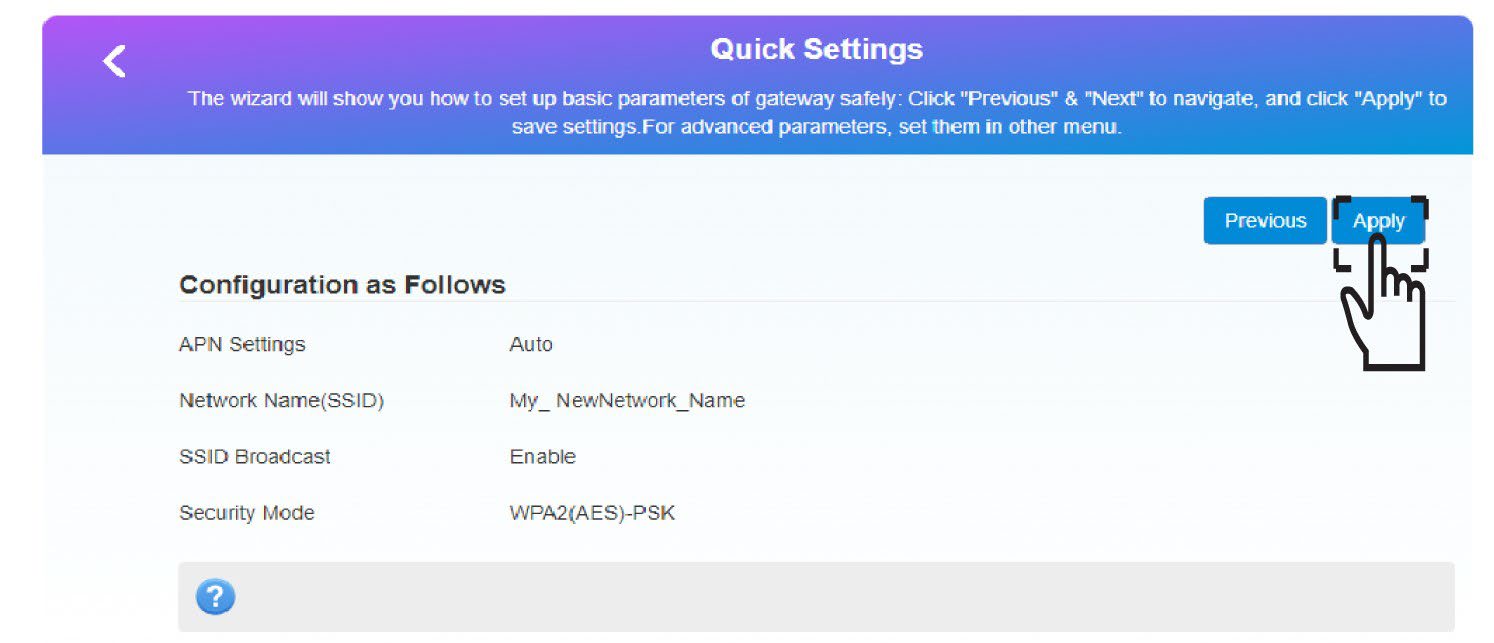
6. Annotarele nuove informazioni di rete
Annota le nuove informazioni di rete su un foglio di carta.
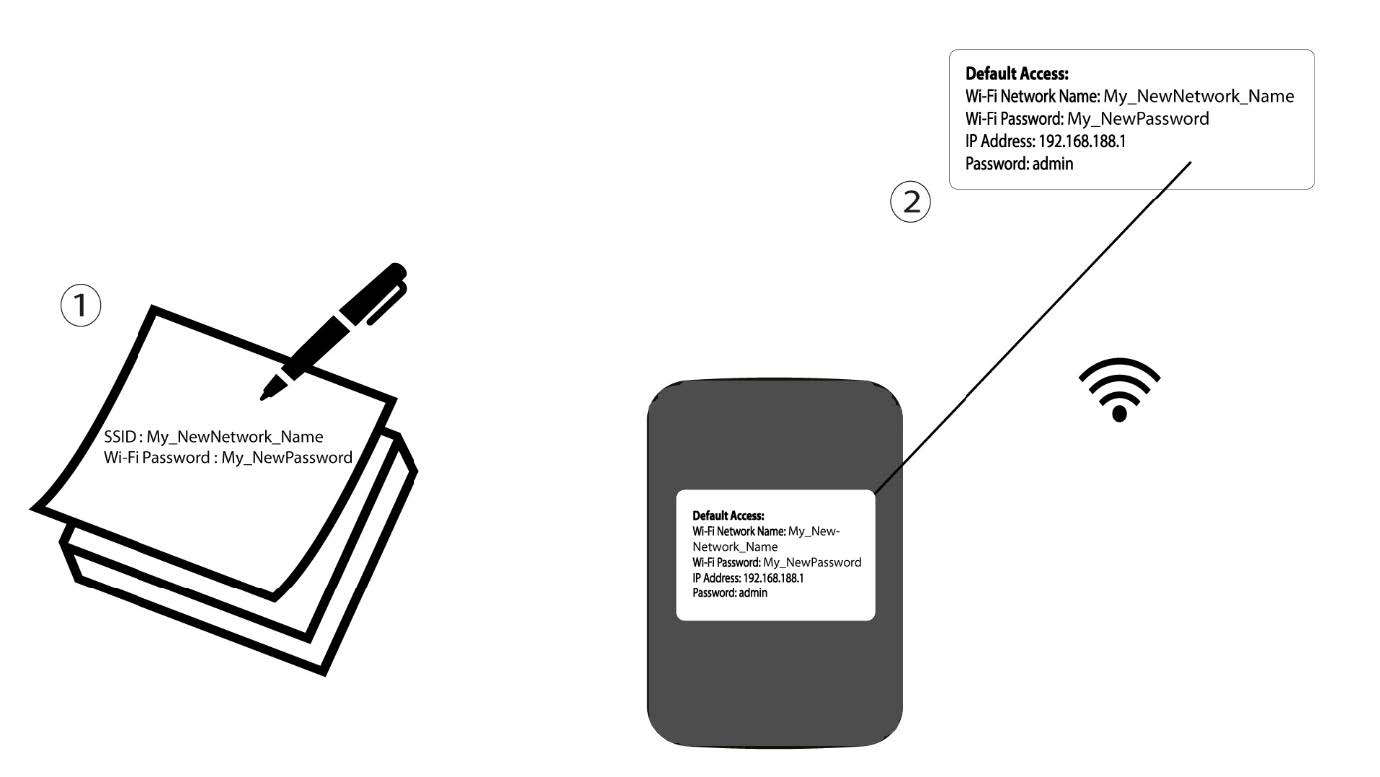
1 CASO2: Impostazioni Wi-Fi
Connettiti alla rete Wi-Fi del tuo router.

2. Accedereall'indirizzo IP dell'interfaccia utente web
A questo punto, digita nel browser il seguente indirizzo IP: 192.168.188.1.

3Accedi
È necessario inserire la password.

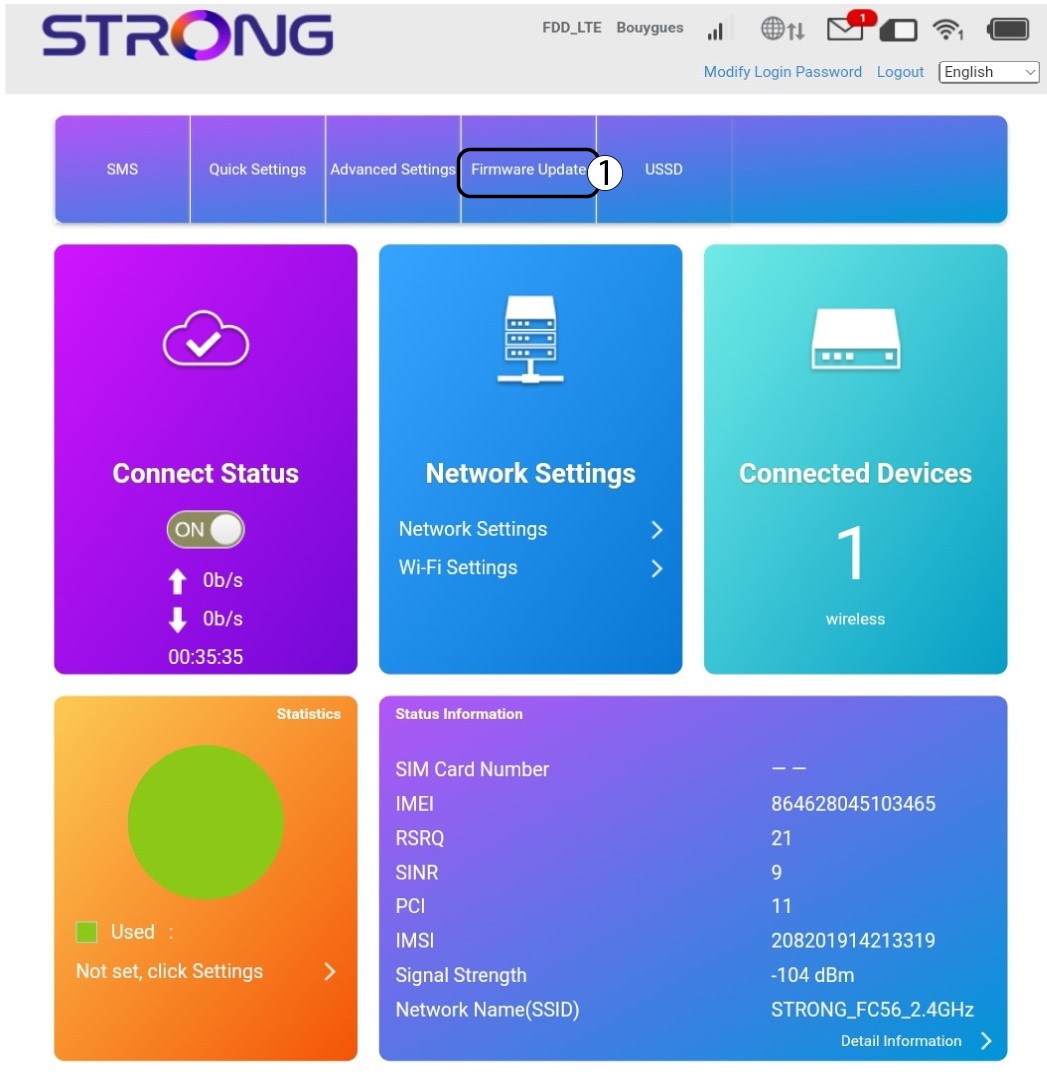
4. Impostazioni Wi-Fi
Fai clic su " Impostazioni Wi-Fi" nella sezione "Impostazioni di rete".
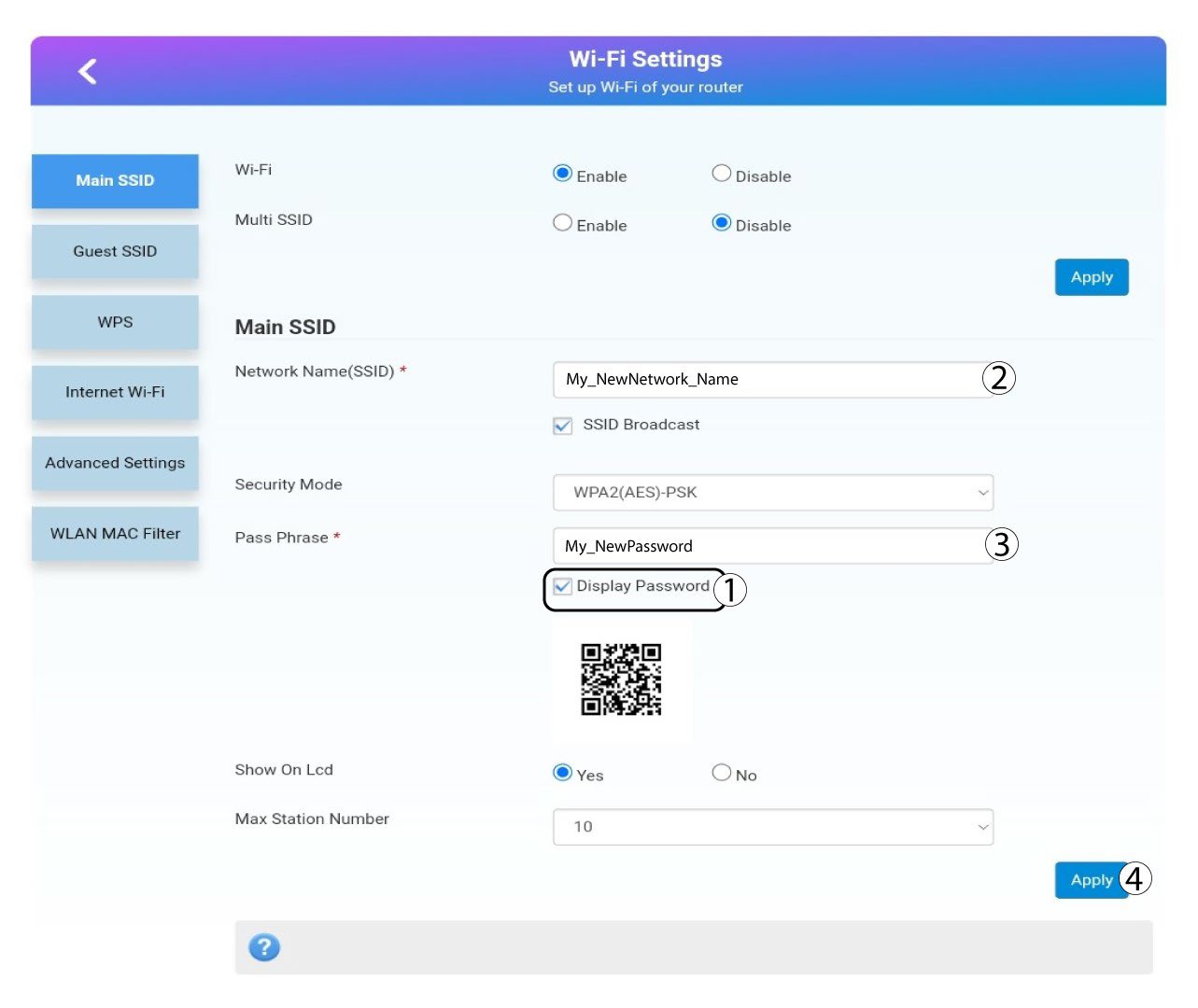
5. Modificapassword
Clicca mostra password e inserisci le seguenti informazioni prima di cliccare Applicare:a. Inserire il nuovo nome della rete.b. Inserisci la nuova password Wi-Fi.
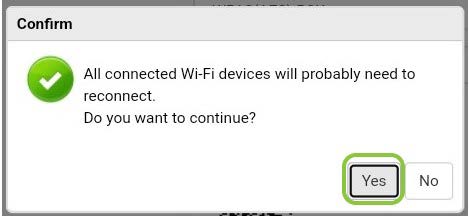
6. Conferma
Nel messaggio a comparsa, fare clic su Sì per applicare le modifiche.
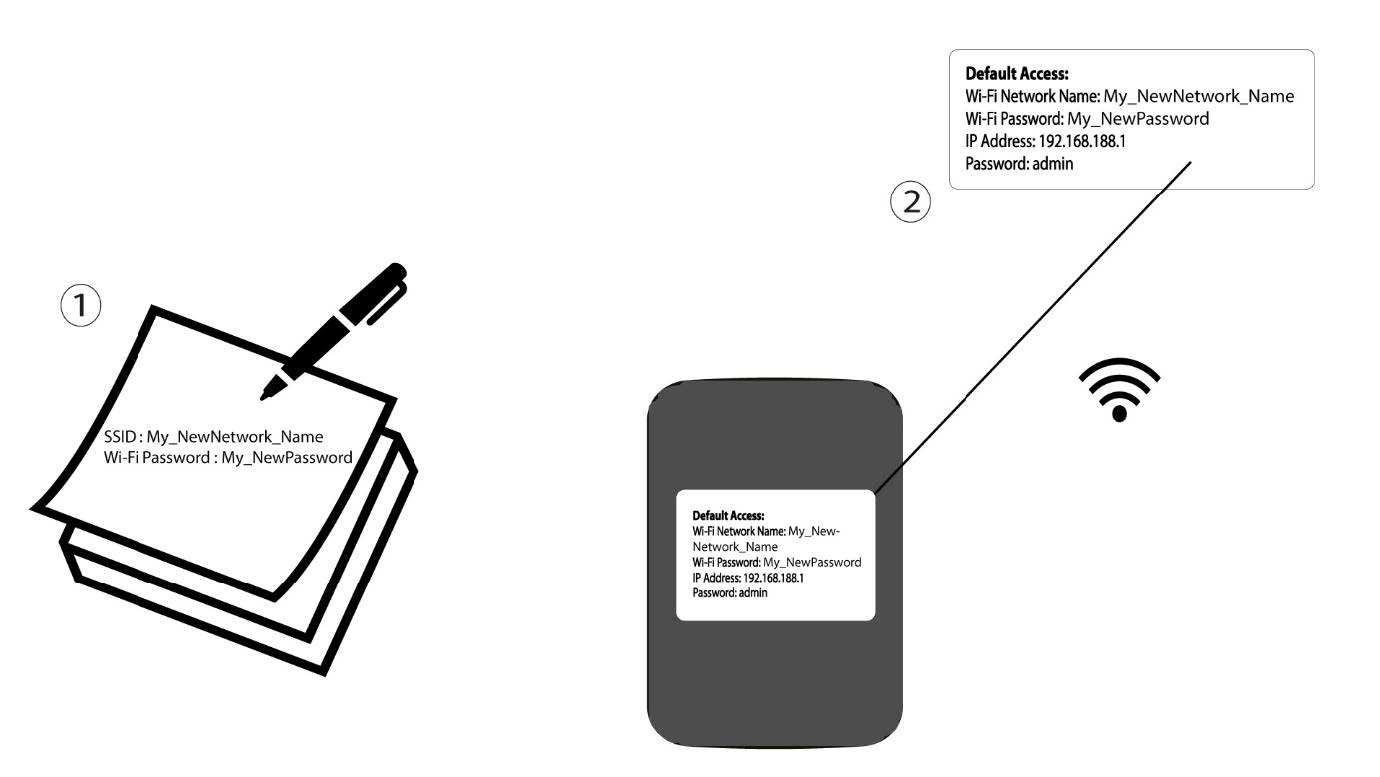
7. Annotarele nuove informazioni di rete
Annota le nuove informazioni di rete su un foglio di carta.

Avviso: dopo aver modificato le impostazioni della rete Wi-Fi, tutti i dispositivi connessi alla rete verranno automaticamente disconnessi.