Wi-Fi 4G AIRSPOT 220 con display
Nessun articolo trovato.
Nessun articolo trovato.
Tutte le domande
Wi-Fi 4G AIRSPOT 220 con display
Nessun articolo trovato.
Nessun articolo trovato.
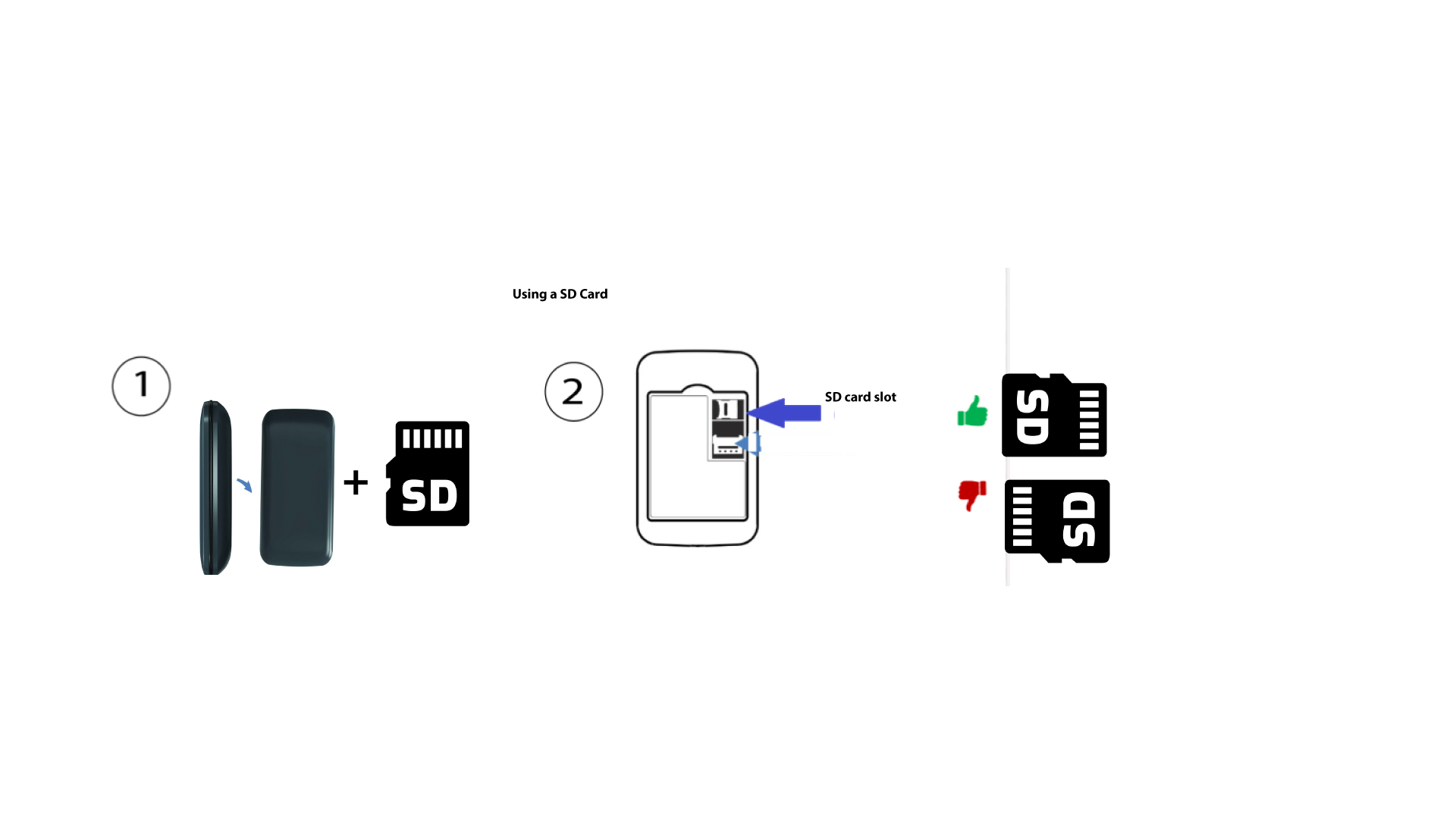
Come si inserisce la scheda SD nell'Hotspot 150?
Come si inserisce la scheda SD nell'Hotspot 150?
Per inserire la scheda SD nel router, è necessario innanzitutto spegnere il dispositivo premendo il pulsante di accensione per cinque secondi.
1
Inserire la scheda SD
Quindi, rimuovere il coperchio e inserire la scheda SD nell'apposito alloggiamento situato nell'angolo in alto a destra sul retro del dispositivo.