
Wi-Fi 4G AIRSPOT 220 con display
Nessun articolo trovato.
Nessun articolo trovato.
Tutte le domande
Wi-Fi 4G AIRSPOT 220 con display
Nessun articolo trovato.
Nessun articolo trovato.
Qual è il significato dei diversi stati della scheda SIM nell'interfaccia utente web e sullo schermo del dispositivo?

Avviso: prima di collegarsi all'interfaccia utente web, assicurarsi che la scheda SIM sia inserita correttamente e che il codice PIN sia disattivato o sia stato inserito.
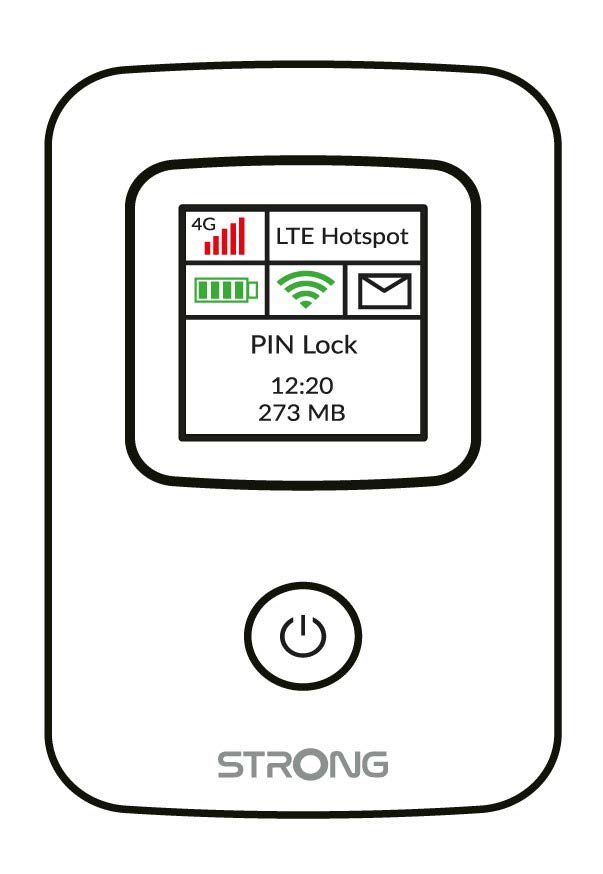
È possibile visualizzare lo stato della propria scheda SIM sullo schermo del 4G PORTABLE HOTSPOT 150:
Inserire la SIM: la scheda SIM non è inserita correttamente nel dispositivo oppure non è presente alcuna scheda SIM nell'apposito alloggiamento.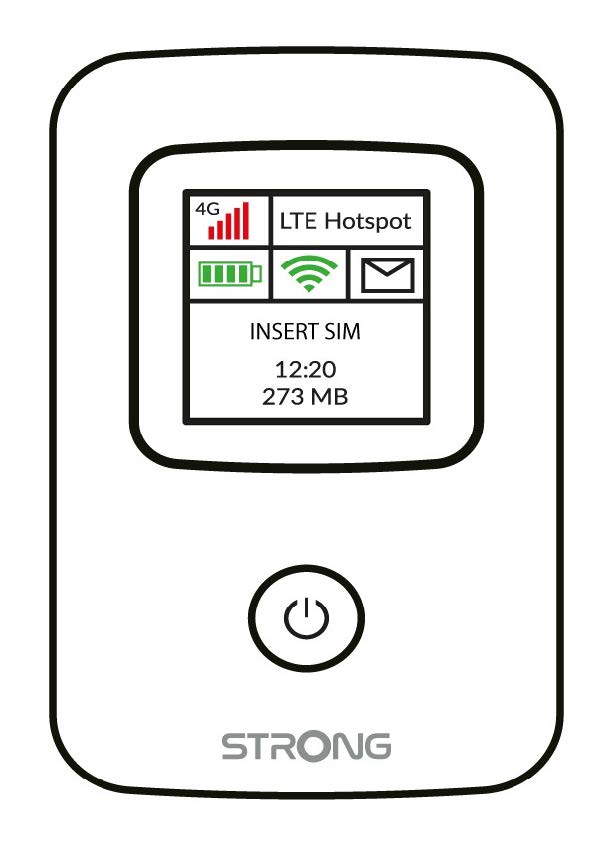
- Blocco PIN: la scheda SIM è inserita e viene rilevata, ma non funziona a causa del codice PIN.
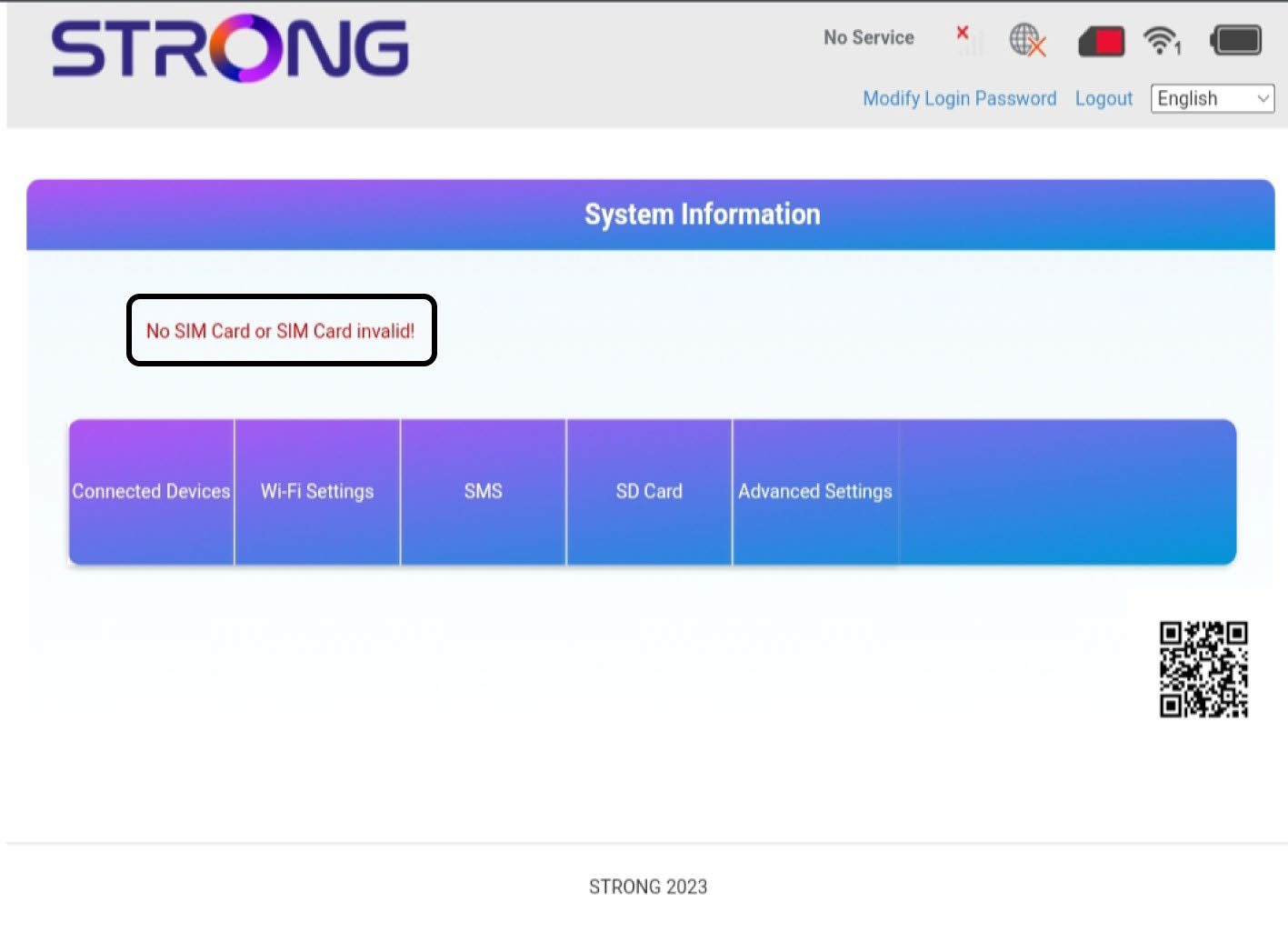
Una volta acceduto all'interfaccia utente web, noterai che accanto alla riga relativa allo stato della scheda SIM possono essere visualizzati diversi stati:
Nessuna scheda SIM o scheda SIM non valida: La scheda SIM è inserita e viene rilevata, ma non funziona a causa del codice PIN.  La scheda SIM non è inserita correttamente nel dispositivo oppure non è presente alcuna scheda SIM nello slot.
Normale: la scheda SIM è inserita correttamente nel dispositivo ed è sbloccata. È possibile visualizzare la pagina principale dell'interfaccia utente web.

- Se la scheda SIM è bloccata con un codice PIN, è necessario collegarsi all'interfaccia utente web per inserirlo e sbloccare la scheda SIM.
- Se la scheda SIM non viene rilevata, verificare che il lato dorato non sia visibile quando la scheda SIM è inserita nell'alloggiamento.
- Se la scheda SIM non è inserita correttamente, reinserirla nell'alloggiamento e verificare che la scheda SIM sia ancora presente nell'adattatore.