Wi-Fi 4G AIRSPOT 220 s displejom
Nenašli sa žiadne položky.
Nenašli sa žiadne položky.
Všetky otázky
Wi-Fi 4G AIRSPOT 220 s displejom
Nenašli sa žiadne položky.
Nenašli sa žiadne položky.
Ako zapnem a vypnem zariadenie?
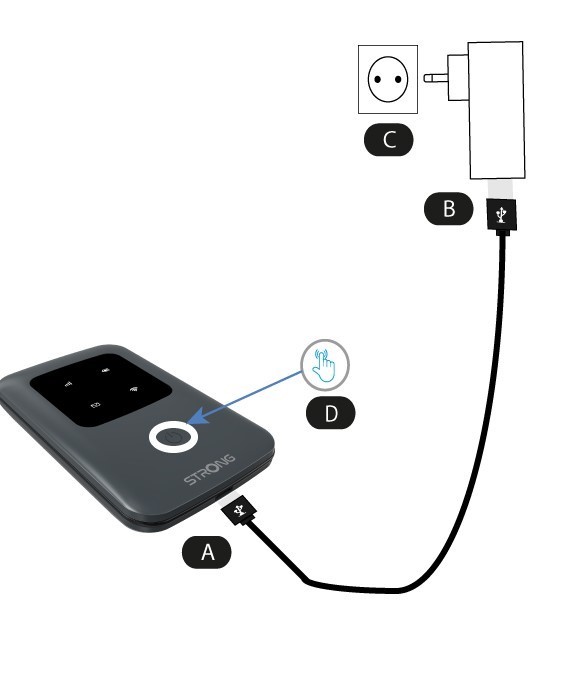
Ak chcete zariadenie zapnúť, musíte ho pred použitím nabiť. Na to pripojte USB kábel k zariadeniu (A) a zapojte zástrčku (B).
1. Tlačidlo napájania
Pripojte USB kábel zo zariadenia (A) k napájaciemu adaptéru (B). Následne ho zapojte do zásuvky (C) a stlačte a podržte tlačidlo napájania po dobu piatich sekúnd (D).
Po niekoľkých sekundách sa rozsvietia LED diódy na zariadení.
Ak ho chcete vypnúť, stačí stlačiť a podržať tlačidlo napájania po dobu 5 sekúnd.