
Wi-Fi 4G AIRSPOT 220 s displejom
Všetky otázky
Wi-Fi 4G AIRSPOT 220 s displejom
Aký typ SIM karty môžem vložiť do svojho routera?
Do slotu na SIM kartu zariadenia 4G PORTABLE HOTSPOT 150/4G PORTABLE HOTSPOT 150 WITH A DISPLAY je potrebné vložiť kartu micro-SIM. Nemusíte sa obávať veľkosti vašej SIM karty, pretože v balení routera sú priložené adaptéry, vďaka ktorým získate správnu veľkosť. SIM kartu je potrebné vložiť pred zapnutím zariadenia.
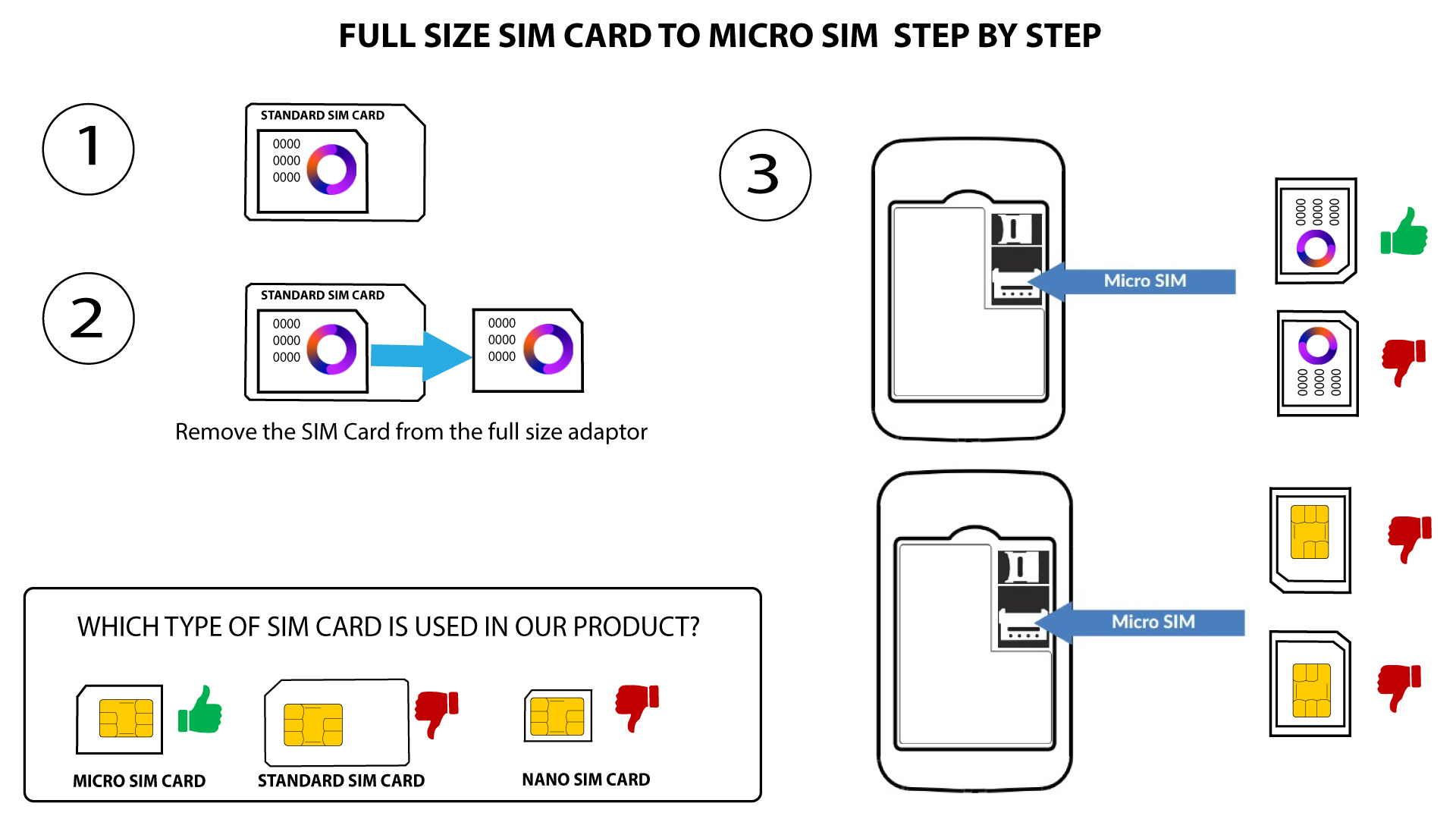
1Prípad1: Premena SIM karty štandardnej veľkosti na kartu Micro SIM
Akonáhle vložíte SIM kartu do adaptéra, pritlačte ju a podržte, aby v ňom zostala na mieste. Vezmite zariadenie do ruky a vložte SIM kartu do otvoru v rovnakej polohe, ako je znázornené na schéme nižšie.
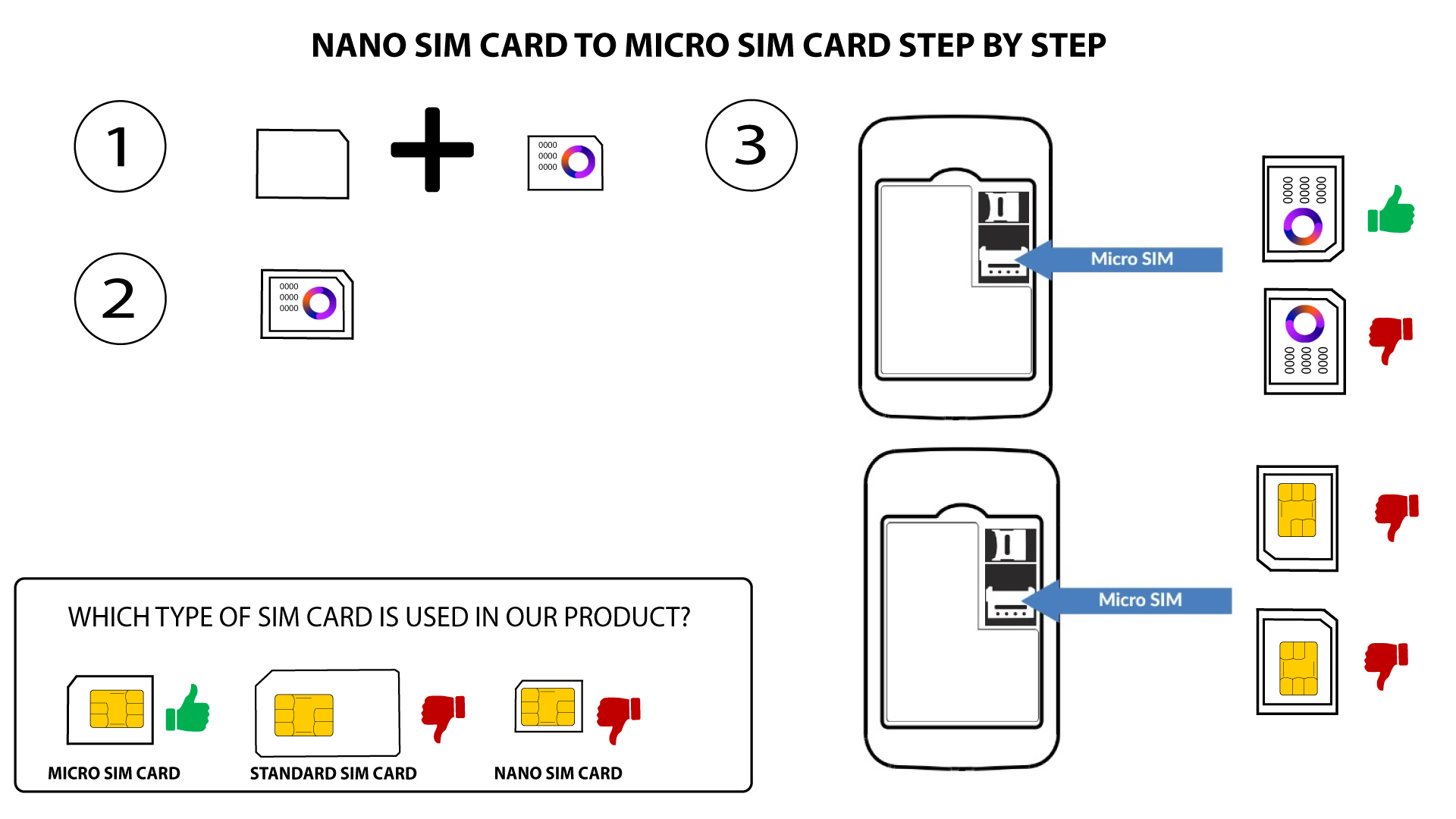
2Prípad2: Premena karty Nano SIM na kartu Micro SIM
Akonáhle vložíte SIM kartu do adaptéra, pritlačte ju a držte ju v ňom, aby sa neposunula. Vezmite zariadenie do ruky a vložte SIM kartu do slotu v rovnakej polohe, ako je znázornené na schéme nižšie.

Upozornenie: Pred vložením do slotu sa uistite, že je vaša SIM karta správne umiestnená v adaptéri.
- Ak zariadenie nerozpozná vašu SIM kartu, skontrolujte jej polohu a či ste adaptér vložili správnym spôsobom