Wi-Fi 4G AIRSPOT 220 s displejom
Nenašli sa žiadne položky.
Nenašli sa žiadne položky.
Všetky otázky
Wi-Fi 4G AIRSPOT 220 s displejom
Nenašli sa žiadne položky.
Nenašli sa žiadne položky.
Ako aktualizovať firmvér zariadenia
Keď ste prihlásení do webového rozhrania, musíte skontrolovať verziu firmvéru, ktorú vaše zariadenie používa, a to pomocou možnosti online aktualizácie v webovom rozhraní. Týmto spôsobom sa nainštaluje najnovšia verzia firmvéru.
Ak váš router nie je aktualizovaný, postupujte podľa nižšie uvedených pokynov na aktualizáciu firmvéru.
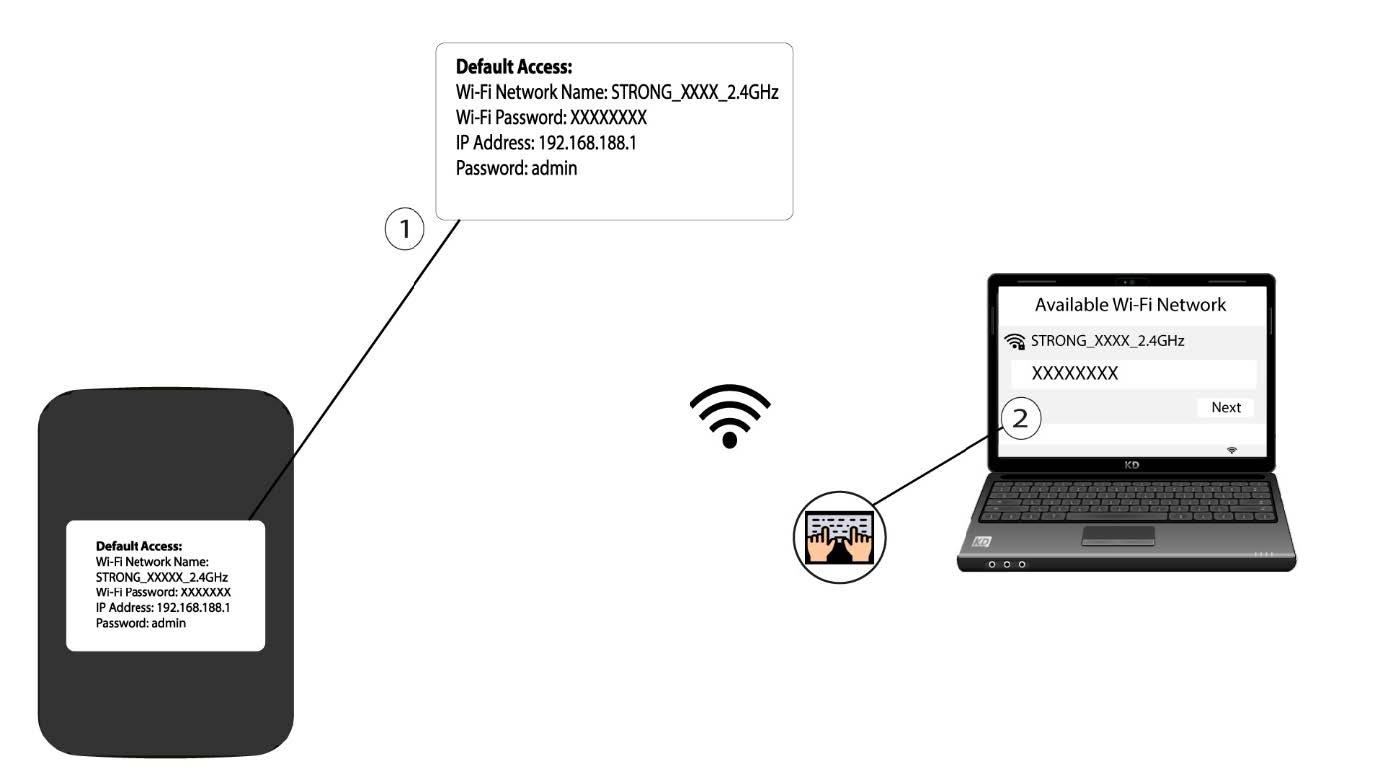
1. Pripojtesa k Wi-Fi sieti routera
- Ak chcete aktualizovať firmvér zariadenia, musíte sa pripojiť k sieti Wi-Fi vášho routera.
2. ZadajteIP adresu webového rozhrania
Potom do prehliadača zadajte nasledujúcu IP adresu: 192.168.188.1.

3Prejditena stránku prihlásenia
Musíte zadať heslo.

4Aktualizácia
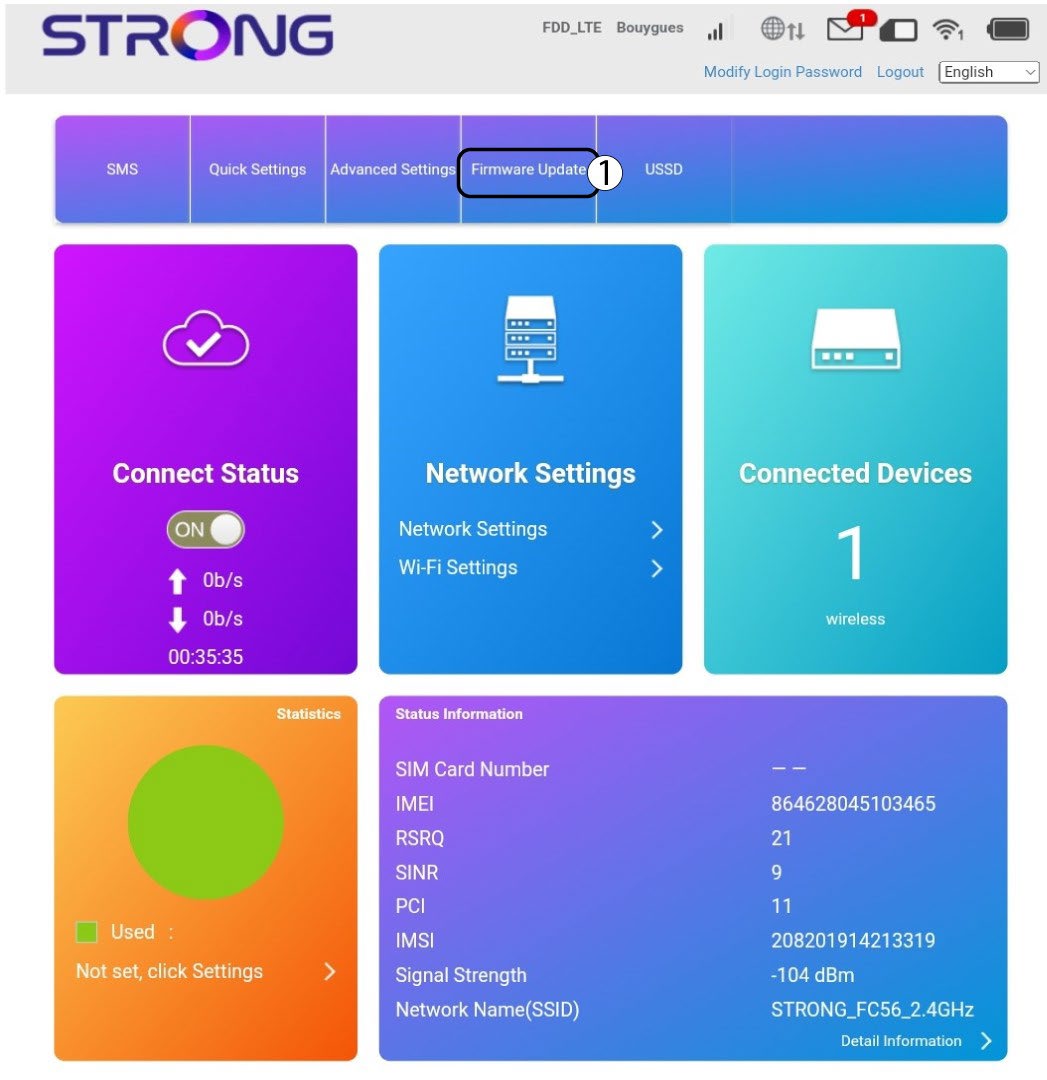
Kliknite na položku „Aktualizácia firmvéru“.
5Skontrolujte, či sú k dispozícii nové verzie
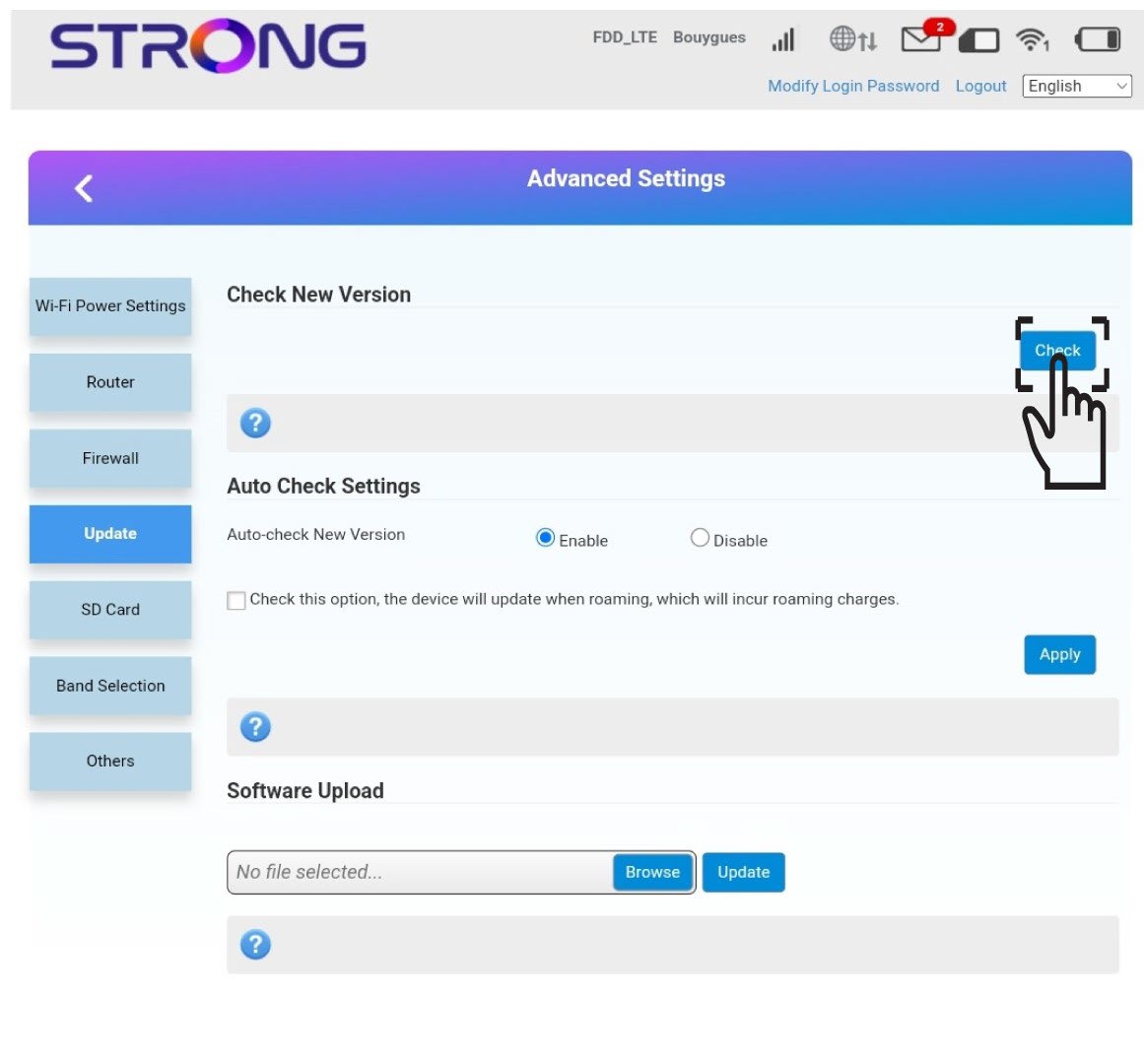
V časti „Skontrolovať novú verziu“ kliknite na tlačidlo „Skontrolovať “. Najnovšia verzia softvéru sa automaticky stiahne a budete sa musieť znovu pripojiť k sieti Wi-Fi, aby ste mohli zadať svoj PIN kód.