4G AIRSPOT 220 Wi-Fi med display
Alla frågor
4G AIRSPOT 220 Wi-Fi med display
Hur ändrar jag PIN-koden för SIM-kortet?
Det går att ändra PIN-koden för ditt SIM-kort i webbgränssnittet. Följ anvisningarna nedan för att göra detta. Du måste vara inloggad på webbgränssnittet.
1. Ansluttill routerns Wi-Fi-nätverk
1.
För att göra detta anger du routerns SSID (Wi-Fi-
nätverksnamn) och Wi-Fi-lösenord på din enhet.

2. Gåtill webbgränssnittets IP-adress
Ange sedan följande IP-adress i din webbläsare: 192.168.188.1

3Inloggning
Du måste ange lösenordet. Klicka sedan på ”Logga in”.

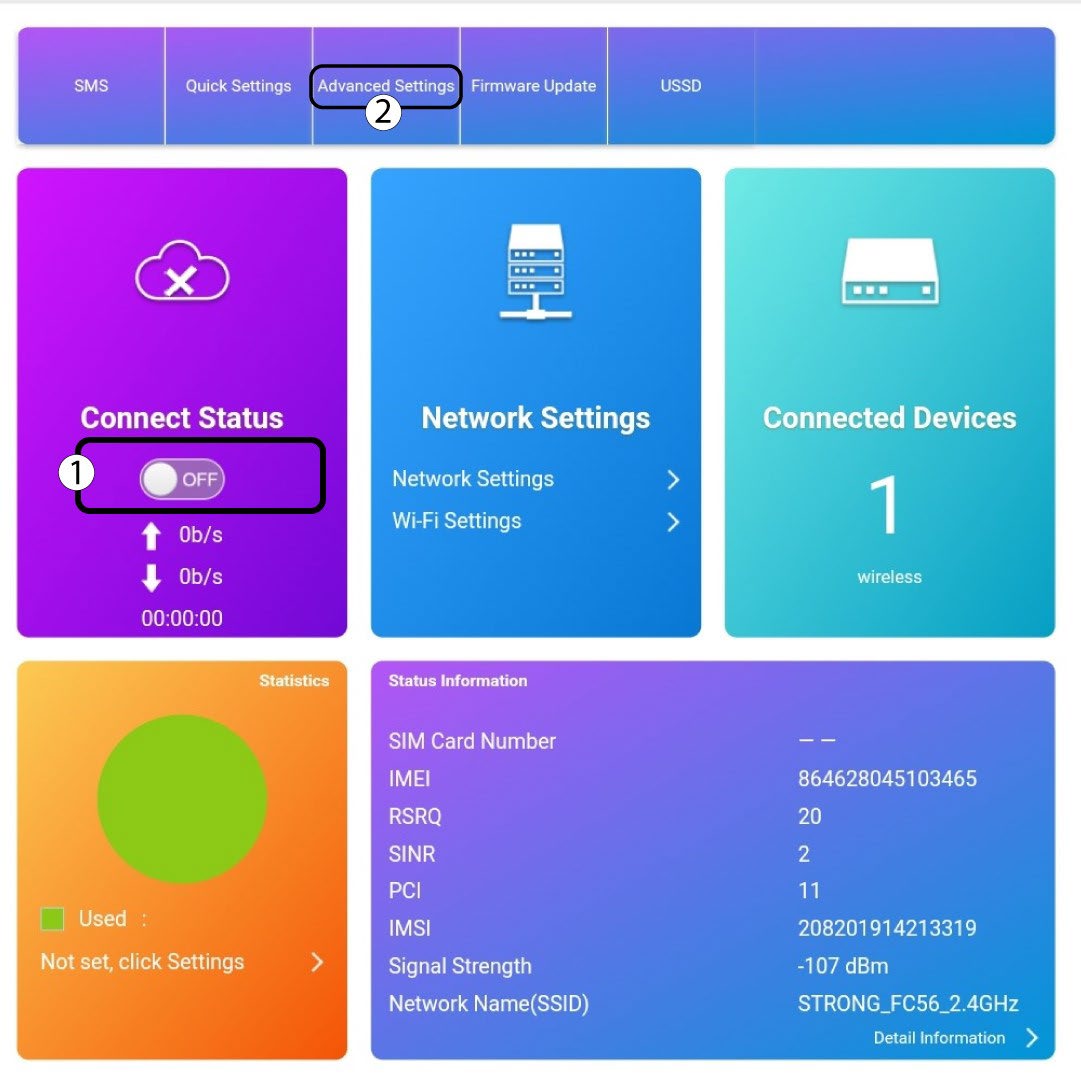
4Anslutningsstatus
Klicka på växlingsknappen i avsnittet ”Anslutningsstatus” och klicka sedan på ”Avancerade inställningar”
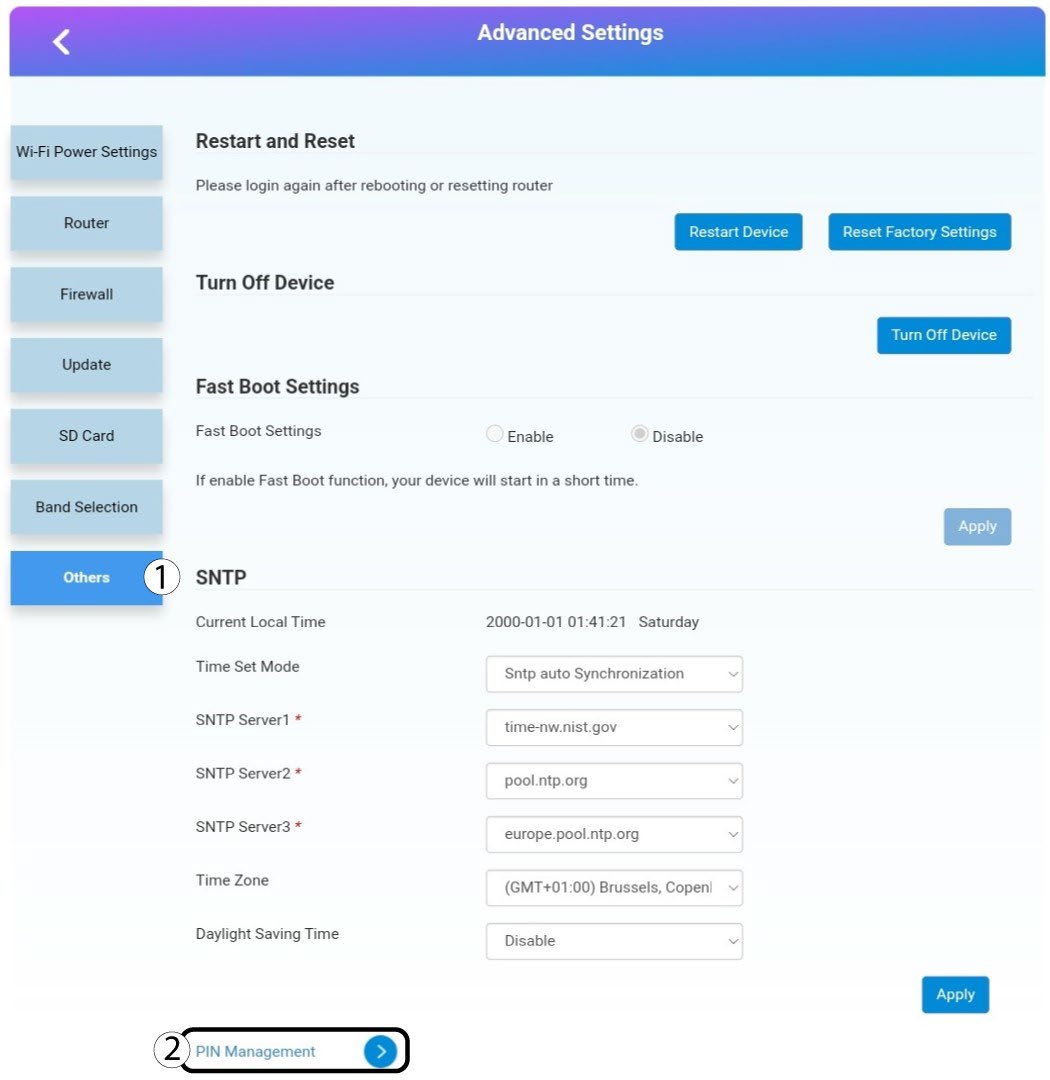
5Avanceradeinställningar
Klicka på ”Övrigt”. Klicka sedan på ”PIN -hantering”.
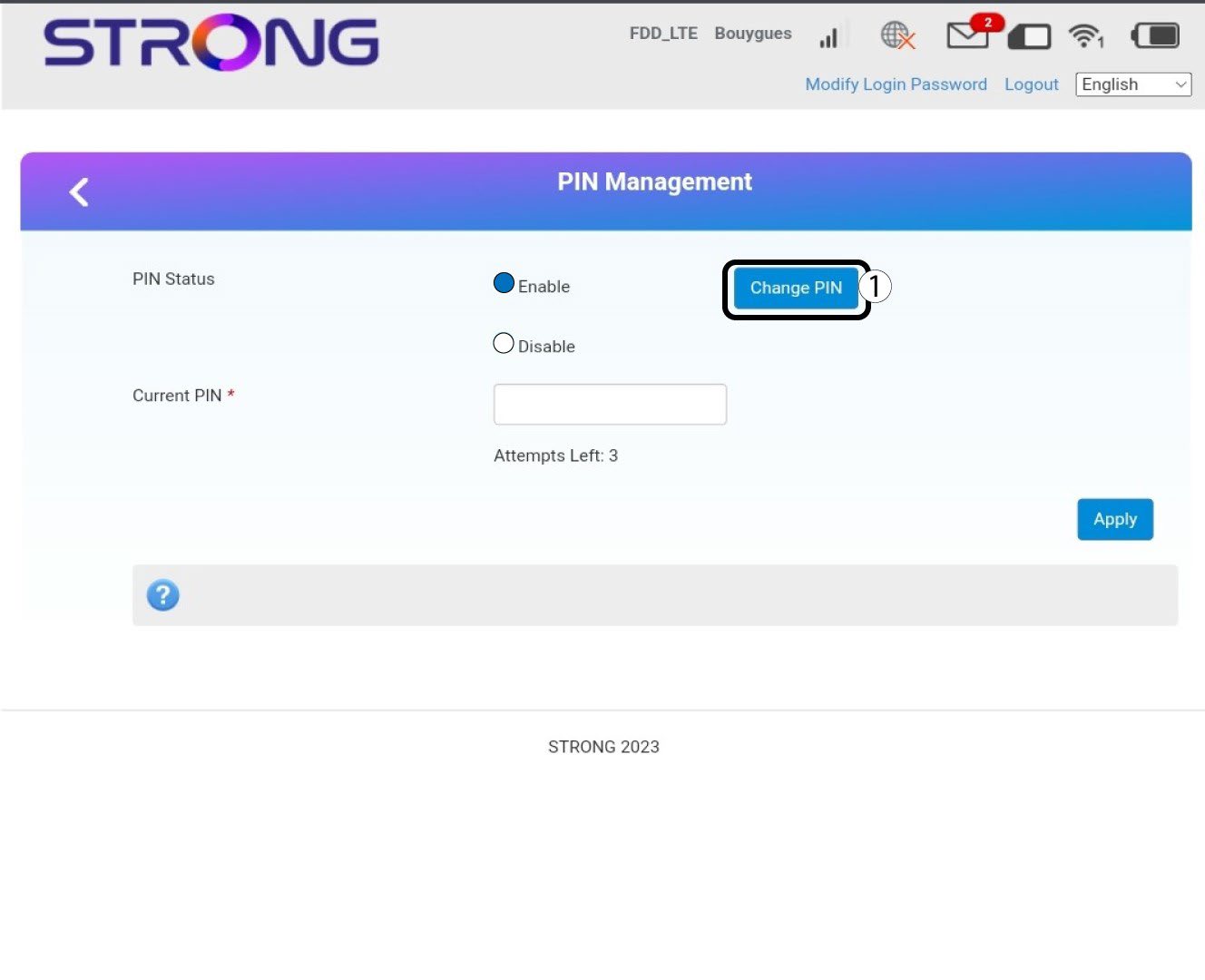
6-stiftshantering
Klicka på ”Ändra PIN-kod”.
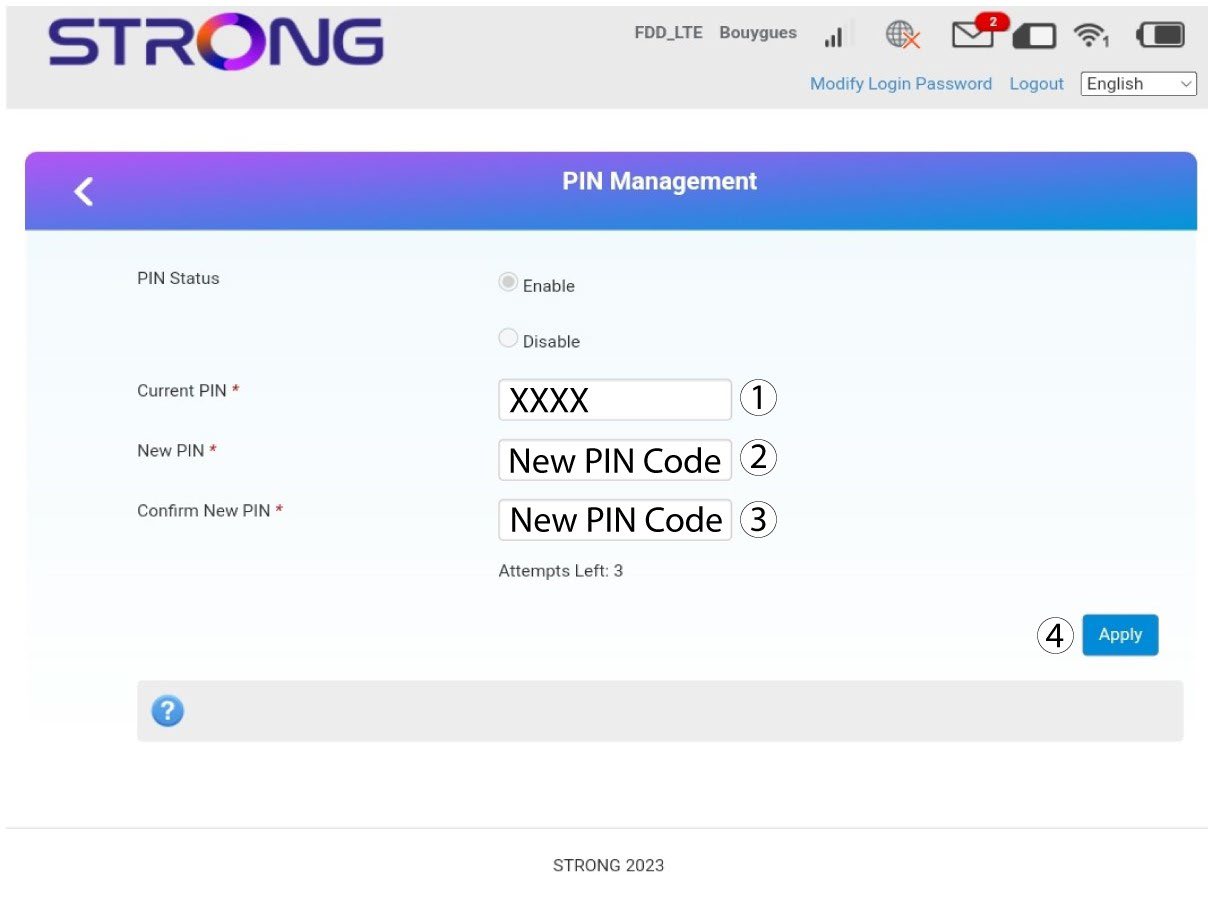
7Angeden nya PIN-koden
Ange följande uppgifter innan du klickar på ”Apply”:
· Nuvarande PIN-kod: Ange din nuvarande PIN-kod.
· Ny PIN-kod: Ange din nya PIN-kod.
· Bekräfta ny PIN-kod: Ange den nya PIN-koden.