
4G AIRSPOT 220 Wi-Fi med display
Alla frågor
4G AIRSPOT 220 Wi-Fi med display
Hur ändrar jag SSID (Wi-Fi-nätverksnamnet) och Wi-Fi-lösenordet?
I webbgränssnittet finns det två sätt att ändra SSID (Wi-Fi-nätverksnamn) och Wi-Fi-lösenordet för din router:
• Genom att använda snabbinställningarna
• Eller genom att använda Wi-Fi-inställningarna
1FALL1: Snabbinställningar
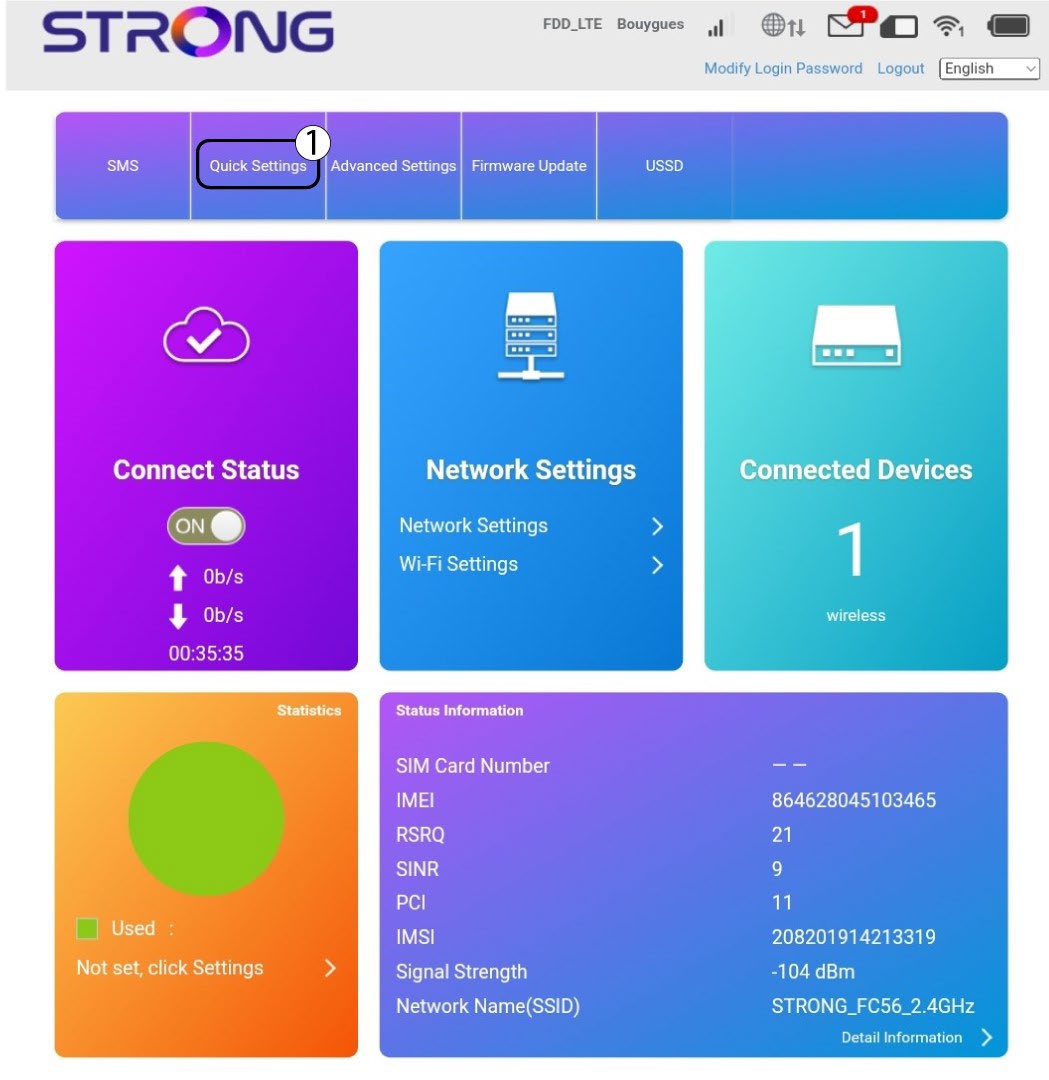
I webbgränssnittet kan du med hjälp av snabbinställningarna ändra uppgifterna för ditt nätverk: dess SSID (Wi-Fi-nätverksnamn) och Wi-Fi-lösenord.
För att göra det klickar du på ”Snabbställningar” i den övre fältet.
2APN-inställning
Klicka på Nästa.

3SSID
Ange det nya nätverksnamnet och klicka på Nästa.

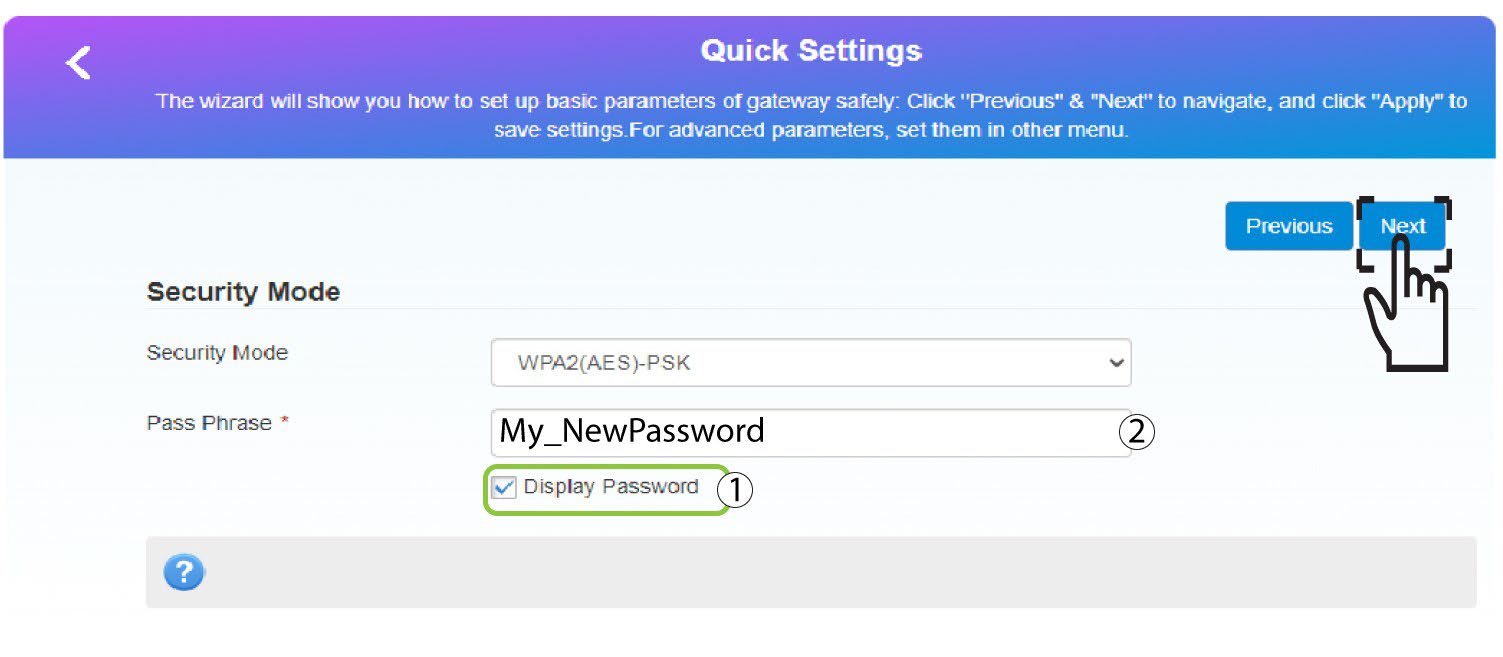
4Angedet nya lösenordet
Klicka på ”Visa
lösenord ” och ange det nya lösenordet för Wi-Fi-nätverket. Klicka sedan på ”Nästa”.
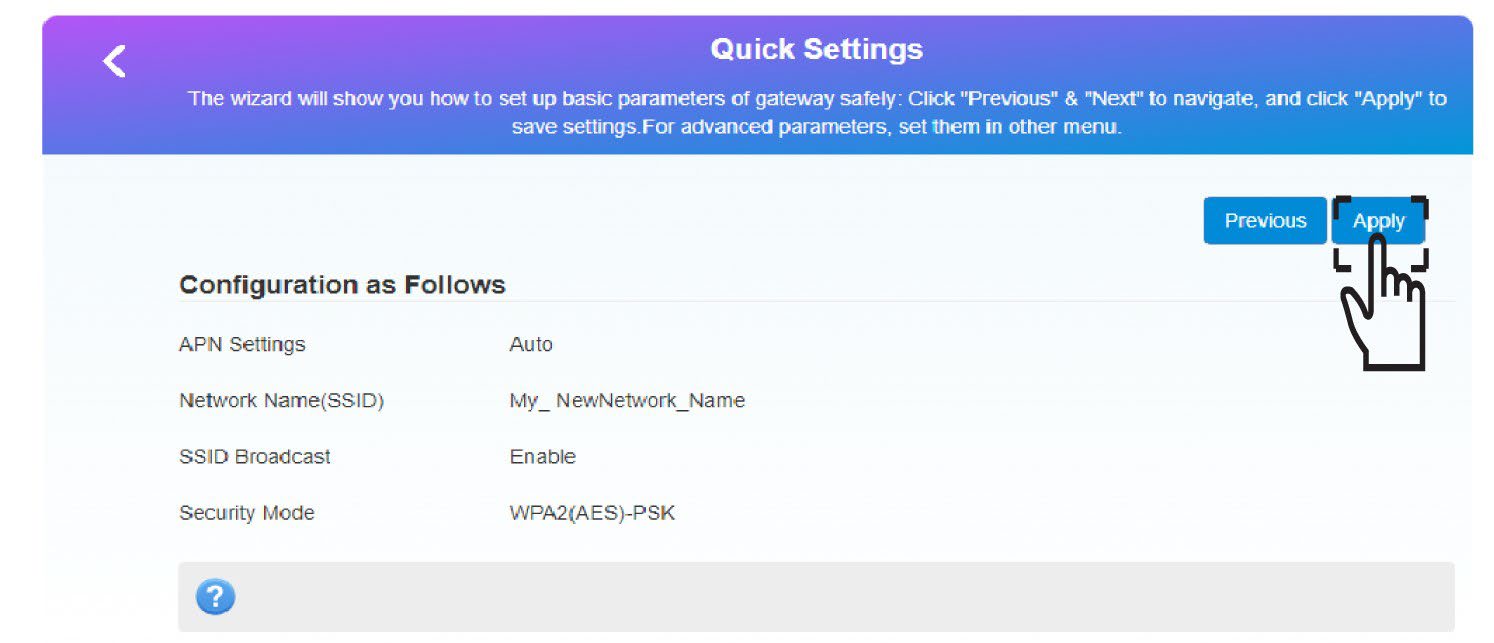
5Sparaden nya nätverksinformationen
Klicka på ”Apply” för att spara ändringarna.
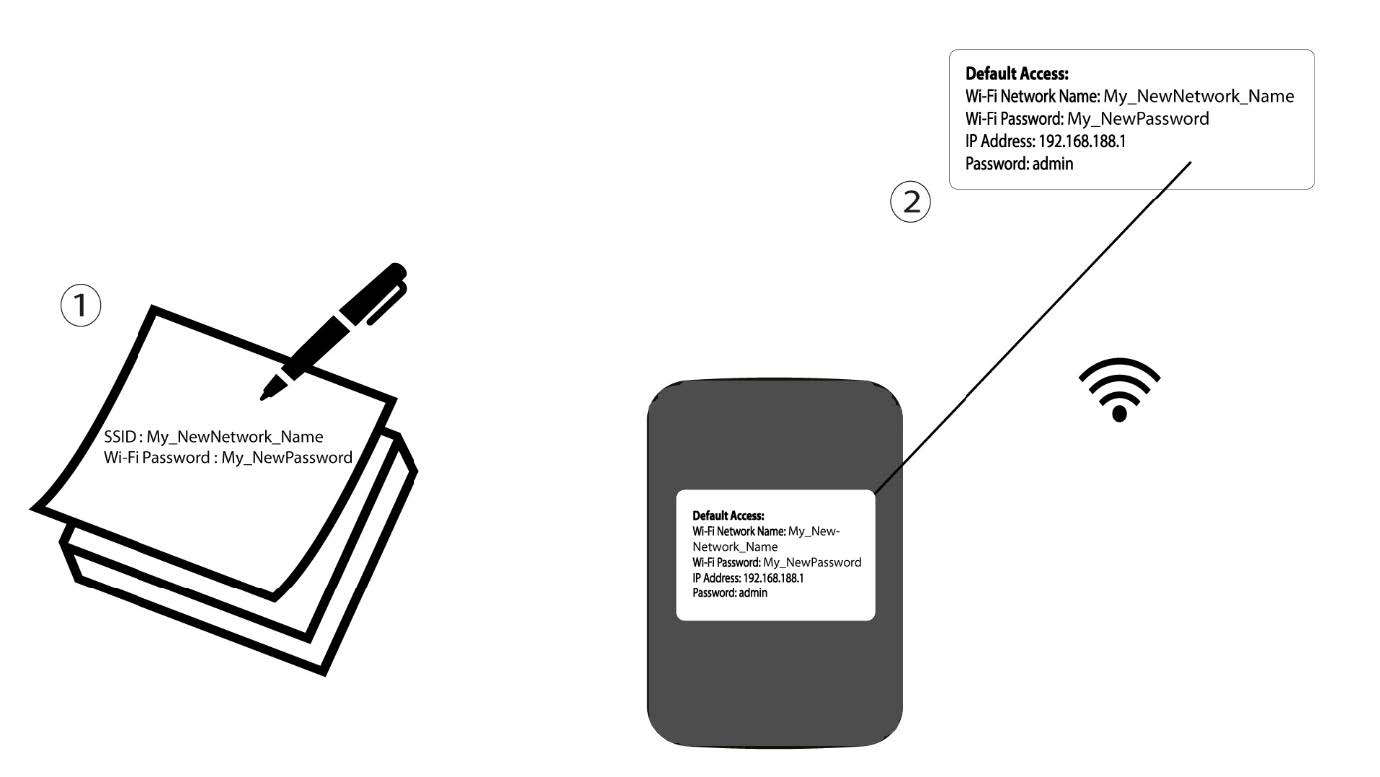
6. Skrivner de nya nätverksuppgifterna
Skriv ner de nya nätverksuppgifterna på ett papper.
1FALL2: Wi-Fi-inställningar
Anslut till routerns Wi-Fi-nätverk.

2. Gåtill webbgränssnittets IP-adress
Ange sedan följande IP-adress: 192.168.188.1 i din webbläsare.

3Inloggning
Du måste ange lösenordet.

4. Wi-Fi-inställningar
Klicka på ”Wi-Fi-inställningar” i avsnittet ”Nätverksinställningar”.
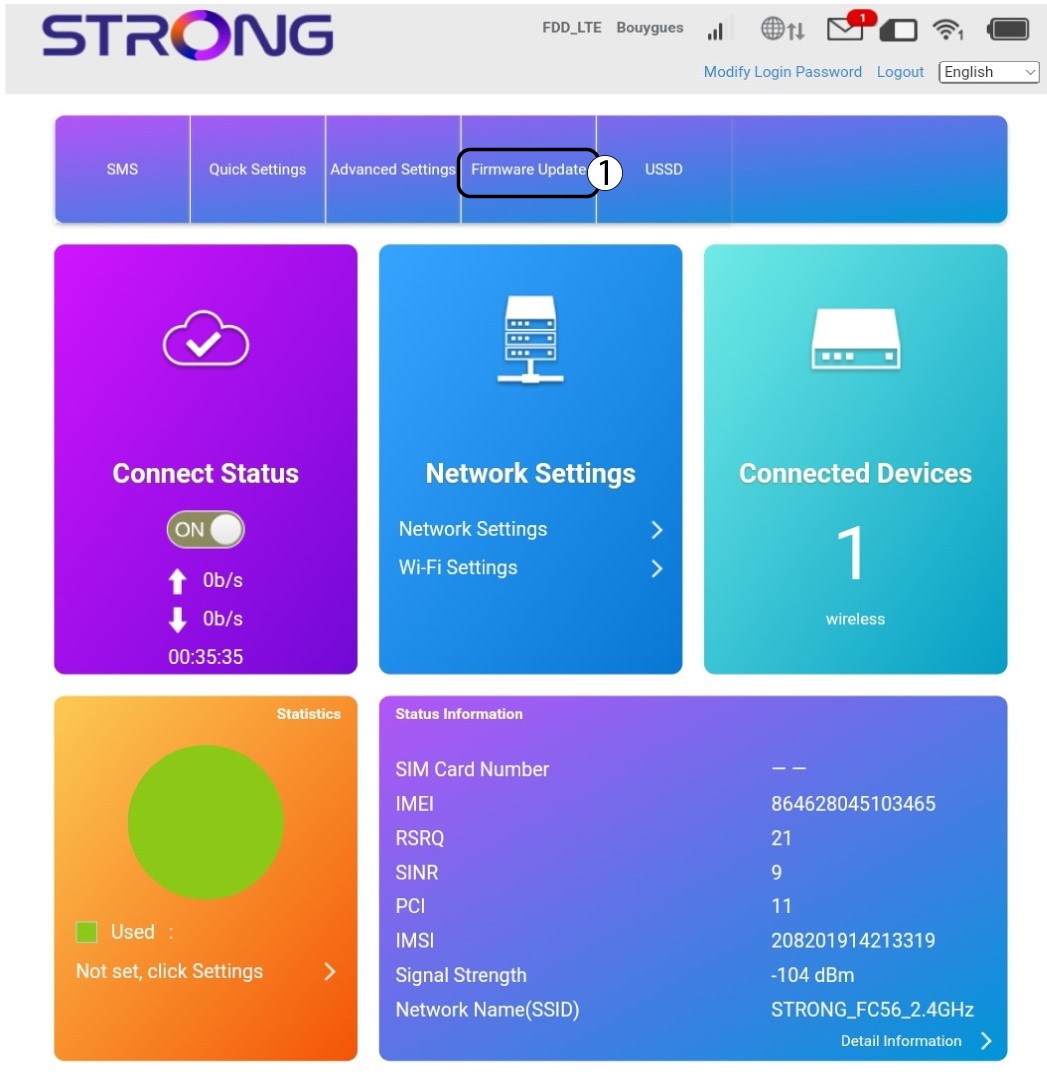
5Ändralösenord
Klicka visa lösenord och ange följande uppgifter innan du klickar på Tillämpa:a. Ange det nya nätverksnamnet.b. Ange det nya Wi-Fi-lösenordet.
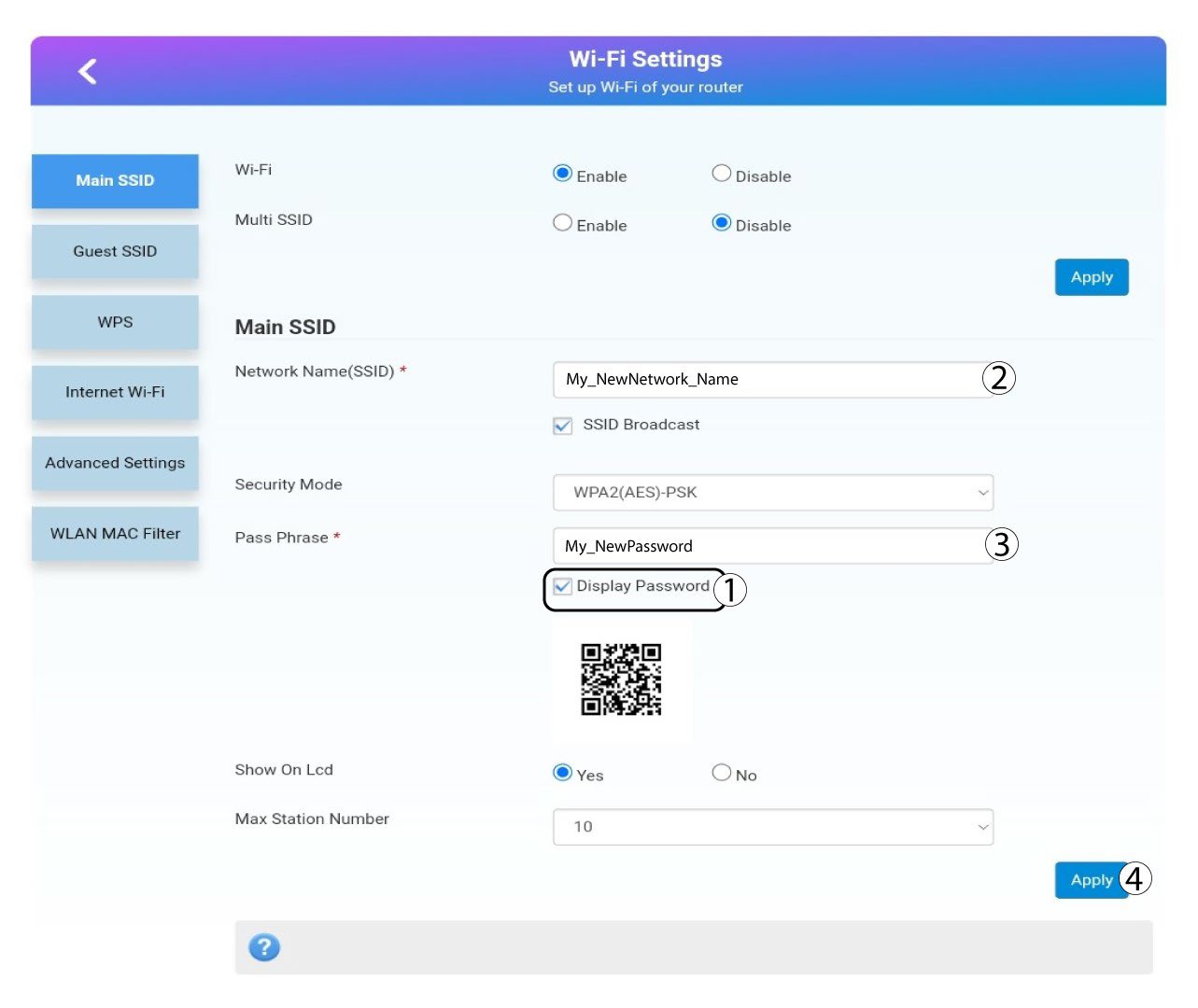
6Bekräftelse
Klicka på Ja i popup-meddelandet för att spara dina ändringar.
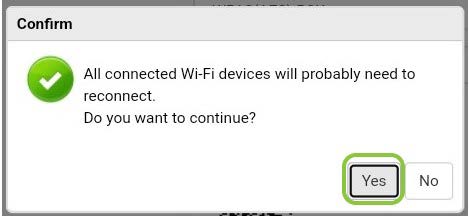
7. Skrivner de nya nätverksuppgifterna
Skriv ner de nya nätverksuppgifterna på ett papper.
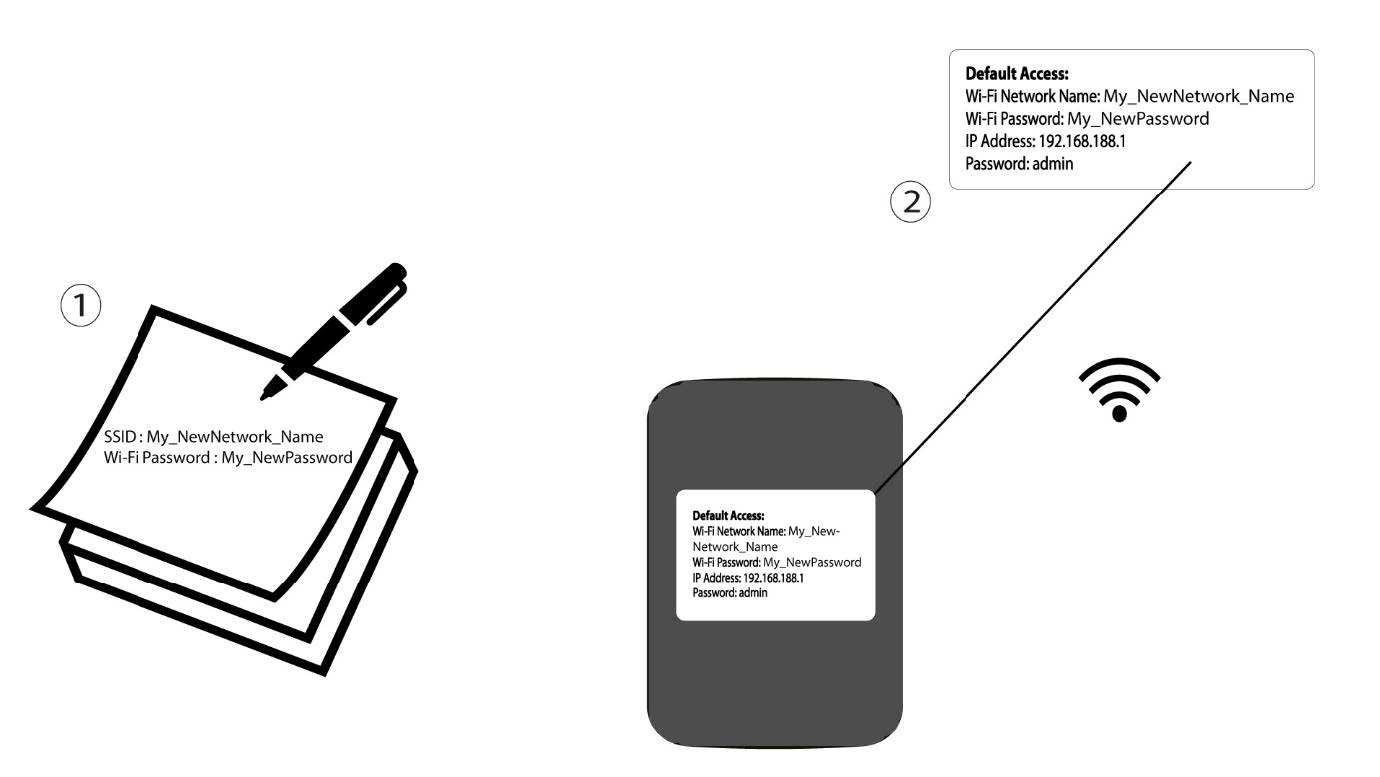

Varning: När du ändrar uppgifterna för Wi-Fi-nätverket kommer alla enheter som var anslutna till nätverket automatiskt att kopplas bort.