
4G AIRSPOT 220 Wi-Fi med display
Alla frågor
4G AIRSPOT 220 Wi-Fi med display
Vilken typ av SIM-kort kan jag sätta i min router?
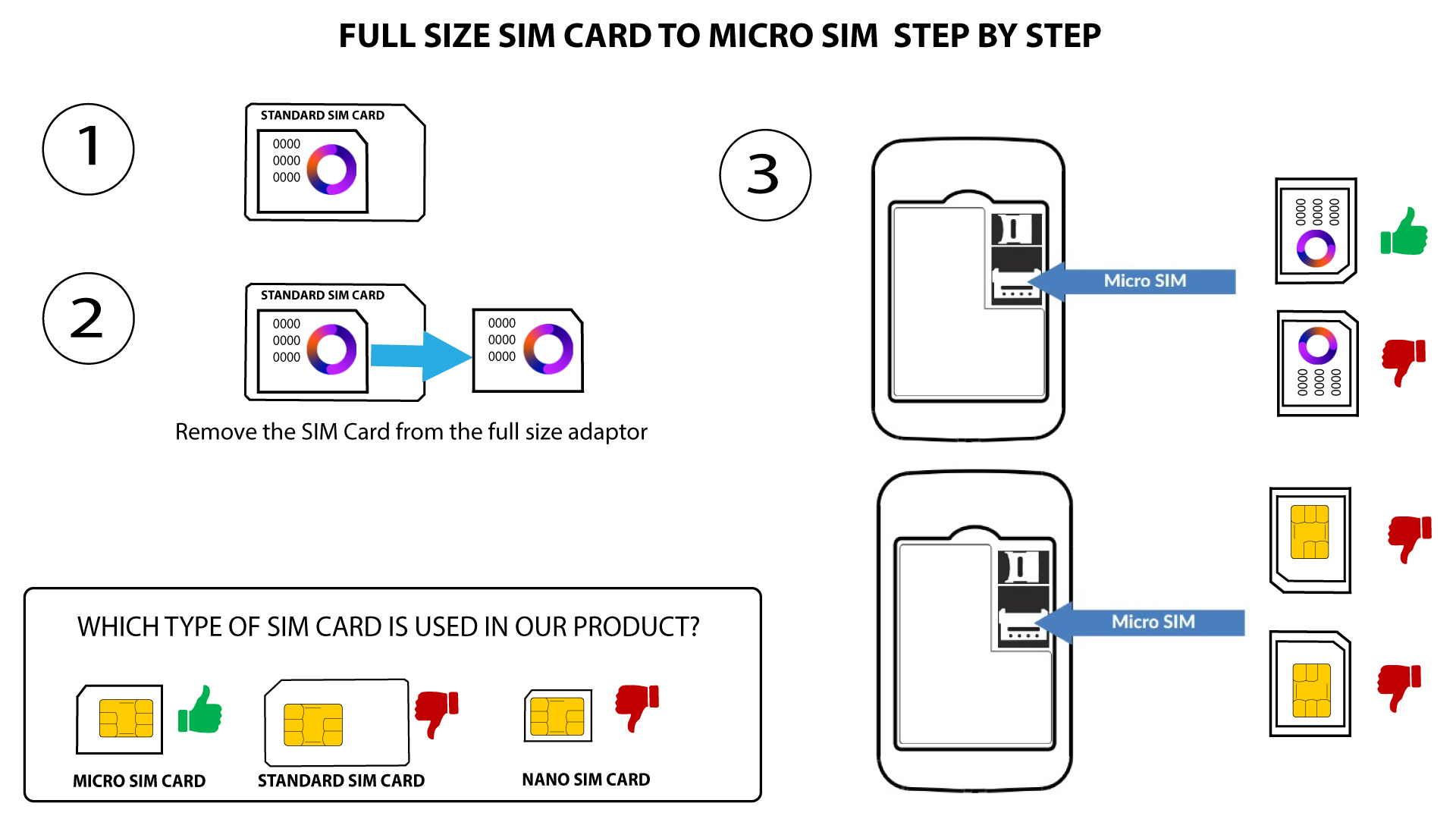
Ett mikro-SIM-kort måste sättas in i SIM-kortfacket på 4G PORTABLE HOTSPOT 150/4G PORTABLE HOTSPOT 150 MED SKÄRM. Du behöver inte oroa dig för SIM-kortets storlek, eftersom det medföljer adaptrar i routerns förpackning som säkerställer rätt storlek. Du måste sätta in SIM-kortet innan du slår på enheten.
1 Fall1: SIM-kort i full storlek till Micro-SIM-kort
När du har satt in SIM-kortet i adaptern ska du trycka fast SIM-kortet i adaptern så att det sitter ordentligt. Ta enheten i handen och sätt in SIM-kortet i kortfacket i samma läge som på schemat nedan.
2Fall2: Från nano-SIM-kort till mikro-SIM-kort
När du har satt in SIM-kortet i adaptern ska du trycka fast SIM-kortet i adaptern så att det sitter ordentligt. Ta enheten i handen och sätt in SIM-kortet i kortfacket i samma läge som på bilden nedan.
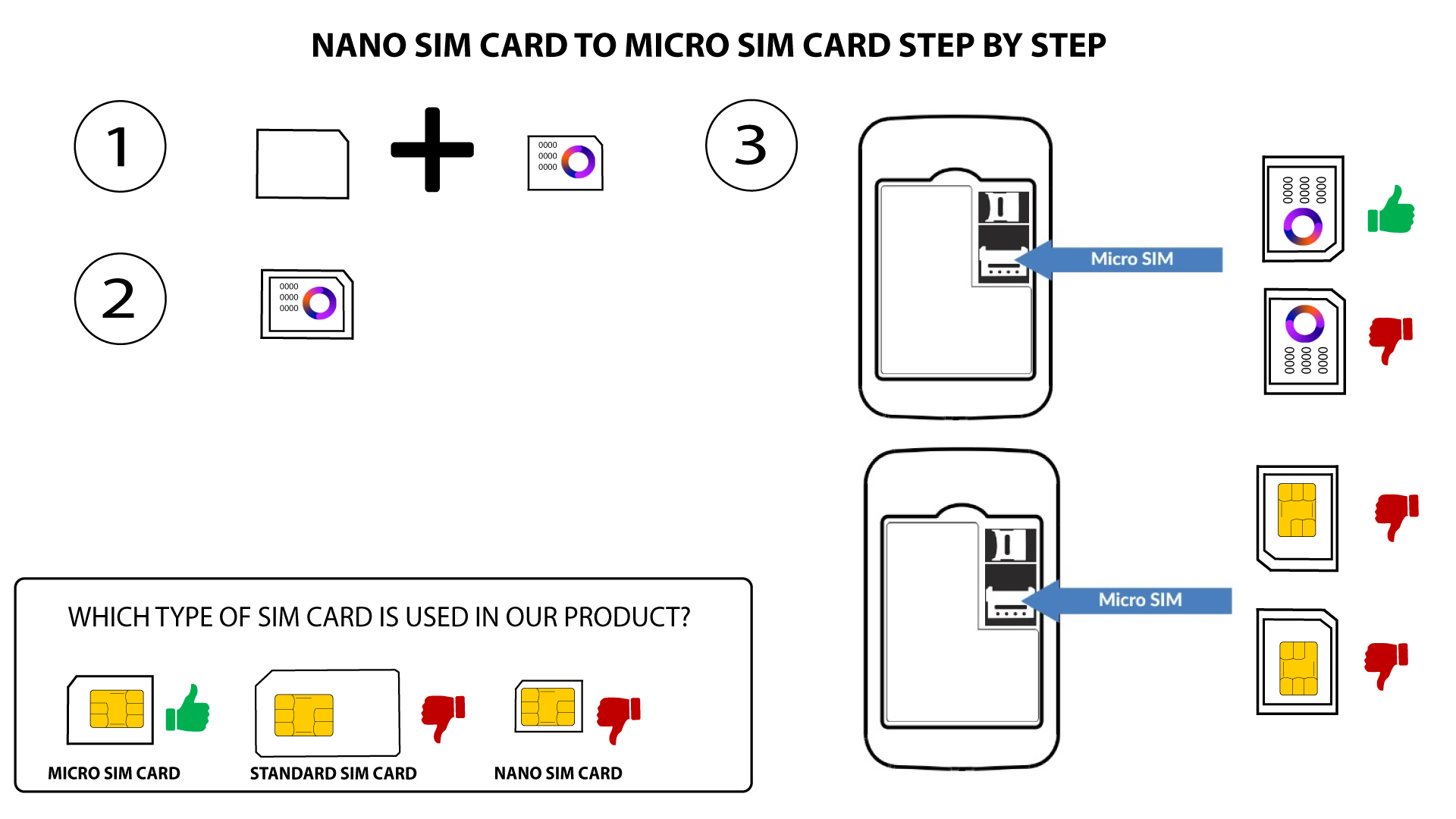

Varning: Se till att SIM-kortet sitter ordentligt på plats i adaptern innan du sätter in det i kortfacket.
- Om enheten inte känner av ditt SIM-kort, kontrollera dess placering och se till att du har satt i adaptern på rätt sätt.