4G AIRSPOT 220 Wi-Fi med display
Inga föremål hittades.
Inga föremål hittades.
Alla frågor
4G AIRSPOT 220 Wi-Fi med display
Inga föremål hittades.
Inga föremål hittades.
Hur slår jag på och stänger av enheten?
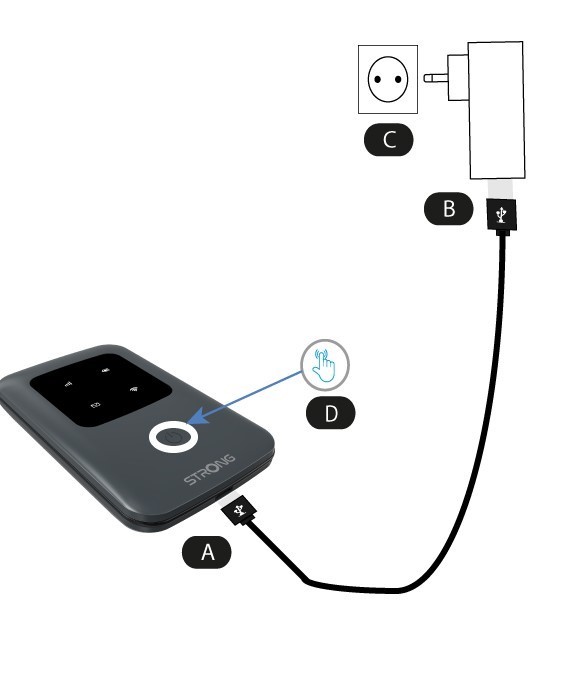
För att starta enheten måste du ladda den innan du använder den. För att göra det ansluter du USB-kabeln till enheten (A) och kopplar in kontakten (B).
1Strömknapp
Anslut USB-kabeln från enheten (A) till strömförsörjningen (B). Sätt sedan in kontakten i uttaget (C) och håll strömbrytaren intryckt i fem sekunder (D).
Efter några sekunder tänds lysdioderna på enheten.
För att stänga av den behöver du bara hålla strömknappen intryckt i 5 sekunder.